Battery full but not supplying power?

14 comments started 2023-04-17 last 2023-04-18
GivEnergy ProductsBattery
D
#1 dreamshock

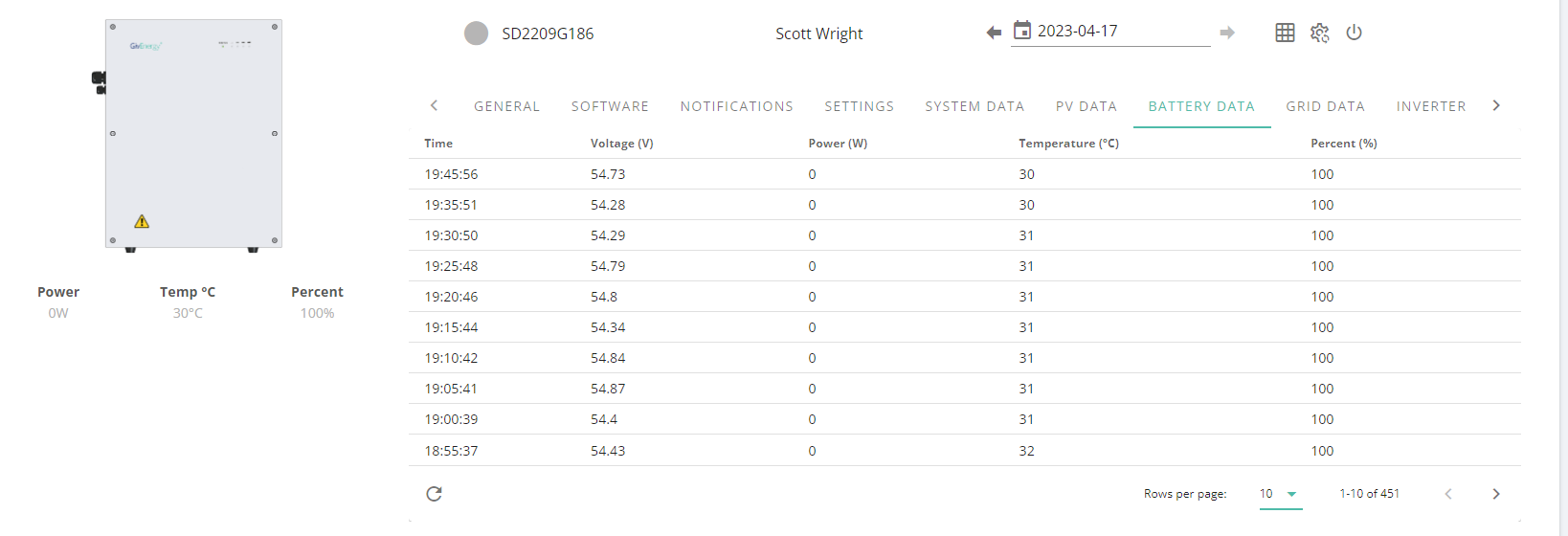
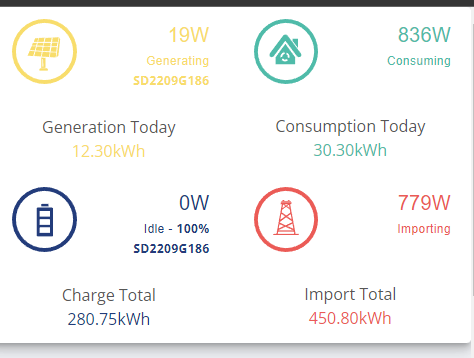
So this morning after a full charge last night I noticed there was no supply even when 1kw plus was being consumed by the house.

All settings checked, times checked and reset to defaults. Reset invertor and spoke to givenergy who have updated firmware and done a recalibration.

This has finished and the battery sits at 100% idle even with house consumption.

Anyone have any ideas to get myy battery back supplying.
T
#2 Tim

dreamshock You don't say which inverter or battery you have. The older batteries have an inline DC MCB between the battery and the inverter. They were prone to failure, especially under high load. If you've just had a calibration done, it's feasible that it's tripped. If this is the case, lifting up the lever will reset it but it's likely to happen again and a call to the installer to change it is in order. It's not possible to see that the breaker has tripped from the portal because the inverter and battery are still communicating over Modbus, providing battery data.

If you have a more recent Batt9.5, they have an internal MCB, which could have tripped, but less likely.

If it's not the DC MCB, perhaps someone else has had a similar experience and can advise?

D
#3 dreamshock

Sorry! It's the Giv HY5 Gen1 and also the GivBATT 9.5

T
#4 ToothyChris

Has it reverted back to your usual mode (Eco?), or not?

In the portal, what Status value does show for the inverter?

D
#5 dreamshock

I've tried all options, including forcing a manual export at a certain rate - still nothing comes out


D
#6 dreamshock

Also I have just setup Home Assistant which appears to be working fine, so not sure this has anything to do with it?

T
#7 ToothyChris

Might be HA but no experience myself. If it is simple to turn it off, it's got to be worth a try.
Did the firmware update definitely work (with the dongle now back to the usual solid blue)?

When my inverter falls asleep a forced discharge, or an inverter software restart or a Pause/Play usually wake it up. But it looks like you have tried that.

Any error messages (i.e. entries in the 'Notifications' list)?

D
#8 dreamshock

Thanks! Nothing aside from the battery calibration being complete and everything good to go.

T
#9 ToothyChris

Clutching at straws now...

Try power cycling the battery? Press and hold the button on the right hand side of the battery, to turn off. I think a short press then re-starts it.

Perhaps one of the hidden inverter settings has got corrupted? Perhaps ask Martin Phipp (GE techie) on the Facebook group, to take a look at the back end for you?

G
#10 Gelso80

mine is exactly the same and bee like that for a couple of years. I've found the MCB had tripped a couple of times and the battery was obviously flat with this closed for a while. Had Eon out to check over everything and they said there was nothing wrong with it. Complete bull, there has got to be something wrong with the firmware.

T
#11 Tim

Gelso80 If the MCB tripped, it is likely to be a hardware fault, not the firmware. The DC MCB is rated at 100A but the highest current it should see is 50A on a gen1 inverter, irrespective of the number of batteries it has. (Gen 2 inverters have the MCB built into the battery). There were many reports before gen2s became readily available, of these MCBs needing to be replaced because of overheating caused by faulty termination of the battery cables or simply manufacturing issues where the internal contacts were not correctly mating.

@dreamshock if yours in gen1, have you checked the DC MCB lever is in the up position (same as a consumer unit isolator or MCB).

D
#12 dreamshock

Just FYI - thanks for all your replies - Givenengery finally figured it.

HA had actually changed a backend variable from 4% to 100% reserve - meaning that the battery wasn't going to drop below 100%.

This was a strange one, as this slider doesn't appear to be configurable via any Givenergy options directly, and even reverting to defaults didn't updated it.

Problem now all sorted 🙂

T
#13 Tim

dreamshock HA had actually changed a backend variable from 4% to 100% reserve

It'd be really helpful if you could expand on this so that others can watch out for the same pitfall. Was it the number.givtcp_INVSERIALNO_battery_power_cutoff entity by any chance? Whichever entity it was, was the adjustment made by a GivTCP built-in automation or was it operator tinkering? If it's the former, then it'd be good to highlight it to @Britkat to modify; if it's the latter, welcome to the club!

D
#14 dreamshock

Tim It was the following:

GivTCP SD2209G186 Battery Power Cutoff

And yes - due to me tinkering with sliders!