
Understanding the System

3 comments started 2024-02-08 last 2024-02-08
GivEnergy Products
R
#1 RobV

Can anyone help with this one please?

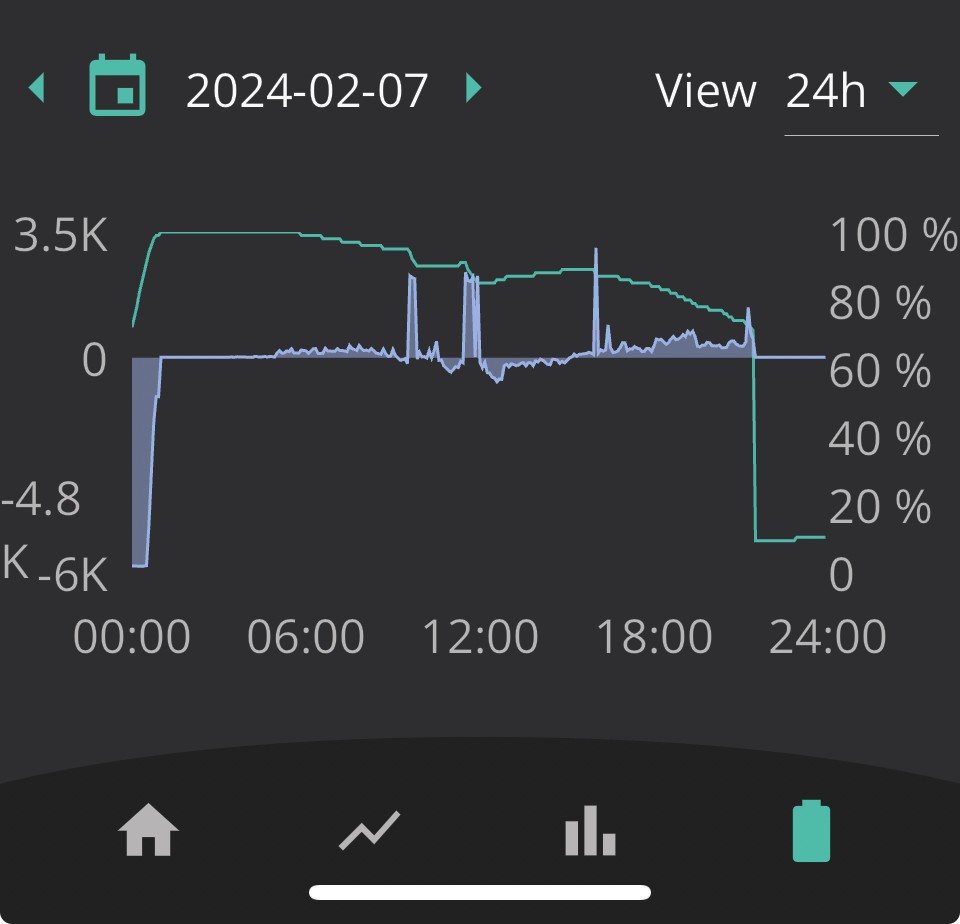
Problem: At about 20:00 each evening, with the battery at about 60% indicating in the App, the AIO takes an unceremonious dump down to its reserve. Why am I losing about 50-60% of my capacity when I need it most?

Background:
I charge my AIO during the overnight cheap rate (at 6000W set) to 100%.
I use the iBoost to heat the water on a timed boost during this period also. I’ve adjusted the iBoost recently to threshold at 500W rather than the default setting, and while this has retained AIO capacity during the day and for longer, it has not made a material difference to this issue.
I recently increased the overnight AIO charge period from 2.5 hours to 5 hours (I had assumed 13.5 kWh divided by 6000W = 2.25 hours to charge (if totally efficient…)); this has resulted in no greater level of energy in the AIO.
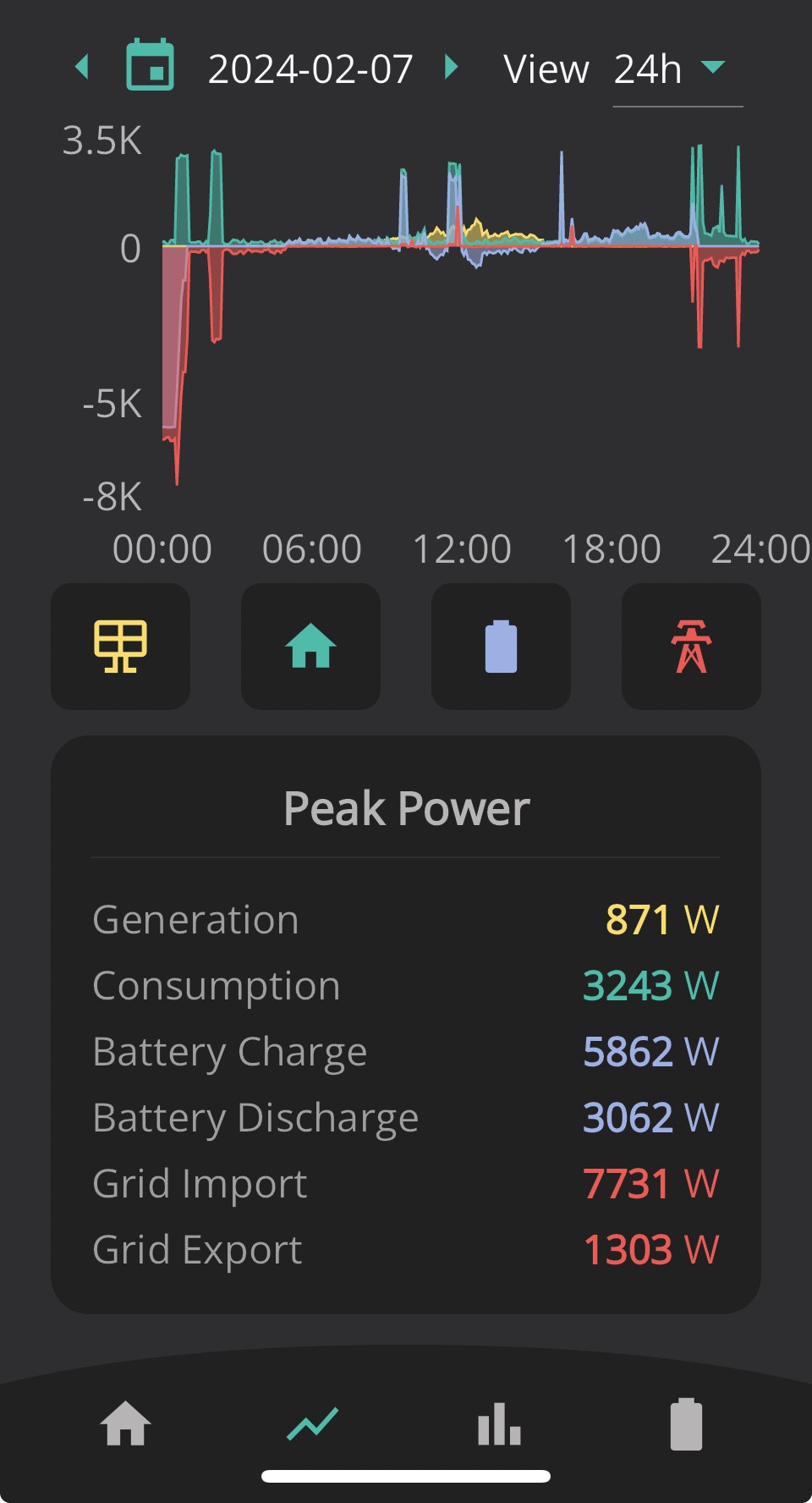
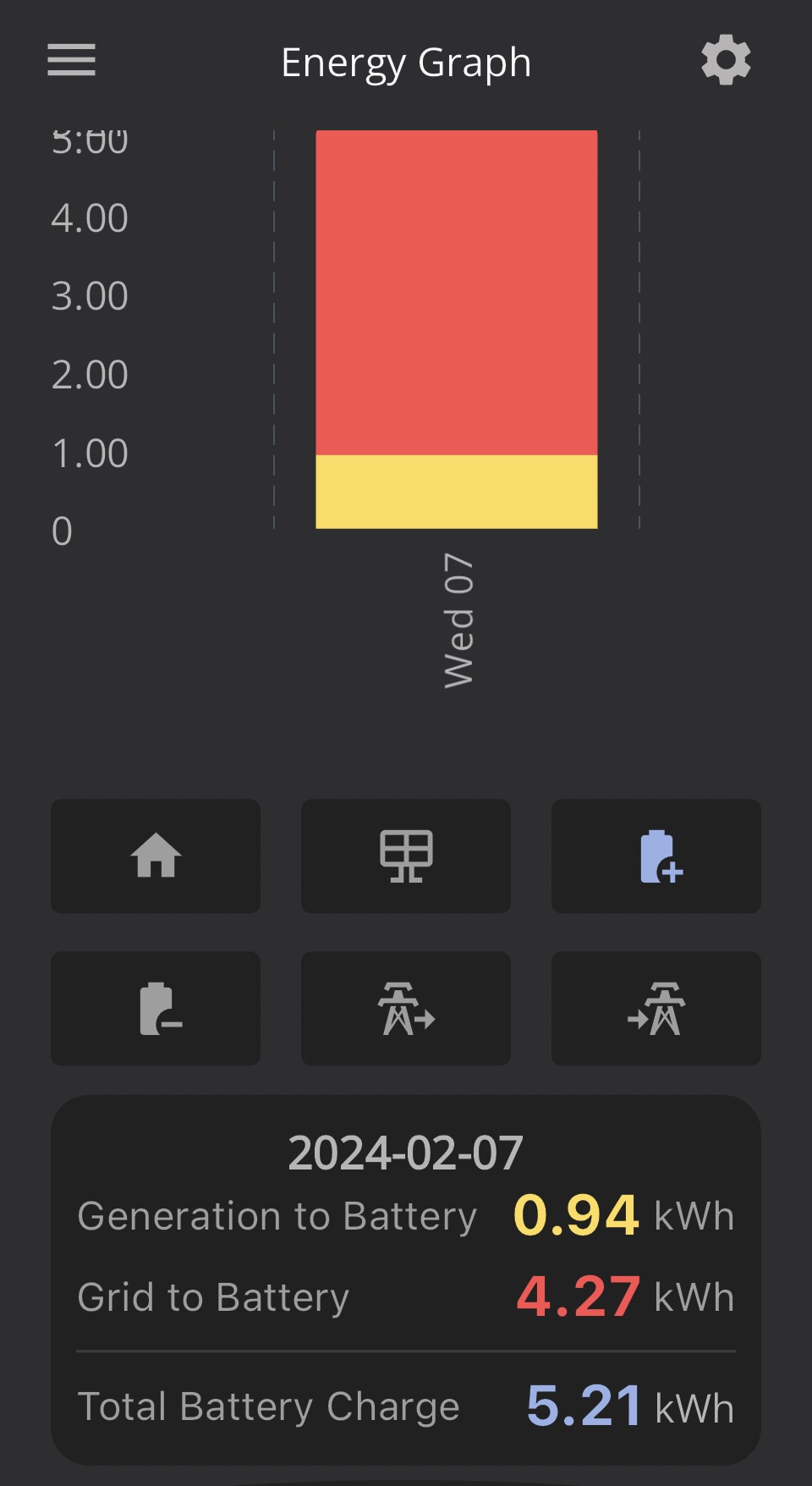
Only approximately 5800W (taken from the Powergraph Peak Power figures) is being extracted from the grid to the AIO daily and yet for a proportion of the day the App indicates AIO @ 100%. Charging for a longer period has made no difference.
I have not connected the EV for days and so this has no bearing on the situation.
I am on BMS 7, as installed.

These snapshot images (which I fear are not going to reproduce themselves (and may not be entirely necessary)) from 7 Feb describe my daily situation:
I have combed the forums, but I would be grateful for some advice from someone who has perhaps already struggled through this sort of problem.

Grateful in advance,
Rob

G
#2 geoffreycoan

It sounds very much as if the AIO has lost track of what its 'state of charge' is, and so when its reporting 100% charged, its actually not, and then all of a sudden it realises that the charge level isn't what it thinks it is, and corrects the SoC level you see.
The power doesn't just disappear, it was never there in the first place, just the AIO thought it was.

There's a whole stream of threads here on the forum about this issue with the AIO. I think the newer v8 firmware has improved the issue, but do read the threads on v8 firmware first before you decide to upgrade.

In the meantime if you are not running your battery down to empty, this is exacerbating the problem as the AIO can only really work out what the SoC is at 100% and 4%, and the rest in between is interpolated. Suggest you contact givenergy support to get your battery recalibrated, this will force a full discharge and charge cycle and should reset the SoC count.
You may still need to upgrade the firmware but this will give your inverter the best chance of knowing what battery % it has

Geoffrey

R
#3 RobV

Thanks Geoffrey - that sounds logical. I might try a set-piece ‘scheduled discharge’ initially to see what happens. But a recalibration, by its very nature, appears to make good sense.

Yes, I’ve tried to understand the various threads and indeed picked up some good tips. However, making sense of the data and gaining the confidence to know whether the system is performing to spec appears to be a good team sport.

Grateful for your advice Geoffrey - that’s a real help to begin with.

Rob