
Inverter offline

4 comments started 2024-08-10 last 2024-08-10
Commisioning
K
#1 KimL

I am trying to get my system working properly again after my internet was switched off for about an hour, and after some digging, it appears that my inverter is off line. How do I get it back online?

I'm really struggling with this, as I get significant problems every time I lose internet, and I could do with knowing how to get it up & running again properly afterwards.

How do I raise a ticket if I can't get this sorted?
S
#2 SteveCook

What inverter have you got?
Are you using wifi or LAN connection
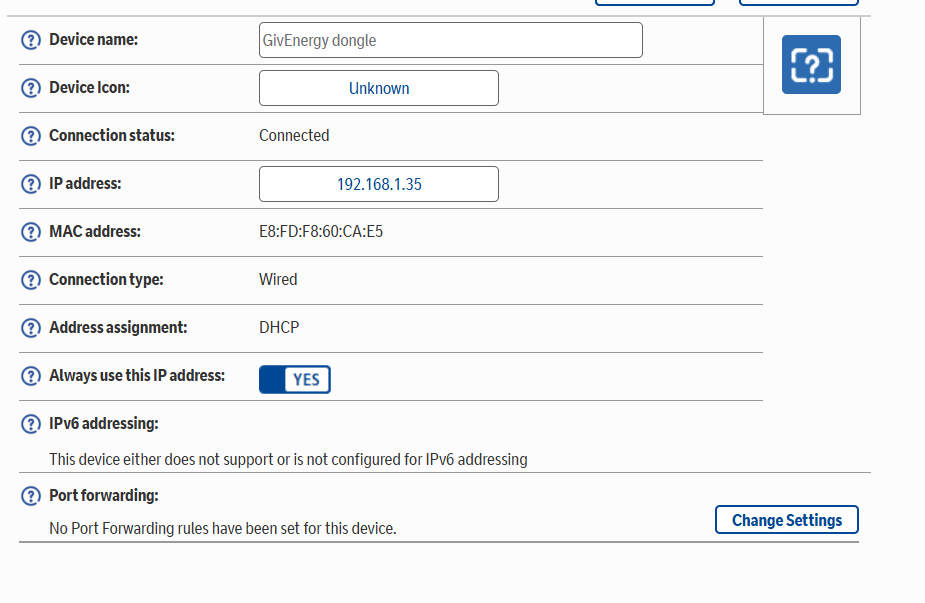
Have you set your router to always assign the same IP address - it seems to help
I am Gen1 Hy5.0 and whilst the snip below says wired, I am on the wifi dongle connecting via BT discs which are wired

K
#3 killythebid

You can go to the inverter section of the dashboard and in the top right corner there is a restart inverter function it is an on/off symbol you may need to reveal it by clicking on the 3 dots to get more options. Click on the restart symbol and see if that helps.

It may restart/get back online by itself given enough time.

G
#4 geoffreycoan

KimL Have a look in the forum for this topic being covered before, but in short if your inverter is not connecting to the internet you either need to restart your internet router which might cause it to re-connect, or shutdown and restart your inverter (see the shutdown procedure in the installation manual or as left by your installer).

Having a fixed IP address for the inverter as suggested by SteveCook can help, you’d need to configure this in your router setup, but the two options above are the best way of restarting connectivity.

You can always phone givenergy support if you need to log a ticket