M
Anyone having problems with the GE app failing to load up?

Anyone having problems with the GE app failing to load up?

Right now the Android version v3.4.20.5717 is working fine for me.
I've got v3.4.21.5722 and it loads OK. Looking forward to the version where we can see the battery % line in dark mode 😉
Could be my phone, I have restarted it and checked if I can clear out any old apps.
A new software update was found for the GE app.
That was not showing earlier today...
Will see if I can find out what's happening...
Thanks for the responses.
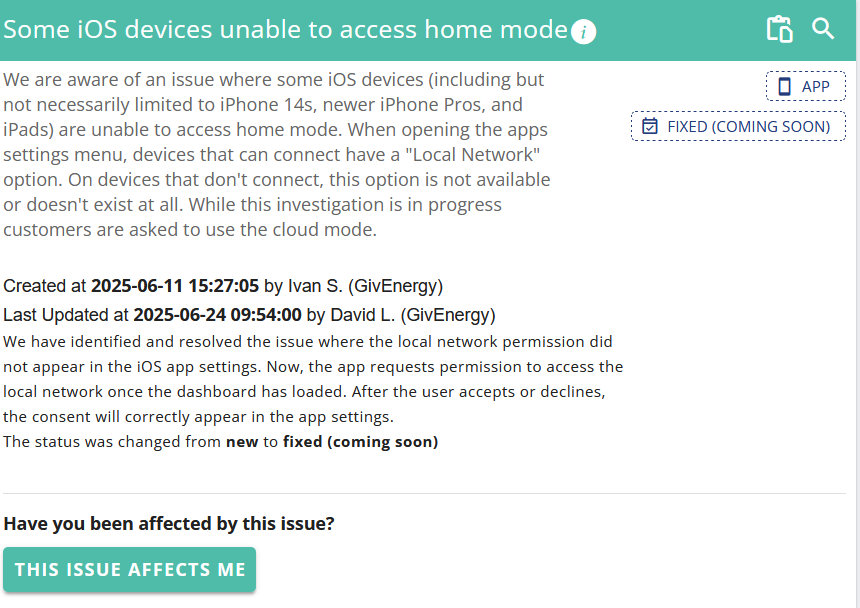
I have an iPhone and I have just updated the app now I can’t see any graphs or data past June when I get to May it just says problem loading and then just keeps the loading screen keeps circling round and won’t move on. I can get back to the main screen but have to restart the app to get the graph data back up but it will only show June and the couple of days of July
I don't know what the issue was yesterday but it seems to be back to "normal" load times at the moment.
That they keep tweaking the app and "breaking" it is concerning, but I guess keeps the dev team employed...
Mine has been messed up since yesterday, i even reset the wifi password in givinstaller case that was an issue, no access to local monitoring and very fragmented remote data with the inverter appearing offline for spells.
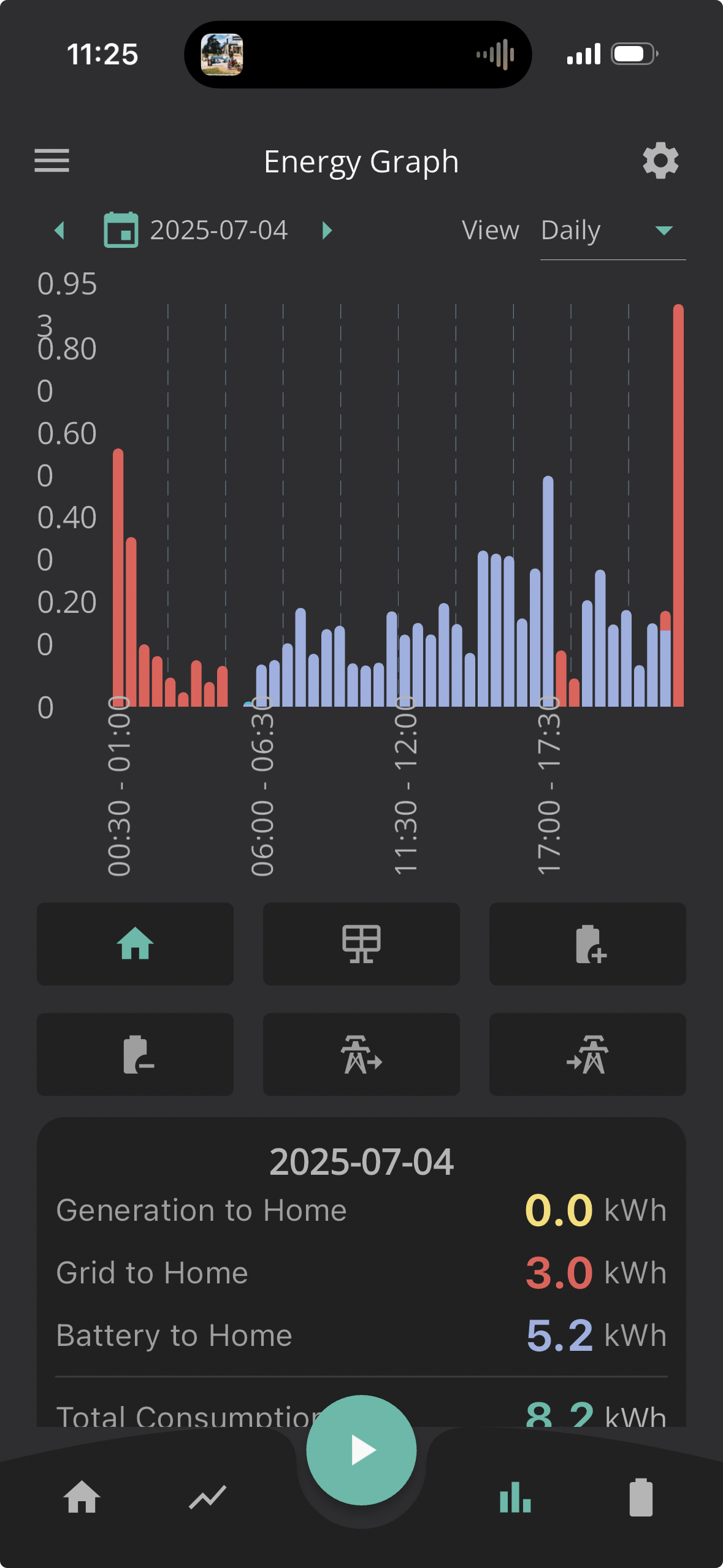
This doesn’t look right for a full days usage, think the battery was close to 4% when it hit 11:30pm (I have no solar so it’s usage as IO arbitrage)
Mine has been messed up since yesterday, i even reset the wifi password in givinstaller case that was an issue, no access to local monitoring and very fragmented remote data with the inverter appearing offline for spells.
This doesn’t look right for a full days usage, think the battery was close to 4% when it hit 11:30pm (I have no solar so it’s usage as IO arbitrage)
It’s been offline for 2 hours it says just now 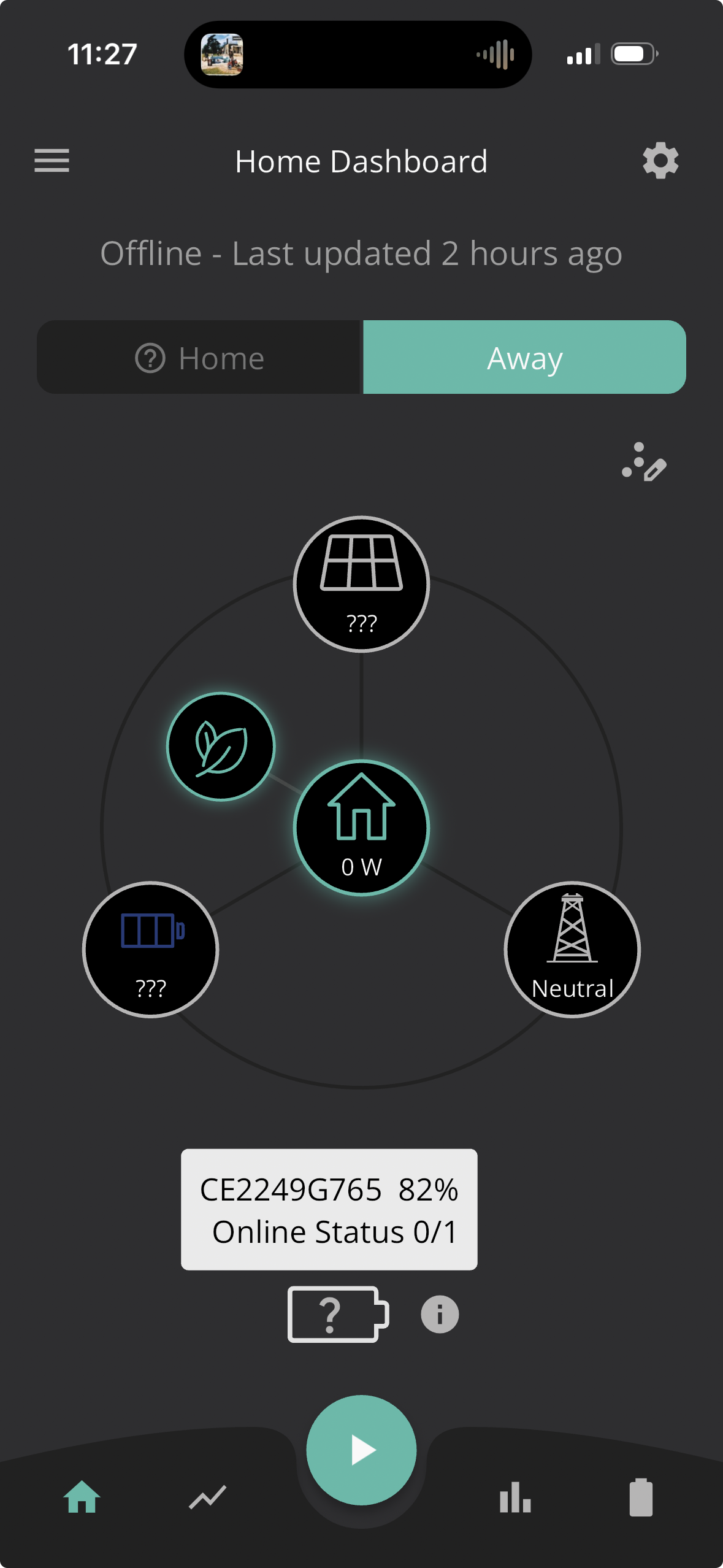
I can see the power graph and the battery graph, but the energy graph just comes up with a red "There was an issue" banner. Possibly related: in the portal I can see the energy graphs, but when I try to download the data it downloads an empty file.
For anyone who may need some assistance I managed to fix this myself. I got the IP address of the dongle (with I use with the inverter monitor app) and then went into local monitoring in the Giv app and switched it to Search for inverters manually and added in the IP address to IP address field. Now working as expected, but something is up for looking for it manually.
I still get the problem loading data even after changing the app to search for the inverter manually
I’ve now got the same problem so it must be an ongoing issue.
All very annoying has just ev charger installed
Everytime you power cycle the inverter it will create a new IP address which you manually have to search for.
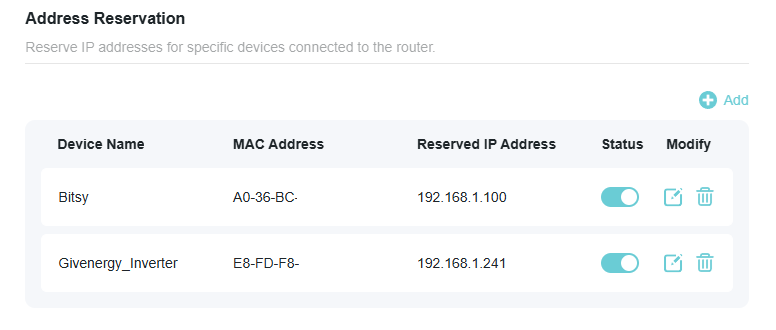
If you go into your router's settings and find your inverter, you can reserve the IP address assigned to the inverter. This will make ensure that the inverter always has the same IP address.
anthonypar it will create a new IP address
Unless you configure your router(s) correctly
Indeed, make a reservation