Unable to force battery reserve

30 comments started 2022-12-30 last 2023-12-06
GivEnergy ProductsBattery
6
#1 666tim666

Hi, I have a new installation with an ac3.0 inverter and a 9.5 battery (and solar panels on their own inverter). I do not have any special tariff and as there isn't much sun and the output from my solar panels is small, and the battery rarely charges. At this time I want to make the inverter charge the battery to a reasonable level and keep it there, but although I have set a battery reserve of 20% the inverter seems to ignore this, and discharge the battery to very little (and at various random times such as during the night). Presently the battery is reporting 1% on the app. Are there any other settings that I can use to make the inverter maintain a 20% reserve (or any reserve)? I have 'eco' enabled; I have tried with 'eco' disabled but that seems to cause the inverter to export electricity to the grid at times and I don't want that to happen.

Any help would be appreciated.
Thanks,
Tim

C
#2 cluelesscris

666tim666 Currently, the battery reserve is not reliable - if it works at all. Firstly, you do not need to set your own reserve level to protect the battery - it will do this itself. the 9.5 battery is actually bigger than 9.5 which is why GE allow 100% DOD.

However, bear in mind that operating a 20% reserve effectively makes your battery a 7.6kwh battery.

If you do have a specific reason to enforce the 20% the only way to reliably do this currently is with automation using somthing like givTCP and Home assistant. The automation would monitor the battery SOC level and set the discharge power to zero when it drops to 20% - for example. You could do this manually, of course, but automation would obviously be way better.

L
#3 LordHippos

As a workaround if you don't need the charge window for anything time of use related, set a really long one with a target SOC % of what you want your reserve to be. It will then maintain that level in the charge window but should continue to discharge down to it as normal.

I don't know if this charge window would interfere with the solar charging though.

6
#4 666tim666

Thank you cluelesscris, I have set the discharge power to zero as suggested. Having a 7.6Kwh battery would not be a problem right now. However having a battery which is near continuously flat does not sound like a good thing to me. It will take several days for the solar panels to make any progress with charging the battery and so I can sit and watch to see what it does for some time. My confidence in the behaviour of the installation is not high at the moment.

6
#5 666tim666

LordHippos, you have suggested using a charge window but I would first want to know whether that would cause import of power from the grid to charge the battery as that would just represent cost and inefficiency as far as I am concerned. When I know what the devil this thing is doing, then I might go for an economy 7 tariff and charge at night, but given the behaviour so far, I would not want to that until I am sure that a tariff change would achieve something useful.
But thanks for your reply anyway. All suggestions help me to understand it better. It would be nice to have a manual that describes how it works.

C
#6 cluelesscris

666tim666 Remember your 9.5 battery at 4% default is actually at around 12% real capacity (11.2kwh) and is warranteed to 100% DOD of the 9.5kwh. you really don't need to do this.

6
#7 666tim666

cluelesscris
Thanks, and I might do as you say and let the system get on with it if I trusted the behaviour of the inverter. The reported level of battery charge has dropped from 2% to 1% since I set the discharge rate to zero, but that might be because the temperature of the batteries has dropped (they are in the garage), although the reported temperature has actually increased since this morning to 11C currently. I will wait and see what the system does.

6
#8 666tim666

666tim666 However, the system is now draining the battery at a rate of 6w if the app is to be believed and the reported charge level is now 0%. So I have no idea what it thinks it is doing.

L
#9 LordHippos

666tim666

My idea would be to set a charge window of something like 00:00 - 23:59 at a target SOC % of say 10% for example, I think this will:

Almost always hold the battery at 10% charge. It will need to initially charge to the SOC % target from grid.

If the battery is at 10%, all usage will come from the grid for house demand.

If the sun is shining, solar should take over house demand, and excess should charge the battery still above the 10% mark. This behaviour I am not as sure about. Might be worth having eco mode enabled as well so it prefers not to export.

If battery is above 10% it will use it but only down to this level as it's the charge target.

This is just a suggestion to try as an alternative, I don't tend to do this as I charge mine fully off peak with Octopus Go.

6
#10 666tim666

LordHippos
Thanks for that. I may well try what you suggest, as my current approach is not working.

I wonder whether having eco mode enabled causes the system to give priority to that setting and to ignore other settings (such as 'reserve' and 'discharge%').

6
#11 666tim666

666tim666 Does a green flashing circle on the inverter, and a green flashing LED on the battery mean that the system is telling me that the battery is flat?

S
#12 stevelewis

666tim666 there is a known bug with the battery reserve setting not working. Givenergy can provide a patched software version on request.

6
#13 666tim666

666tim666

So, at the start of this I said that I was unable to force a battery reserve. I was not comfortable with the reported battery level being continuously zero or near zero (setting aside any additional room reserved by the battery pack) and I wanted to see that I could increase the charge state to say 10%.

So, now, my reading of the behaviour is that 'eco mode' disables all of the following timed and battery settings on the settings page.

The green flashing circle on the inverter appears to indicate that the battery is discharging whereas a constant green circle appears to indicate that battery is charging.

A single green flashing LED on the battery pack appears to indicate that the battery is flat.

I have found that when the system is set to charge to a reserve, in my case an arbitrarily chosen 10%, it charges to that level (approximately) and then it hunts, changing from charge to discharge with a frequency of maybe 10 or 20 seconds. But then after a while it settles down, in my case drawing a reported 1 or 2w from the battery and otherwise doing nothing, with the SOC reported on the app at 8%.

At present I have 'discharge power' set to 0W which presumably means that the inverter should not draw power from the battery. But I wonder whether the setting only has an effect when the 'Timed Discharge' or Time Export' functions are enabled.

Pity we don't have a manual to explain the behaviours, settings and indicators.

S
#14 stevelewis

666tim666 the reserve setting doesn't currently work unless you specifically request the bug fix from GE and the approach you're using to circimvent the bug looks like it will cause more issues than it will solve.

Best to go back to default settings and Eco mode, using the timed charge function only to force a charge during cheap rates. You shouldn't need to vary the max charge/discharge settings.

A few people in this community have started a Wiki which is a good source of reference material and worth a read on the absence of a manual.

6
#15 666tim666

stevelewis Thank you Steve. I may ask for the patched software version for battery reserve but I think I will try other things first.

6
#16 666tim666

stevelewis

Thank you for your second email. My last changes appeared to have worked and I have since increased the timed charge level to 20% to see whether it will do that.

I will have a look at the Wiki.

T
#17 Tim

666tim666 'eco mode' disables all of the following timed and battery settings

Eco mode works with the inverter grid meter to minimise grid import and export. With an AC3, if your FIT system is supplying all house load and is starting to export to the grid, your AC3 will see this and start to charge the battery with the surplus. If the FIT system cannot supply house load and a grid import starts, the AC3 will see this and supply house load from battery up to its rating and the battery capacity. Unless there's a specific reason, just leave the inverter in Eco mode all the time and it will perform as you would expect.

If you want to charge the battery up on a Time of Use (ToU) tariff such as Economy 7, set a timed charge for the E7 period. Leave the inverter in Eco mode and when the timed charge period starts, the inverter stops supplying the house load from battery until the E7 timed charge period ends. It charges the battery up to the Charge to % at the battery Charge Power. You can flex these two settings to vary the amount of grid import to charge the battery up to and the rate at which it charges. Setting a high battery charge rate sees a period of mini charge/discharges as the inverter tries to hold the battery at the charge to % until the charge period end. By reducing the charge power so that it just reaches the charge to % at the end of the window, there is no mini charge/discharges as the battery is continuously charging for the whole period. This can be automated using various tools developed by people on this forum, or just set manually each day if you can be bothered.

Reducing the battery discharge power to 0 will hold the battery at whatever level is there but as long as the inverter is in Eco mode, it will also charge from your FIT system when export is detected.

The battery reserve doesn't work on AC3s using the standard firmware, although there is a firmware fix available for this and you can ask for it to be applied to your inverter.

Timed Discharge and Timed Export both hold the battery level until the start of the timed period. This means that the house load isn't supplied whether in Eco mode or not although if Eco is enabled, the battery should continue to charge from diverted FIT-export until fully charged.

If your battery SoC falls to 0%, it should charge back to 4% from the grid irrespective of what modes/settings you have set. If it does not do this, contact Givenergy by phone or web chat during office hours and ask for help. They say they look at all emails but you have no idea what they are doing with them.

6
#18 666tim666

stevelewis Steve, So I took your advice and pressed the 'reset to default' button on the settings page but it appeared to change nothing. I tried this several times. So I have reverted the settings to their original values from memory and the system seems to be happy with that.

I am using the timed charge function to force charge to 20% just to see what it will do and it appears to be working correctly. SOC is presently 18% and the battery has just stopped charging. Although it seems a bit uncertain as SOC keeps switching between 18 and 19% and every now and again the inverter charges a bit more at a few hundred watts.

The inverter may be confused by the fact that it has eco mode set which causes it to use battery power to supply the load but it also has force charge set to the 20% level. So it is alternating between the two demands. Judging from the app updates I would say that it is having a really hard time trying to deal with the situation. The app has even briefly reported significant export the the grid. And one report displayed zero house load which is of course wrong, so its having a bad time.

So, ignoring your advice (sorry), I have now set the 'battery reserve limit' to 20% to match the force charge level. And this has caused the inverter to stop charging and discharging the battery in a frantic way and it has settled to more or less zero charge/discharge. So in this case and at this moment 'battery reserve' seems to have done exactly what it is supposed to do.

I will think about how the thing would operate with a cheap rate tariff next. I can of course set it to operate as if I had a cheap rate night tariff without actually having one, just to observe how it operates. The business of getting the tariff is complex because I don't have a Smart Meter and I have very good FiT payments which I don't want to screw up. I am talking to my energy supplier of course but these people have a lot to do just now.

6
#19 666tim666

Tim Thanks for your reply which I have not read yet. I was writing my reply to Steve at the time and there is obviously some overlap in the subject matter. I will get back to you.

6
#20 666tim666

Tim So, I will reply first to your last comment. Yes the first thing that the inverter did and I didn't like it was to reduce the battery SoC to 2%, 1% and then 0%. And that set me going on reserve levels etc. So if you say the battery should always recover to 4% then I need to raise that with GE, and if I see it again I will do so.
Thanks.

S
#21 stevelewis

666tim666 interesting to see how you get on. I'd still ask GE for the reserve bug fix - by setting SoC to 20%, I can't see how you'll be able to charge from PV but I could be wrong.

Getting a smart meter won't / shouldn't affect your FIT situation as you will continue getting payments based on the separate FIT meter readings. Presumably also 50% deemed exports (same here 😁)

6
#22 666tim666

Tim Concerning your comments about eco mode, I agree that I would like to leave the AC3 to sort it out and if it behaves as you say then there is nothing to do. I have two problems. Firstly I don't like leaving the batteries at 0% SoC and you have said it shouldn't happen, and that is fine - I can ask GE. Secondly, I have an EPS CU in the house which I fitted 10 years ago but have never used as such, and it supplies important items (all small loads), and I have arranged for it to run from the EPS output, and so I want to set a battery reserve which might not be much, but say 10%. I have not connected the EPS CU to the inverter output yet - I am waiting to ensure that the inverter behaves as I want. So I understand that I should ask GE for a software upgrade to allow for this.

So, if the grid fails, can I assume that the battery reserve which was previously not available to run the load will become available to support a load via the EPS output?

Your point that setting the discharge power to zero blocks discharge but allows charge from solar suits me because there is so little spare solar I could leave it for weeks without the battery being full to capacity. This would obviously be a temporary manual setting. I will try this to see what the inverter does.

You say that timed discharge can be used to prevent use of the battery to run the house load as well as to permit it. That is an interesting addition. And so, if I enable timed discharge and use 00:00-00:00 do I effectively block the inverter from using the battery to supply the load? And similarly if I enable timed export and use 00:00-00:00 do I block the inverter from exporting power to the grid? I understand that in both cases the use of eco mode would continue to enable the transfer of spare solar power to the batteries.

I have noticed that if I have time charge (and it may apply to the other timed modes) set for 00:00-23:59, ie all of the time, and I set a charge level then the batteries will charge to that level. However, if I then change the charge level without changing the time then the inverter ignores the change. This could be that the code is looking at the time and not at the level, and if a time threshold does not pass then it does not consider that there might be a level change. Is this possible? I have rebooted the inverter in order to reset awareness of the level but it still does not seem to see the change. Only when I later reset a number of other items (battery options) did it suddenly notice the change.

Thanks for your help. Your discussion entry could certainly form the basis of a Wiki page describing the operation of the AC3 inverter.

Happy New Year

6
#23 666tim666

stevelewis

Why do you think that setting the SoC to 20% it will prevent me from charging from PV? Because of the reserve bug?

Yes, I hope that my supplier, Good Energy, will be happy with the situation, but you never know. I have had the panels for over 11 years and so the payments are useful 😀

S
#24 stevelewis

666tim666 if your proposed workaround did the trick, there would be no need for the bug fix. If the inverter is in AC Charge mode and is already at the target SoC, I suggest that this would over ride the Eco setting.
No reason any supplier shouldn't be happy with an AC battery and PV. you don't need to go to the same supplier for both FIT and your grid import/export. I've moved supplier to get the best deal multiple times but have stayed with the same FIT provider as they all pay the same govt-agreed amount.

6
#25 666tim666

666tim666
In my previous reply to you, Tim, I wondered if it was the case that the inverter would not notice a change to the timed charge % level if one or both of the times were not also changed (or one of the times actually reached on the clock). I have proven that that is not true, well today anyway. I have increased the timed charge target level from 20% to 25% just now and within a few seconds the inverter started to charge the battery from the grid. Rate of charge is about 2.8Kw.

Note that I have timed charge enabled for all of the time 00:00-23:59.

The SoC has stabilised at a reported 23% on the app.

I have now changed the timed charge % level back to 20%. The inverter has noticed and is reacting by discharging the battery, but it is doing so at a low rate (eg 156w now) to the load, and not to the grid. However there is a small flow to the grid of 5w, 7w, 20w and similar. The inverter is free to discharge at up to 3Kw but it is not doing anything like that.

After 10 minutes it is still discharging at a rate of approx. 100 to 300w to support the load. There is a small solar pv contribution approx 50 to 100w which is also going to the load.

So with timed charge active for 20% level and eco mode active the inverter is using excess power available from the battery (current SoC 23%) to drive the load. This is good behaviour.

T
#26 Tim

666tim666 The behaviour you are observing is what I would expect while in timed charge mode where the inverter charges to the Charge to %, but if the SoC is higher, it allows the battery to supply house load until it reaches the Charge to %. The only issue with having the inverter in this mode long-term is that there will be continuous mini charge/discharge cycles of 1 or 2% above and below the Charge to %. This is what is observed when our inverters reach the Charge to % during our off-peak window but the period hasn't yet ended. For this reason, I try to set the Charge Power such that it just reaches the Charge to % as the window ends.

Personally, if I were you, I'd leave the inverter in Eco mode with Discharge Power set to 0W and no timed charge slot so that it can charge from any excess PV but not discharge the battery to support house load. That way, there is no continuous mini charge/discharge incurring inverter losses.

WRT your EPS, I believe that the EPS will be supplied by grid (via the inverter) in the above scenario (Discharge Power at 0W) but you would have to increase Discharge Power to supply EPS circuits during a grid disconnection. That in itself could cause problems if your house wifi is down because of the power cut. Planned cuts would be easier to manage as you can make manual changes just before the scheduled time, but unplanned power cuts would need some forethought in your scenario.

6
#27 666tim666

Tim Thanks for your reply.

My experiment with timed charge to 20% and then to 25% and then back to 20% was a test so see what the inverter would do. I have disabled timed charge (yesterday) and set the battery reserve to the original setting of 4%. So the only variation to the inverter original settings is eco mode enabled.

So far the inverter has behaved as I would like, using the battery to run the load, and then today with the sun shining, using excess solar to charge the battery. The battery discharged yesterday and this morning to a reported 4% which is the level I would expect it to choose, and since then it has charge to 5%. The inverter is not using that potential 1% to run the load but thats not a big deal. I will leave it to see what it does next. Last time with these settings it discharged the battery to 0% and so I will be watching for that.

I have checked the EPS output and it has zero volts. I will look for an existing discussion or start another about EPS when I have spoken to the installer as there are other things to consider.

T
#28 Tim

666tim666 I have checked the EPS output and it has zero volts.

That doesn't sound right. I'd expect the EPS output to have grid voltage unless grid is disconnected. My understand of EPS is that it passes through grid supply (providing power to attached devices) unless the inverter is supplying house load, in which case it comes from PV (on hybrid) or battery (on either hybrid or AC-coupled). It would be useful to know if this is not the case. I would expect that even with inverter max output power % at zero or battery discharge power set to zero or SoC at or below reserve, that the EPS would still be supplied by grid.

6
#29 666tim666

Tim Thanks for your reply.

I have carried out more checks of the EPS output and I have found that it is not zero volts. I think there is a bad connection in the EPS CU and so I will talk to the installer when he comes back to do some other work.

I think the inverter is using power from the battery which gradually drops from 4% to 1 or 2% SoC, and then uses a short period of charge, about once or twice a day, to restore it to 4%.

T
#30 Torphins_House

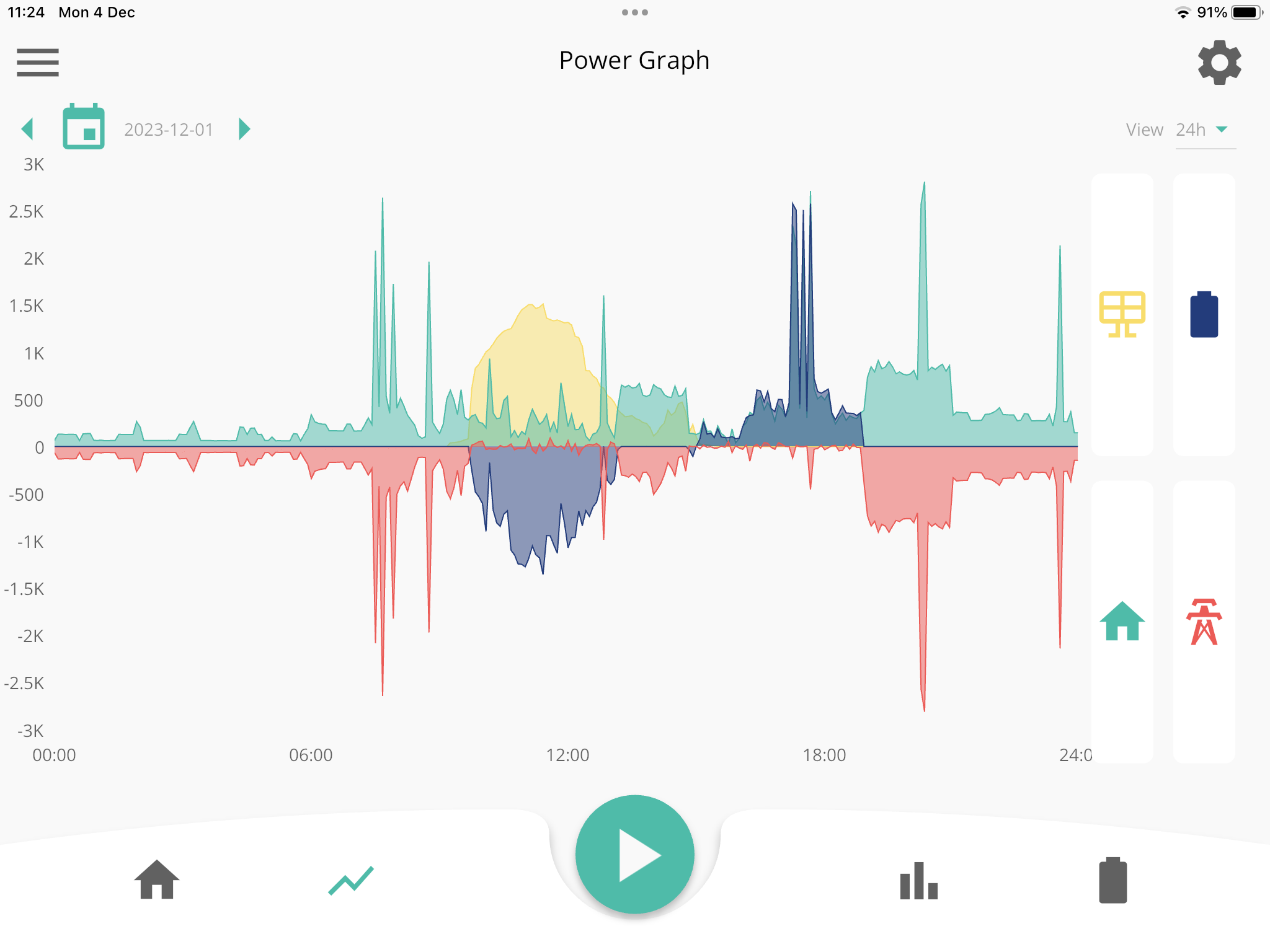
666tim666 6th December 2023: I had a similar problem last week after I had EPS system upgrade. I reported to Givenergy with screen data showing that my system would maintain a 30% Reserve, but discharge to load at 4pm every day!!!!!

After a couple days they came back to me and updated the Firmware in the inverter. Appears to have fixed the problem .