
Solcast API call limit for free account

17 comments started 2023-01-24 last 2023-02-01
Cards - SolcastCloud Portal
G
#1 gavinelli

I've seen some older posts on here about there being a 50 call limit for the Solcast API Home account i.e., the free one. I've only just had panels and battery installed and so have only just set up the Solcast integration and this now seems to be limited to 10 a day, which means by around lunchtime, the limit is reached and you just get a blank Solar Power Forecast card in the GE portal. Does anyone know if there are plans to either reduce or configure how often the GE portal calls the Solcast API throughout the day or (and I appreciate this probably isn't the right place to raise this) whether Solcast plan to increase or remove the 10 call limit?

C
#2 cluelesscris

It's changed recently. However, anyone already using the API seems to remain on 50 per day limit. I use it within Home Assistant and I cannot see anywhere in the config of the integration to set the API call interval. Maybe I'm missing something but if that option is not exposed the writers of the integration will need to update it to do so or, at least, adjust it to handle the new limit on API calls. I would suggest a message to them?

S
#3 stevelewis

gavinelli the 10 call limit is a business decision as every call costs money. One call a day, before I automatically set the overnight charge is sufficient for me.

G
#4 gavinelli

stevelewis I'm not doing mine directly via any automation though, am currently relying on the existing behaviour in the GE portal. If I can get my head round the Home Automation stuff, I'll start using that instead...

A
#5 athresuk

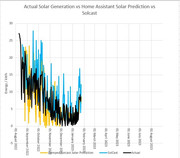
I have been running a comparison between SolCast and the Forcast.solar which is built into Home Assisant for the last 6 months.
It appears that SolCast generally over estimates while Forcast.Solar generally under estimates (my array does suffer from shading late in the day which does mess things up a bit)

So if SolCast does get locked down there is an alternative if using Home Assistant

S
#6 stevelewis

gavinelli you can either do the full Home Automation install or just install my stand-alone Python code on pretty much any platform... www.github.com/salewis38/palm

S
#7 stevelewis

athresuk

athresuk Solcast provides a spread of three estimates, allowing users to apply a confidence factor. Not sure if you get that from other services.

M
#8 mpartington

stevelewis I've looked at this a few times and not really understood how to integrate into home assistant. Are there a few pointers on the steps that you can give please?

S
#9 stevelewis

mpartington it runs natively on a Raspberry Pi (or anything else that will run Python3). HA not required.

In fact, to go one stage further, it uses the GE server API for control so also doesn't need GivTCP or local network access to the inverter.

M
#10 mpartington

stevelewis ok thanks, I'll look into it further. I've got my pi dedicated to running HA at the moment

S
#11 stevelewis

mpartington the extra load is minimal, should be no problem with running alongside HA.

M
#12 mpartington

stevelewis It's more a how to do it issue 🥴. Still quite new to HA

S
#13 stevelewis

mpartington log in to you Rasp Pi and get to a Linux command prompt. Create a directory, copy the files across, edit the settings and run palm_soc. py. You can add it to startup as a service, etc subsequently.

N
#14 naltsta

gavinelli I'm having the exact same issue on the GE portal. First thing in the morning I can see solecist and then it is gone, as i've used up my 10 API calls.

The card needs to call less frequently, ideally have options for frequency and display the most recent data rather than going blank if it get refused.

#15 hoggy

I think what needs to be done is GE call Solcast and then that data needs to be made available from the GE API for you to call as much as needed for other things.
You can sort of do this already by just reverse engineering the Givenergy portal but it’s not very user friendly at all.

S
#16 stevelewis

mpartington I've added detailed installation instructions on github if it helps :-)