
Agile and relative priority of other settings

10 comments started 2023-02-21 last 2023-02-21
Mobile AppGivEnergy ProductsBattery
J
#1 JennyHorner

We’re with Octopus and have just switched to Agile incoming (outgoing also in process but waiting).

We’re a little nervous about entirely giving over control to the automation in GivEnergy and at the moment we have a discharge 3.30-8pm setting as well as the smart tariff setting suitable for solar with battery and we’ve also been manually checking for cheap and expensive times in terms of when to charge the battery on cloudy days.
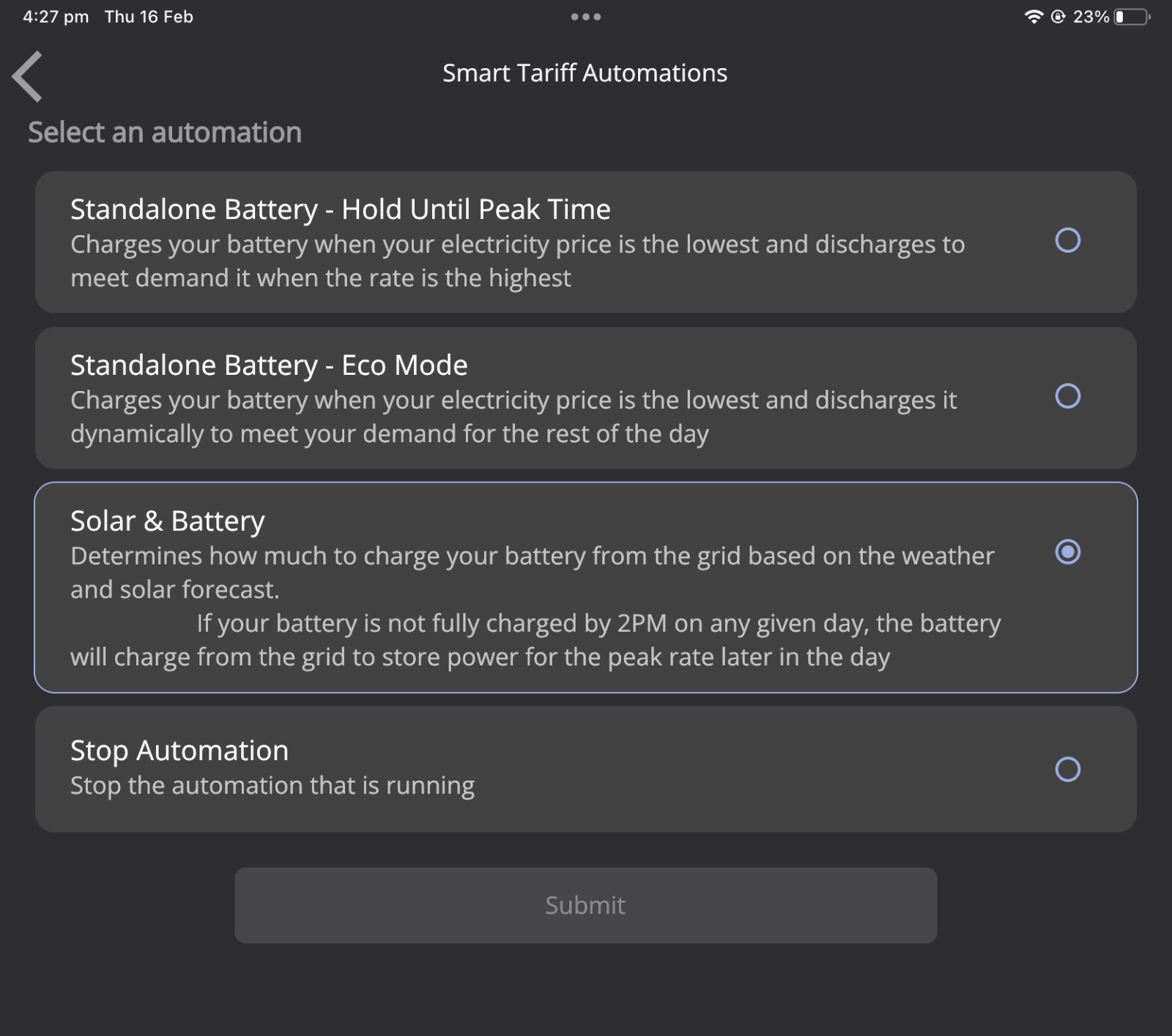
My question is about which type of setting trumps another setting in GivEnergy? If we have our own settings about when to charge and discharge does that completely disable the automation? Or can we combine types of settings?

Is anyone currently doing Agile just on the automation for this time of year? How’s that working for you? Have you had any nasty surprises when it hasn’t worked?

#2 Hellipad

We use Octopus R&D labs, in summer we use it to control the export and in winter the import, or you could combine both (for those days when buying low and selling high make sooo much sense)

#3 TheDragon (GivEnergy)

I too use a hybrid approach to this, R&D for overnight charging, choosing the best 10 slots, or other number, with during the day and evening, use GivTCP and Home Assistant automation. To charge when the price is below a threshold.

Z
#4 Zaz

I have solar and a battery and started with the Givenergy automation and went with the Eco Mode setting as I didnt want a top up at 2pm each day if not full but like Hellipad I have moved over to using the Octopus R&D labs here:
https://smart-energy.octopushome.net/dashboard

Still tweaking it for my needs but works well most of the time. Although it did leave Eco off on my inverter this morning which meant the house was using the grid from when it stopped charging instead of switching to using the battery but that is the first time I've seen it do it.

T
#5 Tim

JennyHorner Or can we combine types of settings?

AFAIK ECO minimises grid import/export as much as possible. If you also set a timed charge, ECO is paused and the house is supplied from grid while the battery is charging. If the battery reaches the Charge to % which you set before the end of the timed charge period, the battery "bobbles" along discharging and charging a small amount until the end of the period when ECO mode kicks in again.

If you have any timed discharge/export periods set, it appears that once these have been set, ECO mode is disabled and the battery waits for the timed discharge/export period to start when the battery either discharges to meet house load or exports at full chuff (not sure that timed discharge doesn't also discharge at full rate rather then just meet house load). Once the timed discharge/export period ends, nothing happens. ECO mode is not re-enabled. For this reason, many either use the Octopus automations, set up their own custom automation in Home Assistant, or just don't schedule a timed discharge/export. HTH.

P
#6 pacemaker

As I understand it, running eco mode with a timed charge during night time doesn't disable eco-mode completely? Eco runs all other times other than the timed charge start/end...?

A
#7 aniseedvan

pacemaker I thought I’d try setting the early morning timed charge, left eco on. I’ve noticed this morning the small amount of surplus solar (pretty murky day here) is being exported rather than topping my battery up (as opposed to yesterday when it was going to the battery first). Doesn’t feel like something is working quite right there.
Only got commissioned Friday so I’m still on a standard tariff, hence looking to see what option is best to go for once all the paperwork comes through.

T
#8 Tim

aniseedvan Don't confuse "in the moment" reported values with actual trends. Whenever house load changes, the inverter (in ECO mode) sees the resulting grid import/export that balances the house load and responds to reduce the grid import/export to zero. In doing this, the inverter ramps up/down quite quickly but will likely overshoot and then compensate. The whole responding process is quick but if your app or portal takes the (10 minute or 10 second) snapshot, it can look like you are exporting when you should be charging.

The best thing to do is to look at how the inverter is responding over several minutes or half an hour to get confidence that it is doing what you expect it to. If you like rollercoaster rides, you could try watching your In Home Display for your smart meter while someone is ironing with a steam iron (or using some induction hobs). The appliance draws 2-3kW of power for maybe ten seconds, just enough time for the inverter to ramp up, then the load stops and the inverter is exporting until it can ramp down. Apart from these appliances that aren't at all kind to the inverter, most others stay on for longer (kettle/oven) before switching off, giving the inverter time to do some useful work.

It may be that there's an anomaly with your inverter but I suspect it more a case of becoming familiar with how it works and what you see in the portal/app.

A
#9 aniseedvan

Tim thanks, I’d been watching it on and off for about an hour, but it subsequently did start charging again. My IHD is black and white and hasn’t worked for years (I’m not entirely sure where it is any more!). I’m waiting for my octopus mini to turn up!

P
#10 pacemaker

aniseedvan

Yes I'm new too and have found similar. If I watch it on the local 10 secs refresh I often see after high loads that the battery takes some time to start charging again during the day. This seems to be as Tim mentioned, a lag as it ramps up and down. If I look at an entire day's data, the line graph actually shows it behaving pretty well.