
Home will not select on IOS App

4 comments started 2023-02-22 last 2023-02-22
Mobile App
K
#1 KennyKat

Just had my Panels installed and have set up my account and downloaded the App. It is showing the Away tab with the Home Tab greyed out. When I select it I get a message "You need to be connected to WiFi to enable the Home feature"
I gave the installer the details of my home WiFi. Am I missing something?

T
#2 Tim

KennyKat Your phone needs to be connected to your home wifi for the Home button to work.

#3 Cdent

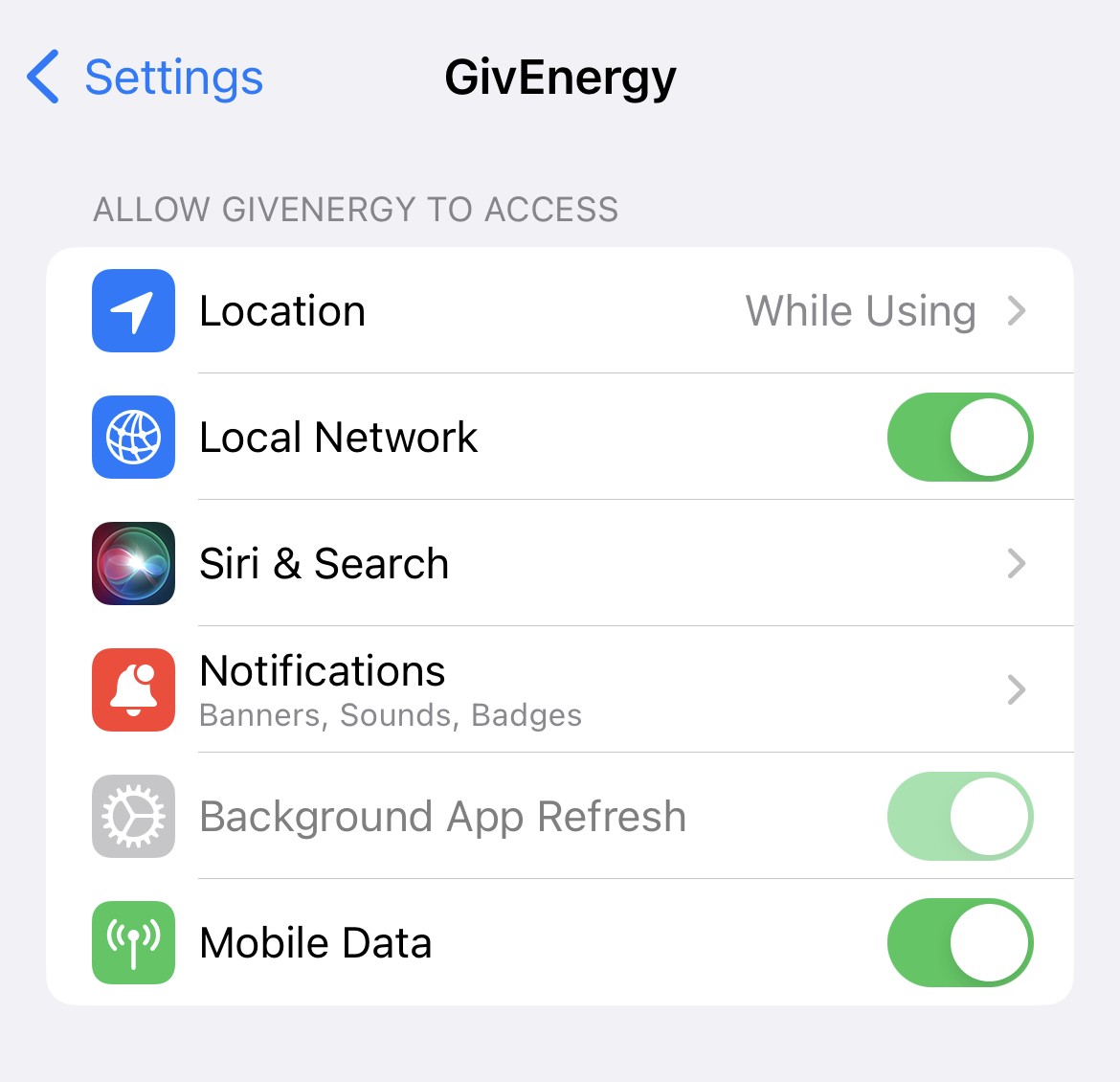
KennyKat a few users on here have said you need to enable some location permissions on the iOS app to be able to connect to home. I'm an android user so not sure how or where to do this though

P
#4 pacemaker

On iOS make sure you allow the app to connect to local network devices. It will pop up after you first launch the app. If you denied that it won’t work. You should be able to turn that back on in the Settings app for the GivEnergy app.

As others stated your phone also needs to be on the same Wi-Fi network to work.