Recently had a HY5.0 inverter with pv panels and batteries fitted but from reading online I thought the gen1 has a dongle and the gen2 has an antenna with built in wifi but mine has both a dongle and a
antenna as the photos attached show. Any thoughts on why it should have both? And is it gen1 or gen2?
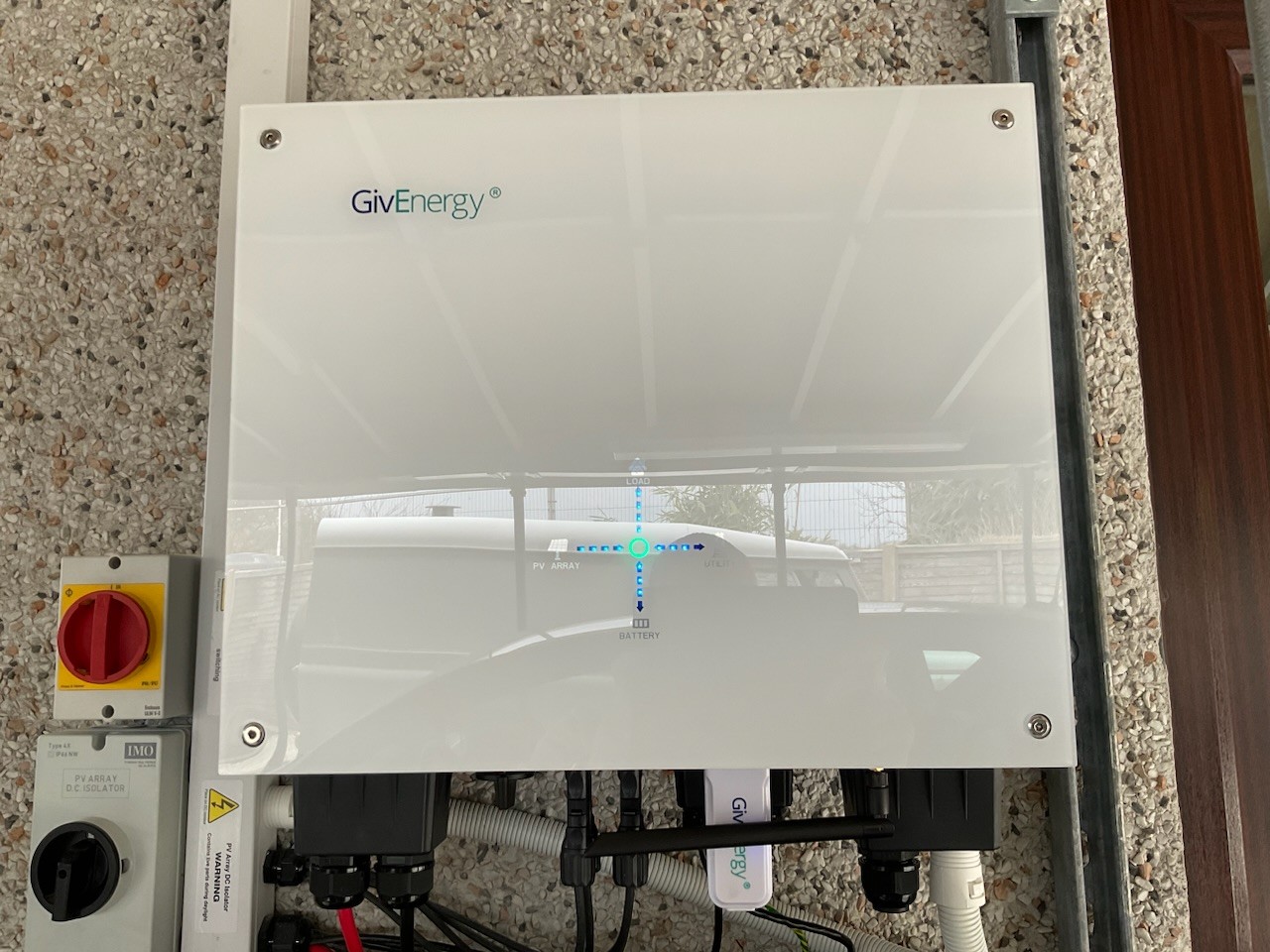
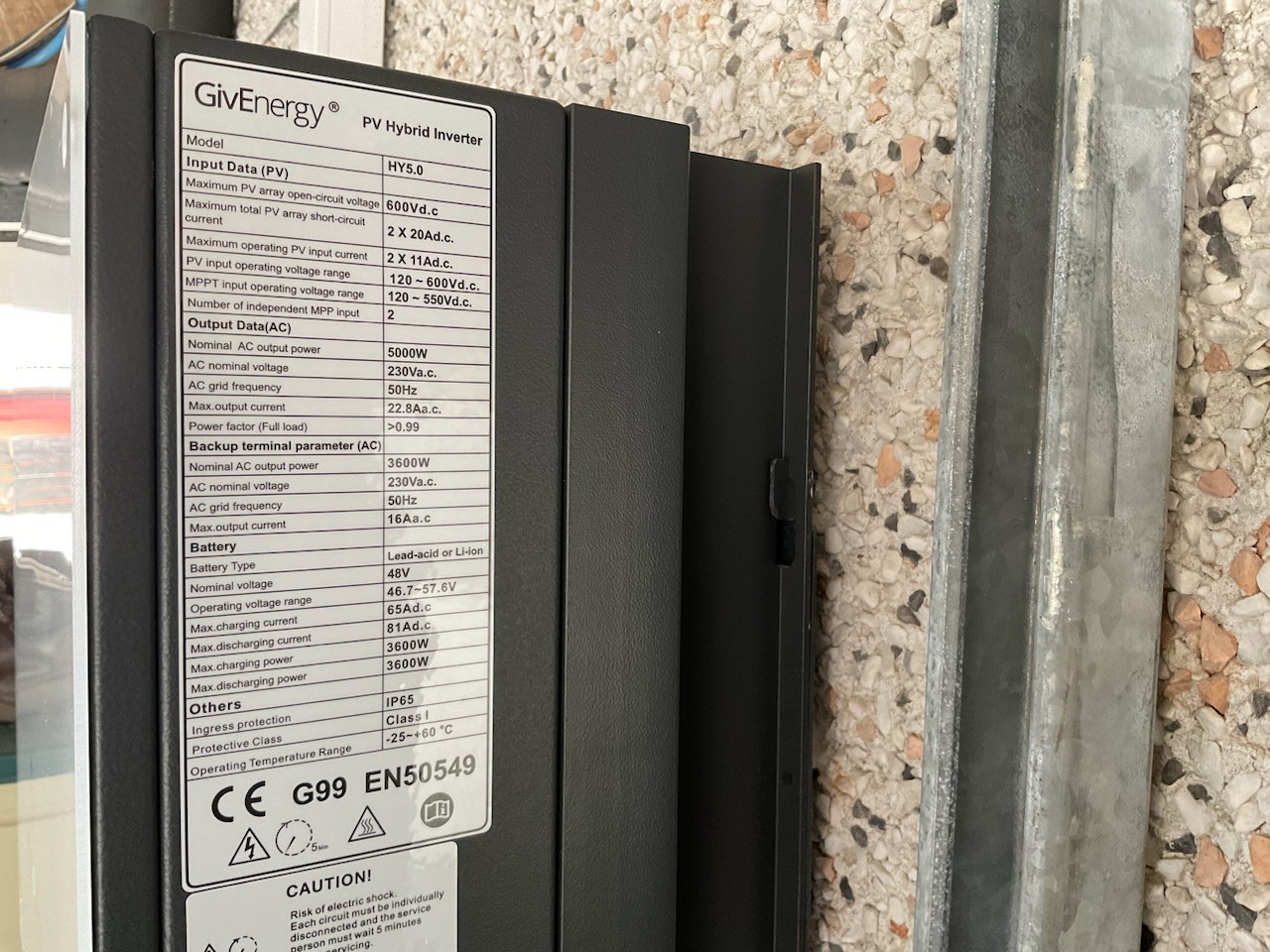

Inverter HY5.0 with dongle and antenna?
That's gen2, afaics... strange they've given you a dongle as well.
Though the front of it doesn't look anything like gen1 or gen2 (where's the red-fault/green-normal status LED?). https://www.givenergy.co.uk/products#giv-hy-5-0-gen-2
The circle in the middle colours red or Green I assume that’s the status light?
I just don’t see why it would have a dongle and an antenna?

I assume your installer didnt know.
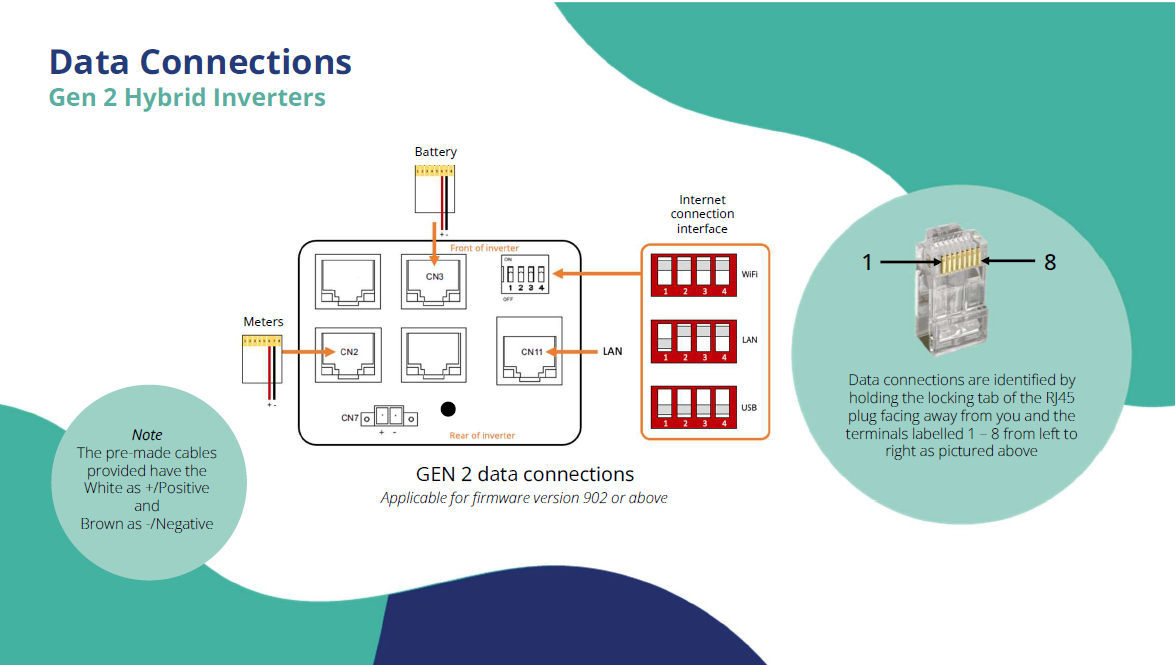
The Gen2 can use, internal dongle and wifi, LAN or external Dongle.
It can do all 3, so depends how he set the DIP switches.
Do they leave the USB socket there for those customers who need to use the 4G dongle? In which case, has the installer fitted a WiFi dongle by mistake, because that is what they have always done in the past?
The installer document states that the DIP switches can be used to select WiFi, USB or LAN:

(Edit: You beat me to it Paul....)

Based on the maximum battery charge/discharge of 3600 W and the presence of an antenna, I would deduce it is Gen2.
The installer did say it’s the first gen2 he has fitted so it makes more sense now everyone has explained it.
Thank you all for your replies it’s much appreciated.

Dewy I have passed your pictures to one of the engineers.
If you give GivEnergy a call on Monday, they will be able to see which interface is actually in use.
You might end up with a spare dongle, 50 quid 4 you
Edit.
If you fancy checking your own switches, there anything other than all off, the USB dongle is redundant and likely flashing.
If all down, likely dongle is solid blue and in use, bypassing internal wifi and LAN
TheDragon (GivEnergy) thank you for your help.
The dongle is solid blue and in use I believe. Is it something I would be able to remove and set it up to use the internal wifi or would that be something the installer needs to do do you know?
Dewy There's so many posts on this forum with requests for help connecting inverters to wifi, dongles or not. If you have Gen2 inverter and can possibly do it run an ethernet cable to the inverter. It's effectively fit and forget. Even when you get a new router/change broadband supplier you just swap it in and it should all work. New routers are the most common issue with losing wifi connections. Most people can handle unplugging a cable from one router to another. Very few people understand setting up wifi ssids, etc and even less how to solve recalcitrant dongles refusing to connect to wifi.
cluelesscris hi , yes sounds like a great idea. I’ll add it to my list of to do’s. Thank you for your help.

Dewy Did you call GivEnergy, to see what its commissioned with?
On your Portal, it gives you a Dongle serial, is this the one you can see, or the one on the side plate?
TheDragon (GivEnergy) no I haven’t called GivEnergy as I’ve been stacked out today but I checked the portal and the serial number is the one on the Dongle. I’ll probably run an Ethernet cable in when I get chance as cluelesscris has suggested as that seems a more reliable option. Thanks for your help.
Yes, my Gen2 were retrofitted today and I'm still running on my SIM dongles for now ( my choice). They are being manufactured & sold as the Gen2 versions for now, the new curved versions aren't going to be available for a while apparently - I do prefer the look of these as they match the batteries.
ToothyChris sorry to bother you again but is it a case of just plugging in the Ethernet cable at my router and into the inverter where shown in your picture then altering the dip switches? Should it then work do you know or do any other settings have to be changed or reset?
TIA
I'm not an installer, but I would imagine that should be enough. A re-start of the inverter software may be needed to pick up the DIP switch changes, or perhaps even a physical re-boot.
ToothyChris thank you for your help.

How does the performance of the in built wifi in the gen 2s compare with the usb dongle ?

Dewy DIP switches need changing, for internal Wifi to LAN.
External dongle to internal, will need Giv help to delete the dongle/inverter link and set the new one up (Gen 2 is still a dongle, just internal)
TheDragon (GivEnergy) hi thanks again for your help.
I connected a Ethernet cable and changed the dip switches and restarted the inverter. The GV app worked fine but the portal said the inverter was offline and wasn’t recording any data.
I tried resetting the inverter but nothing seemed to make any difference.
I’m unsure why the app would work but not the portal?
I’ve now put it back onto the usb dongle. Any ideas?
Thanks.

Dewy Yes the internal and external dongles have different serial numbers. As i mentioned above.
Ig moving from external USB to internal, the account will need help from Giv or installer to delete USB dongle, add LAN dongle.
Local would have still worked, as the App would have search for old dongle, not there, searched for a new one, new IP logged and connected to it.
Your portal account will be linked to a Dongle serial number, to differentiate it
TheDragon (GivEnergy) ahh that makes sense.
Once again thank you for your help it’s much appreciated.

Just FYI There’s someone here that will take your old dongle to replace their soggy one I suspect.
hoggy cheers, I’ll bear that in mind if/when I manage to get the Lan up and running 👍