Solcast API error

23 comments started 2023-03-13 last 2024-11-03
Cloud PortalHome Automation
S
#1 SteveCook

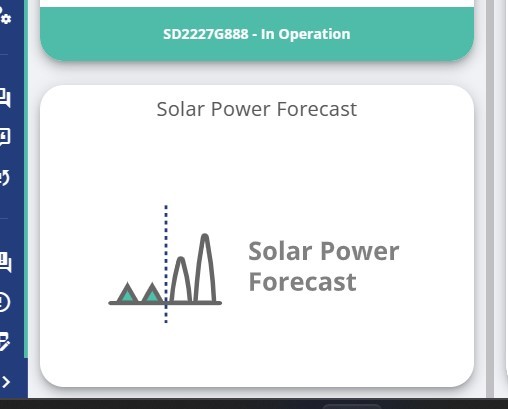
This morning the Solcast sheet was not showing any data.
I checked to make sure the Solcast API was still in place in my account, and it was.
I deleted it, generated a new Solcast API and have been trying to re-enter.
I keep getting the "there was an error validating these credentials" when I submit

Any ideas?
T
#2 TwjHunt

Think you're limited to 10 Solcast API calls per day on the free plan - it should work again during the next 24 period. I had this issue as I was excitedly checking the dashboard every 5 mins!!

P
#3 pacemaker

TwjHunt the dashboard caches the solcast response from their API rather than calling it every time you refresh the dashboard. It seems to "refresh" it over the day though in a timely manner. In my experience anyway

H
#4 Haddock

SteveCook Same for me today

S
#5 SteveCook

SteveCook
Thanks but I had not looked for over a week and now the API will just not submit

P
#6 pacemaker

SteveCook

When you say you've tested it and get a credentials error, is that through GE portal, or from Solcast direct?

On their page you can test their API directly:

https://api.solcast.com.au/rooftop_sites/[your resource id]/estimated_actuals?format=json

S
#7 SteveCook

pacemaker
The Solcast portal is all fine.
The Solcast sheet was fine in GE and then just stopped working
I copy and paste the Solcast API and resource details into GE sheet and it just gives the error saying try again.
I am out now so will try again tonight

S
#8 SteveCook

Cut and pasted Solcast API and resource IDs from Solcast to GE and worked straight away when I hit submit.
No idea what has been wrong for last 2 days

S
#9 SteveCook

Solcast sheet on GE portal just all gone blank again??

S
#10 SteveCook

put the stuff into GE again this morning. Worked for about 30 mins and then GE seems to delete the Solcast info to leave me with this view again

P
#11 Phil_H

I used to get that part way through the day, I assumed it had hit the API limit in SolCast (new accounts only get 10) and then it would show up fine the next morning. Have since removed it all and just hooked it up in HA where I can control the polling frequency.

Solcast website will show how many API calls you've used up today

S
#12 SteveCook

Well it says I have none left.
What and where polls Solacast, 'cos as far as I am aware i dont even look it at other than seeing on the side of my GE portal

P
#13 Phil_H

SteveCook There's no configuration on the portal for how often it polls. My experience was the more I looked at it, the sooner in the day it ran out, maybe it was written when you used to get 50 free and so this problem didn't exist. I just removed it and used HA rather than try to figure out what caused the portal lookups I'm afraid. Maybe raise it in a webchat to GE, they might be able to find out what/when it polls.

P
#14 pacemaker

Phil_H

My experience was the more I looked at it, the sooner in the day it ran out

I'm not sure that's the case. My free solcast account has 10 api calls, I use the GE portal all day, refresh multiple times a day, and I never run out of solcast api calls by EOD. GE does seem to be polling at intervals on their back end "intelligently".

W
#15 Whitzend

Newbie here so apologies if gravedigging an old thread is bad etiquette.

Wanted to add that I've been having issues with the Solcast tile on my dashboard showing me no info, or looking like it's broken since I connected it.

I have not yet noticed a definite correlation between "first X views of the day work fine but it breaks after X refreshes" because some days it seems to start broken and stay broken.

Has anyone seen better info on root cause other than the API calls per day limit on the free Solcast plan?

T
#16 TX200

I’ve never seen these issues. Maybe that’s cuz I have an older solcast account with more free queries than the newer accounts. Or maybe because I only use the web portal a couple of times a day. Probably the former.

#17 miffy

Solcast is poorly configured on the GE dashboard. I try to only look at my dashboard a couple of times a day, and instead I just use the My Inverter view to see what's going on.
The GE dashboard needs a button to click on which only then calls on the Solcast api. Else the ten api calls are quickly used up for no reason, and wasted.

D
#18 deepanshus

miffy my experience exactly, i recently got my system commissioned so its a new hobby to check almost continuously :-) and solcast api run out very quickly. its just poor management of data in the dashboard, not sure if it will be fixed.

K
#19 kram

Time to write a local server application that updates solcast at configurable times of the day, caches the data and acts as if it is the solcast server for your network....

Of course you might need to work out how to get around https or other certificates.

O
#21 Ortwin

I can't get the GE portal solcast page to accept my API and resource ID. It keeps saying "there was an error validating your credentials please try again". I have tried both the CVS and JSON API but no luck.
I have a home login for solcast.

G
#22 geoffreycoan

Ortwin make sure you are using the right API key, its the account API key in Solcast not the site id.

To be honest though as described above the Solcast tile is “limited”. Every time you look at the tile on the dashboard it makes an API call to Solcast to download the forecast data. Home accounts are limited to 10 API calls a day and if you have two sites (i.e. two roof orientations) then each site uses an API call so really only 5 a day.

For all these reasons I gave up with Solcast in the GE dashboard and view my forecast in Home Assistant now.

But limited solar forecast at the moment anyway

V
#23 Vestas

The GE Solcast tile is frequently broken. Last week it was claiming I'd never entered my credentials. I ignored it and this week it works fine.

Its like the rest of the portal - buggy as hell.

O
#24 Ortwin

Turns out I was not using my API key.