500W used when everything is switched off at fuse box?

24 comments started 2023-03-16 last 2023-04-06
GivEnergy ProductsBattery
#1 Daniel


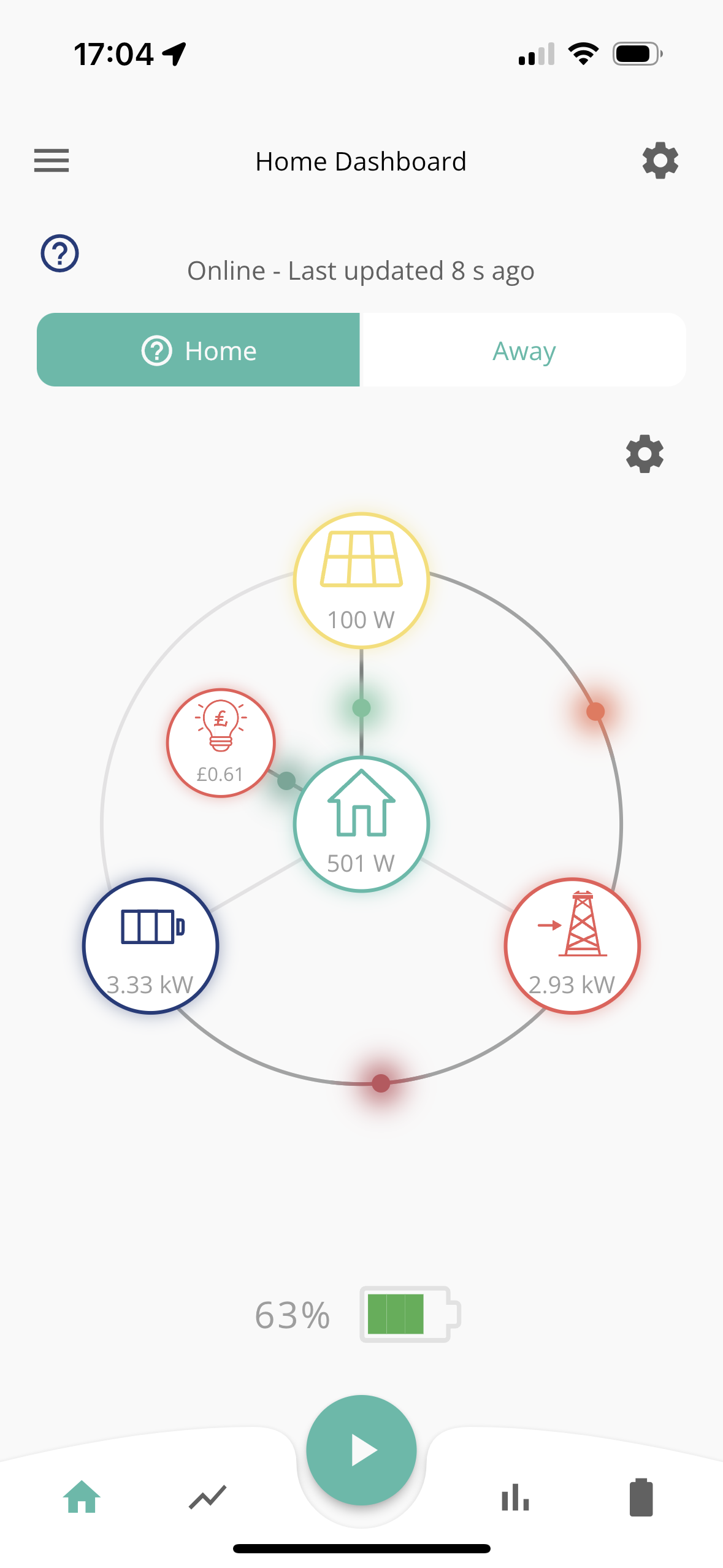
I noticed I was using 1 kW which was twice as much as I'd expect. So I turned everything off except the battery and solar. But 500W was still being used.

What is using the 500W ?

(Wifi and router are on a UPS, so it WiFi was still working despite power being off to the sockets).

#2 positor1

how is your em115 meter powered?
Quite possible it is on one of your lighting circuits so the measurements would be ( wrong ,erratic)?

#3 dbt85

To be sure I would put a clamp meter around the incoming feed and then turn the whole board off just to see if there's a hidden board elsewhere. It's unlikely of course but it happens.

S
#4 SilverArt

Is the 500w reflected in the actual meter reading? Possibly also worth checking the Meter data in 'My Inverter'

#5 TheDragon (GivEnergy)

Where is the Grid meter, is there another board tapped off in the DNO box?

#6 Daniel

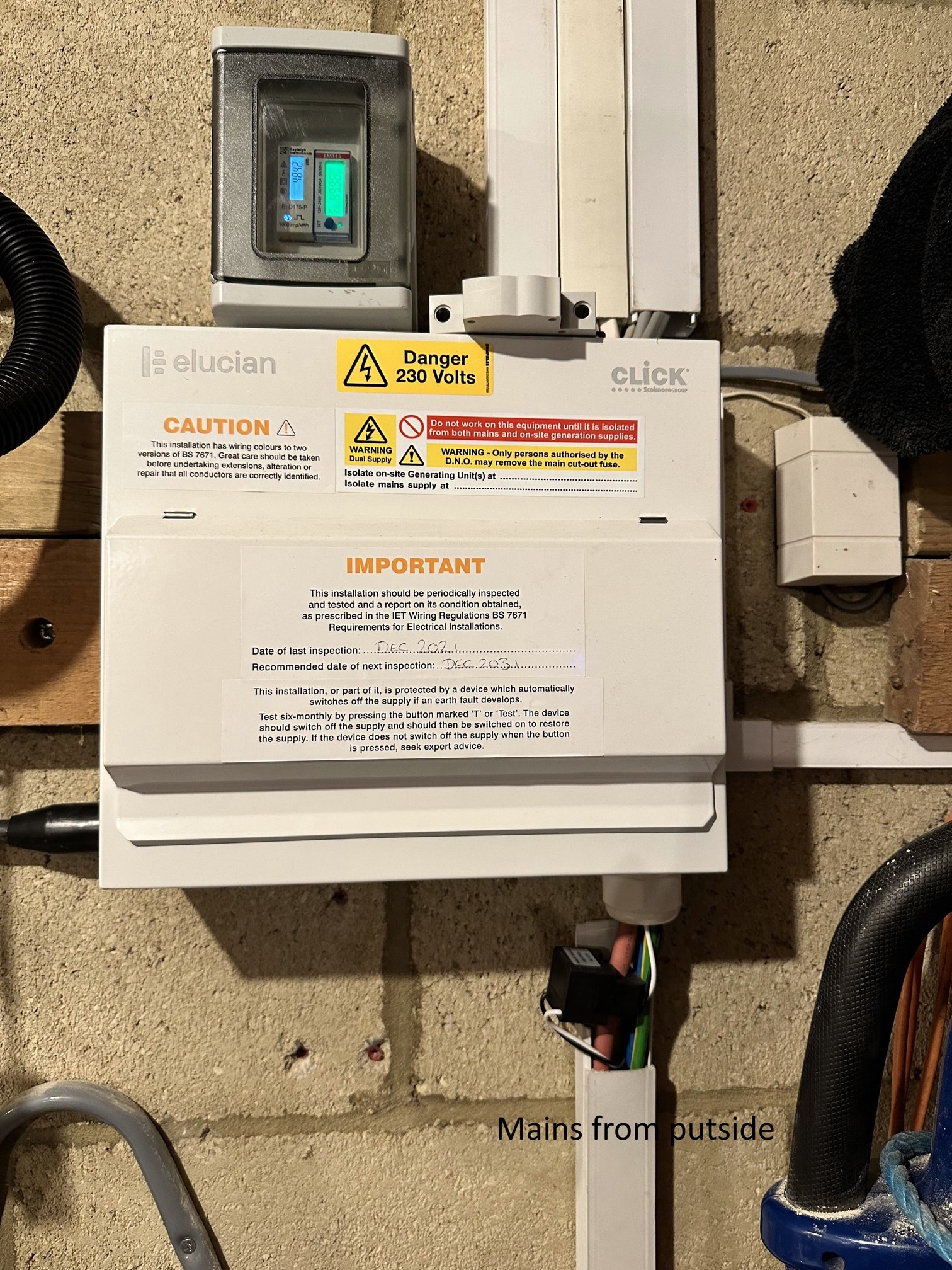
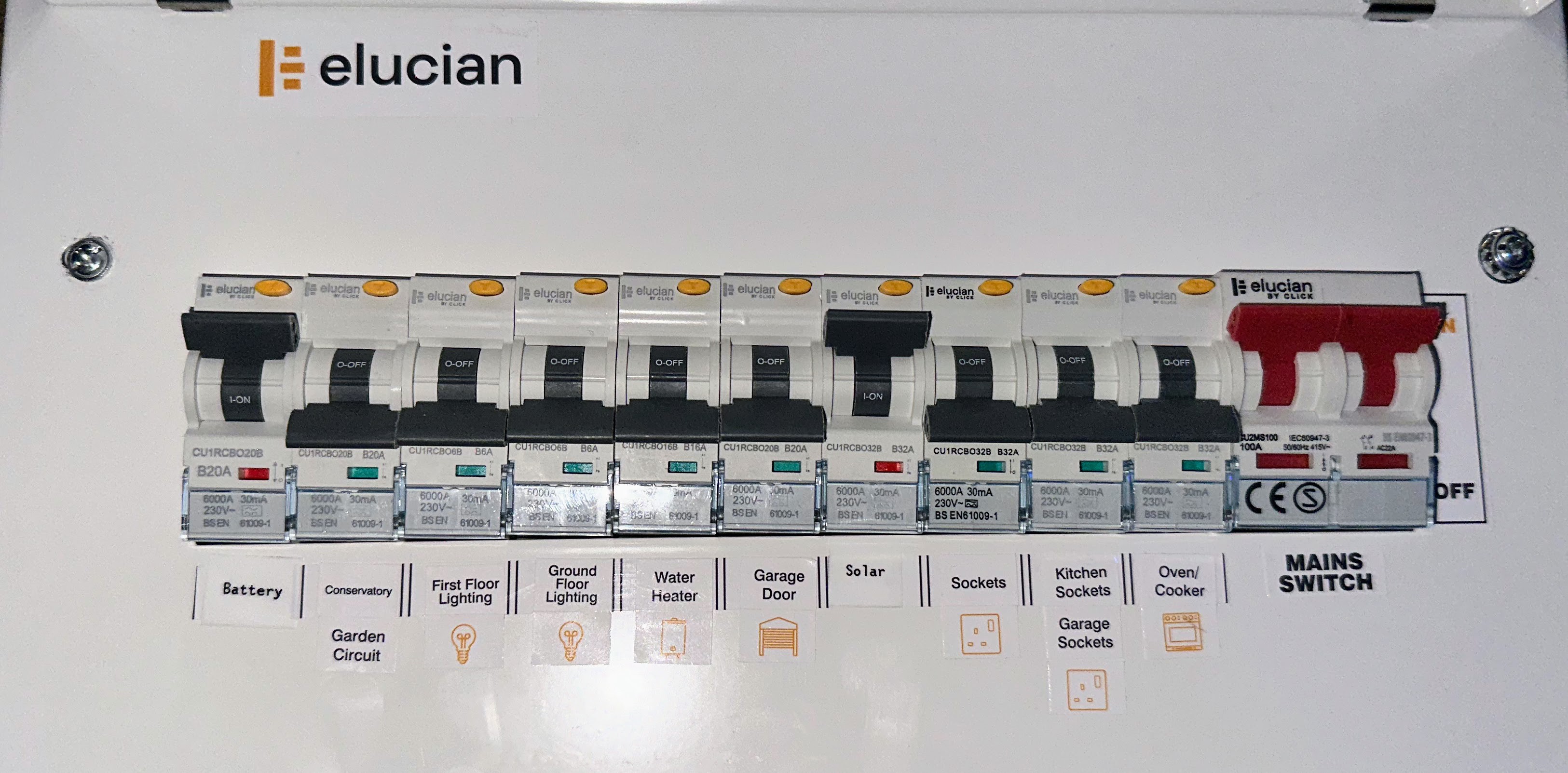
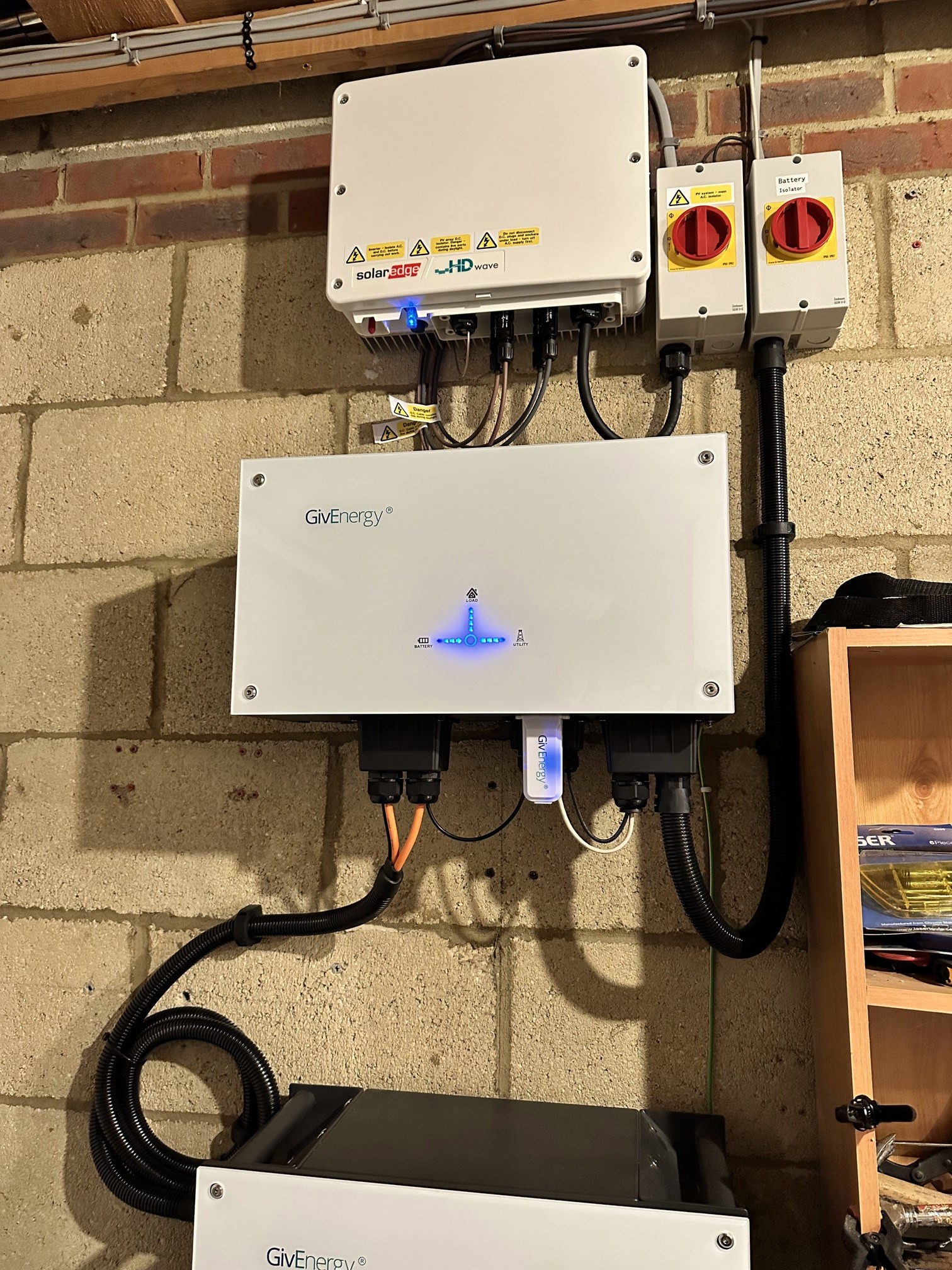
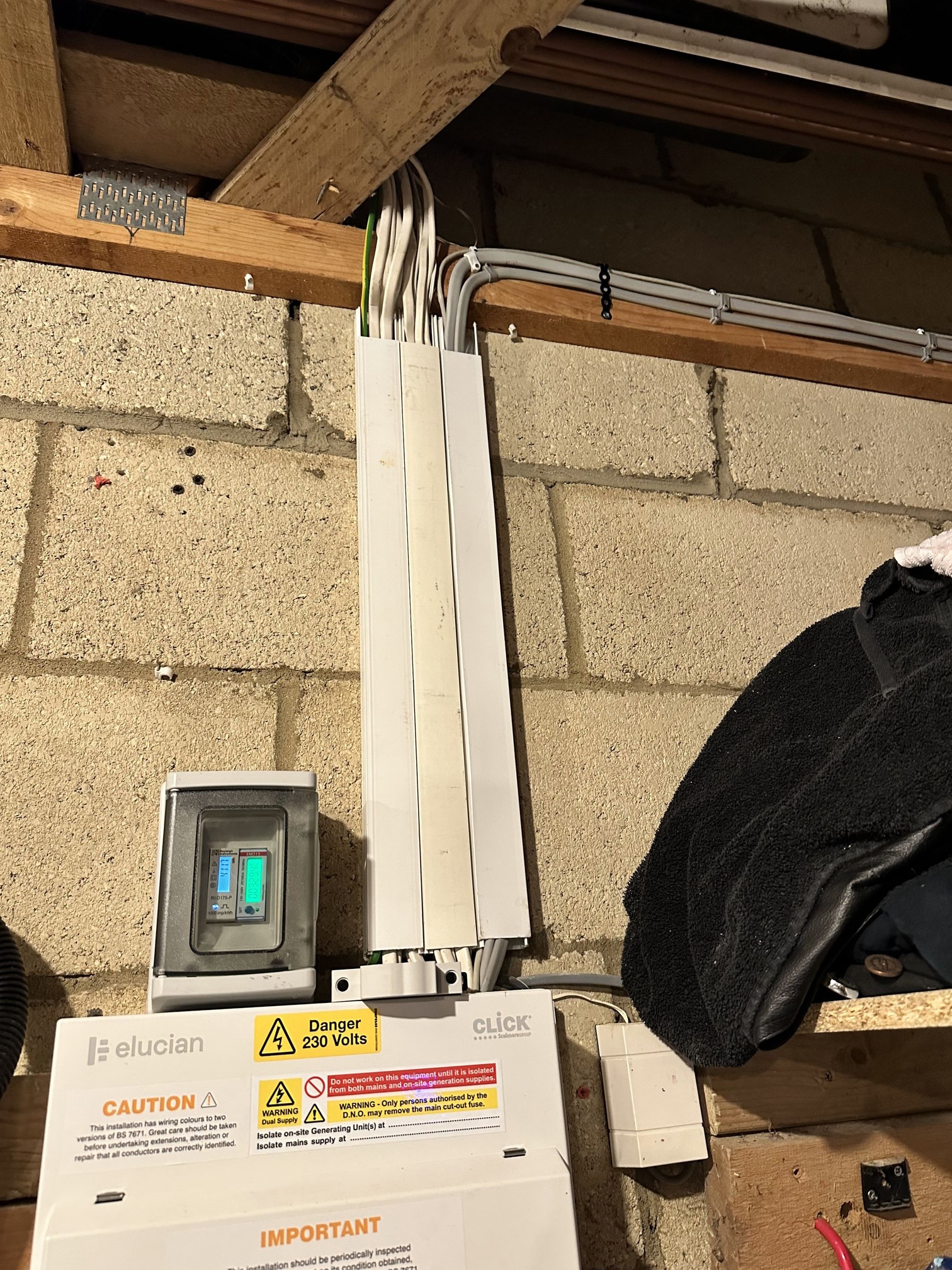
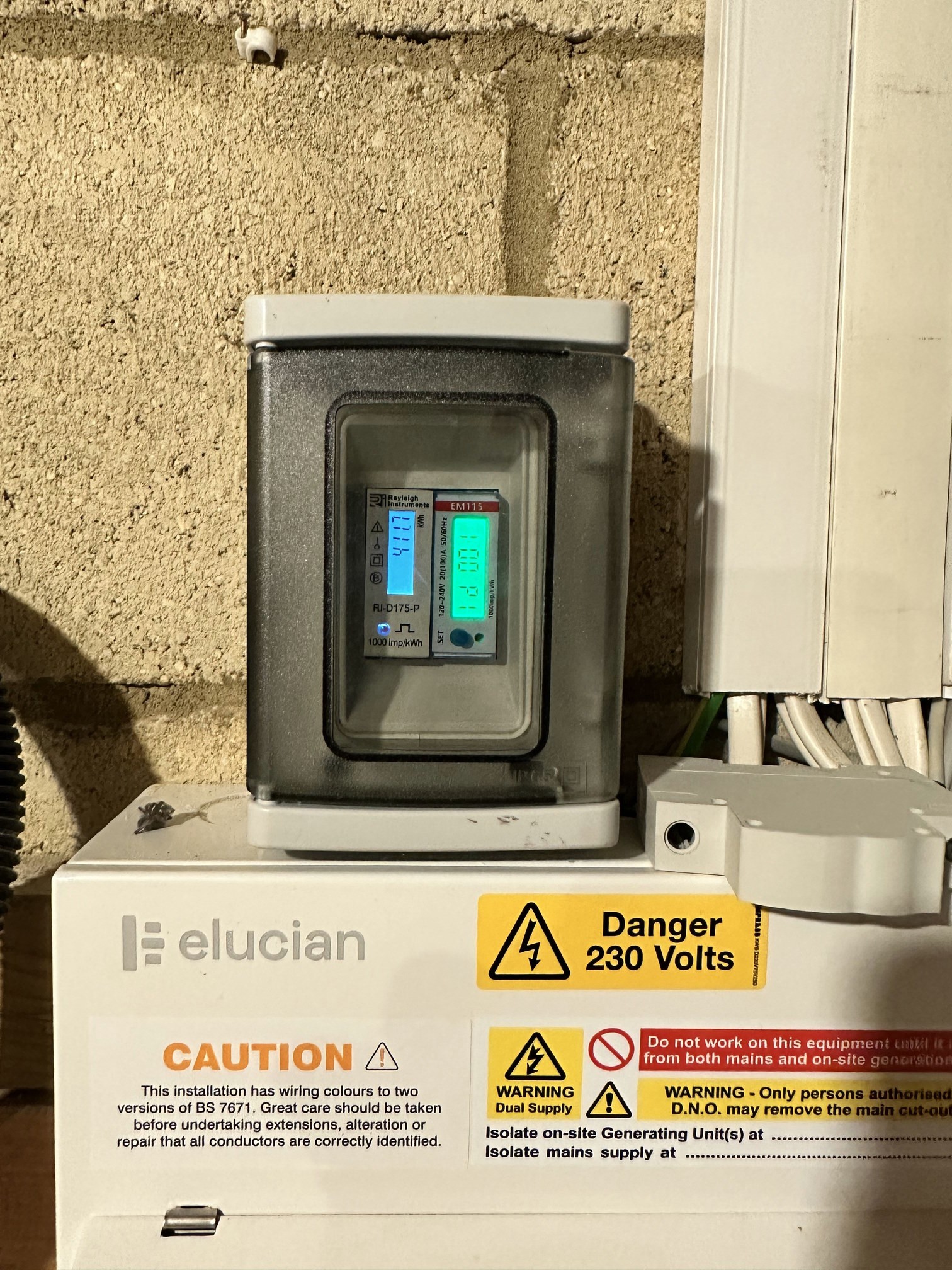
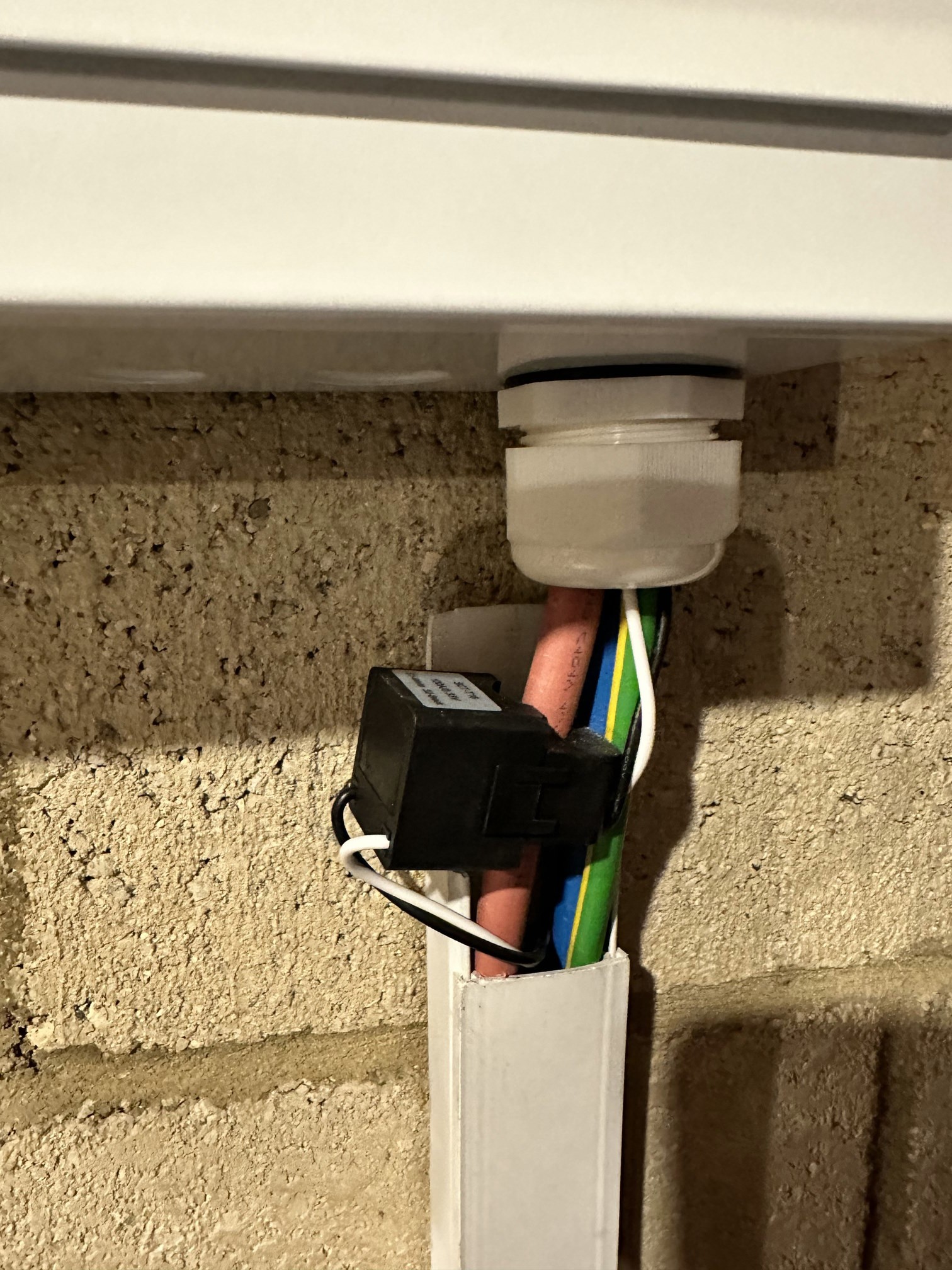
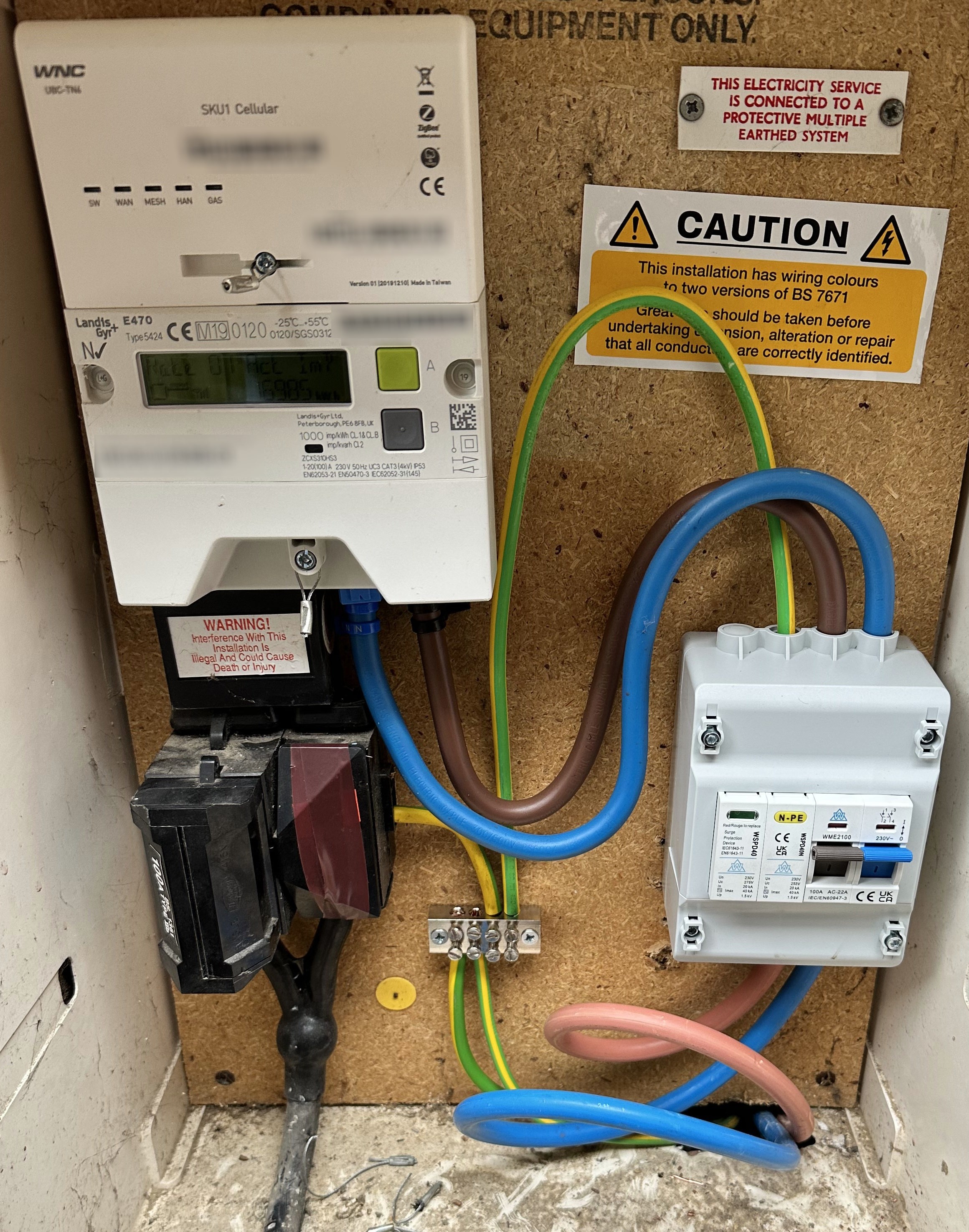
Pictures of the install


#7 Daniel

positor1 em115? I had no handover or explanation of anything from the installers. Is it on the pictures I just posted?

Nothing is powered from the lights.

#8 Daniel

SilverArt not sure which meter you mean? The smart meter remote display, the outside meter, something else in the pictures? I will check them all next time I am doing a full export.

Where will I find My Inverter? Which app or website?

#9 Daniel

TheDragon (GivEnergy) do the pictures help?

DNO box? What does that look like? I can see what looks like a meter around the main cable in to the house below the fuse box. I added a picture of it.

#10 dbt85

Daniel em115? I had no handover or explanation of anything from the installers. Is it on the pictures I just posted?

2nd and 3rd photo, little green screen with EM115 written in the red band at the top. It is what detects everything so that it can be logged and acted upon by the inverter.

Daniel not sure which meter you mean? The smart meter remote display, the outside meter, something else in the pictures? I will check them all next time I am doing a full export.

Where will I find My Inverter? Which app or website?

Don't rely on the smart meter remote dispaly (commonly known as IHD or In House Display), look at the actual smart meter. It will be located in what is called the DNO box. It should have the incoming mains going into a fuse (often 60x 80 or 100A) and then out of there into the smart meter. From there it will head into your property and to the consumer unit you posted in your opening post.

The black thing in your last picture is a CT clamp, it is measuring current in the cable it it around in order for your AC3 inverter to know where energy is flowing.

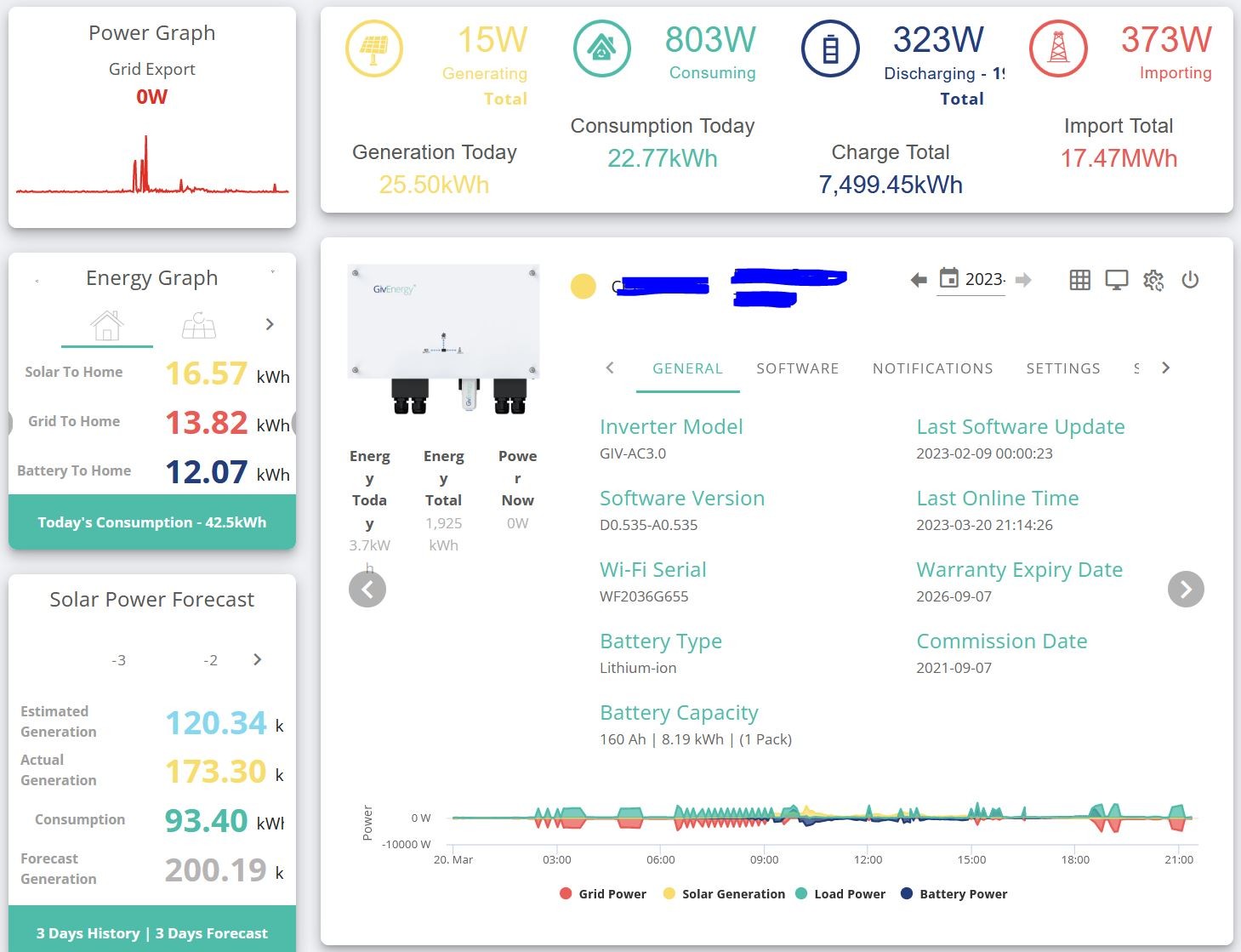
To Find My Inverter, head to https://www.givenergy.cloud/dashboard and on your dash you will see someting like this. The main panel I have open there is "My Inverter"

Have a look through the tabs and the graphs and see if you can see this extra 500w. I even wonder if th CT clamps are simply the wrong way around, and you're generating 500w but only using 100w?

How does it look right now, since there is most assuredly no solar.

#11 TheDragon (GivEnergy)

The grid is on your CU. Fine, but is there a split before this at the DNO box?? your missing 500w

S
#12 SilverArt

Daniel The actual Smartmeter.

#13 TheDragon (GivEnergy)

Post a picture of your DNO box please

#14 positor1

Daniel

You should now have identified the EM115 meter thanks to @dbt85
It is mains powered from within the consumer unit (fuse box below it) and without taking the lid off or turning each MCB off in turn to see when it turns off -you can not know which MCB (fuse) it is wired into, it is likely that it is on a 6amp mcb. but not labelled.
however this is unlikely to be the cause. answer the questions from others and collectively we may find your answer.

#15 Daniel

As far as I can see there is nothing between the fuse box and the DNO. It's the other side of the wall so it's easy to trace.

That means the CT clamp should be measuring the total input or output from the house.

I don't know how the EM115 is powered. I assume it's on the Battery (or Solar) circuits.

The CT clamp must be the right way. Everything adds up and makes sense during night and day.

Below I have included the requested pictures.

I have a hypothesis what it is...
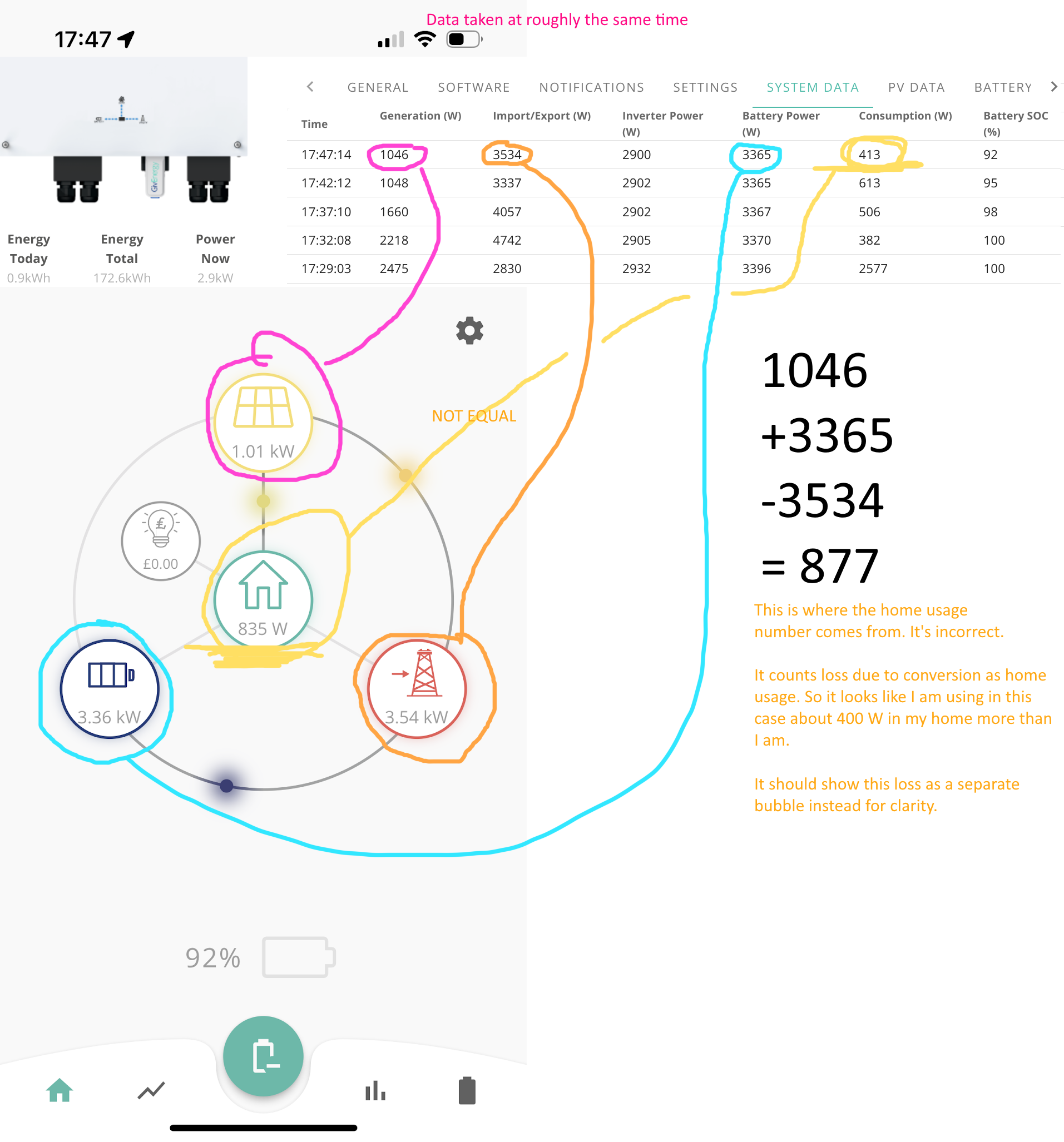
I think the 500 W is mostly the efficiency loss of the inverter plus the wattage of running battery and solar equipment.

There are measurements of electricity at the AC ingress/egress to the house, DC from the solar panel and from the DC from the battery.

In my example (rounding the numbers) the DC from the battery was 3000 W. The AC going back to the grid was 2500 W. The difference is 500 W. Which is can only assume is the house. But it's not - all the house, except the battery and solar monitoring equipment was off at the fuse box. It has no other way of knowing how much the house is using. There is no measurement for each spur - only to the DNO.

That works out at only 88% efficiency - ignoring the 100 W from the solar. I would be expecting more like 93%.

Reasonable hypothesis?

I will have to repeat the experiment again. But this time look at My Inverter, the solar app and the actual smart meter outside to confirm numbers. And turn it in to a theory.


R
#16 Rubikcube

First the physics:
A CT clamp does not measure the current flowing in a cable. It measures the magnetic field generated by the current flowing in a cable.

In your last picture the clamp is right by the neutral cable. The neutral cable carries the same current as the live but in the opposite direction, so will generate an opposing magnetic field reducing the field sensed by the clamp. This means the CT clamp (and hence the EM115 meter and the GE app) will under read by several percent, maybe up to 10%! In ECO mode, this doesn't matter because 90% of zero is still zero. Your original picture showed 2.93kW export, which if it is under-reading by 10% could account for 293W of missing power.

You are correct that the inverter's power consumption (which could be up to 200W) will account for some of the rest.

This alternative android app estimates the inverter power loss for you and takes it into account in the calculations. It also has a CT correction setting, in the settings screen, which you can calibrate against your smart meter in-home display. The results are still only an estimate limited by the (in)accuracy of the readings from the inverter. It may help you to better understand what is happening.

T
#17 ToothyChris

Rubikcube I'm not sure about your comment about the neutral wire magnetic field. The design of the CT clamp means that it will only measure the magnetic field for the conductor which passes through it.

Yes, some 'external' magnetic flux will cause slight issues with the CT reading. But the flux from the neutral would only cancel the flux from the live, if both were inside the CT core.

In theory at least, extermal magnetic flux will be ignored by the CT clamp (because it would cancel as a result of the circular core design).

It might be worth checking that the CT clamp is clipped fully closed, as any gap in the ferrite core would definitely cause problems.

T
#18 Tim

ToothyChris My understanding of the physics aligns with yours; the current in the primary affects the magnetic core fixed perpendicular to the primary which induces a current flow in the secondary, perpendicular to the magnetic core. Anything outside the magnetic core will not affect the magnetic field inducing the current flow in the secondary. That said, if the wires taking the flow of current to the EM115 run past EMF sources, they can affect the current.

To zero your error, @Daniel could ask your installer to disconnect the CT clamp and twist the black and white wires around each other like a long helix, then re-clip the clamp in the same position and the same orientation. You could do this yourself but since the wires appear to pass through the consumer unit, it's better to ask the installer to do this for you for safety's sake. CT's can produce dangerously high voltages if left around the conductor with the output terminals open circuit. To mitigate this, remove the CT from the primary cable before doing anything with the secondary (ie black and white) wires.

#19 Daniel

Tim twist the wires to shield from EMF? Like in twisted pairs in ethernet cable?

T
#20 Tim

Daniel That's the one. Might not zero all the error, but may reduce it and will remove one source of potential error.

T
#21 ToothyChris

Daniel Yes, I expect that is what Tim was suggesting. If that is the source of the rogue signal, then it might make a difference. No harm in trying it, if you are confident that you can do that safely.

#22 Daniel

It's exactly as I suspected. It's counting the energy loss by the inverter as home consumption which is misleading.

It calculates on the app with the following formula:

Home consumption W = generation W + battery DC W - export W

It should be:

Home consumption W + DC to AC loss W = generation W + battery DC W - export W

It should show the loss as a separate bubble otherwise you can have the situation where it over states home usage by 400 to 500 W. I consider it a bug in the app.

P
#23 Phil_H

Daniel in the app, in the settings cog shown to the right of the solar panel icon, switch off calculated load. This will show the consumption figure as true house consumption. Any inverter power use and inverter losses will not appear anywhere (so the numbers do not 'add up') but in my opinion it is a truer reflection of what is happening.

That being said, 500W seems like an awful lot to go in losses.

#24 Daniel

Phil_H

Thanks for the setting. That makes sense. Seems like a FAQ to me. Weird it took so long to get here. I still think the loss due to conversion should be its own bubble.

500W is indeed a lot. In the above example it's 877 - 413 = 464 W. In the original 501 W.

That's made up of the power consumption of the solar and battery and inverter kit plus the conversion loss.

It's a disappointing loss. It's much worse than the efficiency I would have expected. 464 / 3365 = 14 % loss.

Nothing can be done though. It's just good to know.