
I had a new router fitted a couple of weeks ago. I lost contact with the inverter. I got it back by changing the name and password to that of the old router and I got a connection again.
However, I have not been able to recover home on the app. I was told I need to have the same SSID name, which I thought was the same as the Device name, which I have changed to the same as the original router, but no luck in getting home back on the app.
Any ideas from anyone.
Lost Home Connection On The App
The app needs to know the IP address of the inverter. If you set it manually with the old router you will need to reset it to the new IP address issued to the inverter by the new router. The portal will work because its the inverter that makes the connection out and the portal does not need to know the IP address. For you 'Home' on the app the app does.
cluelesscris any simple instructions on how to do this? On my router web page it has the old router IP. If I change that, I will lose connection to inverter. Sorry if I am being thick but I am not the most technical.
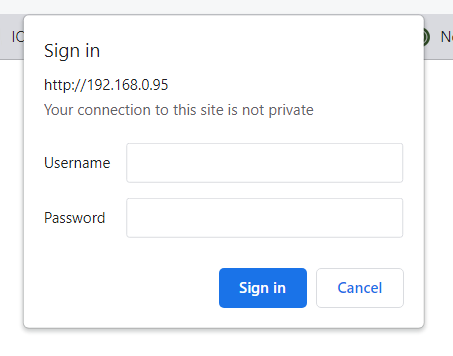
Open your browser and type in th IP address you think the inverter has and see if you get a log in request lik this:

If so you have confirmed that the inverter is using that IP address. Then go into the app and manually put in th IP address of the router and see if that works.