Pause

15 comments started 2023-04-04 last 2023-09-06
GivEnergy ProductsAC CoupledBatteryEV Charger
#1 iBarryJ

Excuse me if this is old hat - I am new to GE and in first week of owning AC coupled battery on my PV. Why can’t I get the ‘Pause’ button to work from the App? I want to charge my battery to 100% then protect that charge whilst the EV car charges. I don’t see the point in allowing the house battery to contribute to the EV as it’s inefficient. However despite the App saying Pause halts charge and discharge the damned battery keeps discharging. What am I doing wrong folks?


M
#2 michaelmcgoldrick

i think there may be a big there that prevents pausing working when solar is generating. Others might be able to comment

#3 TheDragon (GivEnergy)

Pause is fixed in Gen2 version under test. I tested thi EXACT test this morning on one inverter.

Solar at MAX for this customer, battery was 80% and charging. I paused it, battery power went to approx 0W, the solar all went to grid. If the Grid limit is reached, or grid voltage exceeded, solar throttles, to PREVENT a grid fault occouring.

Just on the pause topic.

You will be able to time the pause too, once the new Firmware is main stream, the portal will have the pause button added, with times.
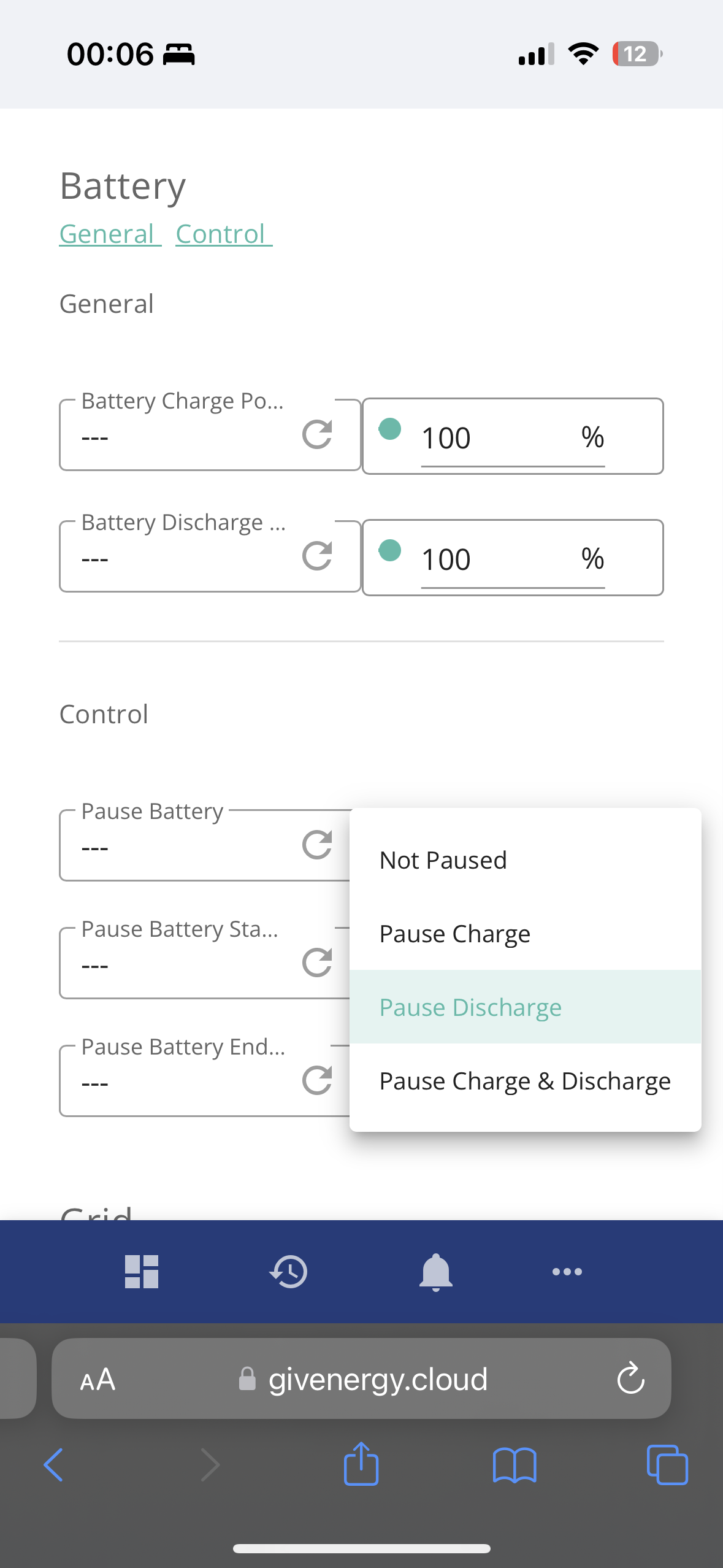
Pause charge/discharge or both.

O
#4 Odinias

I do not believe this has been fixed. I just tested it myself and the battery continues to discharge when paused. The only thing it does is limit the discharge rate to approximately 500W. There is definitely a bug.

#5 iBarryJ

TheDragon (GivEnergy) thanks for the information. Will this Gen2 firmware be available for the AC coupled inverter I have just had fitted? I did enquire with GE before proceeding and was told there isn’t a GEN 2 AC coupled product in the pipeline only the All in One which didn’t meet my requirements. Have I been sold an old unit that can’t use Pause.???

S
#6 sungrad

Just came here looking to understand this too - why when either the battery is paused or the charge/discharge rates are set to 0, the battery is still charging at 400w from solar.

I paused the battery to allow solar to charge the car, which is charging a bit slower cause the house battery is still taking 400w.

So this is a known bug, fixed in the next firmware release?

#7 TheDragon (GivEnergy)

iBarryJ No, the AC is still current. The pause will be fixed in the AC3 too.

#8 NC

Hello,

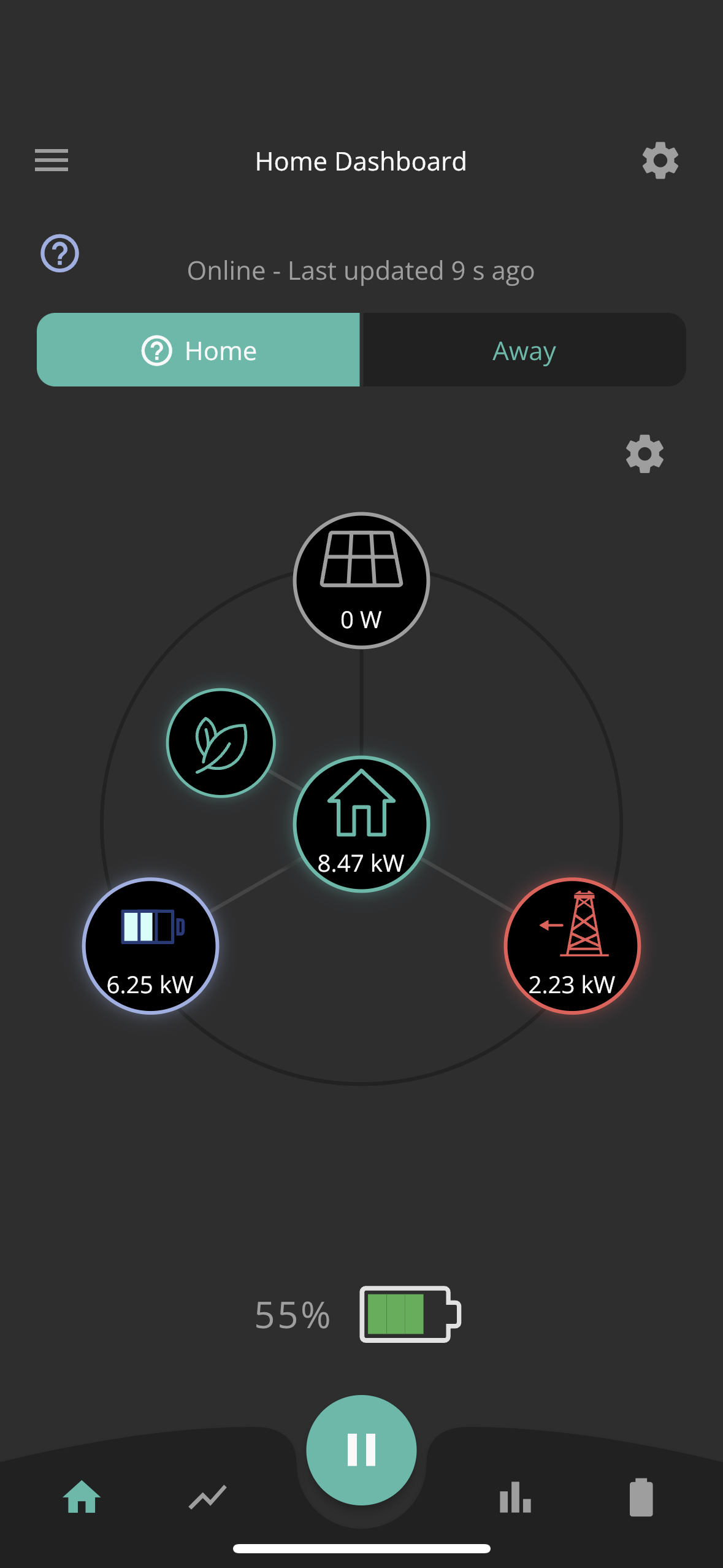
Last night I wanted to stop my AIO draining into the cars. I had it scheduled to pause discharge in line with the Octopus intelligent times, however the battery still discharged at max rate into the car which was plugged in. (The pause command had been sent and received by the AIO). I then opened the app and pressed the pause button and still not change. the battery was completely drained this morning.


S
#9 s_r_thomas

NC

Hi,

Where are the scheduled pause settings? I have AIO and can see a pause button in app but online there's only charge and discharge setting in invertor settings

T
#10 TX200

s_r_thomas not sure if they're in the remote control part of the MyInverter page (press the cog icon if I remember correctly?) - be careful on the remote control page.

Or if they are only exposed via GivTCP e.g. if using home assistant or PowerShell or Python etc.

#11 NC

Hi both.

They are in the inverter settings.
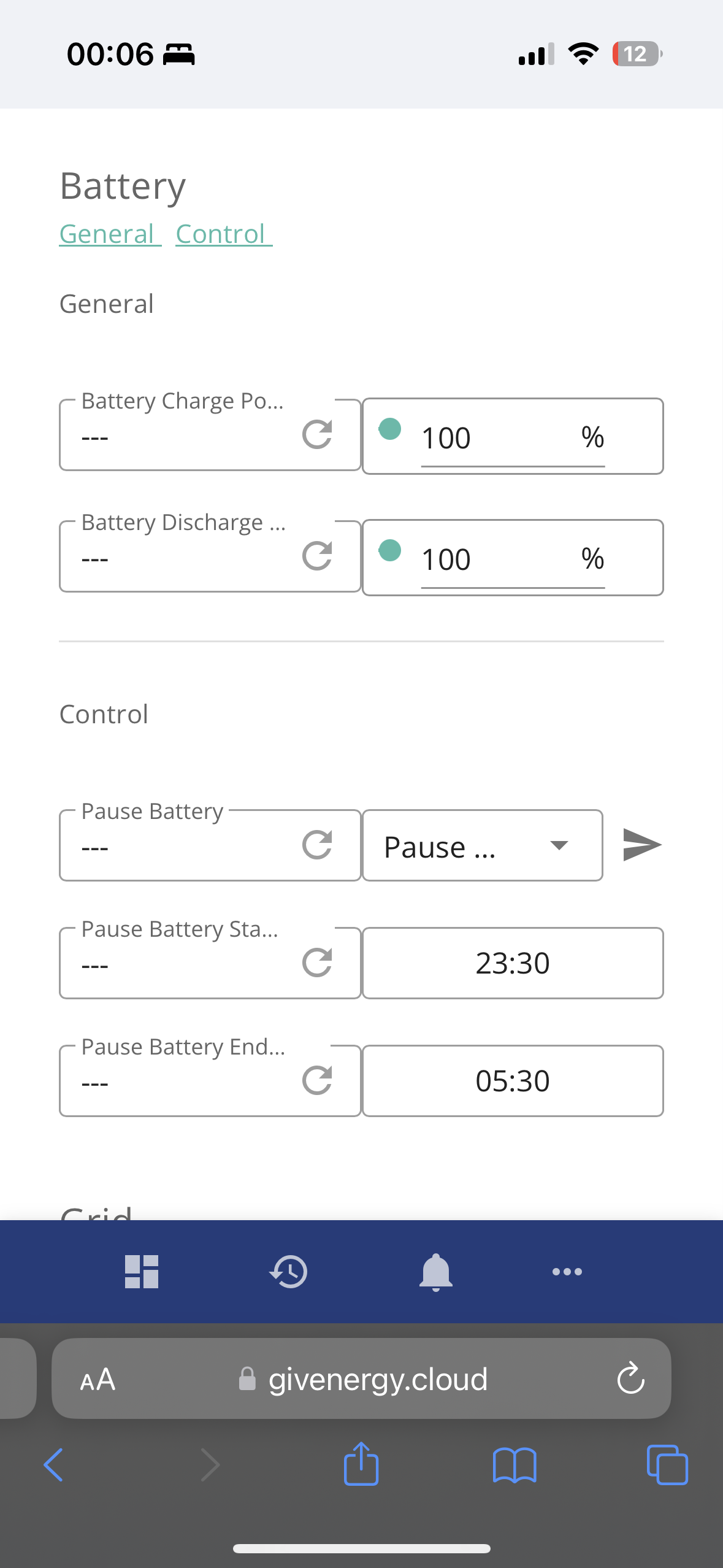
Easiest to find and manipulate from the web portal. Expand the My Inverter tile, click the remote control option (looks like a cog). Loads of stuff/options available to you. CAUTION.
The pause option is at the bottom, just above the logs. It’s named “Control”. You can select from the drop down which option you want. Choose pause. Write that to the AIO, then set the times. Write each time as you do it.

Hope that helps. It doesn’t work anyway but at least you know how to do it when it gets fixed.

S
#12 S-P-W

I have the Hybrid Gen 2 inverter but has similar options within Inverter remote control settings to pause, charge , discharge at certain times. I am also on Octopus intelligent and similarly initially tried to pause discharge between 23:30 > 05:30, but found the battery ignored the command despite it showing received successfully. I tried changing the timings to 00:01 > 05:50 and it works. Tried this a few times and get the same results. Looks like the 23:30 is being read as after the 05:30 so ignores the action. If Intelligent plans the charge from 23:30 I end up dropping 1.75Kwh (ish) into the car, but better than the whole 19Kwh battery or whatever was left.

G
#13 geoffreycoan

I have Gen 1 hybrid inverters and have been experimenting with the pause feature controlled from GivTCP in Home Assistant. This may just be the way that GivTCP exposes the inverter capabilities in HA but I found that the pause (both for battery charge and discharge) is a timed thing, you can set a time period of 2 minutes, 10 minutes, 30, 60 up to 180 minutes to pause the charge/discharge. After the pause period ends the battery goes back to what it was doing previously.
More than that, the pause feature isn’t cumulative. e.g. if you initiate a pause at 12:00 for 3 hours, then another pause at 01:00 for 3 hours, the pause finishes at the original time (03:00), not the most latter pause (04:00).
Some of this may well be in the GivTCP integration because I can see log file entries about pause jobs starting and being cancelled if I subsequently change the pause back to ‘Normal’.

I’ve found that the reliable way to pause charge or discharge is to set the charge/discharge rate to 0w and then change it back again when you want to resume normal operations.

D
#14 deepanshus

NC just out of curiosity, instead of pausing the battery, have you tried to schedule charge it instead? The car and battery will both get fed from grid and the battery will be 100% when the charging is done.

#15 NC

deepanshus Hi, Yes I have and I know that is a a viable workaround. I would just rather it worked as intended.