v3.2.0 app a step backwards with multiple inverters/batteries

15 comments started 2023-04-06 last 2023-04-09
Mobile App
G
#1 geoffreycoan

I received an automatic update to v3.2.0 of the GE app on my iPad yesterday and the latest version is a very annoying retrograde step.

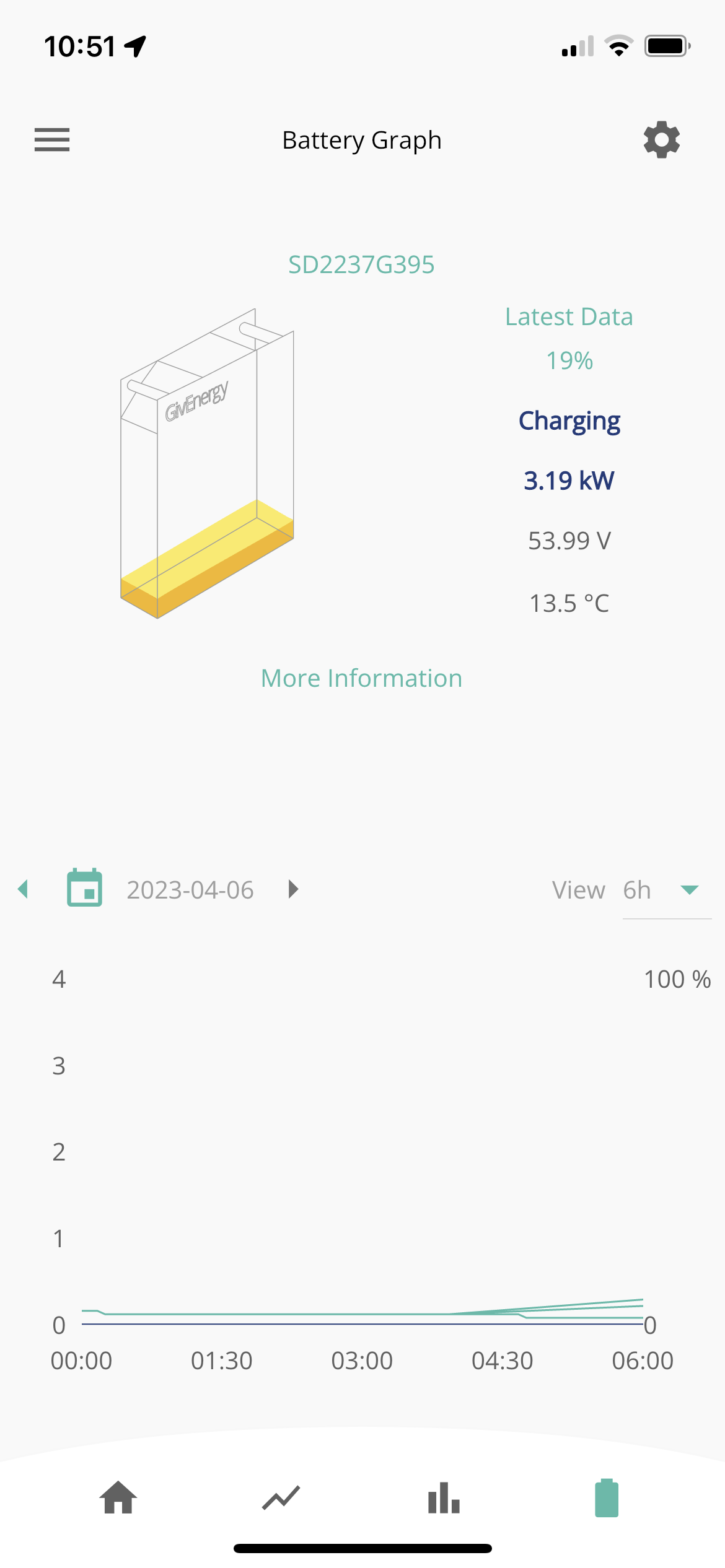
I have two hybrid inverters, (now) each with their own battery. On the prior version of the app I could scroll the inverter information left and right to see the state of each inverter and the connected battery. This new version takes that functionality away and only displays the information for one inverter/battery and there seems to be no way to see the other inverter/battery data
I have had to stop the auto update on my iphone as fortunately it hadn’t upgraded and the old app version I have there still works fine.

I have logged this as a bug via the reporting mechanism in the app but I don’t hold out any hope that GE will respond. I diligently logged 3 bugs and 3 feature requests on 1st Feb and all of them are showing last action by me and last update 2 months ago so it looks like GE just ignore them. I’m not expecting a zero day turnaround but at least an acknowledgement and ETA to the fix is not unreasonable?
S
#2 Smk82

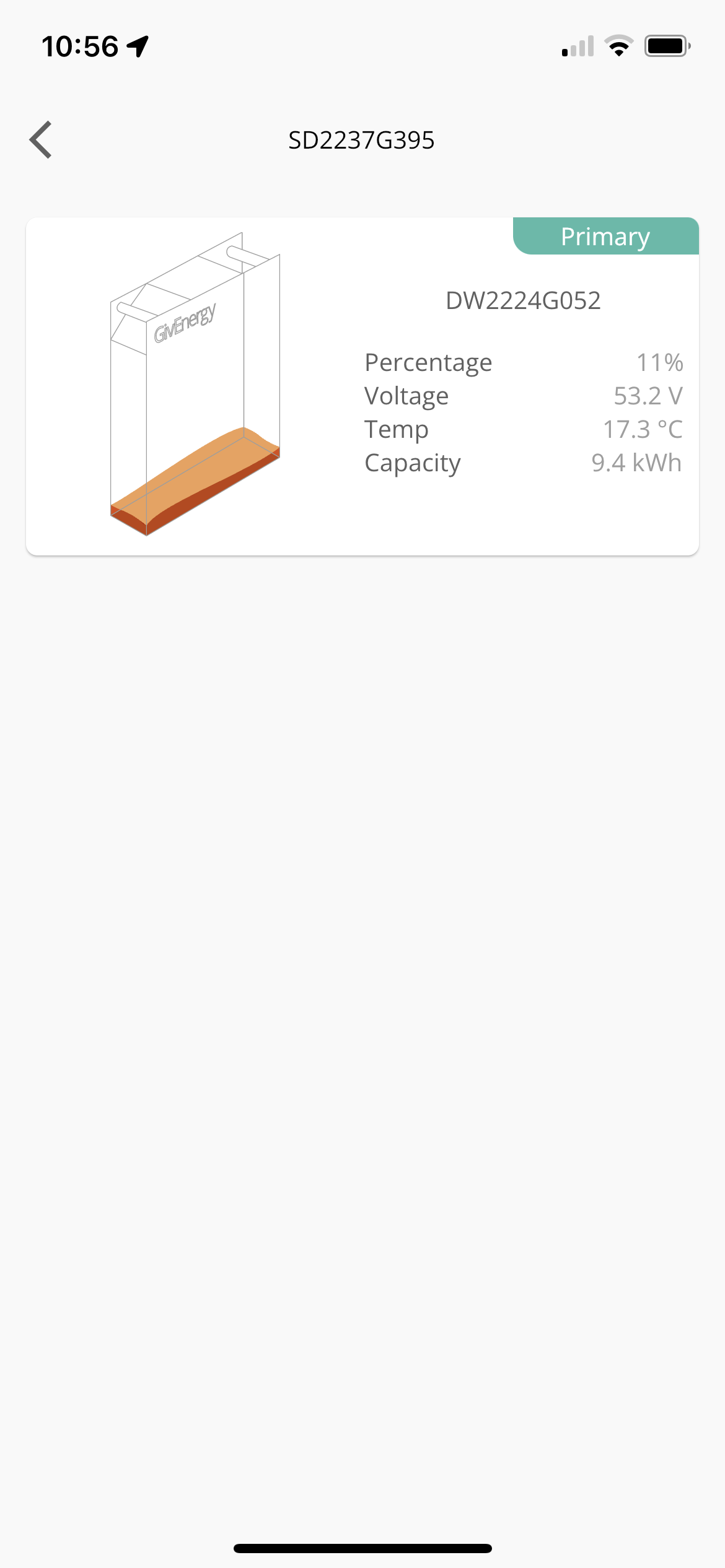
Interesting as mine seems ok on the app? If you go to more information my battery icon then has a little line saying “primary” at the top. I did presume this was referring to the master, but both my batteries show it?!

G
#3 geoffreycoan

Smk82 I have two inverters with one battery on each. Do you have the same or do you have a single inverter with multiple batteries?

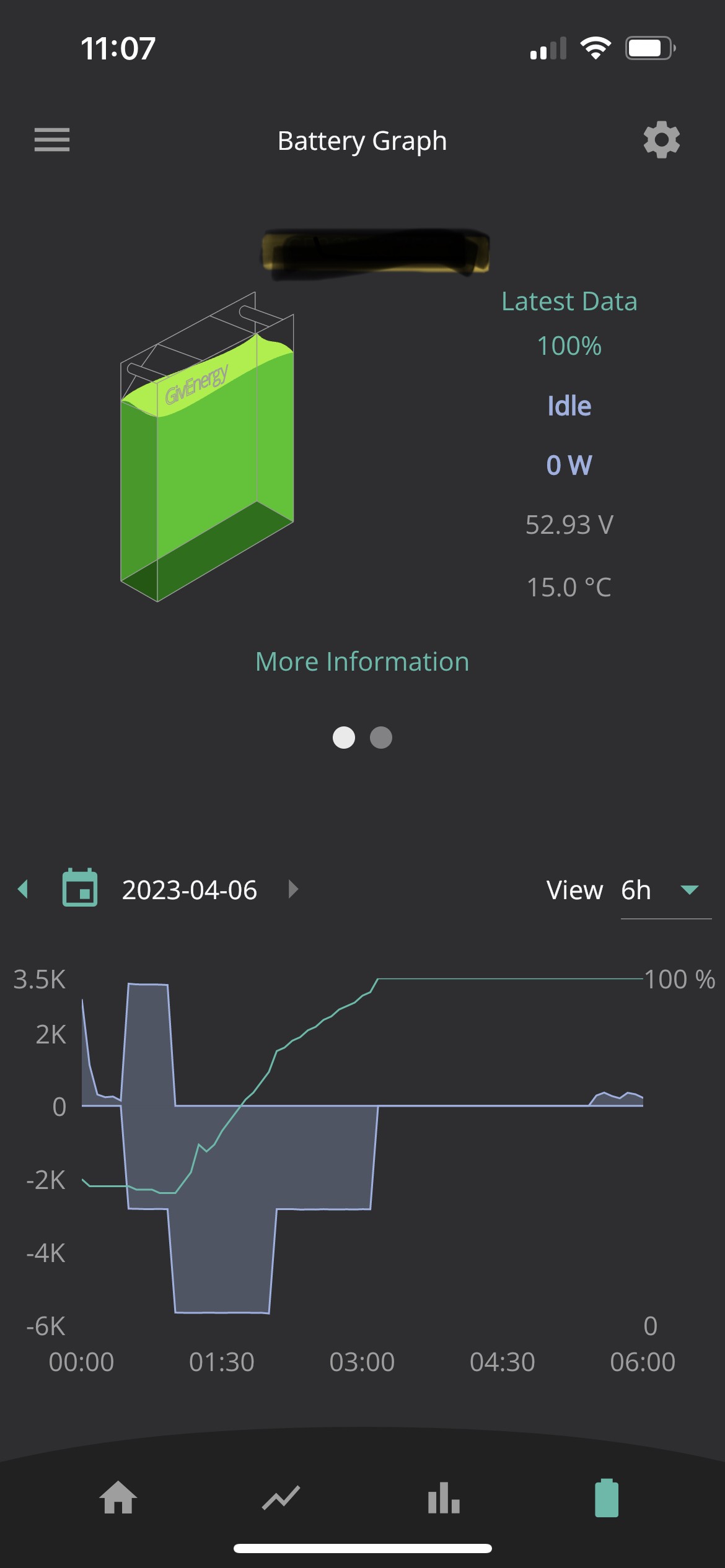
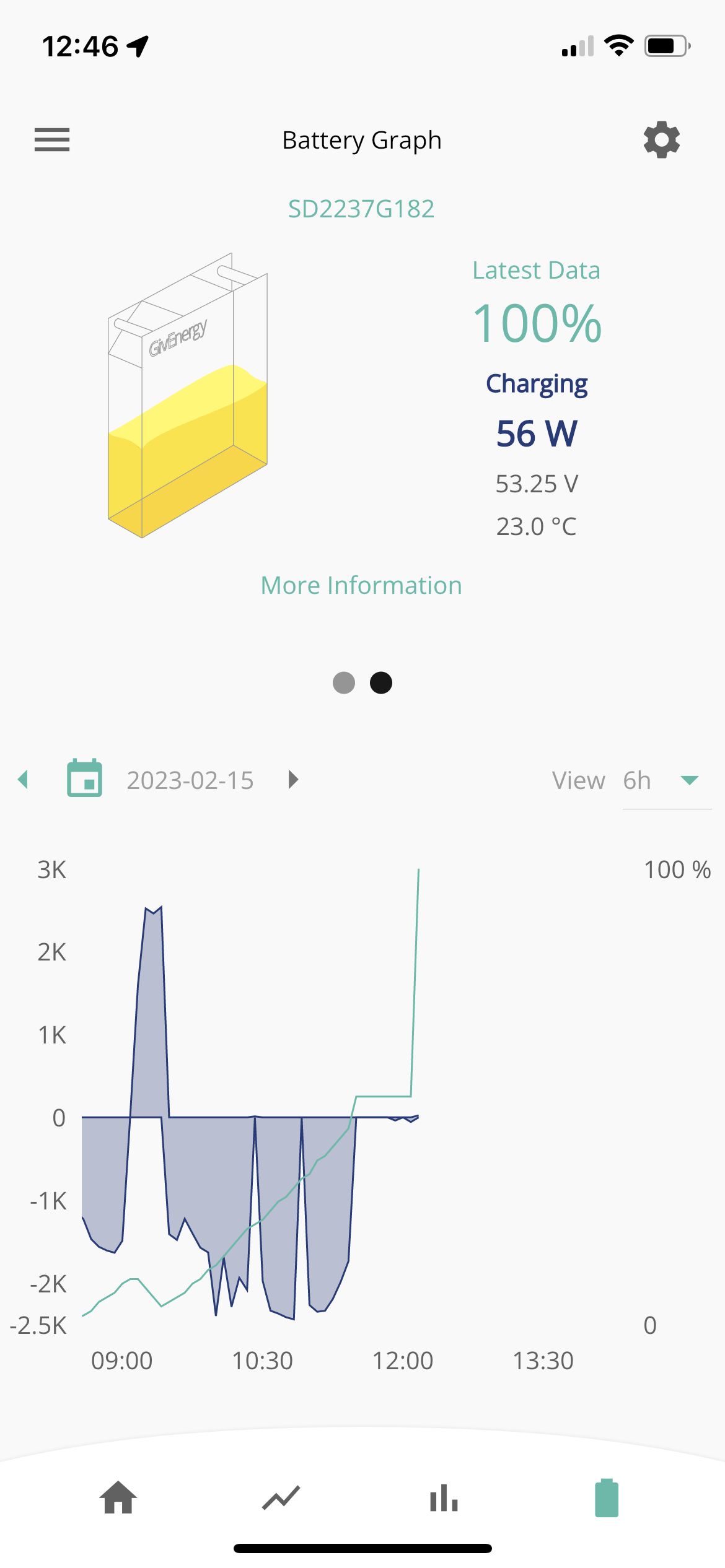
Here's what I used to see on the old app (prior version) but has disappeared in the latest software version.

Old version

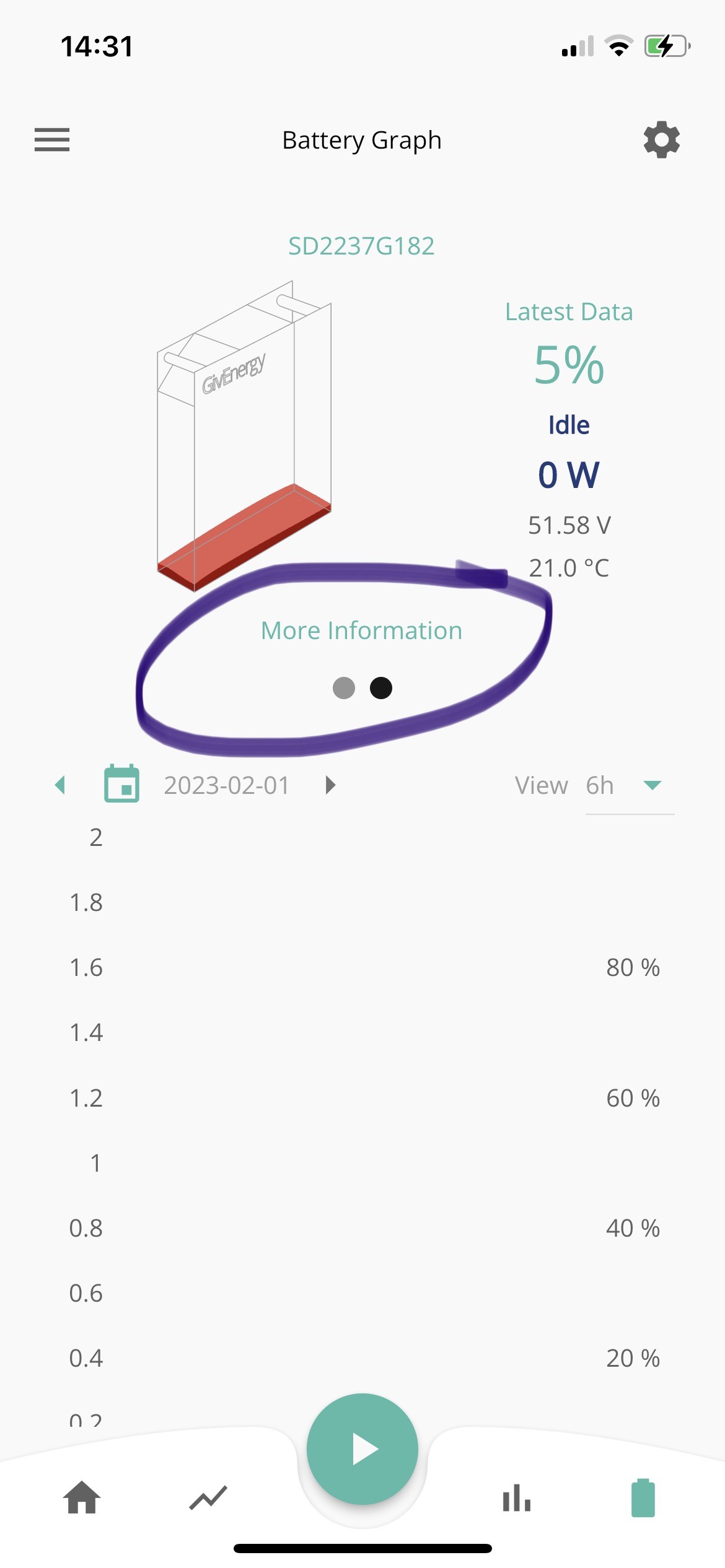
And the new version which has annoyingly just updated itself on my phone loses the double dots. If I click on more information I only see the battery connected to that single inverter


S
#4 Smk82

Ok weird as this is one of mine (2 batteries, each with their own inverter), post update to latest software app on phone

G
#5 geoffreycoan

Smk82 Ok weird as this is one of mine (2 batteries, each with their own inverter), post update to latest software app on phone

Yep that is weird. Your app appears to be working the same as mine was before the upgrade. Its defiitely related to the app upgrade as my ipad app was updated yesterday and the second inverter disappeared, and my iphone updated today and same happened.

T
#6 Tim

geoffreycoan Give Givenergy a call. I suspect it's because of moving one of your batteries. There'll be a refresh for system configuration somewhere that Givenergy will be able to tell you about.

G
#7 geoffreycoan

Tim it could be Tim, but its weird that it worked before the app upgrade, I could see two inverters with one battery on each, and then after the app upgrade, I only see one inverter and its battery. It all shows fine in the portal, just not the app.
Oh well, I’ll talk to GE after the Easter weekend

T
#8 ToothyChris

geoffreycoan Do you see both inverters listed as connected, when you tap on the 'Home' button, on the App home screen? If not then it sounds like you app is only connecting to one of your two inverters.

To re-scan use Hamburger then 'Settings' then 'Local Monitoring' then 'Scan for your inverters' (assuming the iPhone App works the same as my Andoid App). Once it has found them both, make sure you add them to the list so it knows where to look next time.

G
#9 geoffreycoan

ToothyChris Do you see both inverters listed as connected, when you tap on the 'Home' button, on the App home screen? If not then it sounds like you app is only connecting to one of your two inverters.

On the home screen the power flow is showing the output of both inverters but (in portrait mode) only 1 inverter is shown. The same regardless of whether I am on home or away mode. The battery drill down (iphone and ipad, portrait or landscape) only shows the 1 inverter.
On my phone I did have both IP addresses setup for local monitoring, but the ipad I hadn’t. When I do a local scan it finds both inverters fine, I can add them to the saved configuration but the app still works the same, it seems to not recognise that I have the second inverter and battery.

T
#10 Tim

geoffreycoan Maybe delete the app from your device entirely and reinstall from the app store? Maybe it's cached configuration data and you just need a fresh install.

T
#11 ToothyChris

Someone on Facebook was reporting something similar. I agree with Tim about trying a fresh reinstall of the app and clearing any cached data.

G
#12 geoffreycoan

ToothyChris trying a fresh reinstall of the app and clearing any cached data.

I've tried that but it didn't make any difference. Tried again just now and same thing, only one inverter. There must be some sort of auto configuration refresh going on because the batteries linked to the inverters updated itself automatically within a day when the batteries were moved around. It's as if the app has forgotten one inverter assigned to my account, but the portal does show both ok.

T
#13 ToothyChris

Do you have and old phone or tablet you could install the app on? This feels like a local app issue, if you say that the Portal data looks OK.

G
#14 geoffreycoan

ToothyChris This feels like a local app issue

I have had exactly the same behaviour on my iPad and then my phone. On the old app version it displayed both inverters. The app was upgraded and then only 1 inverter is displayed. My iPad was updated first, and on that day my iPhone (which was running the prior app version) was still quite happily showing both inverters. I turned off automatic app upgraded on my phone but somehow the app upgrade still happened the next day on my phone and then I could only see the 1 inverter on my phone as well.
Definitely related to the app upgrade. Maybe my configuration is somehow messed up in a way that it works in the portal but not the latest app version but it's a GE issue.

G
#15 geoffreycoan

😡😡

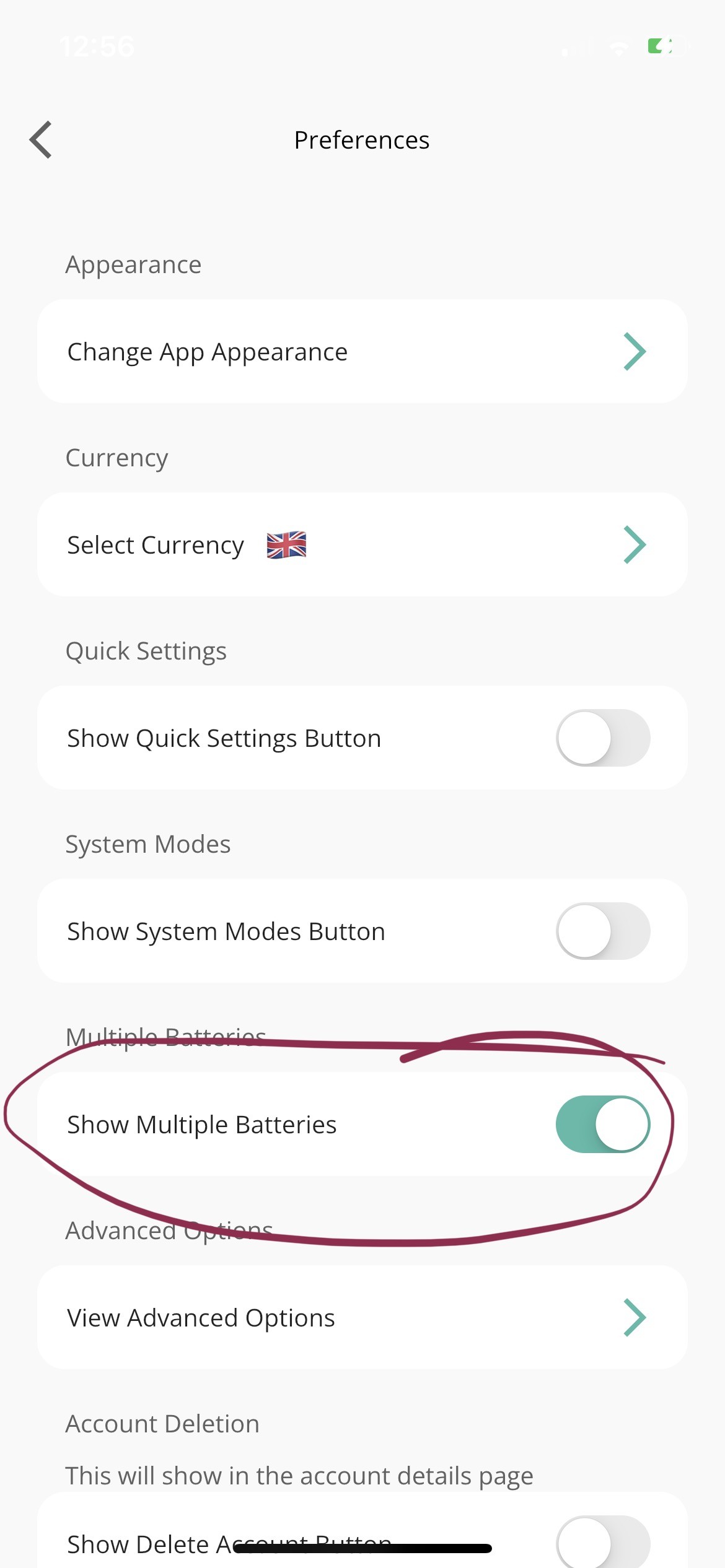
Quite by accident I've worked out how to fix the missing inverter issue I've been experiencing in the latest app version.

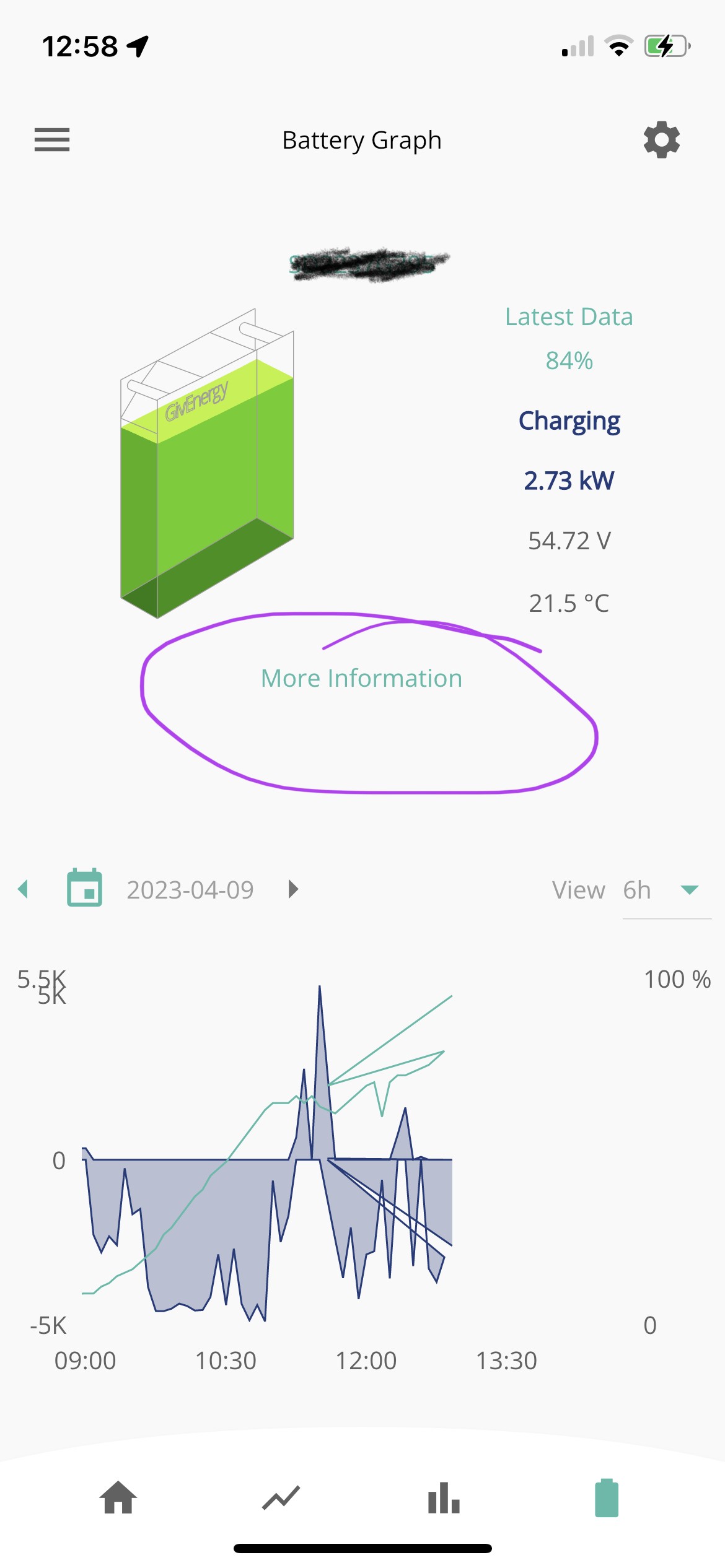
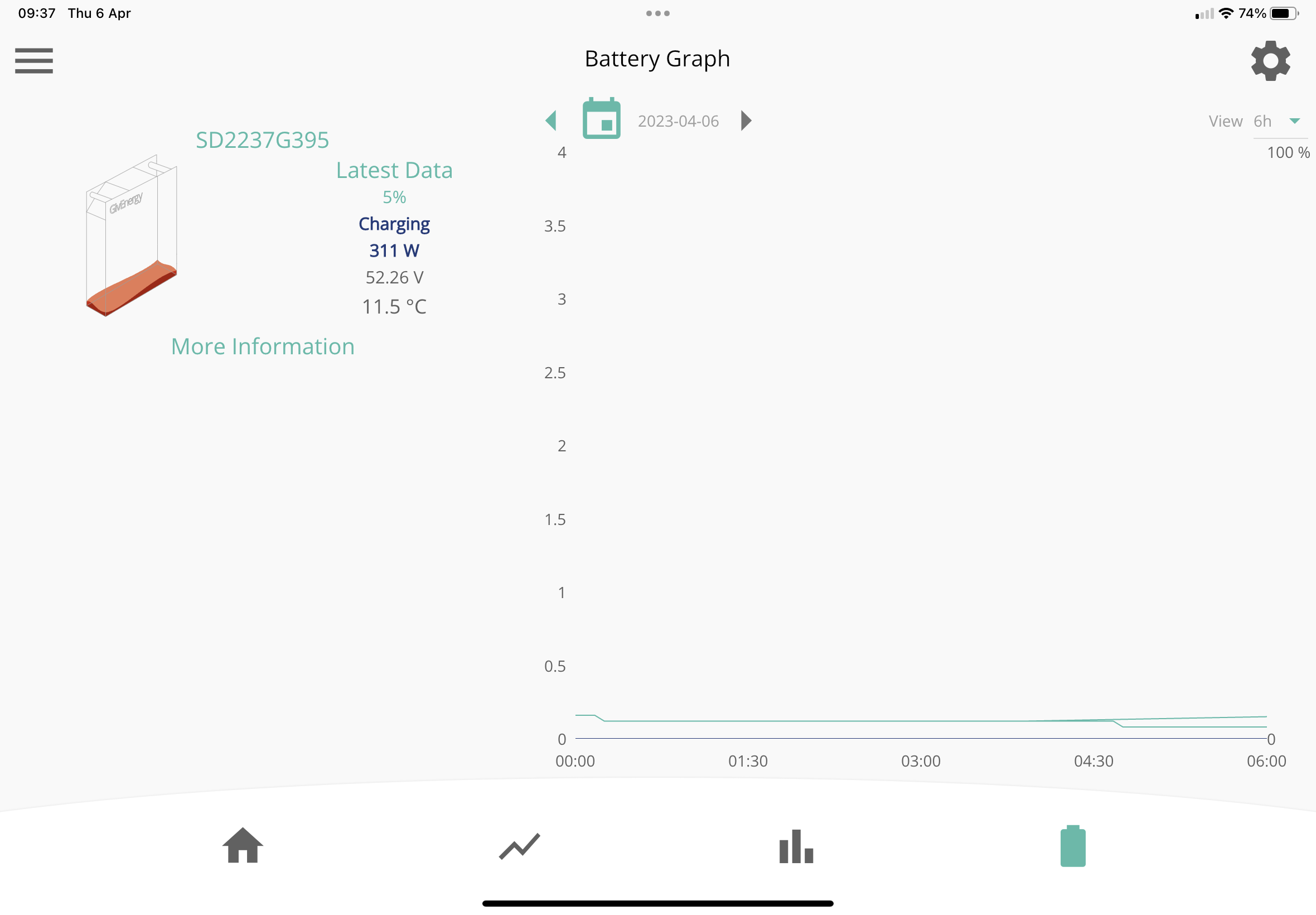
Here's what I was seeing on the battery display, just one inverter and it's attached battery:

In the preferences, when I turn on 'show multiple batteries'

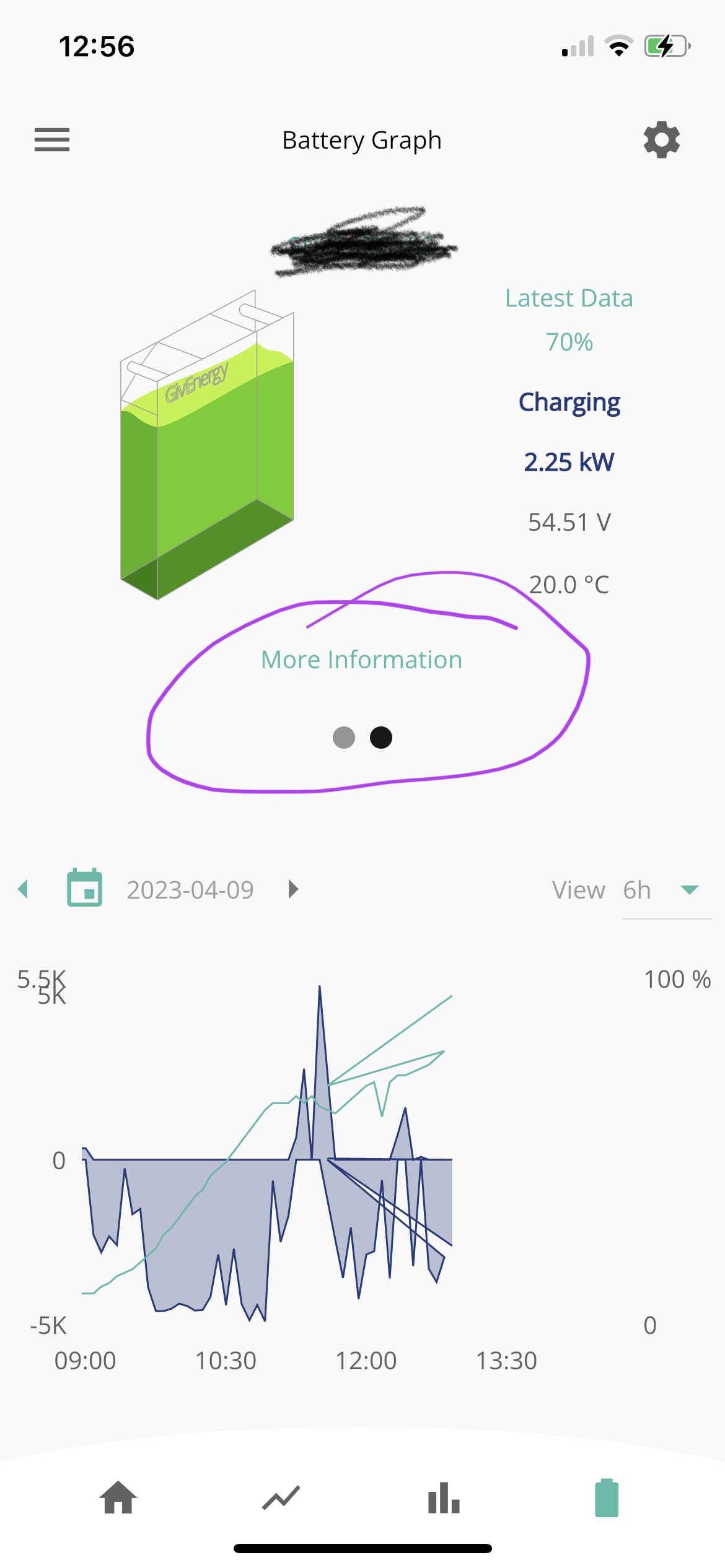
The battery display now shows scrolling between the two inverters and their batteries (which is the behaviour I had with the previous app version)

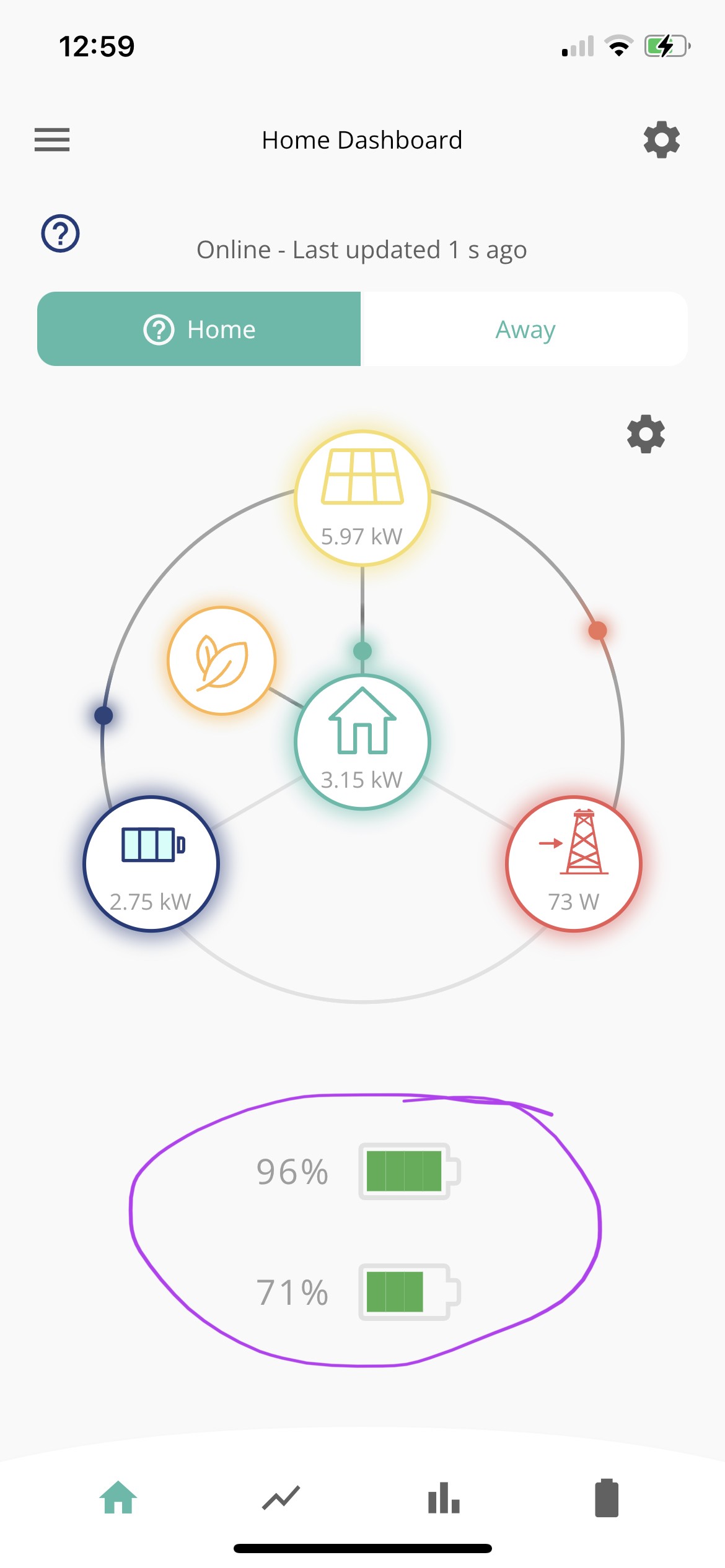
And the home screen shows both battery percentages

Sigh