App rarely finds home connections and sees me as 'Home'

14 comments started 2023-04-14 last 2023-12-19
Mobile App
R
#1 Robmac2606

Can anyone help? apologies for any clunky terminology but I'm not tech savvy.

I have a Giv Hybrid 3.6 inverter with a 9.5kWh Givenergy battery, installed in Nov 2022.

The app will rarely find a home connection and therefore see me as 'Home'. It will occasionally, but once i use the app whilst away from home it will not find a home connection again when I am back home. I can see no pattern to it connecting or not connecting. It just says 'Local Search Failed No home connections were found'.

I have wi-fi extenders but these carry different names and my phone is connected to the same 2.4 wi-fi as the dongle.

I have been into the settings and in 'Auto Discovery' reduced 'Max Concurrency Limit' from 50 and increased 'Max Retry Attempts' but this has not solved it.

I contacted GivEnergy, and they suggested fixing the IP address of the inverter on my router. I have a TalkTalk router and think I know how to do this but have not tried yet as I'm not sure why this not being a fixed IP would stop the app from finding the inverter on my router.

Any advice is welcome!
P
#2 pacemaker

Robmac2606

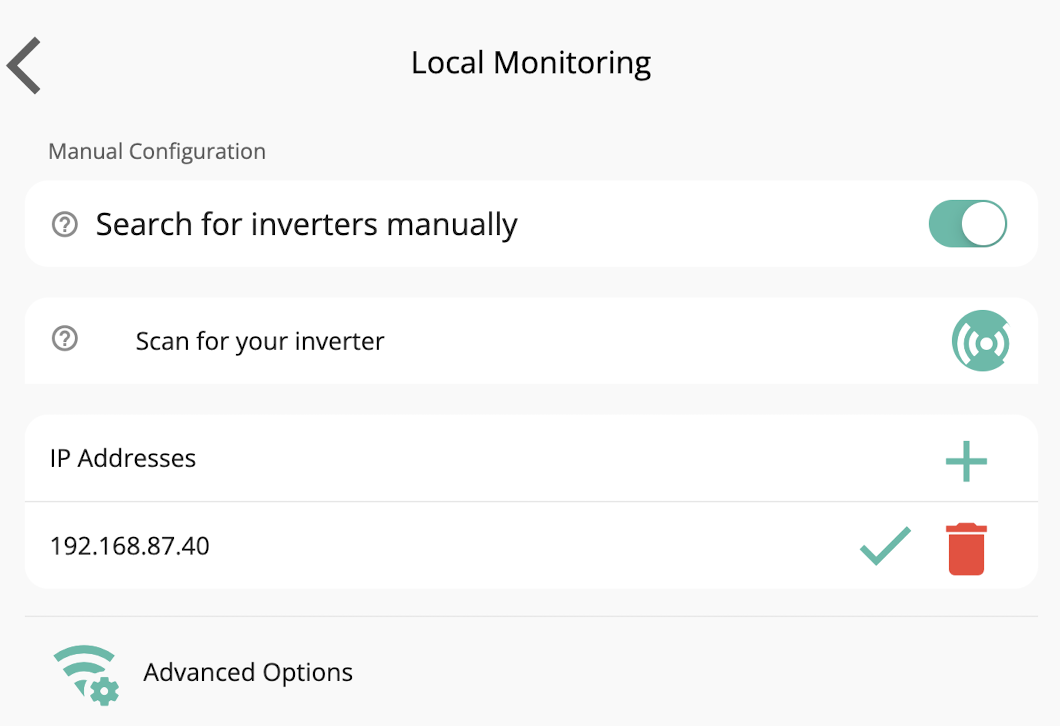
Can you get the IP the inverter is currently on and add it to the app in the settings?

R
#3 Robmac2606

Yes I can. When I add it manually it immediately puts a red exclamation mark next to it, rather than a tick.

I have location set to 'Always' in the app.

When I scan it says no inverters found.

#4 Stevef1964

Probably a silly question ......but do you keep your phone updated and all its apps updated?

I find that changes to my iphones' apps (not just the GE one) seem to cause this problem and after a number of app updates it seems to recitfy itself.

For me after the latest round of updates I'm currently not getting any occurances of this, rock solid. But I expect it'll occur again.

T
#5 TX200

Also is location permission allowed for the app? As some devices need that to be on for WiFi scan to work.

R
#6 Robmac2606

Hi - yes I keep all my apps up to date (especially the Givenergy one in the vain hope an update may solve the problem).

And also have location set to 'Always' for the Givenergy app.

S
#7 Simon-D

I have the same problem it was all working until App was undated from google play store few days ago. I use always on VPN on my phone turned it off and then search and added IP address again and now is working on home.

If i switch on my VPN, it will not work on home settings, was ok before the update.

I have notice it keeps finding my router IP address as well. I have a AC plant system but I can see that it found one of them once I log back in.

R
#8 Robmac2606

I have reduced 'Max Concurrency Limit' from 50 to 10 and seems to be working nicely now. May be a coincidence but it has never connected with such reliability since installation Nov 22.

R
#9 Robmac2606

And after 6 days nothing seems to have changed but it will not connect again. It looks like this will remain a persistent problem that I will just work with. :-(

M
#10 MarkyG82

I'm confident it's do with your wifi extenders. I have a mesh system and have similar results. I dont think it really makes a difference as long as you can see the system in the app. If memory serves there are no features that require to be in "home mode"?

9
#11 94jdh

MarkyG82
I have a mesh Orbi system and have no problems whatsoever?

M
#12 MarkyG82

94jdh
From what I can see it's limited to a few systems. A colleague has tplink mesh like me an few things don't work right. My friends has google wifi and no issues. I need to pull my finger out and get the mesh set up correctly. Currently both the mesh and router are generating IP addresses.

P
#13 P

Have a similar problem my iPhone 13 Pro has no problem finding local connection but my wife’s iPhone SE has suddenly been unable to find local access. Any thoughts anyone?

#14 Sunnyside Up

Just started to have the same problem with the app on my phone & tablet not able to show 'HOME' on the Home Dashboard, just the 'AWAY'! Has there been an update or something that has caused this to happen?
I've tried all the fixes recommended in previous posts without success.
Someone replied to previous post that there seems to be no difference between the display on 'Home' or 'Away', but I think the 'Home' display in updated every 5 or 10 seconds, whereas the 'Away' takes at least 5 minutes to refresh?