Inverter through home wifi?

12 comments started 2023-04-15 last 2023-04-16
GivEnergy Products
C
#1 Coddy

Hello. New user here, logging into the discussion group.

Just got my system installed and commissioned last week. 4x 5.2kw batteries, hooked into my existing 4kw Solar system.
The solar and the batteries are installed in my workshop, which is a metal framed, metal panelled building, as a consequence if the workshop door is closed, the Wifi Dongle does not get a signal. As such, i cannot monitor the system (and i am currently overseas for next 4 weeks), so my wife periodically opens the workshop door to allow the signal to transmit.

When i get home, i will be installing wifi range extenders from the house wifi out to the workshop.
Can the Inverter be then connected to the wifi, so as on my own home network, or does it have to always be hooked up via the dongle?

I imagine i will have more questions, regarding settings etc.

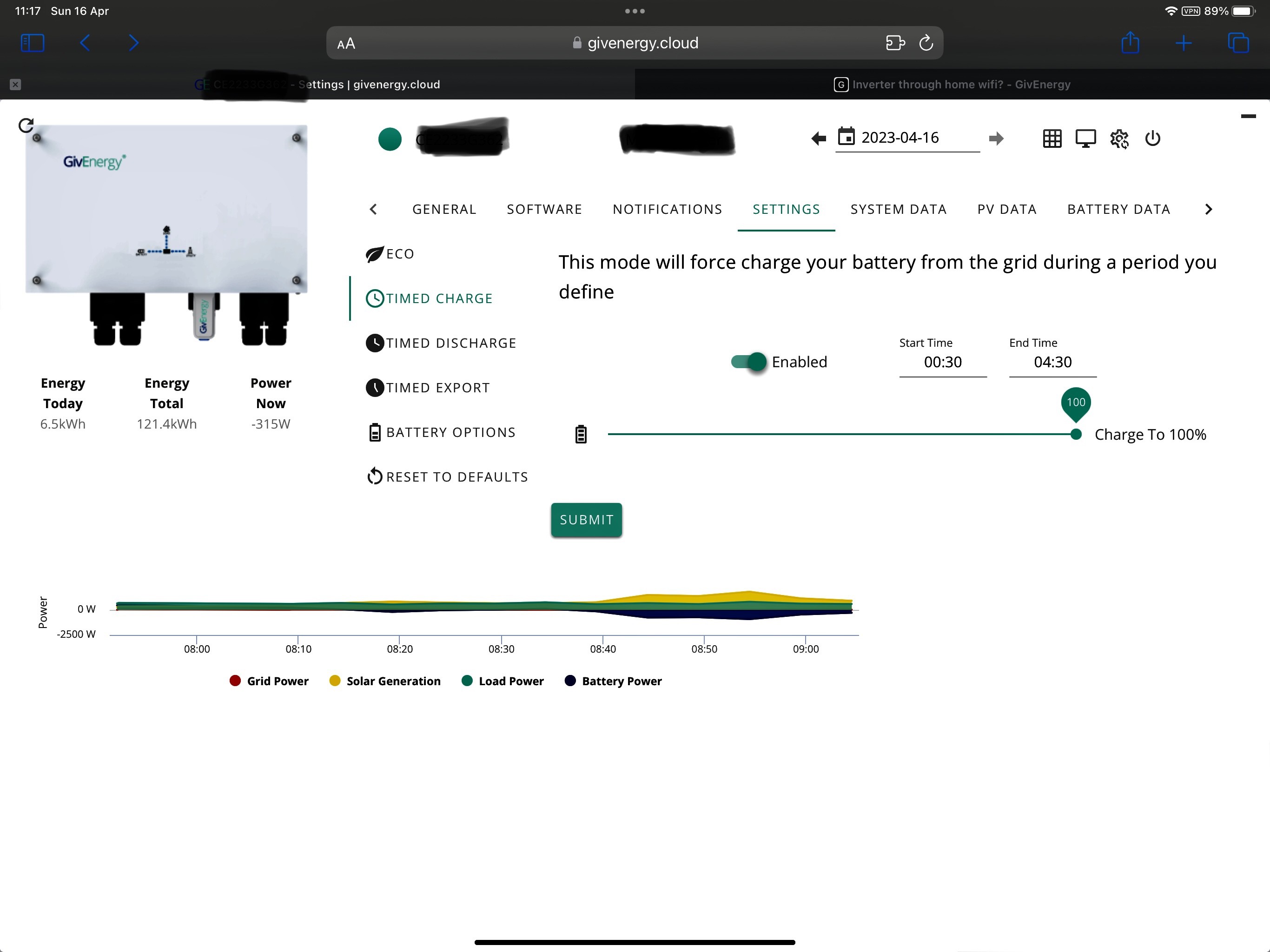
Currently i have it set on Eco, and charging from grid between 00:30 and 04:30 on Octopus Go.

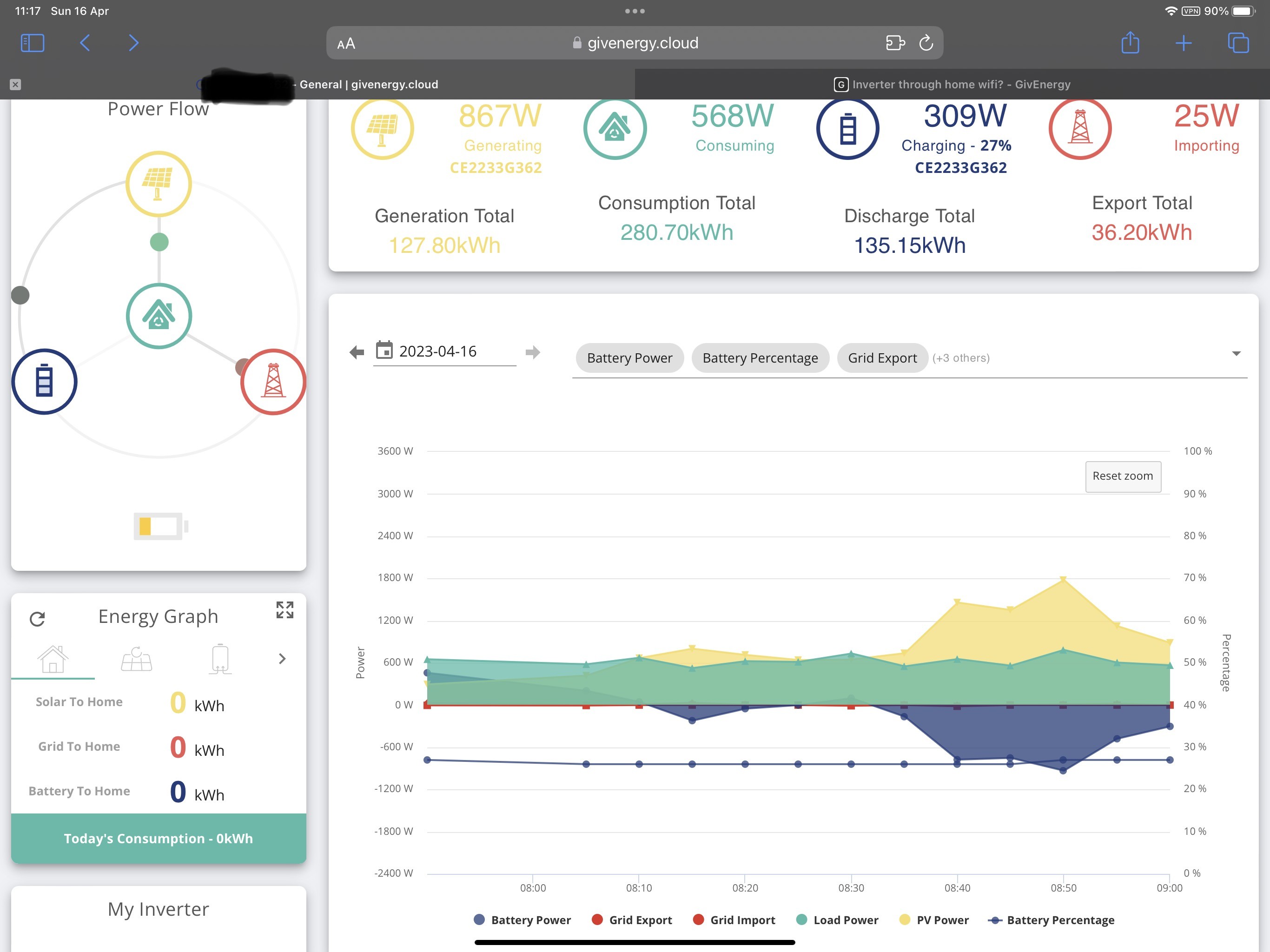
Also, i am currently monitoring the batteries. When i look with the App, the batteries show 100%.
When i then look at the individual batteries, they show Battery 1 @ 99%, Battery 2 @ 93%, Battery 3 @ 88%, Battery 4 @ 100%.
I have noticed batteries 2 and 3 are always what i would say lower than i would expect (house was using 700w and PV Generating 2.2kw, so there was excess available to top up batteries 2 & 3. Will monitor this for the next month while i am away, and if need be, can Givenergy look at batteries 2 & 3 online (they had to force a charge on battery 1 during commissioning as it was a fraction under the minimum required to allow charging).

W
#3 wilfleek

My own inverter etc. is in the garage, and connects to the home wifi via a TP Iink extender plugged into a socket in the garage.

Works perfectly.

G
#4 geoffreycoan

Similar with us, our inverter is in the garage and gets its Wi-Fi from the tp link power line Wi-Fi repeater in the lounge.

A cautionary tale though if you are using power line adapters, be careful about what else is plugged/wired in. After a while we were getting awful Wi-Fi throughout from the powerline adapter, turned out it was plug-in rodent eliminator plugs my wife had bought that were causing noise on the mains circuit that killed the throughput.
A range extender in my shed started suffering the same problem, this time was caused by a double socket I had installed with integral usb sockets. Cheap electronics in the usb sockets were again killing the powerline signal. Changed the sockets and issue resolved.

T
#5 Tim

Coddy You don’t say which inverter(s)?you have, but assuming you are tied to wifi, if you find range extenders flakey, you could run an Ethernet cable to the garage and put a dedicated wifi access point in there. If the EM115 is cabled to the inverter, it’s feasible to use two of the unused pairs to make up a 10Mbps connection but it’d involve in-line Ethernet connectors where the EM115 is and in the garage. A dedicated cable would be a better option.

C
#6 Coddy

Maxwell

Hello thanks. I have TP Link Deco X60 extenders in the house, and i was awaiting the Deco X50 Outdoors coming out, but always shows ‘Coming Soon’.
If these are compatible with the Deco X60, then that might do the trick.
Thanks.

C
#7 Coddy

Tim

The Invertor i have is the GIV-AC3.0.

C
#8 Coddy

Also,

I have the Invertor set on Eco mode and have it set to charge from 00:30 to 04:30 from the mains, and have the slider on that option to charge the battery to 100%.

Is that a decent setting?
(All new to this, and unfortunately had to leave home for work a few days after the installation. So not had a chance to really get to grips with it).


4
#9 4monks

Coddy Hi - most people would set the target SOC (state of charge) to a lower number to allow the solar to charge the batteries during the day. A lot depends on your daily consumption patterns. You could aim to set the target SOC to a value slightly above your daily home consumption. This would mean even on a low PV day, you run on batteries, but on a good day, you have spare uncharged capacity in the batteries to soak up the rays. Over time, you can tune this. I run a Hyb 5.0 Gen 2, 2 x 9.5 kWh and 5.5kW of solar and have a target SOC of 40% and of recent, the batteries have always been above 40% so typically don't need charge overnight or charge minimally i.e. there's been enough solar to run the house and charge the batteries. On the really good days, I have enough spare to put up to 10% in the car as well.

D
#10 dragon2905

If I recall the TP Link Deco X60 (and X50?) are Mesh Routers, yes?

I seem to remember that there was a thread about GE Dongles not working/working well with Mesh Networks...... something about the switching between 2.4ghz and 5ghz behaviour of mesh networks.

The answer always seemed to be to either set up a single mesh on 2.4ghz only (if thats possible) or degrade the setup from mesh down to separate SSD's.

Or a third option connect a separate AP into your Router Network.

I could be wrong there.

My issue wasn't mesh but signal strength. I used a BT Business Smart Hub 2 Router that I had picked up and was going spare (MUST BE BT Business Smart Hub 2 as this allows you to amend details) this takes a wired connection from my network into the back of it and is then set up in the room closest to my Inverter (in garage).

You can pick these up on ebay for £10-40 ish and are very easy to setup.

U
#11 Ubarrow

I’m on a BT mesh network which works fine.

I also set off with charging the battery to 100% on the night rate but now have realised that actually I just need enough to get me through to the morning when the generation becomes more than my usage.

I’m on Octopus Flux so ail to have 100% battery at 4pm when I start exporting the maximum amount until 7pm or the battery reaches an amount which will get me through to the night time rate at 2am.

D
#12 dragon2905

Ubarrow Cool, yeah some work fine others can be more finicky - there's no particular brand that has particular issues.

It's mostly going to occur with congestion and how many other people are around you on similar channels within the frequency range. Congestion will generally move the Mesh network between 2.4 and 5ghz and up/down the channels within those frequencies. The GE dongles are 2.4ghz. So it connects to 2.4ghz but then the mesh moves to 5ghz. The dongle thinks its still connected, but isn't, then the mesh moves back to 2.4ghz and the dongle doesn't try to re-acknowledge (cos it thinks its still connected). After that the poor little dongle doesn't know if it's coming or going.

So if you live out in the stix, or have a nice big house, or just lucky to have no neighbours then your mesh is unlikely to move around.