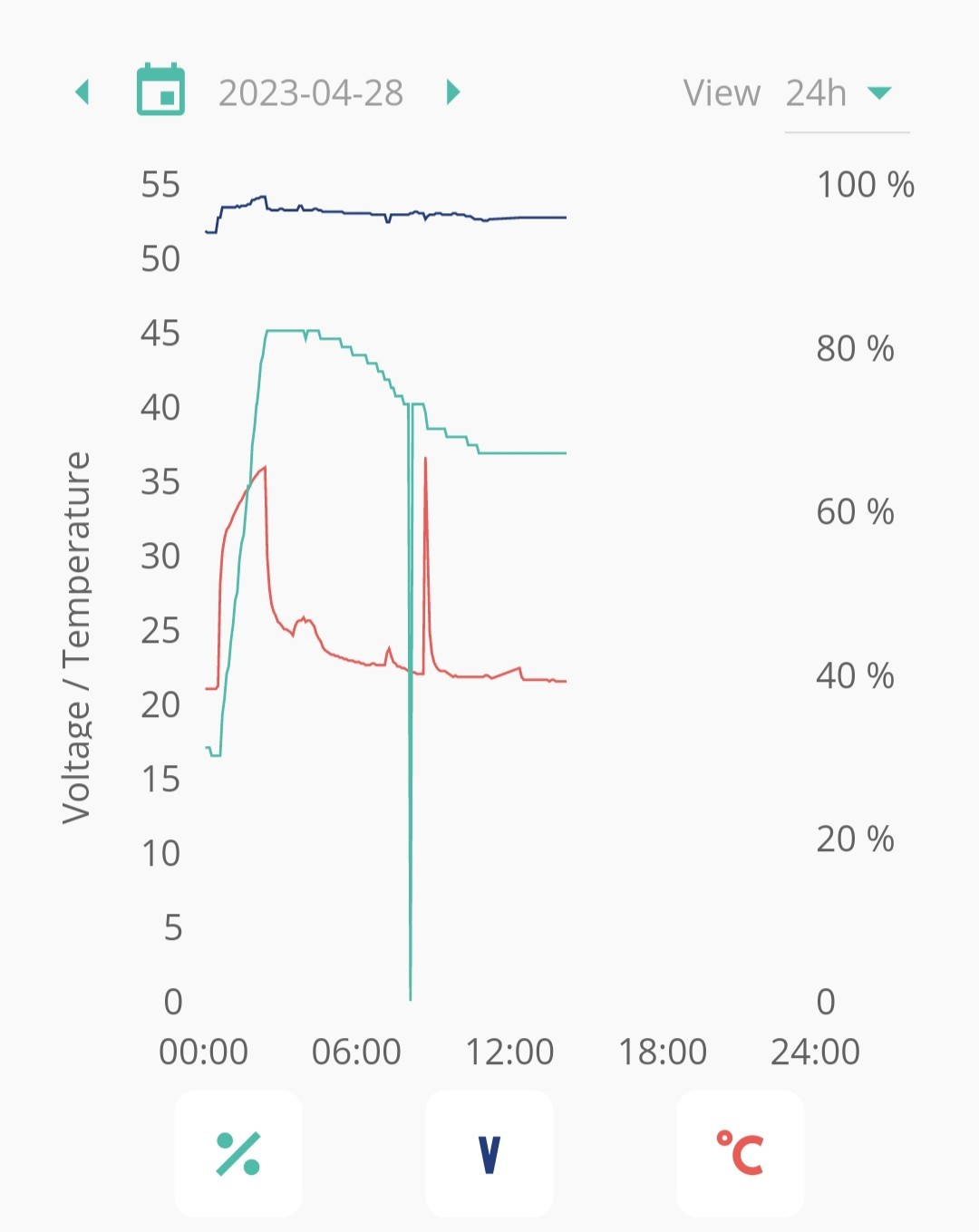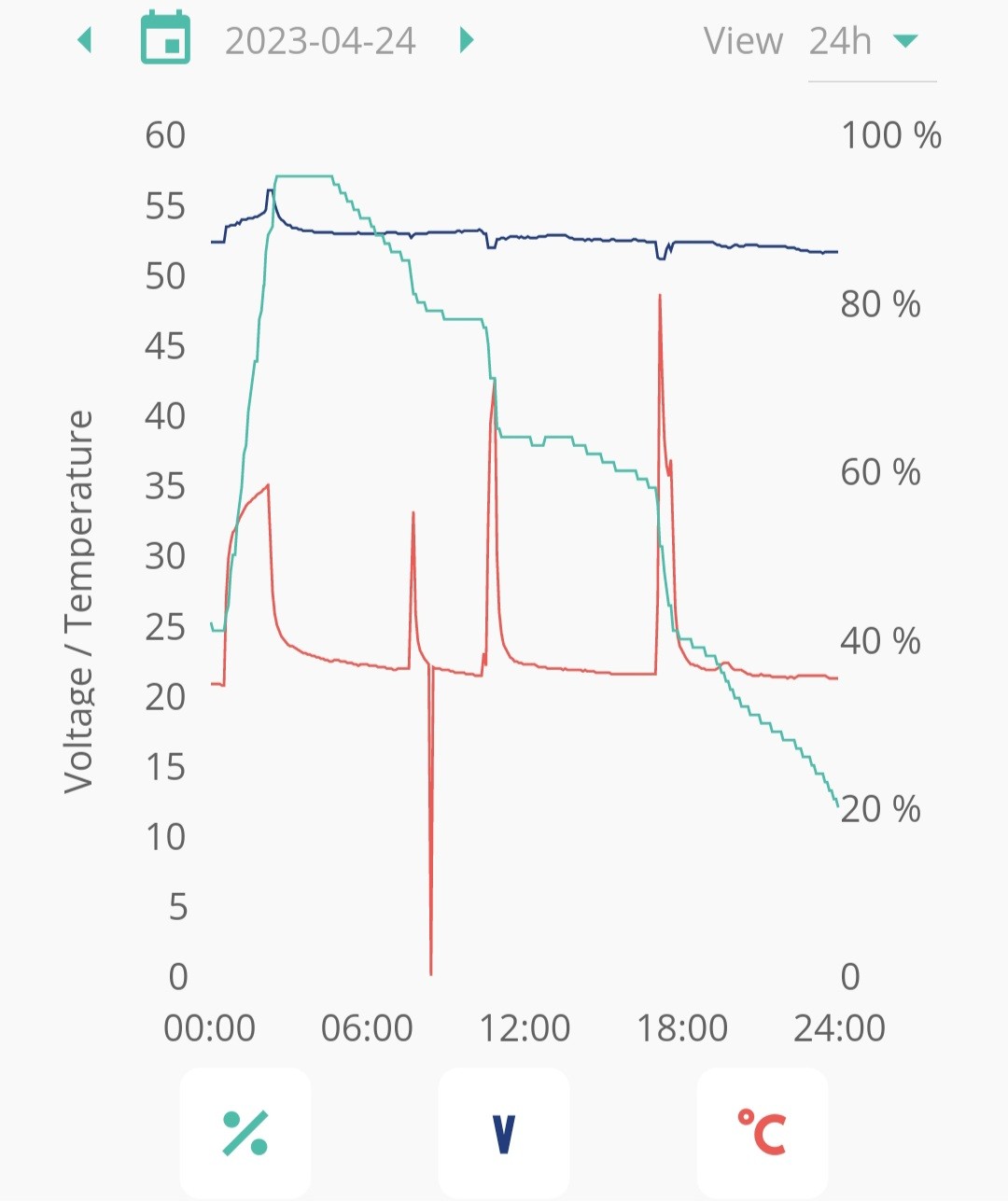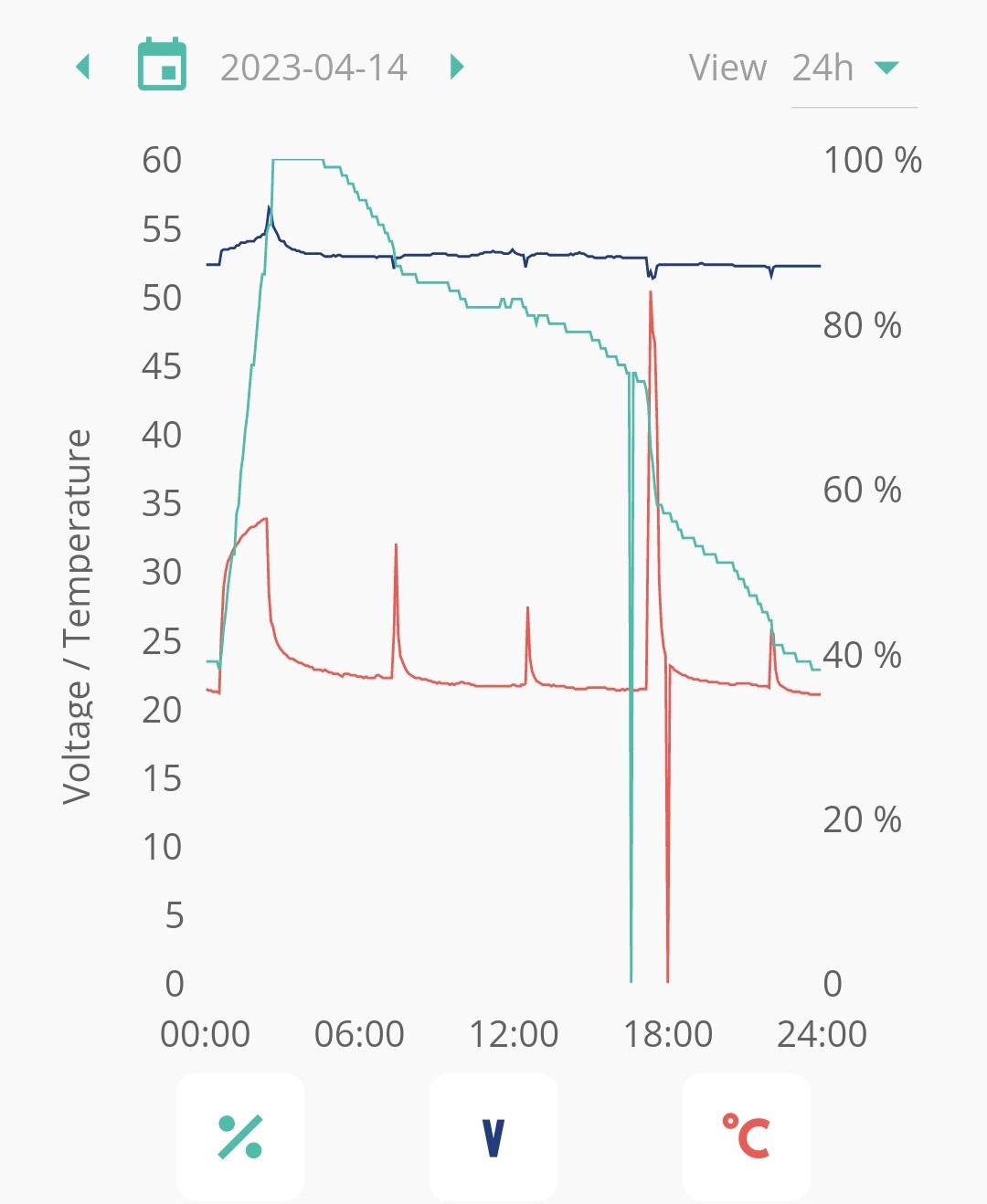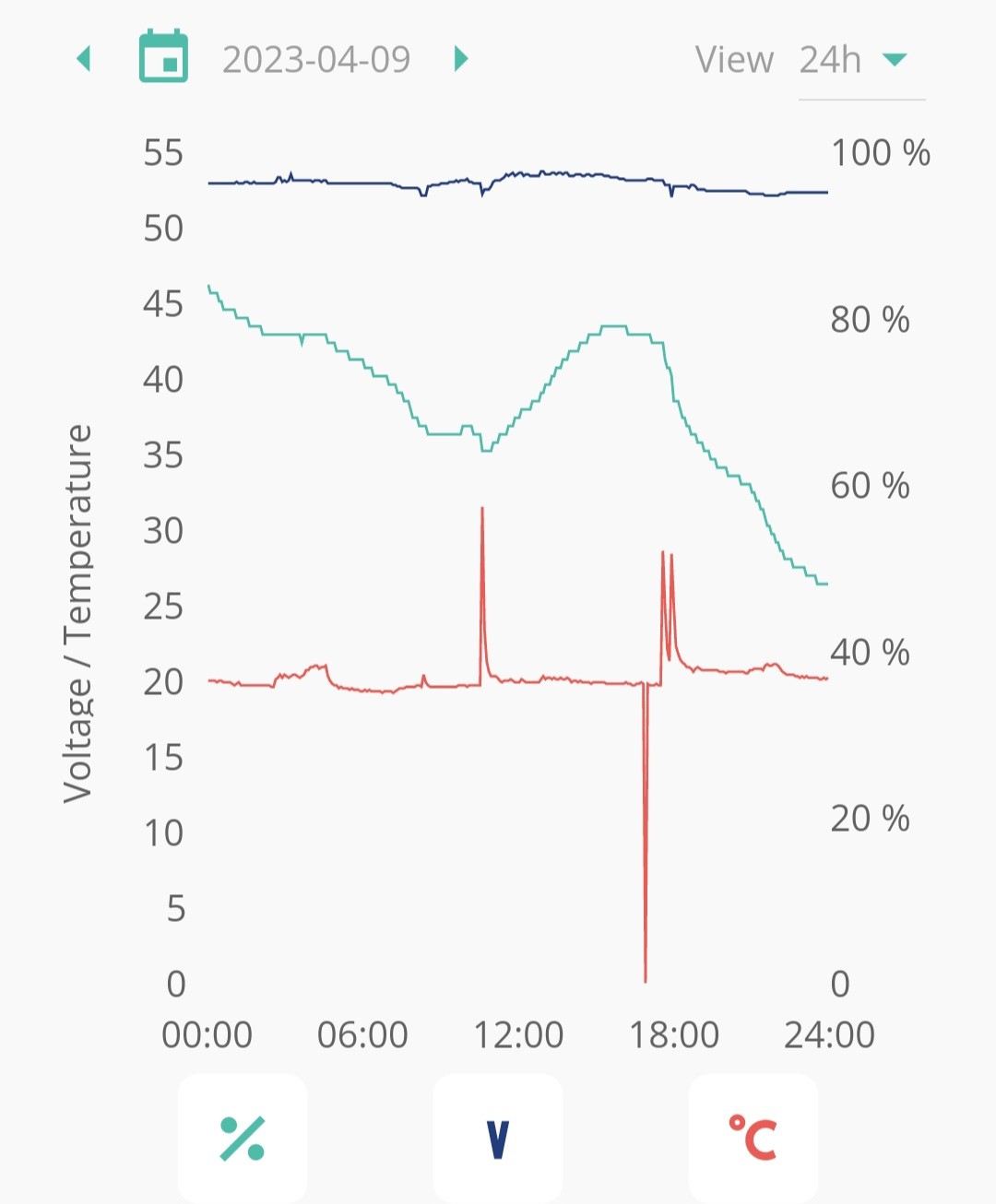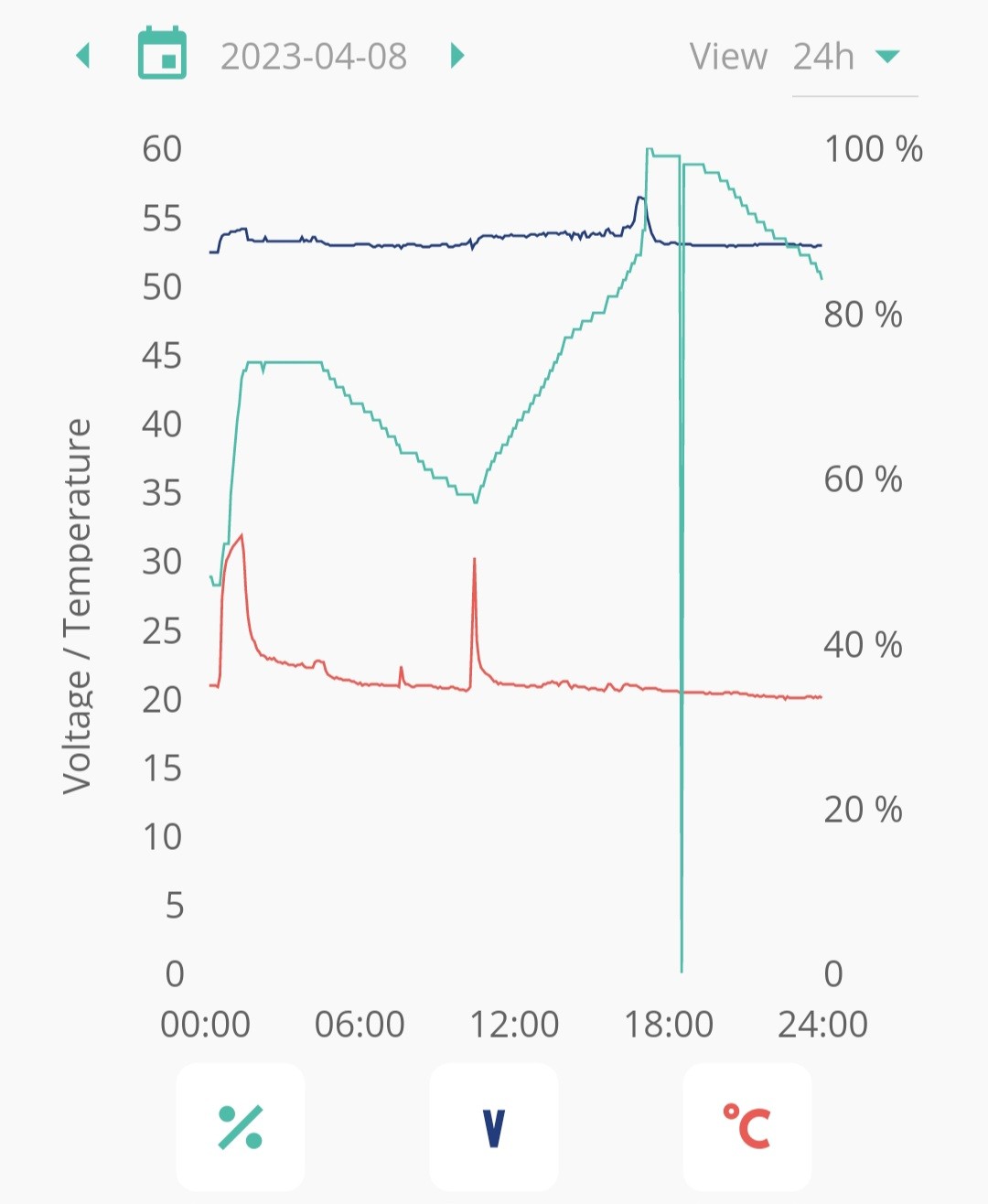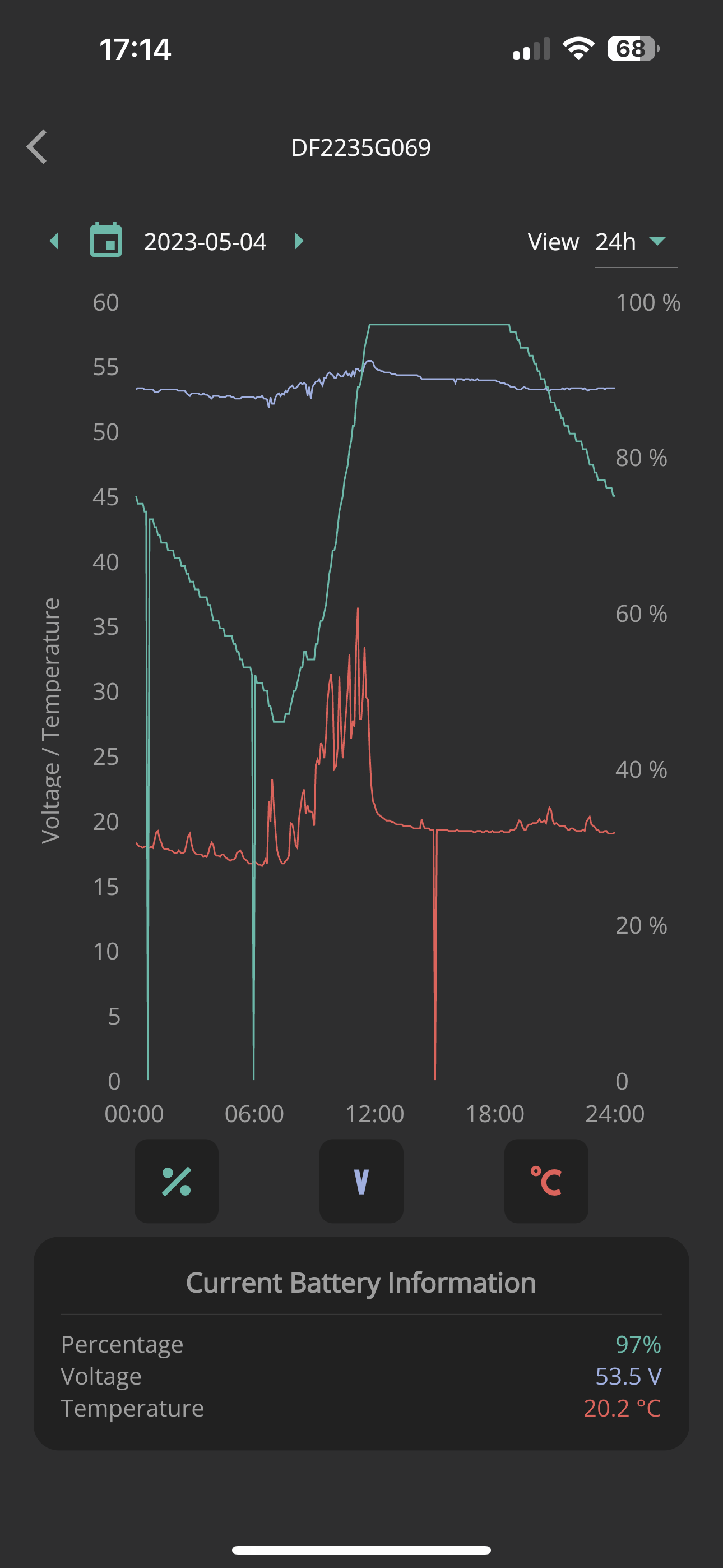
Does anyone see something like this in the more information graphs in the app when you tap on the battery picture?
The system seems to be working perfectly with the other data views in the app and web portal not showing these dips, wondering if its data loss due to weak WiFi or something more problematic.
My system is an AC3 inverter on D0.535-A0.535 and 9.5kWh battery on 3012.
Thanks

C
#2cluelesscris
My vote is for missing data point(s).
T
#3TX200
Yeah, missing data points due to poor WiFi
Or a small possibility of a loose connection somewhere like BMS cable.
But most likely the poor WiFi.
A
#4ashenshugar37
TX200 If it was a case of a loose wire, is it an installer thing (my system is less than 2 months old) or a GivEnergy thing to resolve?
T
#5TX200
ashenshugar37 yeah defo an installer thing. Although asking giv support via email or web chat first to get their view from your data
If it was loose, I dunno, I'd kind of expect more drop outs in the data? I might be wrong, but...
A
#6ashenshugar37
TX200 Thanks, I'll contact GivEnergy on Monday, TBH that was the worst day, typically there is only one drop in either the percentage or temperature per day, and that's not every day.
As I say operationally it doesn't seem to be an issue (everything working well, no errors, even managed to update the BMS to 3012 without issue 🙂, more asking out of interest really
R
#7Rubikcube
I see exactly the same on the GE app. The cause is an underlying race condition coupled with poor programming. Nothing to worry about.
#8positor1
Rubikcube The cause is an underlying race condition
race or rare? if race then can you explain?
R
#9Roberto
Well i have similar issues with my AC3/9.5 battery on 3012. Temperature drop outs. Contacted GE and they say there is a fault that requires an engineers visit. And I am seeing a return in battery percentage drops to zero on 3012.
R
#10Roberto
TX200 if it were poor wifi connection, would you not expect to see the battery %, temperature and voltage drop out to all be at the same point in time?
A
#11ashenshugar37
Roberto @"Roberto" Thanks, I’ve email GivEnergy support with all the information, I’ll see what they say next week.
T
#12TX200
Roberto typically when there's an outage at their end, you get a straight line between the last known battery percentage and the first new battery percentage on the graph.
So I guess it depends on how they've programmed everything to display.
TX200 positor1
Do you not see the same thing? To get to the battery info screen:
Open Givenergy app in portrait mode
Press battery icon, bottom right
Press "More Information" centre screen
Press picture of a battery
Select 24hr view, top right
Calendar left arrow, top left, to go back over recent days.
T
#15TX200
Looking at April, yes, I've had a few of those. Circa 4 for temperature and 5 for battery percentage.
Haven't got much data for May, as my inverter died and was replaced a couple of days ago
A few examples from April
#16positor1
Rubikcube
I had to go back to the 8th.May to find one but yes i do see that.
I have to confess i never knew you could get there by touching a battery symbol.
Modern kids using computer games are encouraged to click on anything and everything. Us oldies are usually too scared to risk upsetting what we have achieved already...
T
#19TX200
If it's not a bit of blue text, which is underlined, which turns purple when visited, then it ain't clickable. 🤣