
Help with Octopus R&D schedule

10 comments started 2023-06-23 last 2023-06-24
GivEnergy Products
O
#1 Omahone

Hi - I'm looking for some help with Octopus R&D to help set-up a schedule. I've had various issues with my GivEnergy installation and am waiting for the installer to come around on Weds to hopefully fix but, in the meantime, I'm struggling to maintain any kind of schedule using the Givenergy website.

I'm on FLux and want a basic set up of Eco on for the whole time except for a battery charge (if needed) between 2&5am, and to export from solar/battery between 4&7pm. As seems to be the case, as soon as the Charge or Export timings come to an end, the GivEnergy interface won't automatically revert to Eco mode. (I spoke to the tech team who confirmed that this would need to be done manually which seems crazy!)

So, I've registered for Octopus R&D to try and set-up a schedule there but I don't seem to be able to get anywhere with it. All the Tariff info seems to be imported correctly:
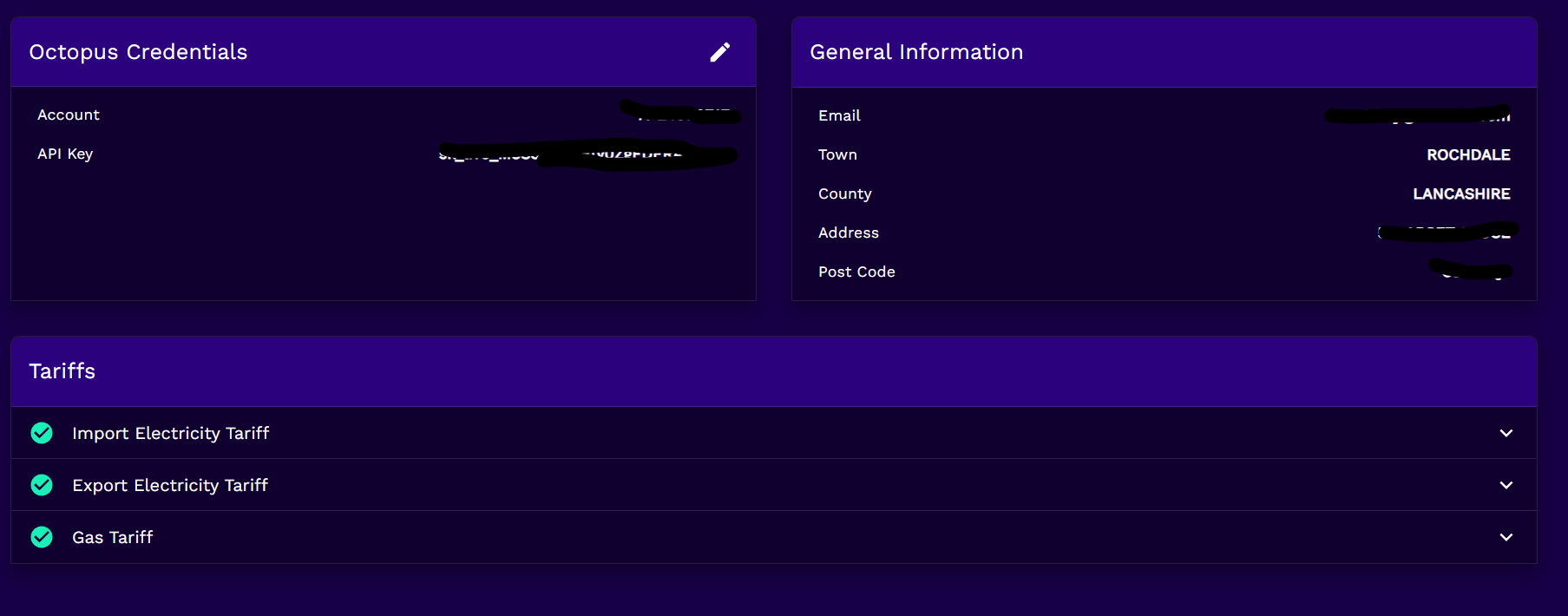
But I can't seem to add the Solar or Battery to enable a schedule.
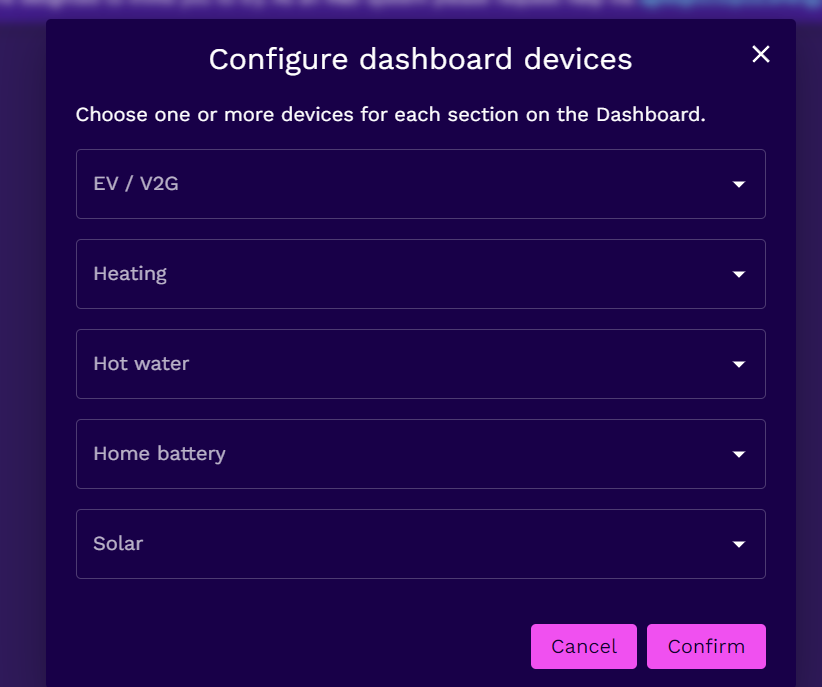
I'm guessing that I've missed a step somewhere along the line but any help to resolve this would be appreciated as I I seem to be be importing a lot of KwH at the moment when they're not needed.

Thanks in advance

#2 Wonder Watt

Hi Omahone - we just added support for GivEnergy inverters and do revert the inverter back to Eco-mode after your timed-export window has finished.

Feel free to give it a whirl!

Cheers,
Wim

O
#4 Omahone

Wonder Watt Cheers - I'll have a look at Wonder Watt and try to get it set up tomorrow. Thanks

S
#5 SteveCook

Hi
I wanted to do exactly what you wanted but GE cannot do 2 timed charge slots (night off peak and just before peak import to make sure battery has enough juice to get past 19:00 without importing)

Initially R&D was great for night import in the spring months when I did not want to export.
I had a few times when the charge did not take place - either R&D server signal not beings sent and/or received by GE servers and/or GE servers not sending to my inverter etc.....
Then when I wanted to peak export R&D can do that, but after the export end (say 19:00), there was no way I could get Eco to kick back in before new charge at 02:00.

I have since gone to Home Assistant that can do pretty much anything (took me a bit day of frustration to try and learn something completely new to me, and nicking a Pi from my son).
Big advantage of HA is it sists on home network so is not subject to vagaries of GE/Octo servers and the internet.

I now see Wonder Watt and that might be able to do what you want (and I wanted) without the HA learning curve. I just noticed after I had gone HA. Doh......

#6 Wonder Watt

SteveCook Hi Steve,

I checked the settings on the GE Cloud API and I can definitely see a second AC charge time-window, which is not exposed on the portal (and presumably app) frontend.

        {
            "id": 28,
            "name": "AC Charge 2 Start Time",
            "validation": "Value format should be HH:mm. Use correct time range for hour and minutes",
            "validation_rules": [
                "date_format:H:i"
            ]
        },
        {
            "id": 29,
            "name": "AC Charge 2 End Time",
            "validation": "Value format should be HH:mm. Use correct time range for hour and minutes",
            "validation_rules": [
                "date_format:H:i"
            ]
        }

Now, whether these work or not, is another matter. But if it does (should be easy to test via Postman) you could probably bake support for that into the GivEnergy HA plugin.

It's definitely something Wonder Watt will be adding as well if these turn out to work.

Cheers,
Wim

#7 hoggy

Wonder Watt they have been there for years and they do not work.
The registers in the inverters equally don't work if set via HA/modbus.
New firmware might see them getting the light of day but I wouldn't waste too much effort on it right now.

S
#8 SteveCook

Wonder Watt
Thanks, but you are now speaking language I do not even understand

#9 Wonder Watt

hoggy Fair enough, that's a bit of a shame. Still doable though by keeping schedules externally and adjusting the current one, but it's far more painful.

Also we don't want to build a Frankenstein either to just cater to specific functionality for a single inverter manufacturer. Multiple timed windows for charge and discharge are pretty commonplace, really.

#10 Wonder Watt

SteveCook Turns out the registers for a second charge schedule are available in the API, but as @hoggy mentions, they don't work. :-(

O
#12 Omahone

Omahone

Thanks for this - I've got the settings entered in so presumably I'll be able to continue to monitor through the GivEnergy Website?
Is there anything I need to switch off on the Givenergy settings or do the Wonder Watt settings over-ride it?
Also, any tips for 'Solar Forecast' settings?
Thanks
