Missing Capacity Question

29 comments started 2023-07-04 last 2023-07-09
GivEnergy ProductsBattery
#1 ProximusAl

So I’ve been watching this for a while, and always suspected I’m not getting full capacity out of my batteries.
I have 2 x 8.2kW 100% DoD, which should give me 16.4kW total.

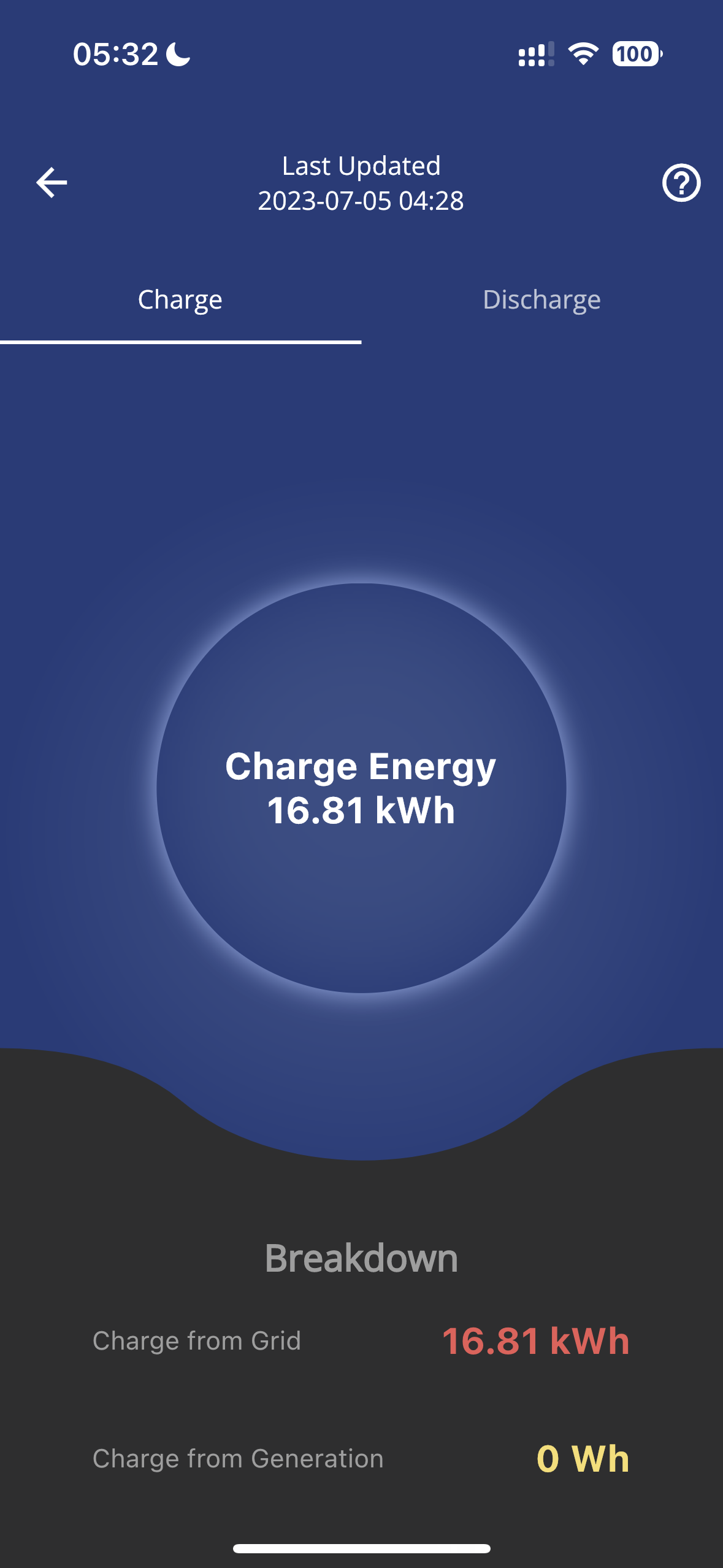
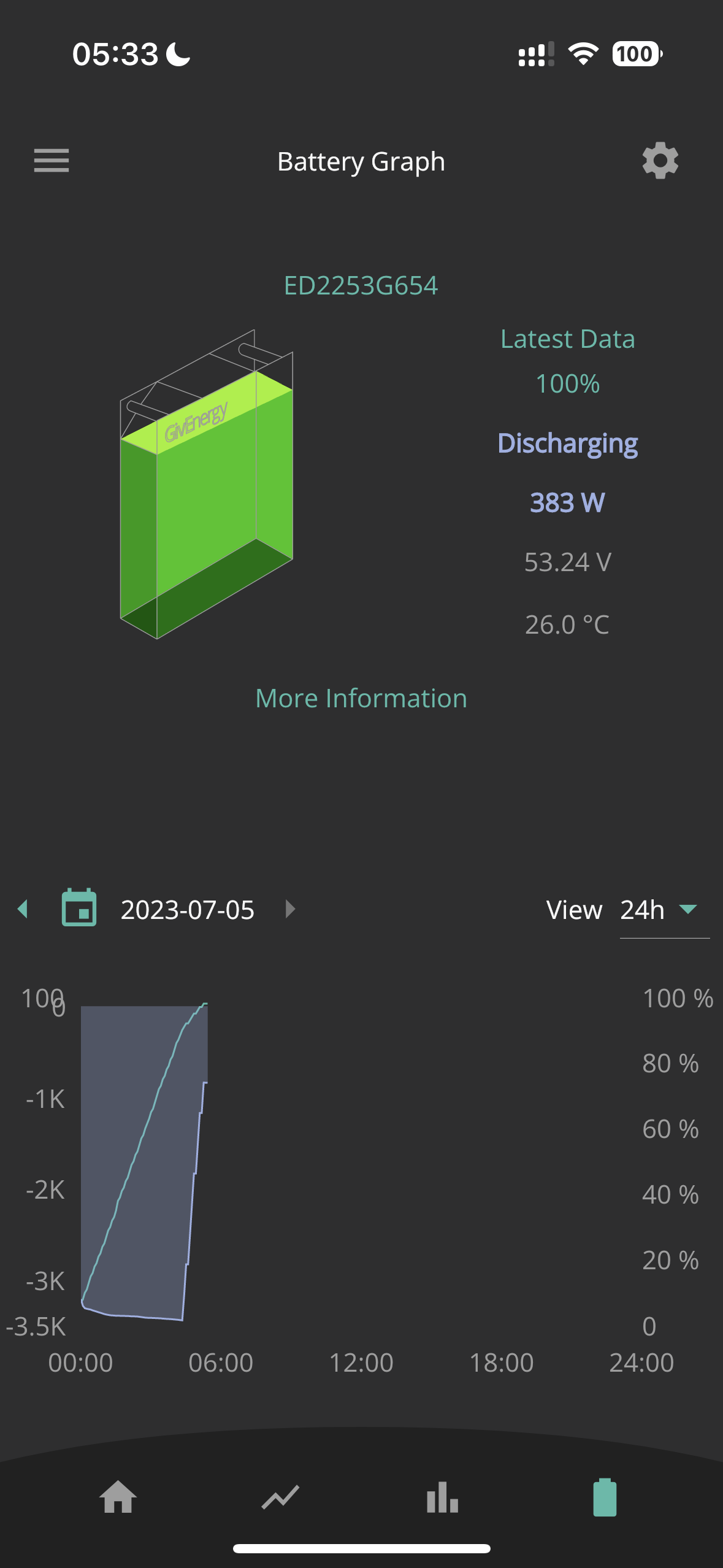
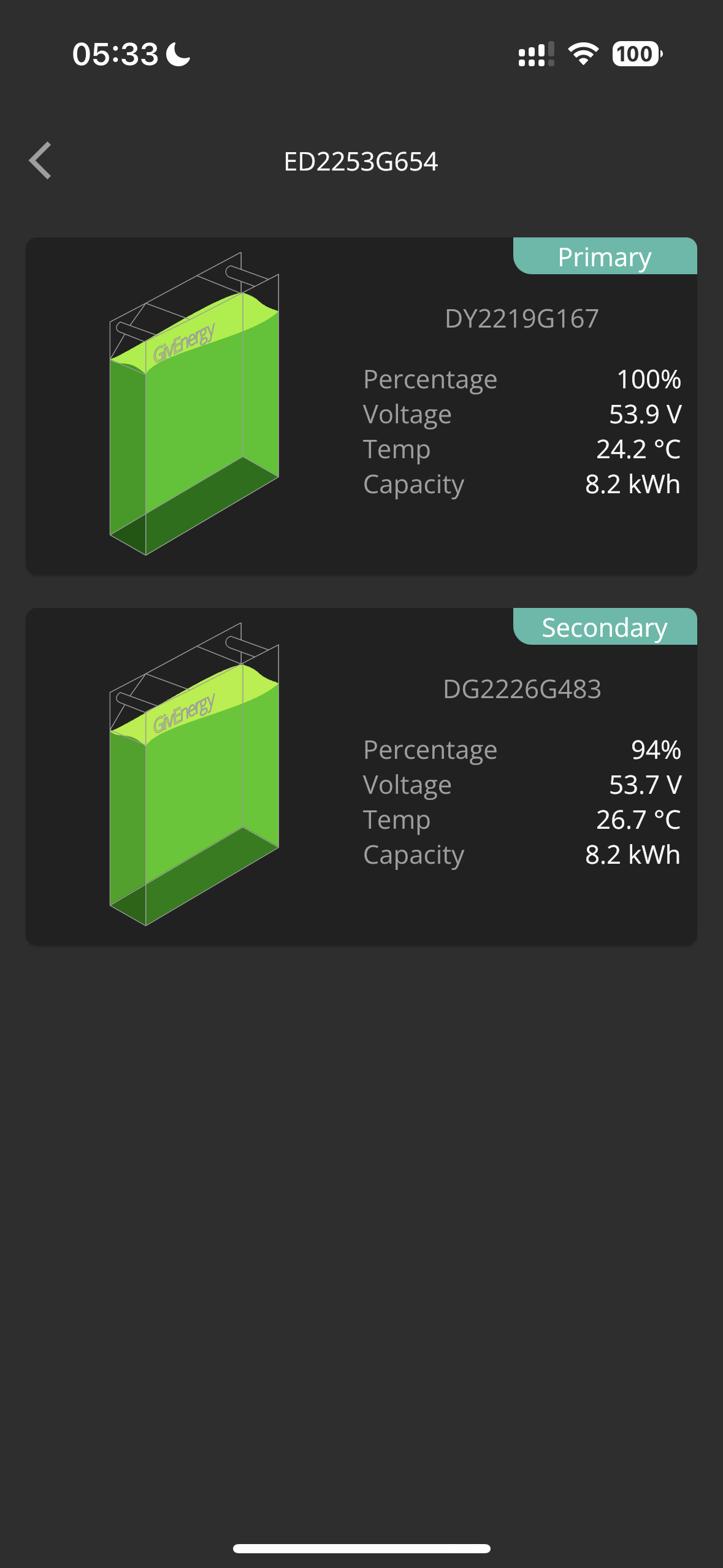
Both batteries fully charged by 05.30am, very little solar charging..albeit some, so I was surprised to see the below.
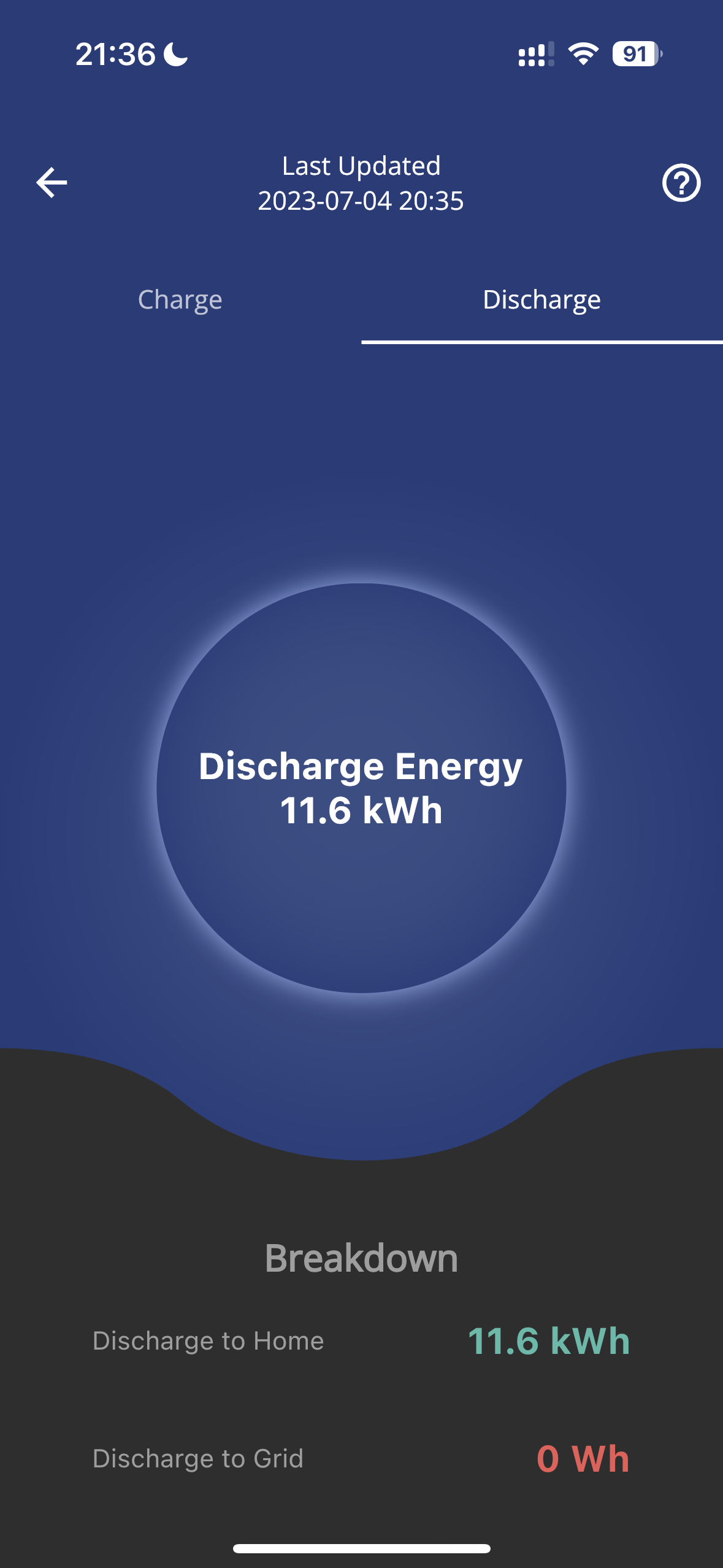
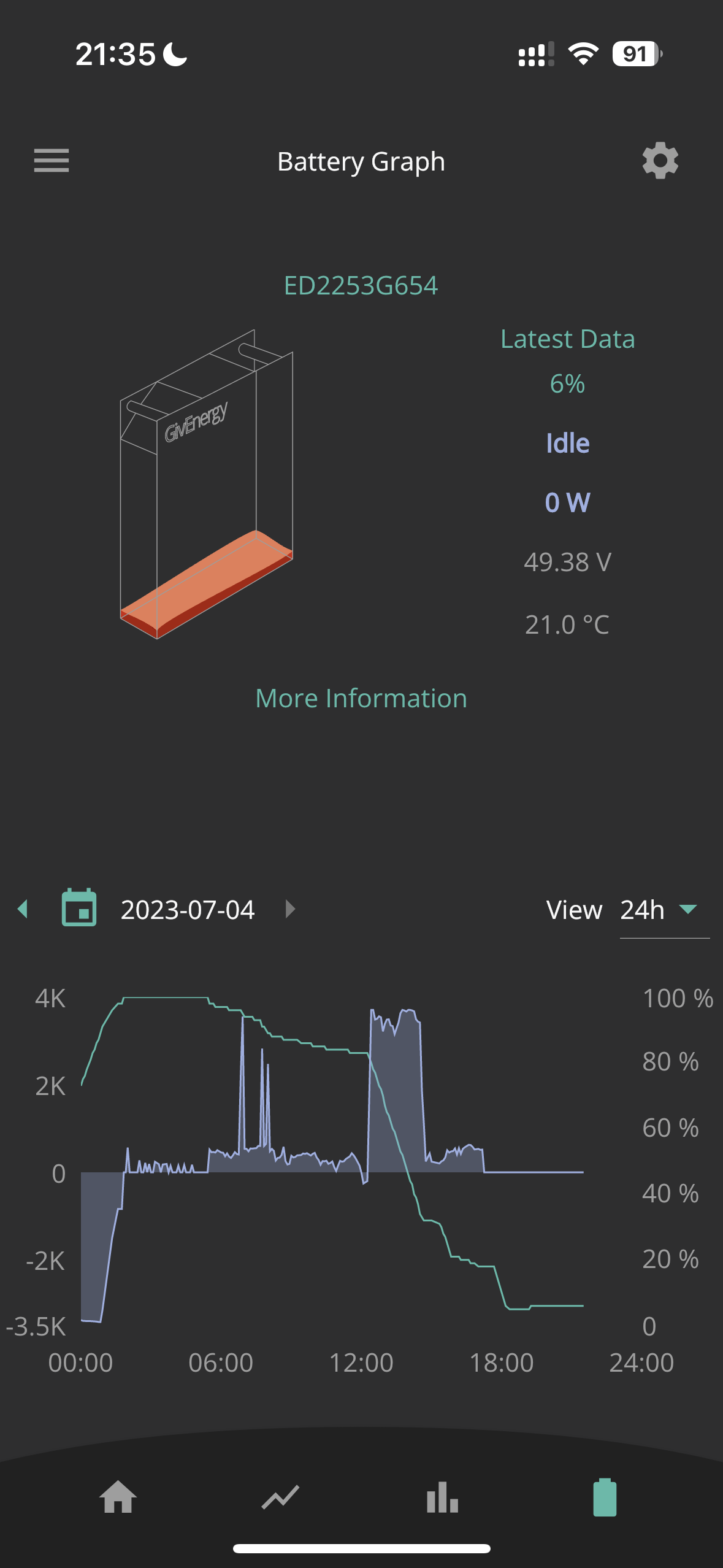
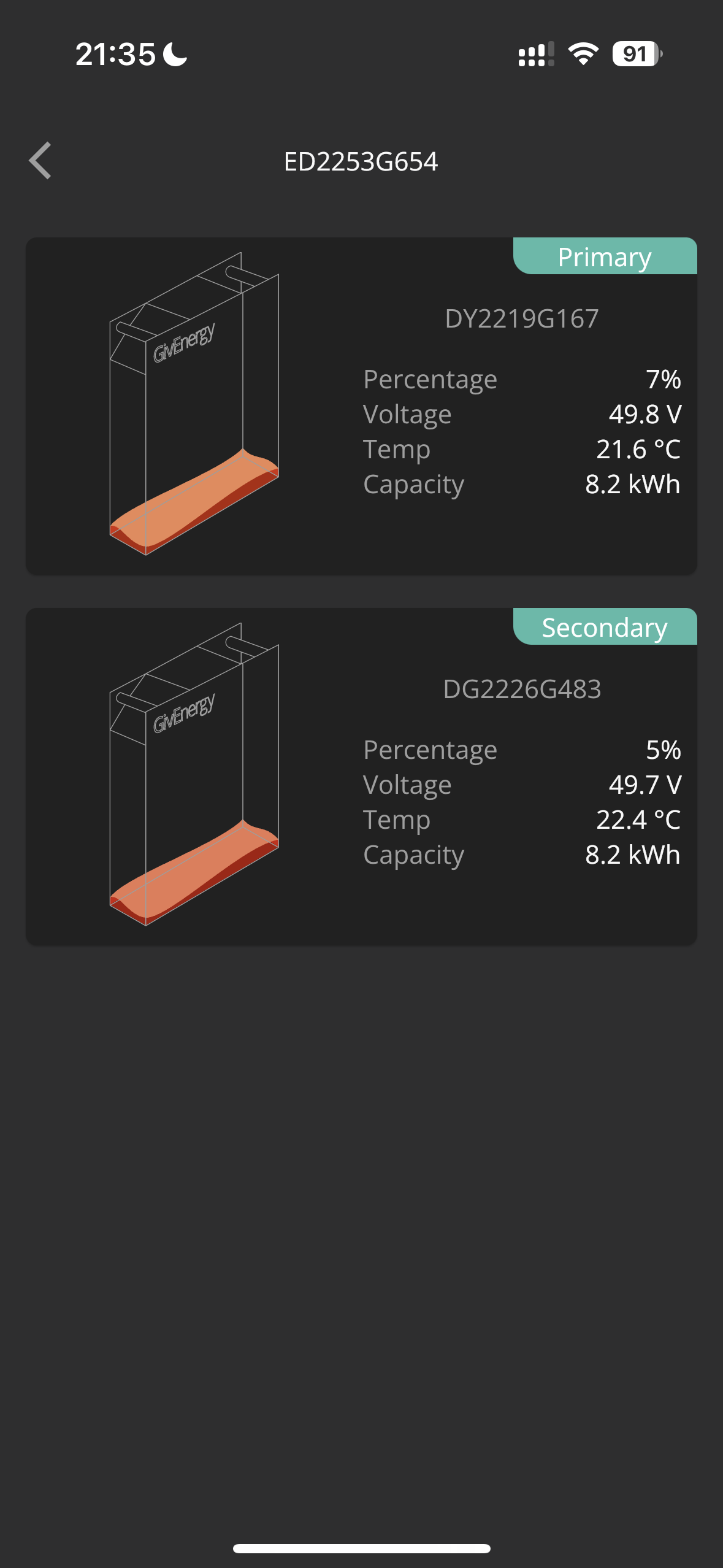
Both my batteries are empty and idle right now, with 11.6kWh discharged to home.

11.6kWh != 16.2kWh. Am I missing something? Evidence below.


T
#2 TX200

What battery firmware version?

I'm not sure the app shows accurate charge / discharge figures, certainly a lag, and sometimes missing data.

What does the web portal - myInverter page - say?

#3 ProximusAl

TX200 I’m on BMS 3068, have been for a while testing it.

Those pics were taken a few hours after idle, so should be caught up.

K
#4 kram

Mind if I ask how much you put in?

16.4 x 85% is still 14, even allowing for some inverter losses.

#5 ProximusAl

kram Sorry, not sure I understand.

I put in about about 4.7kWh from midnight to bring up to 100%.

What’s the 85%? They are 100% DoD, so I would expect them to take more than 16.4 from empty. I will check how much they eat tomorrow, as they are empty currently.

K
#6 kram

ProximusAl

Inverter losses. When you put energy through an inverter it isn’t 100% efficient.

So whilst you battery might store 8.2kWh, you will need to put more than 8.2 in (from the grid( to store 8.2kWh and will get less out.

I’m estimating an inverter efficiency of 85% which is towards the lower/middle range

#7 ProximusAl

kram

#8 Cdent

ProximusAl do you have a SoC drop at around 1800, around 20%? If so 11.6 = 80%, 14.5 = 100%. Conversion losses based on that 100% are 12% which is in range of the normal 85%-95%. So you're not getting full capacity for sure

#9 ProximusAl

Cdent The SOC drop was an OCV on my newer battery which has a tendency to read high. It dropped nearly 25% to where it actually should be.

You can see last night from empty it only took 16.81kWh of energy, I would expect more for a 100% DoD.

I'm doing rough comparisons using my Zappi, which measures house consumption, and car consumption, and even though CT clamps arent the best, it should be rough, and that's why I noticed I dont seem to be getting full capacity.

Using HomeAssistant also for figures, and all I can come up with, is I'm losing a lot of capacity somewhere.....

T
#10 TX200

Surely it will only fill to the usable capacity? It only charges up to the actual capacity during a calibration. It’s not healthy to continuously fill to the true maximum.

#11 ProximusAl

TX200 I agree, but surely at least...I should be getting near to 16.4kWh usable? I'm getting 11, which is way short. Even if I was getting 13-14 I wouldn't mind, but 5.4 is a lot of energy to lose.

As you can see, 16.81kWh went in last night, which I could expect if the battery isn't technically empty, but it should at least release that back usable with some losses.

T
#12 TX200

Hopefully you'll get more out of it today (subject to losses). It has hopefully realised it wasn't at true usable 100%

But if not, it may be worth asking for another calibration.

#13 ProximusAl

TX200 Lot more solar today, so unless my wife goes for a long drive in the PHEV, it's unlikely to get as low as it did before 🙂

I was considering asking for a calibration, but had one only a few weeks ago when second battery was fitted.

#14 THALL

What does the dashboard say? I don't trust the app, the data always seems to be behind sometimes far behind.

#15 ProximusAl

THALL 11.65kWh discharged to home yesterday. Straight from the dashboard.

#16 hoggy

You should pretty much be getting 16.4 in this weather/temps. In winter it may drop a little bit (although not that much)
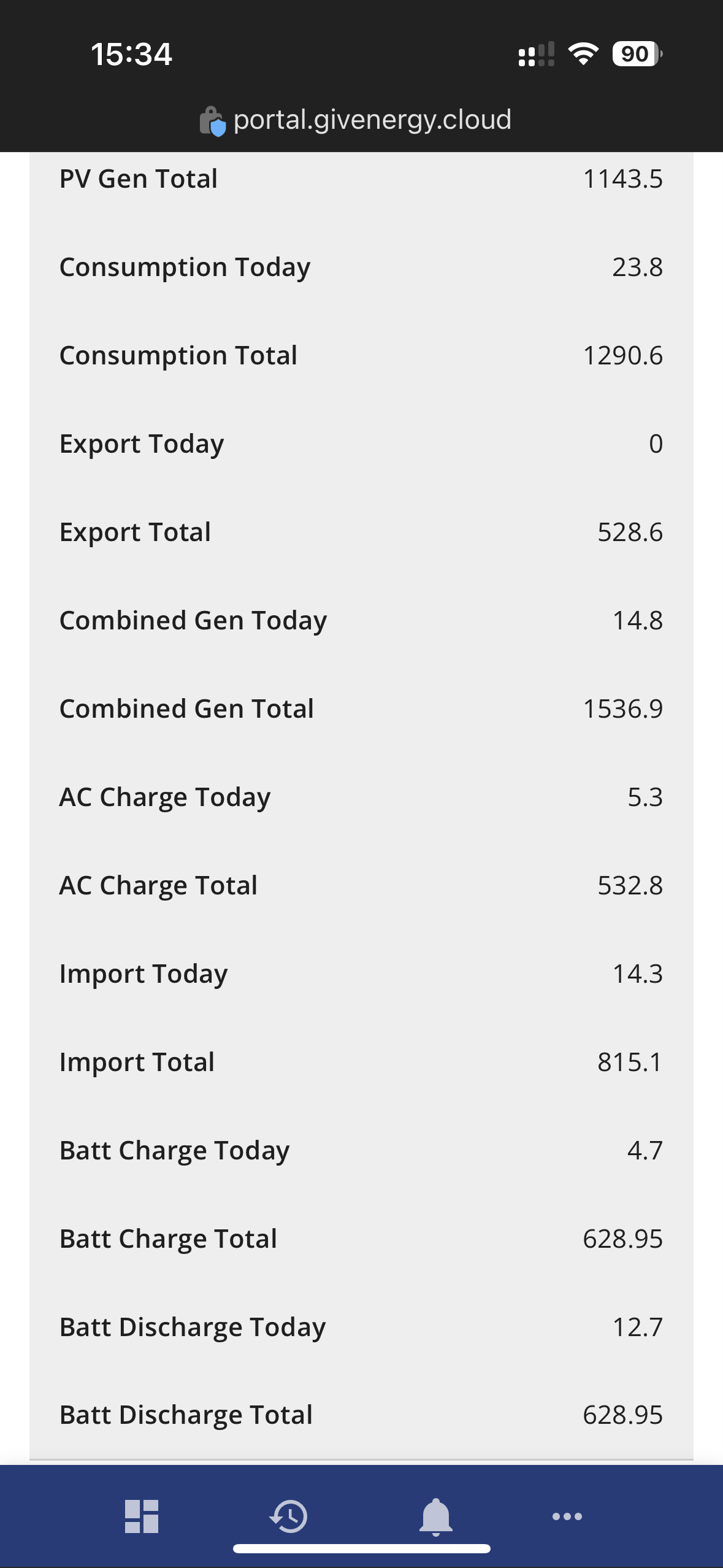
These inverters have multiple monitoring points so it gets a little confusing depending on if your seeing AC or DC measurements. Rather than using the app, what does the portal say:
Go to https://portal.givenergy.cloud/inverter/<inverter-Serial-here>/data
or because you've pictured your serial click this I guess while logged in (Nobody else can get through to that link)
Scroll to Meter Tab then look at 3 cols - AC Charge Today, Bat Charge Today, Bat Discharge Today.
(Pick a day when you've run them 100% > 0% (4%) - note this gets a bit messy if you've got PV helping & charge discharge going on. Only really works well if you force a discharge from full to empty in 1 swoop)

AC Charge should always be higher on an AC only charge (say overnight) due to battery losses - The battery ones appear to be DC readings.

T
#17 TX200

I guess the other thing to investigate, does one of your batteries have faulty cells.

A question for GE perhaps.

Unless you've got home assistant hooked up, or some other system using GivTCP, in which case you should be able to plot the battery voltages over time, to see if they're all roughly the same at all times.

#18 ProximusAl

TX200 Indeed they do, but not worryingly. They are generally pretty well synced.

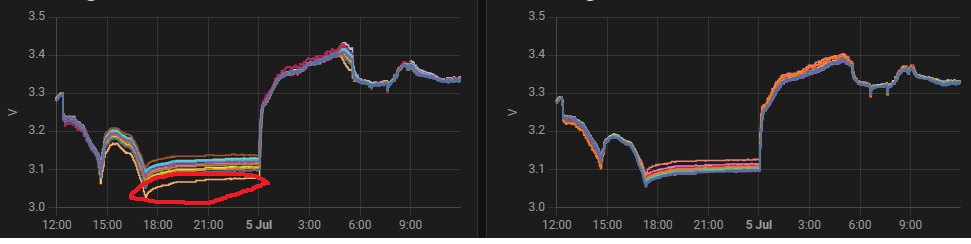
Pack 1 has a lazy cell (cell 15), but unless the pack is really empty, it's hard to see, it generally plays ball.
Pack 2 has 2 hyper active cells, but again only really show at the top end (100%)

I've been plotting the individual cells since day dot, and I did report it to GE Support, but they kept on the line of wait for newer firmware.....which was disappointing to say the least.

Pack 1 has only done 83 cycles, and Pack 2 has done 15!

#19 hoggy

an aside about losses:

Gen1 I believe the battery flows (assuming charging in this case) measurements are like this:

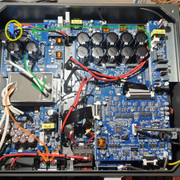
HV DC ~ 360V comes across from the inverter board on right hand side (green arrow) across the bridge to the HV battery board on the top left.
There is 1 DC current monitor (yellow circle) measuring on the HV side only and then it flows down through a transformer.
This takes it down to ~ 51.2V and then out to battery terminals (orange)

So you have losses from battery chemistry itself, losses from LV / HV DC conversion & then further losses eventually to AC. You can't (unless there is another current monitor hidden somewhere I've not found) actually see the current at the battery voltage level only the HV level from the upper board?
That shouldn't however amount to you seeing 11kWh out of 16 though.

#20 ProximusAl

hoggy Indeed, and I'm a Gen 2 5kW. Should be way better

#21 ProximusAl

Here's a quick picture of my individual cells. I highlighted the lazy one in red, so as you can see, not terrible. The cells are more spread apart when the batteries were empty, typical LiFePo4 style.

#22 ProximusAl

hoggy Sorry I completely missed this post. This is the data.

#23 Woodlands

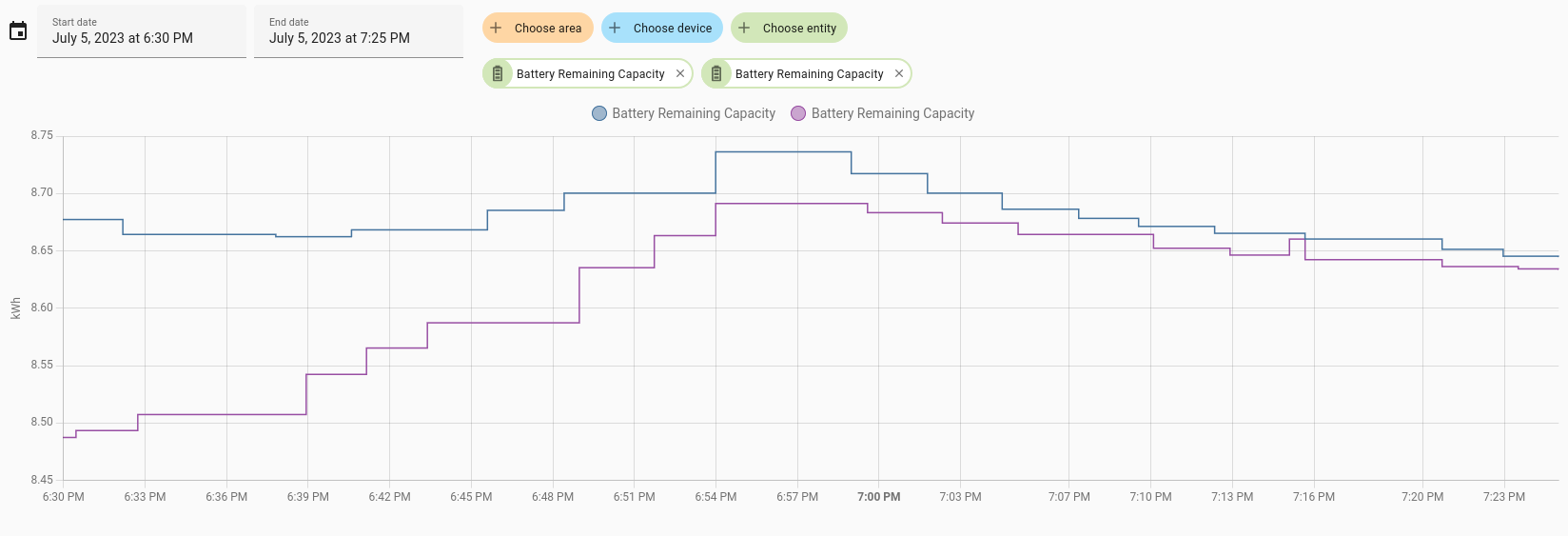
Now on 3013 BMS. Our "Remaining Battery Capacity" appears to have leveled out at just above 8.65kWh each when charged to full.

R
#24 ryanna2599

I had a similar problem where I was only getting about 5.6 Kwh from my 8.2kwh battery. It was resolved by asking GE to do a recalibration.

However, consider waiting until you batteries are empty before asking as once the calibration starts it will dump all your stored energy directly to the grid.

#25 ProximusAl

So I think I know why I am missing capacity.

I decided tonight to dump everything from the batteries to the grid. When the batteries stopped dumping, battery 1 was at 1% - 51.4V and battery 2 was at 11% - 51.4V.

So I’ve left them for over an hour at idle and this is the result.
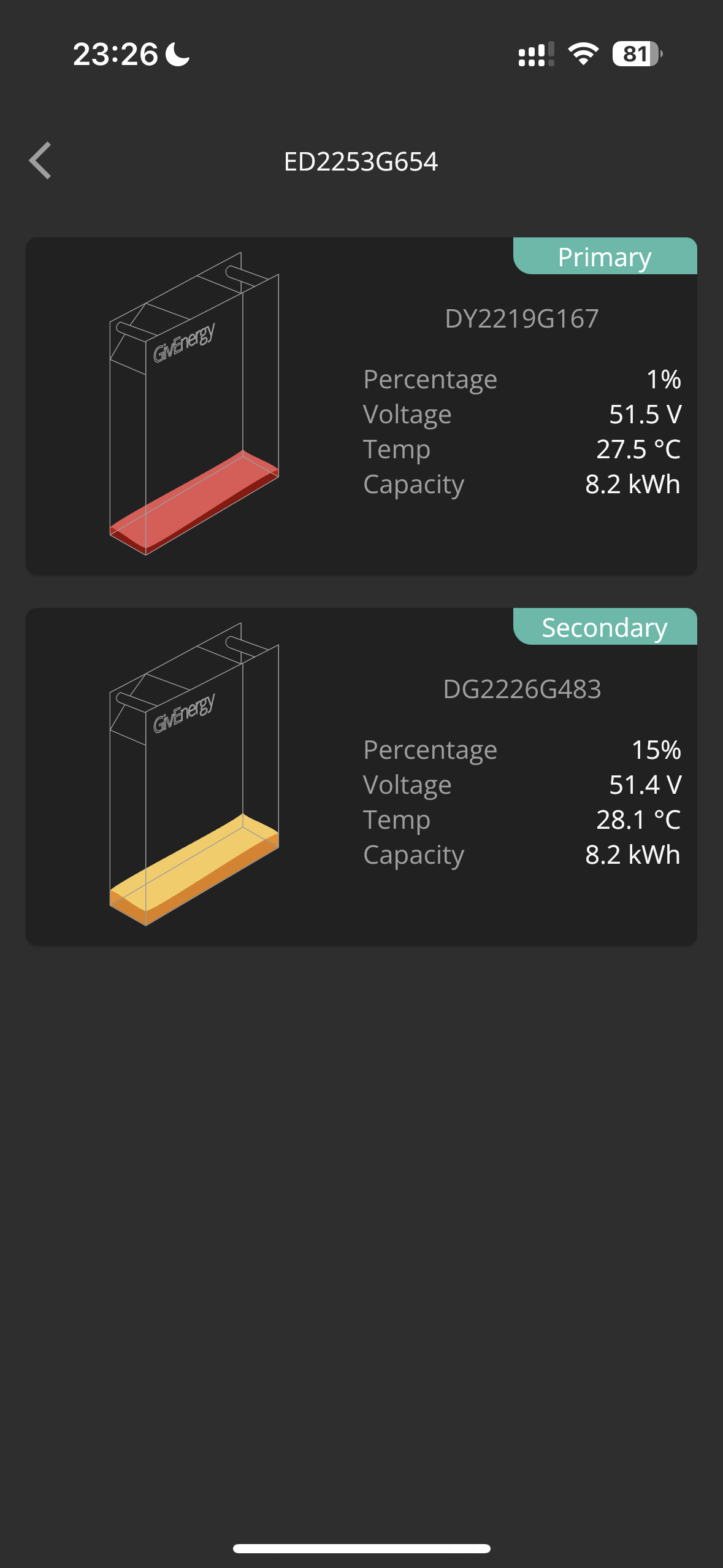
Battery 2 has OCVd up to 15%, and Battery 1….nada.

I think Battery 2 SoC of 15% is more realistic for 51.4V, and Battery 1s 1% is not accurate.

Because the inverters SoC is an average of the two, I can’t get it to deplete anymore, it hits 5% average and stops.
I was hoping Battery 1 would realise it’s SoC was low, and recover some, but it won’t, even after an idle for an hour.

I think my only option here is to arrange another calibration with Paul, to see if we can force pack 1 to realise it’s got more in it than it thinks.

I’ll check how much goes in to the packs tomorrow morning, but I’m guessing it won’t be 16.4, as pack 1 has quite a bit lodged in it.


#26 positor1

but how long since your last calibration ?

#27 ProximusAl

positor1 4 weeks ago maybe, when second battery was fitted.

K
#28 kram

Can you turn battery 1 off and have battery 2 discharge?

What is battery 2 is master and current battery 1 is the slave?

Just guessing so I’d wait on Paul tbh 👍

K
#29 killythebid

I tend to regard the SOC in the App as indicative rather than accurate. I have never known for instance that the overall percentage SOC is an average of the x2 5.2kWh batteries I have. For instance, just now the overall SOC says it is 93% but the prime is showing 95% and the secondary 88% which should be an avg of 91.5% sometimes the individual battery percentages are both reading above the "combined" total.