MKICampaign
I wasn't setting a time period ! I thought you could set it NOW, or timed period. With the time set appropriately it does all work as you say. Excellent.
Spent some time playing/testing.
In summary Gen2: When set to dynamic discharge (ECO), and the battery charge/discharge limit is set to 0, it actually still charges at about 300W if there is excess PV, and discharges at about 300watts if there is house demand.
The different interfaces and automation are all slightly different.
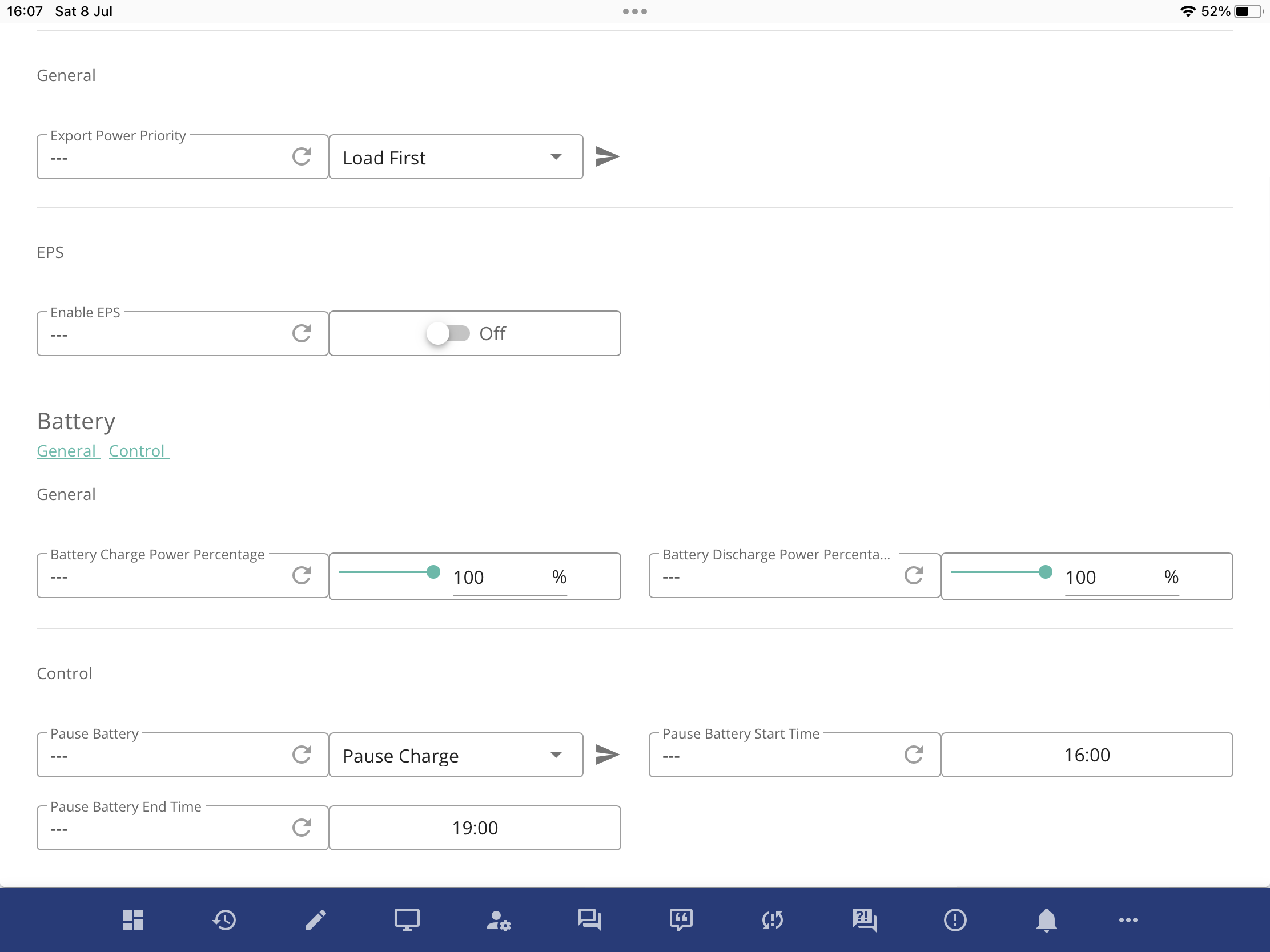
The portal "remote control"
New Battery Pause does allow [No Pause, Pause Charge, Pause Discharge , Pause discharge and Charge] to be chosen within a timed window. This seems to just do what it says. Charge and or Discharge is disabled.
There is no manulal pause/run option, without setting a timed window (I can see.)
This is new and useful, as otherwise there was no way to completely stop PV charging apart from turning off ECO.
Those Pause settings do not change the charge/discharge limit registers, and do actually take you to 0 watts (ish)
On the APP, (Android):
The pause button sets the discharge register to 0 ( which results in a continued discharge at 300Watts, because that doesn't work ...)
The charge rate register isn't changed, and the battery charges as normal.
GivTCP:
The Temp pause charge/discharge controls set the charge or discharge rates to 0 and after a delay reverts to the current value. So again they actually result in 300W on the Gen2
Givenergy-local
Doesn't have a pause control, apart from turning off ECO, or manually setting the rates as above.
I don't understand why everyone gets so confused. There are multiple interfaces for configuring the inverter, multiple results and terminology for all the actions. Oh , and neither a manual, or any user change notes , or announcements of the new features. How hard can it be ;-)