GivTcp / Intelligent Octopus / strange battery behaviour

19 comments started 2023-07-07 last 2023-07-18
Mobile AppGivEnergy ProductsAC CoupledBattery
T
#1 TrignFlo

Having moved from Octopus Go to Intelligent Octopus I’ve noticed some unusual behaviour within the App /Portal.

2 x AC3 (Gen 1) each one linked to a battery 8.2kw and a later 9.5kw

On Go tariff I had 00:30 - 04:30 and all seemed to work well portal reflected that I was on Octopus Go.

Having moved to Intelligent, Portal tariff cards show me as on Intelligent. This gives me 23:30 - 05:30 as off peak however irrespective of using the app / portal every day it reverts to 00:30 - 04:30 for charging, this means if I have a later charging slot then house battery is dumping into the car and my battery. I’ve had no response from GE around this.

So following the advice from this site dived into Home Assistant and GivTcp early days but seems positive, setting a charge time from 00:00 to 23:59 and charge for 100% as well as discharge of 0w for both batteries using intelligent Octopus add on to trigger this(my solar rarely gives me more than 2.5kwh even in strong sunshine but cannot get anymore panels on the roof). At the end of Octopus period, I revert battery discharge to 3000w and the charging period to 23:30 to 05:30 as well as setting the mode to Eco. I have to do this for both inverters.

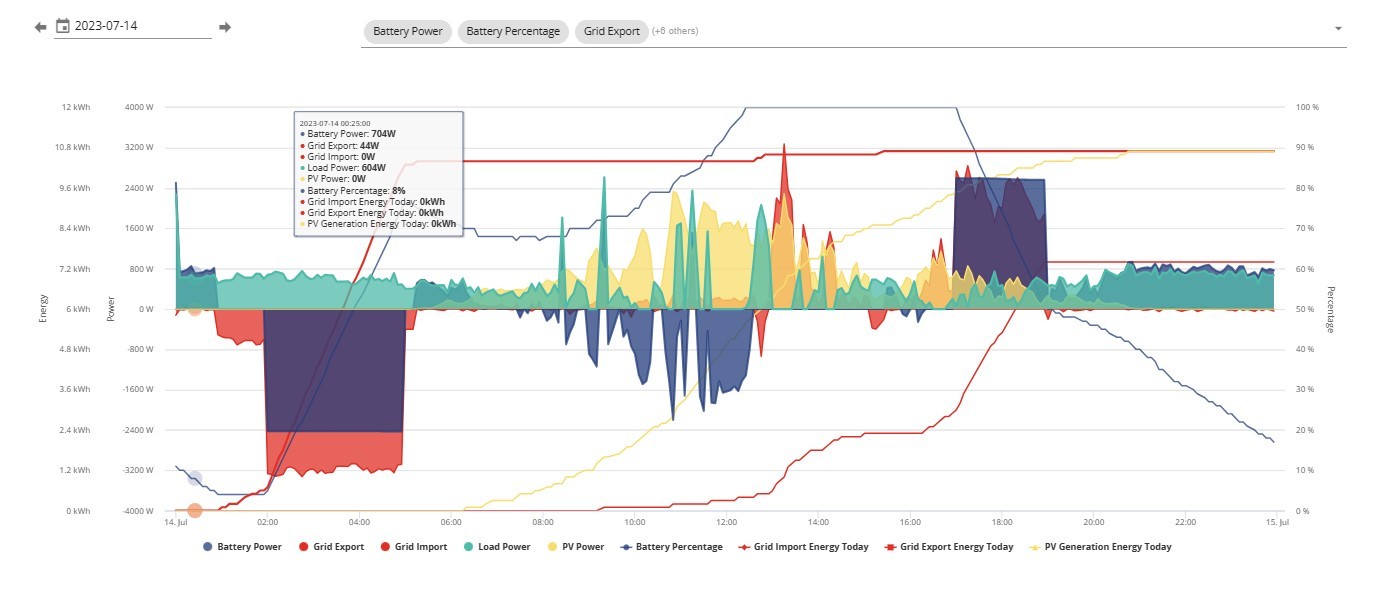
Now where I’ve seen issue is the batteries reverting back to normal discharging, this morning it was 30 minutes and it was still not discharging at more than 90w with a house load of 700w. I had to try forced export, then back to Eco (via app) before I could get the batteries to discharge ‘automatically’

Is there anyone using GivTcp to control battery charging / discharging that could suggest anything about how they get the system to revert back to normal? I really don’t want to sitting there every day trying to bump start inverters to work normally

Graham
G
#2 Grahamthomas

I’ve just switched from Go to Intelligent but my GE portal still shows GO and associated timings, can find nowhere to amend the tarriff. Can you advise how you did it. Thanks G

S
#3 SteveCook

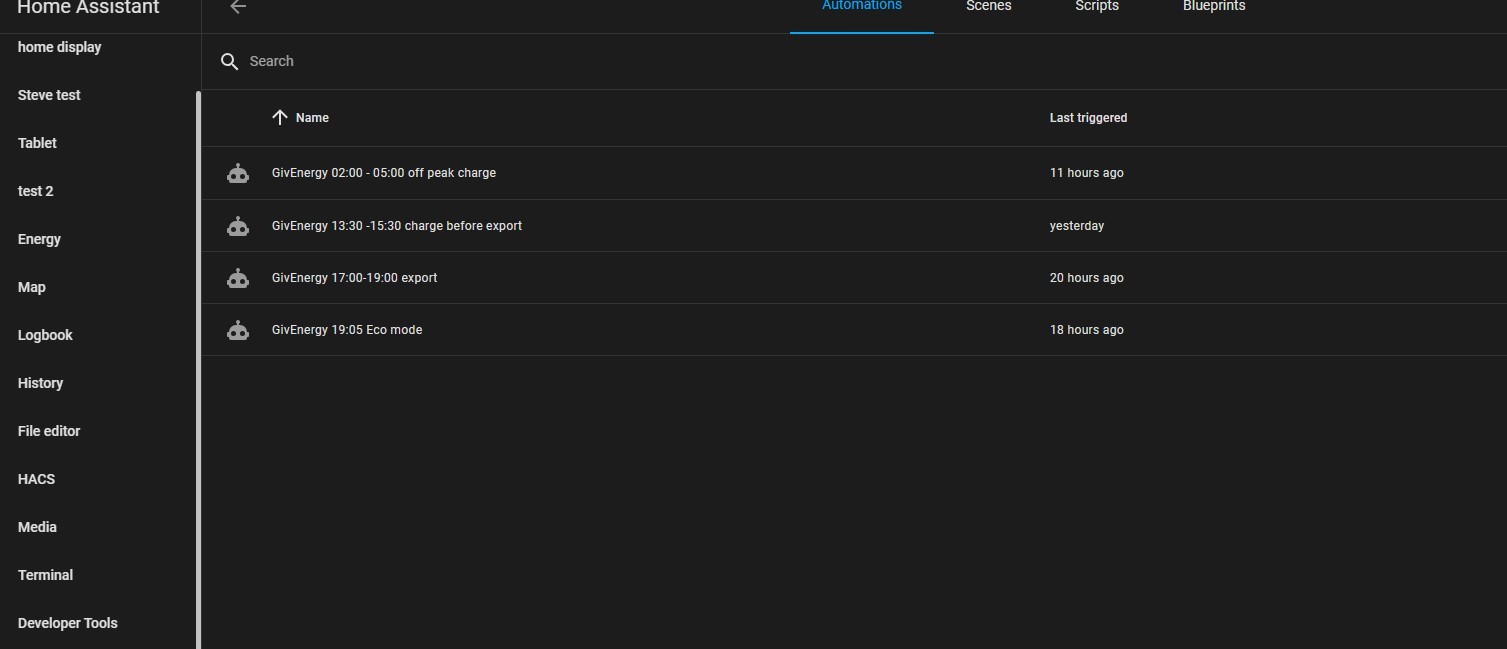
i have set up 2 charge times as I am on Flux and 1 discharge time.
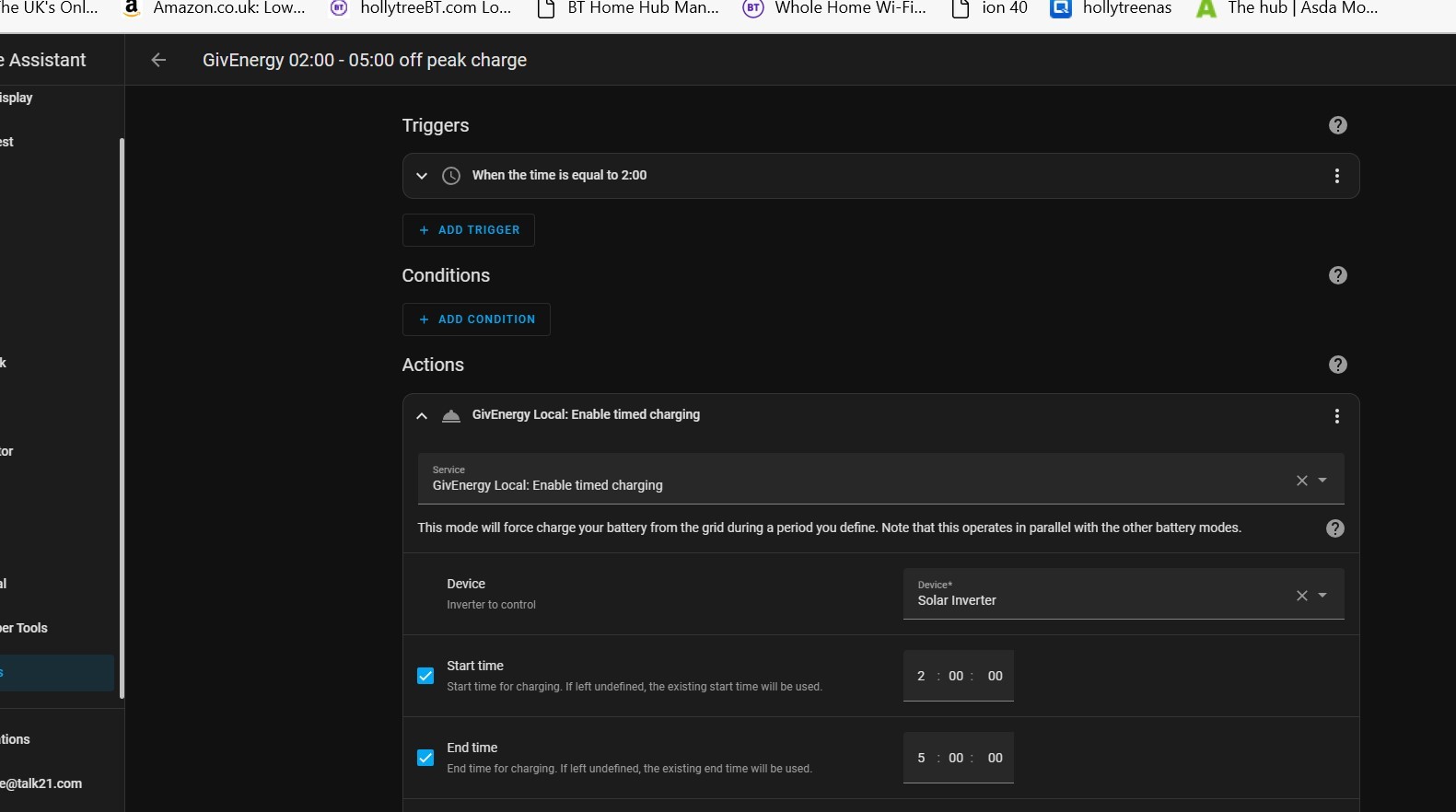
02:00 - 05:00 charge. Off peak
13:00- 15:00 charge. To make sure I dont need any input during the export slot as import is pricey. I pretty much don't do any import in the slot as generally battery is already at 100% from the sun and I have already been exporting.
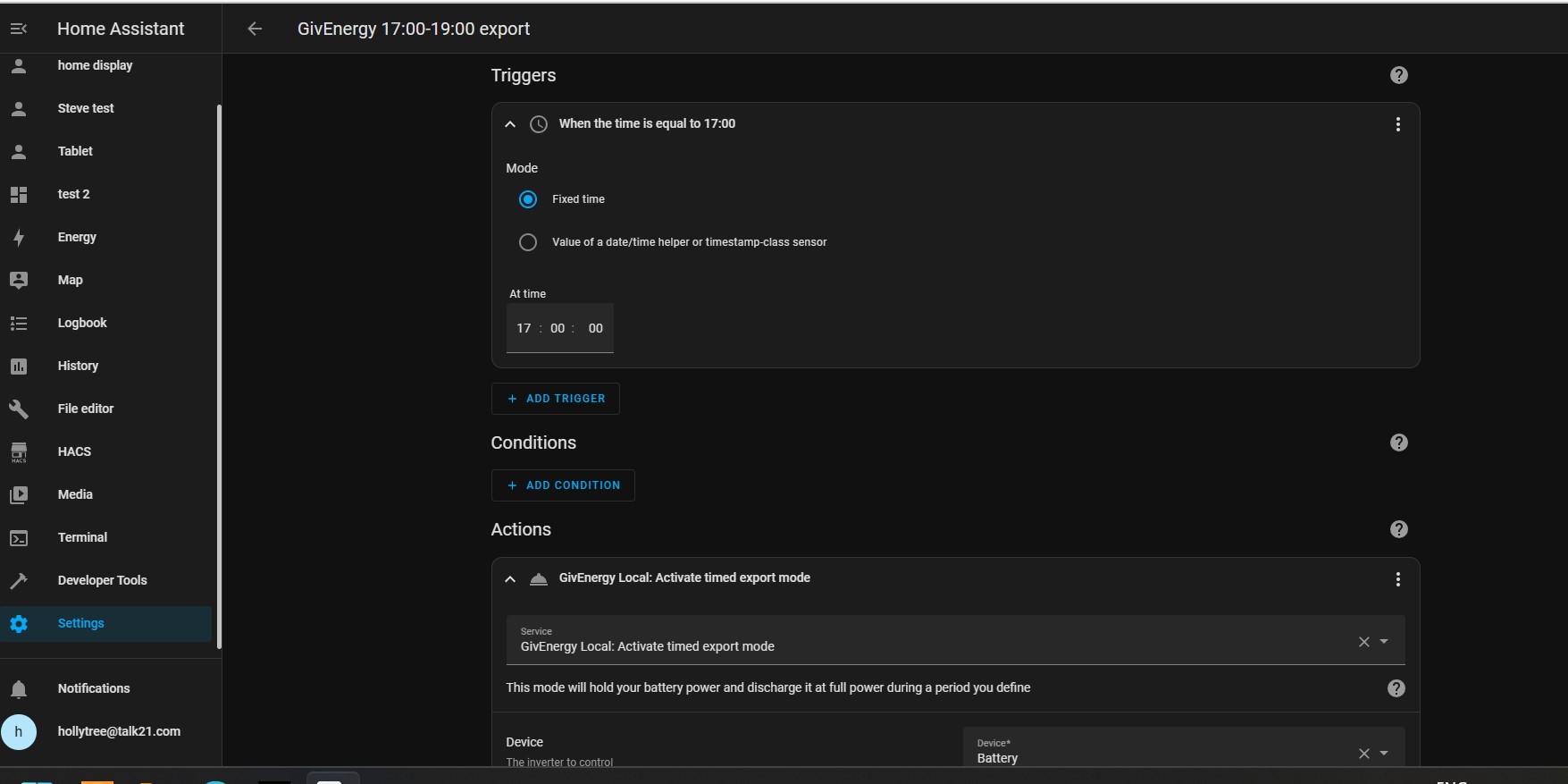
17:00 - 19:00 peak export. I only do 2 hours as that leaves my 9.5kWhr battery at about 50% and that gets me through until 02:00.
At 19:05 I have a reset Eco mode to make sure it all goes back to Eco


T
#4 TrignFlo

SteveCook Thank you. I think I had it sorted, with four days of waking up to full batteries at 0530, but this morning I think HA stalled and didn't run the automations as one battery started to discharge at 0430. I got GivTCP working (I tried Giv Local but it seemed a bit limited on some functionality) with both inverters forcing charge at 2330 and disabling discharge until 0530 when Intelligent Octopus signals the change of the rate. This morning one of my batteries / inverters is just showing waiting. I've software restarted Inverter via the portal and also manually power cycled the battery but have one battery at 19% the other at 100% and seemingly refusing to discharge. Fortunately didn't need to charge car overnight so didn't lose Giv battery into the car this time.

J
#5 jakubkozak

SteveCook
hey. nice one!
can you share yalm so I can get inspiration?

D
#6 deepanshus

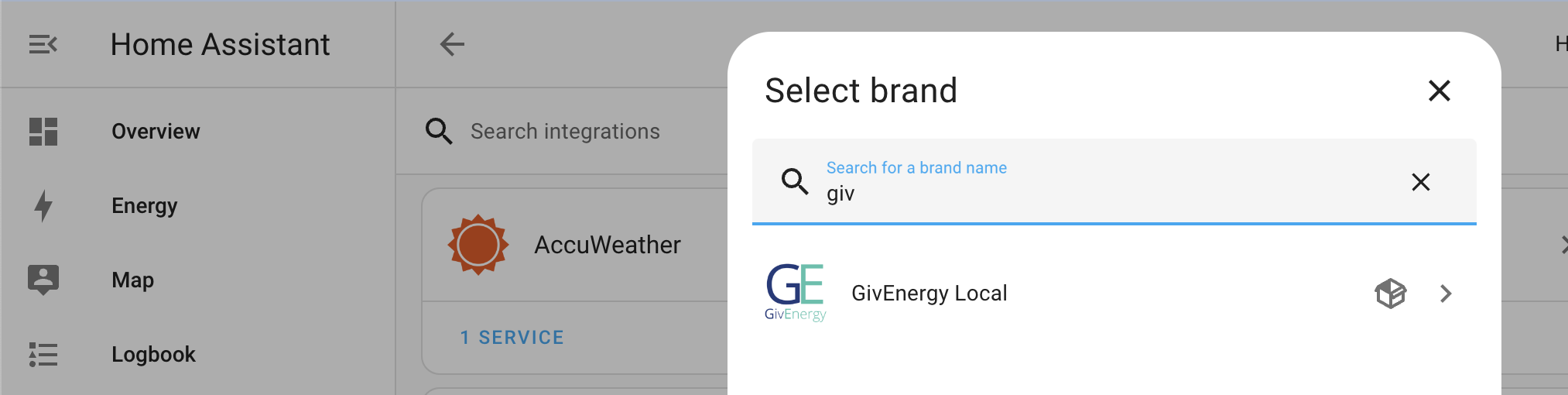
SteveCook i tried adding the "GivEnergy Local" integration, i guess that's what you are using in the above. I tried installing the custom integration but it can not connect to my inverter for some reason, whatever i do (IP or Hostname) it gives "Failed to connect to the inverter."

D
#8 deepanshus

SteveCook Yes, I have , both MQTT and GivTCP and it’s running with no issues.

T
#9 TX200

deepanshus it's built into the GivTCP integration?

Just need to change the settings on the GivTVP config?

T
#10 thewhalw21

deepanshus Can you send us a picture of what you're trying to put in?

S
#11 SteveCook

Have you done this. Dont forget to turn off Solar Forecast Automations unless you really want it

D
#12 deepanshus

TX200 i thought GivEnergy Local is an added integration, i was trying to configure the new integration. Is this not needed?

S
#13 SteveCook

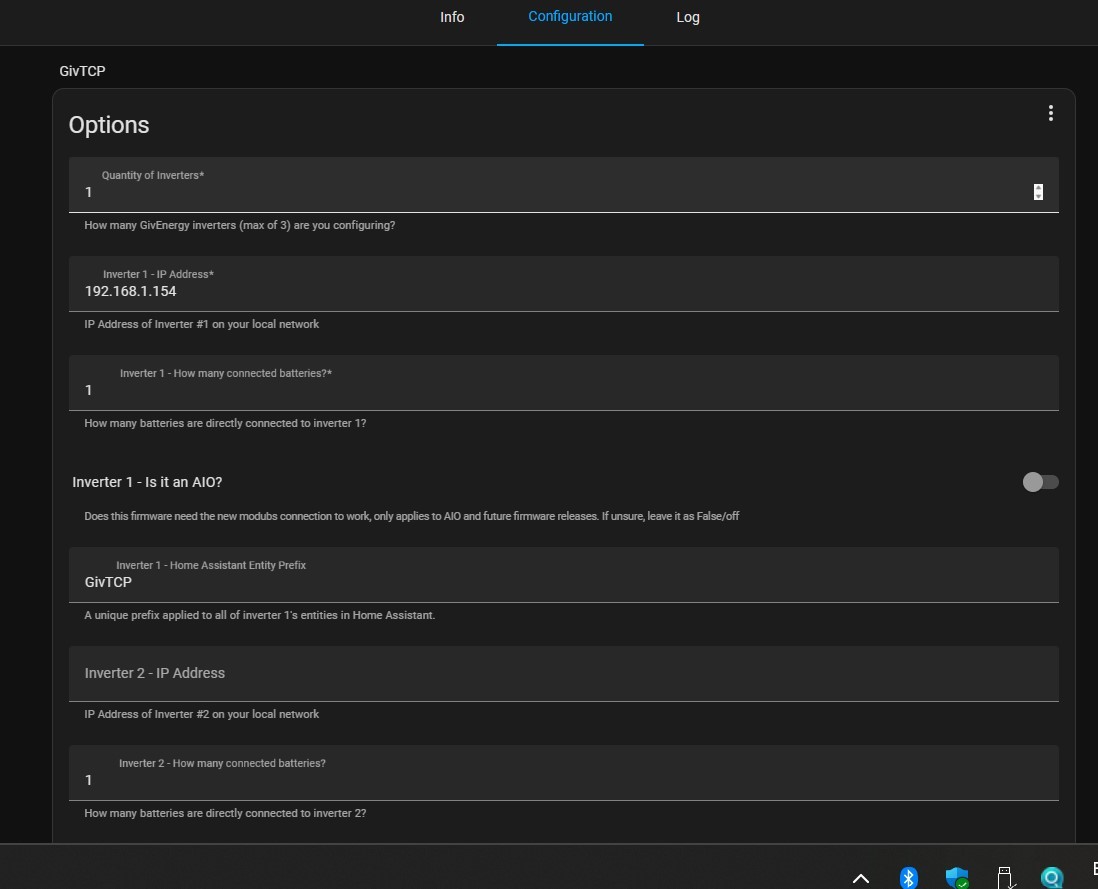
you have to configure it in Settings- Add ons.
Then you can add it into Settings - Devices and Services as an Integration

I guess you can add the integration, but if the inverter IP is not known (or fixed IP) you may have issues. The IP is set in the Add ons screen

S
#14 SteveCook

jakubkozak
Sorry what is yalm? Is that yaml?
I have not typed any code, just used the various preset screens and just punched in triggers and times etc

S
#15 SteveCook

SteveCook

Then you set the triggers etc in Automations

T
#16 TX200

SteveCook I thought it was a typo. Palm. But guess yaml maybe. 😄

T
#17 TX200

deepanshus I just use GivTCP, not used the GivEnergy Local one.

J
#18 justpassing

deepanshus givenergy-local is a stand alone integration. Givtcp is an addon, or a separate container. Both use the same ( but now diverging ) givenergy-modbus libraries to talk to the inverter.
You can use one or the other. I have been using givenergy-local, but just recently transitioned to beta versions of givtcp for support of upcoming firmware.

D
#19 deepanshus

justpassing ahh thanks, now it makes sense !! yes i have GivTCP and i will continue using that.

DeepS