AllinOne+Gateway

138 comments started 2023-07-09 last 2023-08-26
Mobile App
S
#1 SteveUK

My new system was installed a few days ago so I'm still getting to grips with all the data shown on the app and portal. Three initial queries:

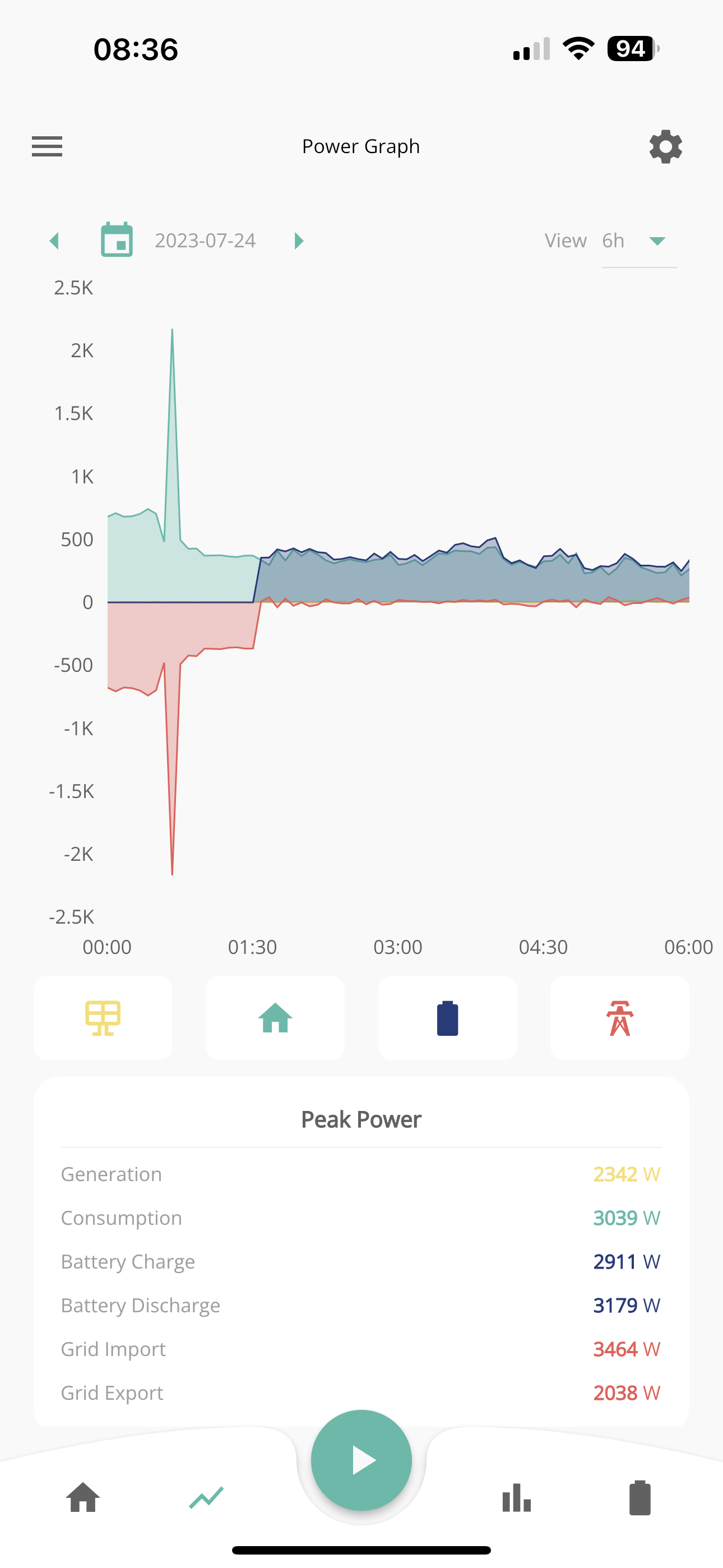
1) I'm finding that the data on both the app and portal is updating very slowly (and at random times). I can open them several times over a few hours and they are still only showing data up to a time earlier in the day and refreshing/re-opening makes no difference. Is there a way to update the data on demand?

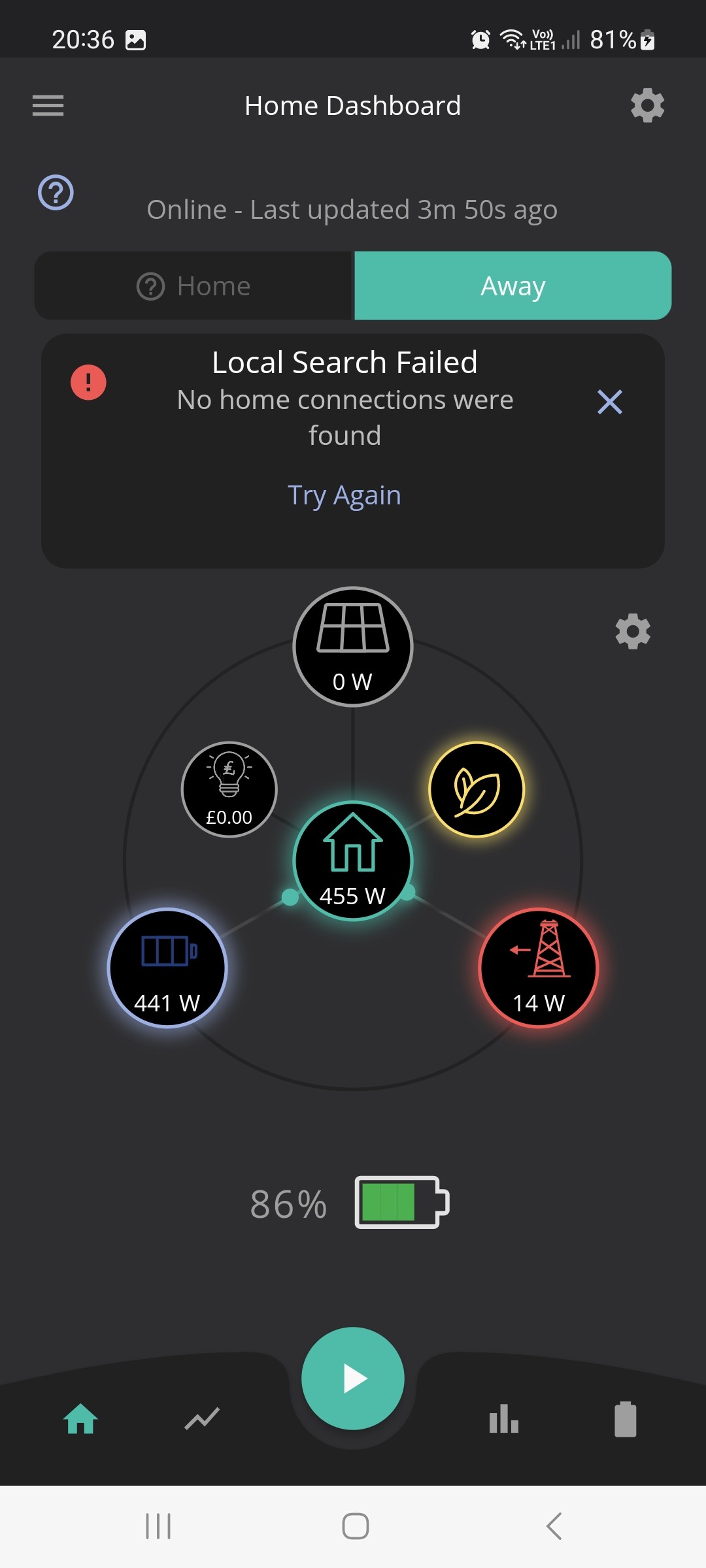
2) The Away tab on the app works OK (apart from the other points mentioned here) but when I try the Home tab I just keep getting the message that 'Local Search Failed - no home connections were found".

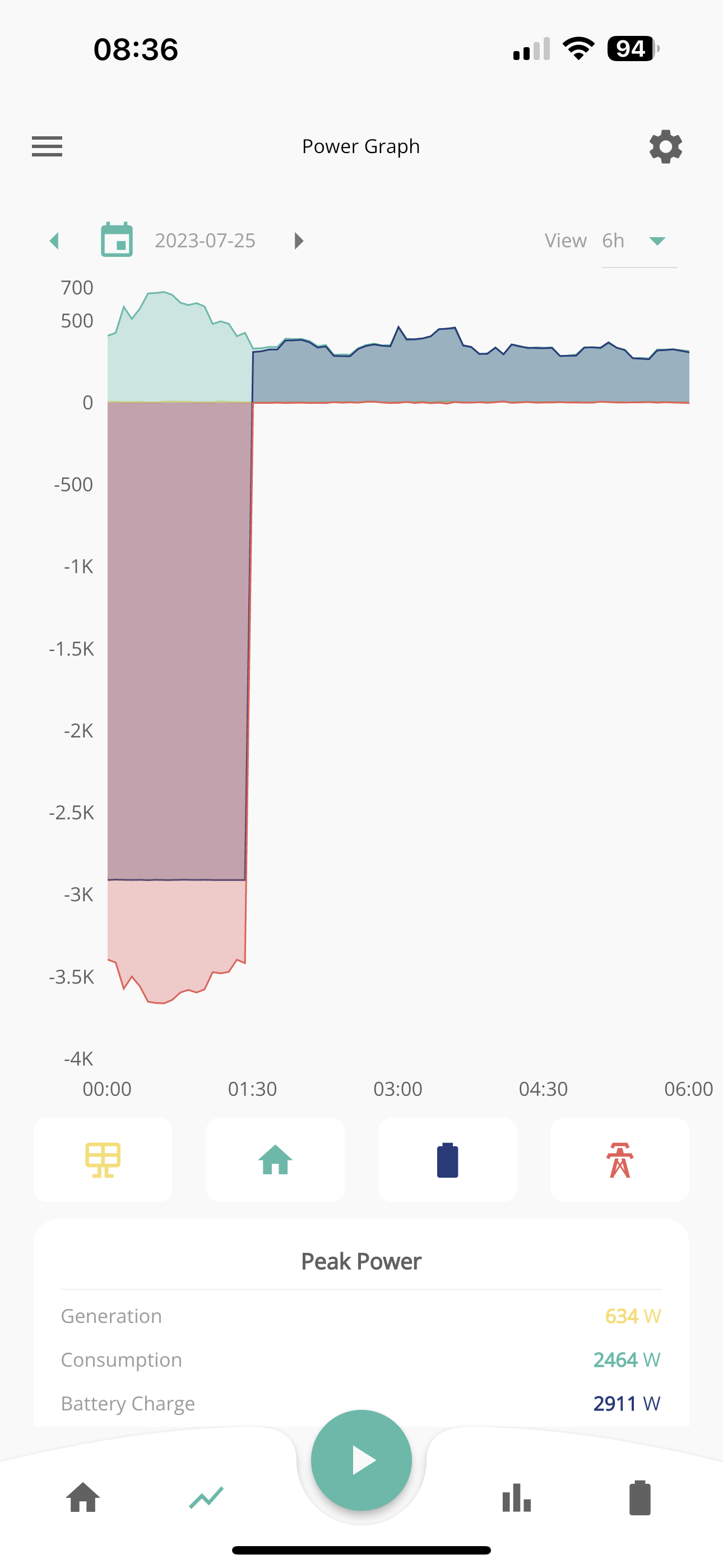
3) The system has run over 4 nights so far but on the first and third night no data was recorded from midnight to 8am (but the second and fourth nights were OK). Any idea why this might be happening?

Any help would be much appreciated

C
#2 cluelesscris

You could have a number of issues here but primarily all three points above suggest a connectivity issue with the inverter. If the portal shows gaps in data or data deelayed more than 10 minutes the inverter is not seeing the internet. The Home/Away issue is bacause the device you are using the app on can't see the inverter. These could be the same isssue.

First place to start is making sure the inverter has a steady connection to your router. Is it connected by wifi or lan cable? If it's wifi look at the signal strength the inverter is getting from your router and in any case consider using a direct lan cable which should remove a huge range of uncertainty.

C
#3 cluelesscris

cluelesscris Scratch part of that. It apears the AIO does not communicate with th app in Home Mode reliably. There's other posts reporting the same problem. God knows why they didn't test this at GE. Doh!

S
#4 SteveUK

We've installed wifi extenders and my mobile phone says the signal is 'excellent' when next to the AIO so the signal should be pretty good. I had another data gap yesterday from early afternoon to midnight. Seems strange that the gaps either start or finish at midnight. Do you know if the system stores the data for the gaps anywhere or is this lost if there if connection to the router is lost?

Yes, I spotted the other report that the Home Mode for AIO is awaiting app update.

C
#5 cluelesscris

SteveUK Data is not currently stored for later catchups - I believe this is on a todo list but assumes the inverter free memory storage so may not be backwards compatible. I have HA & givTCP installed so automatically have 5 second data history backed up locally. This also allows me to set a heartbeat monitor which alerts me as soon as it appears the inverter goes offline. Although since I added the heartbeat it's only ever alerted me once and that was because of a main breaker trip in my garage and not becuase of any loss of connections.

If you are at all techincal I would thoroughly recommend HA/givTCP - it opens up a huge world of possiblities for automation of your system.

R
#6 rjp

I'd recommend a wired LAN over wifi every time. No worries about having to reconfigure a dongle if you change ISP,etc.

Powerline adapters should allow you to easily get wired LAN to somewhere near the gateway.

S
#7 SteveUK

That is a good idea. Our router is downstairs does it need to communicate with the AIO (in an attic room) or the Gateway (in understairs cupboard), or both? Do the sockets have to be on the same ring main or can they communicate between different circuits via the fuse board)?

R
#8 rjp

SteveUK

does it need to communicate with the AIO (in an attic room) or the Gateway (in understairs cupboard), or both?

Good question - not sure re AIO, but normally would be the inverter...

Do the sockets have to be on the same ring main or can they communicate between different circuits via the fuse board)?

We have powerline going from office back through CU, then through secondary CU in garage to inverter, so they don't need to be on the same ring. You won't see the claimed 600 megabit performance of powerline with this, but as the inverter only needs a tiny amount of bandwidth, this isn't an issue

#9 hoggy

AIO has Wi-Fi and LAN built in
Gateway has Wi-Fi and Lan built in.
AIO must have a cable between it and the gateway else the gateway won’t release the contractors to the grid (so you have no power)

Im unsure if this same cable between the two also provides comms to the point where it negates the need for using the WiFi / Lan on the AIO but I doubt it, so you’ll probably need two cables (1 between the AIO and gateway and another to wherever you LAN is)

Side note: The gateway will fling the grid relays open the second the connection between the gateway and AIO is lost. Hence people hoping to use just buy the gateway and use it on givenergys other inverters are out of luck.

S
#10 SteveUK

Yes, the AIO and Gateway have both a power cable and data cable connecting them. Where is the LAN port in the AIO or Gateway and can they be accessed safely by the user?

#11 hoggy

AIO they are on the side, gateway they are in the bottom half of it internally.

#12 TheDragon (GivEnergy)

SteveUK
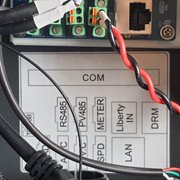
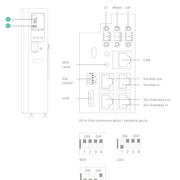
In the AIO, the LAN port is top right, looks slightly different RJ45 socket to the rest. There is a small drawing on the inside of the compartment.

Open both right hand compartments, feed the cable in the bottom one, then up through the internal glad to the top section. Terminate an RJ45 and plug in the port marked LAN.

Set the DIP switches 0111 for LAN, instead of 1111 fro WiFi

K
#13 kram

If the gateway was on WiFi and you connected a LAN cable between the AIO and the gateway, will the AIO piggyback the Gateway WiFi (or LAN) connection?

K
#14 Kwaka

kram no, mine both had to be connected separately to my wifi/router.

#15 TheDragon (GivEnergy)

kram the connection between GW and AIO is NOT LAN. Its CanBus, exact same as the BMS talks to the regular inverters over RS485/ModBus
AIO talks to GW over CANBus

K
#16 Kwaka

No the App won't work in Home mode with AIO's yet and to make it update when you open it (if it's over 5mins since the last) pull down on the screen.

Another thing to note for anyone installing an AIO is if you are connecting it to an Enphase solar system with micro inverters you'll need to rewire the dedicated socket that powers the Envoy unit to the PV's input as the gateway will stop the micro inverters communicating with the envoy and enphase enilghten. Took me a while to work out why all mine stopped working as soon as the AIO was commissioned, thought it was going to be TP Link interference on the mains which is common issue but running an ethernet cable from one end of the house to the other made zero difference.

S
#17 Spike

for LAN you need 3 RJ45 leads...
one between AIO & gateway as a comms link
one between AIO & router
one between Gateway & router.

I had to use the dangly RJ45 with supplied black connector within the gateway, as advised by Giv tech.

K
#18 kram

Looks like I’ll be running some cat5e/6/6a down to the correct location then…

#19 TheDragon (GivEnergy)

Kwaka it does now. It was fixed yesterday, App awaiting release!!!!!!!!!!

L
#20 luckypants

TheDragon (GivEnergy) Please let us know when app. update is released, this will be most welcome.

S
#21 SteveUK

Is there a way to specify a time period during which the battery can provide power to the home load but prevent it doing so outside this time period? I want to stop the battery contributing to the home load from midnight to 7am (when I have cheaper rate electricity) so any charge remaining in it at midnight can be used to offset peak rate electricity from 7am to midnight the next day.

C
#22 cluelesscris

SteveUK If you have set a timed charge period from midnight to 07:00 it will not use the battery to supply the house during the same period even if the battery is full or has reached whatever SOC limit you have set.

S
#23 SteveUK

During the summer when there is often excess PV generation, I want the battery to charge from this rather than from off peak electricity (the situation may of course be different in winter when PV generation is much less). Can I set a timed charge period from 7am to midnight (and if so how do I do this)? And will the battery still provide power during the daytime when the demand is greater than the PV generation?

C
#24 cluelesscris

SteveUK To set a timed charge use the My Inverter Panel on the portal. Then

Select Settings
Select Timed Charge
Enable It
Set the required period
Set the desired target SOC if you want to

If you have ECO set as well the inverter will revert to ECO after the charging period which will power your load from Solar first plus Battery if needed.

(Set your target SOC dependent on how much solar you think the system will shove into the battery during the day.)

Z
#25 Zakalwe

SteveUK
No need to set any Timed Charge periods at all. Just set it in Eco mode, disable any Charge periods, and it will charge solely off Solar.
Obviously if you run out of battery charge then the house will draw from the grid.

S
#26 Smk82

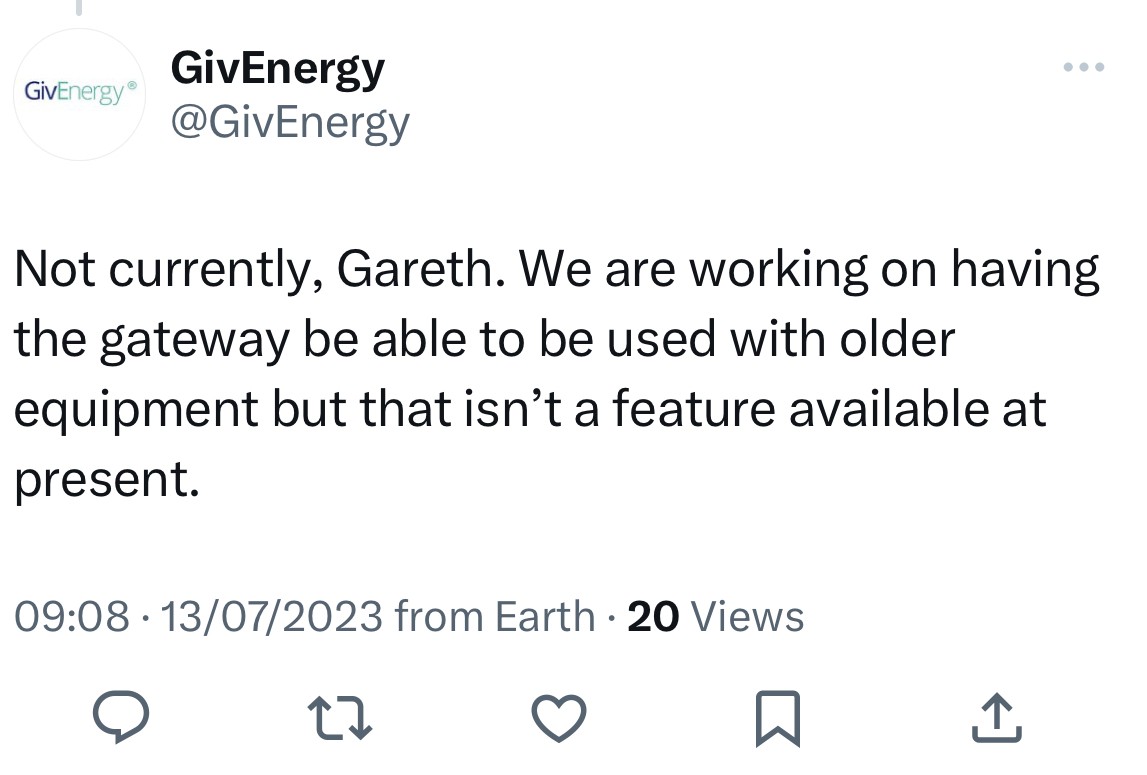
Anyone from GE want to comment on this? I noted this post from them on twitter…

Everything id seen/asked about the gateway had been contrary to this, but here we have them posting that they are at least looking into having it being backwards compatible with existing kit…

#27 hoggy

Smk82 can't see how if they are talking about whole home backup. All their other inverters run a 2 circuit system (Grid & EPS) and the gateway doesn't have a way to sever one from the other. Backfeed from EPS to grid side on the inverter makes it go pop real quick.
Currently the gateway won't release the isolation contactors if the AIO is disconnected (G100 thing)

S
#28 Smk82

hoggy I can’t comment. I’m just posting what GE have said themselves on twitter. From my own opinion I’d don’t see why it would be regarding anything else other than giving gateway functionality to older systems as that’s what it’s designed to do : keep panels running, and full house back up in case of a power outage without having to “switchover manually.

If it is true (and stating it publicly on twitter is a fair indication), it’s at least a hopeful sign for those of us on older systems.

S
#29 SteveUK

Zakalwe Yes, I think its already on Eco. But its the discharge periods I want to control. I want the battery to discharge only during the hours of 7am to midnight. At present, if there is any charge left in the battery at midnight it uses this for the immersion heater and/or car charge (which are on cheap rate at night). It then runs out of charge by 7am so I pay for expensive daytime units in the morning until the excess solar has built up charge in the battery again.

Unfortunately, our telephone line has been damaged (so no wifi) so I can't use app or portal until line is fixed (which could take a week or two...) grrrr

K
#30 kram

Smk82

For a hybrid the panels run anyway…
For an AC I don’t see how 3kW output could do the whole house. When manual you can expect a sanity check but not when fully automated and you could be out.

I’m not denying you heard it from GE, I just wonder if that person has their wires crossed.

#31 Judith

cluelesscris
@SteveUK this is the best way to do it assuming you have eco7 you (like us) you won’t want to use any higher price electricity
So you have to guess the next day’s sunshine this last week we charged the battery to 90% but previously it was only needing 20% from the overnight charge (1:30 to 8:30 for our provider so do check your exact times)
Everyone’s usage profile is different (we are a high daytime user,) so you’ll work out your optimal settings as you go. Without any present control because of you phone monitor & mentally practice what levels you would set. Keep eco enabled and don’t set discharge times since eco doesn’t re-enable afterwards. I think everyone makes the assumption it would re-enable and it doesn’t.

S
#32 Smk82

kram true, but if you have panels contributing as well, then you get contributions form panel + battery.

I agree though, more likely for multi-inverter systems.

Also not holding my breath here, twitter is not the most reliable form of information, so whilst it sounds hopeful it could just be a misunderstanding on the part of an employee…

B
#33 Baychattan

Whilst using just a Gateway and an AC3 may not be feasible, I think GivEnergy should be looking at existing users wanting to 'upgrade' their installations, rather than forcing people to replace kit..

For example, I have an AC3 with two 8.2kWh batteries. What I would like to see is utilisation of my AC3/ batteries with an AIO system - ie add a Gateway and an AIO, but have the AC3 connected in somewhere so that my existing batteries are used - rather than having to junk the (expensive) batteries. Perhaps the mythical box (can't remember the name) for balancing multiple AC3's may be needed.

For someone with a GivEnergy hybrid inverter and batteries there would be a need to disconnect the batteries from the inverter and fit a new AC3. But the batteries are much more expensive than the AC3, so may be worthwhile.

The alternative would be for GivEnergy to promote a second-hand equipment marketplace - perhaps either offer decent 'trade-in' values when buying their new kit, or host a second-hand marketplace.

K
#34 Kwaka

TheDragon (GivEnergy) when is the working app for AIO likely to be released as it'd be useful to see what is happening live?

S
#35 Spike

Kwaka

Would be good, I'm using a combination of the current Givenergy and Myenergi apps to see whats happening..

J
#36 Jellybaby

I hope things get sorted soon, got a solax inverter with AIO and got no live info 🙁

S
#37 Spike

Jellybaby I also have a solax invertor & AIO.

Are you sure your customer account is connected to the correct Giv invertor?

For a while I was connecting to the gateway, rather than the AIO... the serial number should start with CH rather than GW (at top of the screen)

K
#38 Kwaka

Are there any other ways to get live data until a working app is released? The standard 5 minute GE can be hit and miss, sometimes takes 10mins to update.

L
#39 luckypants

TheDragon (GivEnergy)
Can you give an indication of when the app update will be available in Google Play for android customers? Its over a week since you stated it is fixed, so wondering about timescales to package, test package and make available.

J
#40 Jellybaby

Spike Mine does start with CH and a lot of the time its grey circle not green. In the app it just keeps saying "Local Search Failed"

R
#41 rossbate

Anyone seeing their AIO as offline in the portal but when refresh the values all update and i can see the dongle by typing in the IP address.
Also is the black lead RJ45 coming from the top PCB in the Gateway meant to be connected to the bottom PCB?

J
#42 Jellybaby

rossbate The button has been grey for the past 1+ hours for me but green now and filled in the missing 1h gap

S
#43 Spike

Jellybaby Yes, local search (home) does not work.

S
#44 Spike

rossbate

The dangling RJ45 is a second LAN connection, using the black female to female adaptor supplied.
During my awkward commissioning, it was suggested to use this instead of PCB LAN connection.

J
#45 Jellybaby

Frustrating that the inverter doesn't seem to want to stay online for data, its grey again and last entry was 2 hours ago on the portal and on the app everything just has a question mark where numbers should be.

J
#46 Jellybaby

hoggy Does power to units have to be shut down to go from wifi to LAN?

I am having loads of gap and inverter offline messages every time I try to change a setting after seeing hte inverter online.

I get full bars on IHD for the electric smart meter that is in the same cabinet as the battery/inverter/gateway and dont have issues and I am upstairs and the cabinet is at the bottom of the stairs so there is no real distance.

S
#47 Spike

Jellybaby

Yes, you need to power off and change dip switches if changing from WiFi to LAN.
Givenergy tech highly recommended using LAN instead of wifi.
You'll need to run RJ45 cables directly to router from both AIO and gateway

J
#48 Jellybaby

Spike Will have to wait on that, battery stopped working last night and im running off solar+grid atm, battery was at 63% around 3am when it stopped working but power reading says 0 but now its at 65% and power still at 0 and I noticed the gateway flashed red for a few seconds and then the AIO unit clicked a few times as well. Called installer up and waiting to hear back from them.

I am not a happy chappy, it only got installed on the 19th.

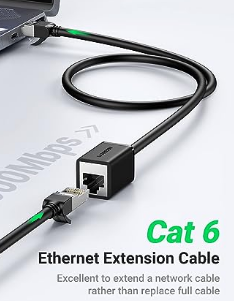
Is it possible to have lan extensions plugged in so if anything happens to the actual lan cable it can be swapped out without shutting everything down?

S
#49 simon_rb

Hi everyone,

I hope you don’t mind me asking a question or two?

I have a 3kW AC inverter and 8.2kWh battery. Tbf, over the 18months of ownership it’s been pretty reliable and not had any of the issues some have experienced.

I am looking at changing this for an AIO system and I’d love to hear how the system has been performing on grid import? Our system appears to be slow on reacting (a limitation of the regulations). As a result we tend to import around 300 and 700 watts from the grid over a 24hour period even though we’ve had enough to cover the usage and didn’t go above the 3kWs of the inverter. My friend has a Tesla Powerwall and he imports close to 0 watts, at worst 50 watts a day.

As the AIO is behind a gateway much like the Powerwall, is it quicker to respond to loads? It’s probably an OCD thing and the slight import everyday bugs me and was hoping the AIO has addressed this?

Thank you everyone

S
#50 Spike

Looking at the last 7 days, its between 50w and 700w per day import.

This also bugs me!

S
#51 simon_rb

Spike thank you.

Thats a shame, I would have thought they’d be able to be a bit quicker for demand response.

K
#52 kram

Spike

Where is that measured though?
Some smart meters have problems with Powerwall and suggest it’s importing when it’s just doing sync with the grid. Something on reactive power iirc.

#53 positor1

kram
The next release of the AC3 firmware does improve response times I understand.

S
#54 simon_rb

positor1 really? This is interesting 😀 is there a document/release notes with details?

S
#55 simon_rb

kram for my setup, the inverter always registers a lower usage than the smart meter. The inverter would measure 200watts import for the day yet the smart meter registers 500watts.

#56 positor1

simon_rb
If i recall it was information from the dragon some time back. the firmware is in final beta. There are higher priority releases though.

#57 judgepd

Not sure if it's beta or general release, but AC3 D0.289-A0.289 already has the faster response times.

S
#58 simon_rb

judgepd Brilliant, thank you.. Have you noticed a difference?

Is there a route to get beta firmwares?

Lastly, does updating the inverter trigger a discharge and charge of the battery or is it only battery firmware that does that? Reading, it looks like it does.

Thank you

T
#59 TX200

simon_rb beta invitations are closed for now, except for the odd occasions where someone has a new and interesting bug that Paul wants to have a look at.

The inverter controls the charge and discharge, plus keeps an eye on house usage (calculated) and import/export.

The inverter can be controlled by the GE web portal, by the GE app (some people recommend using the app to view and the web portal to make changes - as historically there's been issues with the app), or via custom integrations/automations (such as GivTCP, Home Assistant, Python, Powershell, API portal access, etc).

K
#60 Kwaka

SteveUK the app update has just been released. I went and found the givenergy app in playstore and hit update. It now works in live . :-)

L
#61 luckypants

Kwaka Yes it does! :-) Thanks for the heads up.

#62 positor1

judgepd
I questioned if 289 was the faster response already, That is what i have but i never noticed any change in response myself.

#63 judgepd

positor1 My system used to import about 0.5kWh per day, as soon as I had the first beta AC3 firmware it dropped to around 0.1kWh

S
#64 simon_rb

judgepd oh wow. Now I really want it 🤣🤣 that’s great they can achieve 100watts a day import with current restrictions. Not jealous 🤣

Octopus account has shown between 20 and 40watts an hour so far today.

#65 TheDragon (GivEnergy)

positor1 I can put 535/535 back on if you want to compare

#66 TheDragon (GivEnergy)

simon_rb my meter normal position is either 13kw+ or 0, with some odd small number as it is a 10s refresh

#68 positor1

judgepd
with a consumption of circa 80kw i import circa 1kw per week. (true figures from smart meter)

#69 positor1

TheDragon (GivEnergy)
I dont recall 535, not on my beta log either, was I asleep haha
to be honest I am quite happy with the performance of my kit.. yes you can quote me!

S
#70 simon_rb

positor1 pretty decent. Under 150watts a day. Is that with an AC3?

T
#71 Tim

positor1 80kw i import circa 1kw per week

simon_rb Under 150watts a day

Call me a pedant! 80kW, 1kW and 150W/day is the power at an instant in time. I think you all mean 80kWh, 1kWh and 150Wh/day being the energy consumption, bought at £0.xx/kWh. 1kWh = 1 "unit" of electricity.

We have a 3kW kettle that takes 2 minutes to boil water and consumes (3,000 x 2/60) = 100Wh of energy, costing 3p.

We also have an inverter that can generate over 7.5kW, but if it only does that for 20 minutes each day, total daily generation is 2.5kWh. Our EV charger can charge at 7.2kW but it needs to do that for five hours to put 36kWh into the car battery.

Rant over 😃

S
#72 simon_rb

Tim

Tim haha! Fair point, should always get the units correct. At least you knew what we meant 🙄

#73 positor1

Tim
Apologies Tim. you are of course correct.

S
#74 simon_rb

positor1 @judgepd I can confirm it’s definitely a massive improvement. Screenshots below are from the same time period yesterday and today. It seems a lot smoother at matching demand, octopus is still showing a lot of 30min slots of 10wh imported which is similar to before but I am seeing some 0wh slots which I’ve seen maybe once or twice ever.

Anyways, guess we’d better get back to the AIO topic 😊


S
#75 Spike

kram

My figures taken from the Giv app.

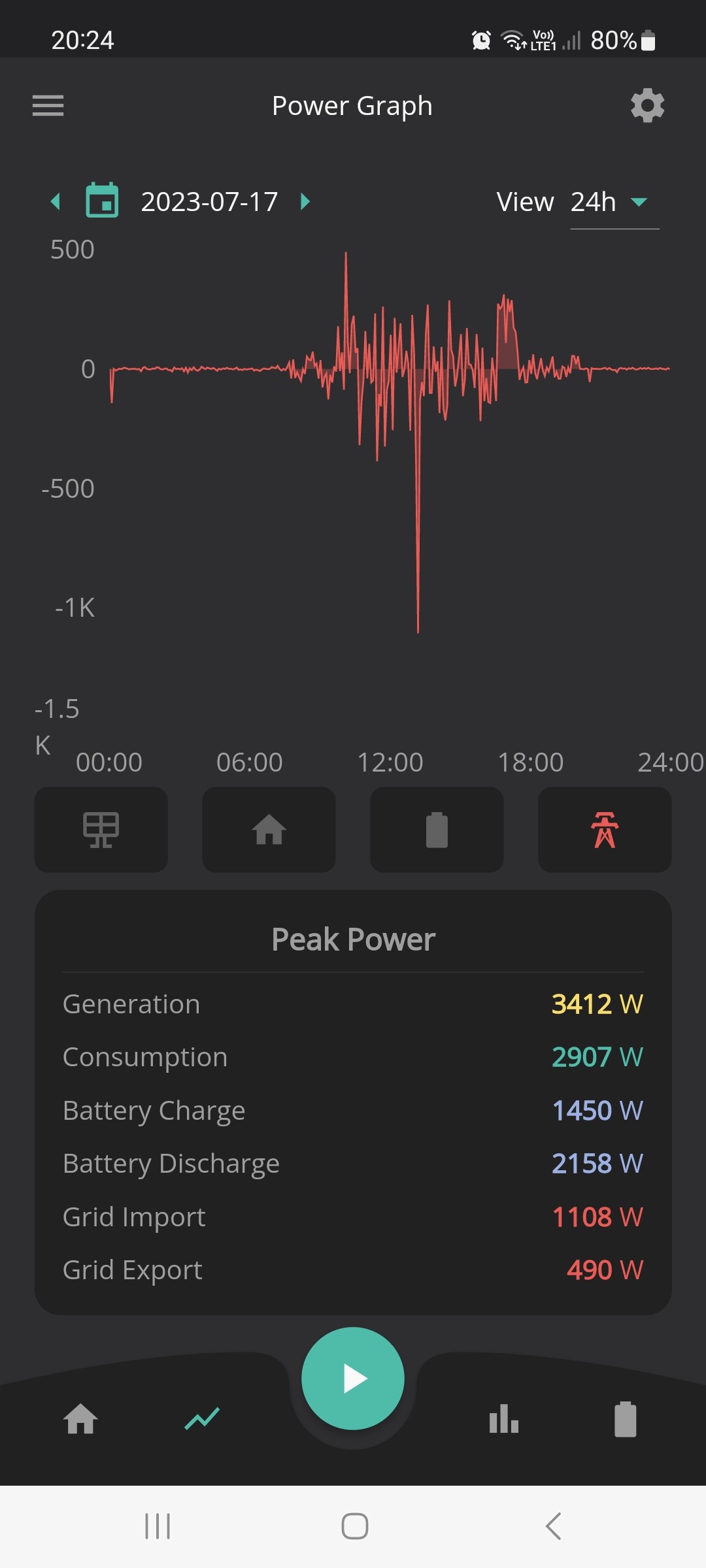
This is a typical day seems to be some "leakage" as the system balances between solar/battery use/EV charger..

S
#76 Spike

I thought I updated the app, maybe need to sign out, sign back in.

Like now, the system showing 14w drawn from grid, when house should all be supplied from battery...

S
#77 simon_rb

Spike Is this an AC3 system?

S
#78 Spike

simon_rb

AIO & Gateway, as per topic title 🙂

S
#79 simon_rb

Spike Ah ok, disappointing there is still leakage 🙁

What happens if you turn off the grid? will it sort itself out and run appliances without issue?

L
#80 luckypants

Spike you need to update the app. After the update it should find your inverter 'locally'

S
#81 Spike

luckypants

Thanks, tried that, as well as log out, log in... still not connecting locally.
I'm not too fussed, as seems ok on "away"

S
#82 Spike

simon_rb

Will try that tomorrow 🙂

K
#84 Kwaka

Spike make sure your device isn't connected to a vpn or it'll not see it when you are at home.

J
#85 Jellybaby

Woke up to an 8 hour gap in info last night, biggest gap ive had since it got installed on the 19th.

J
#86 Jellybaby

Spike You will have to do a scan for it manually so it can add the IP, if you are going over LAN it should pick it up fine. I keep having issues currently which is odd because there is a sky box twice as far and through more walls that has absolutely no issues at all at 2.4ghz frequency.

Also when running from the grid is the grid draw nearly 100w higher than load for you?

J
#87 Jellybaby

Spike Would RJ45 extension be ok to use for this, would be be safe to connect/disconnect lan OUTSIDE of the box whilst its on. Would make any running configs easy later on if I could remove and reinsert lan cable.

I don't see it being any trouble because you can do it on literally every other electrical component fine.

Would mean if any kinks happened to the cable it could just be swapped out rather than opening the unit back up again.

S
#88 Spike

Jellybaby

I can only say the method that Givenergy told me during our commissioning, when the wifi was being awkward.
Because the dip switches on both AIO and gateway need changing to tell both units to use LAN, instead of wifi, they need full powering down before dip switch change, then powered back up after dip switch change.

S
#89 simon_rb

Spike Did you try this? I'm very curious 🙂

S
#90 Spike

simon_rb

I flicked off the incoming breaker on the gateway (where the tails from meter enter).
Battery kicked in instantly, TV etc carried on.
Only thing the solax inverter went to a grid frequency fault, so wouldn't work the solar import.
Put the breaker back on, around 20 seconds later a relay clicked, the inverter reset...

J
#92 Jellybaby

Spike I am hesitant to do it myself, im assuming you had to turn off the aio unit somehow and gateway after the battery kicked in.

My dashboard has been offline since Thursday but today came back on at 2:30pm but have had 30m gaps in data so obviously still spotty (all because they decided not to fit the antenna as they thought unit was close enough to router but they also decided to take it with them) but now its online I was looking through the info and there is an option for firmware update and I am currently on 6 but with the spotty updating on cloud info I am hesitant to do this before they come out and change me over to LAN.

Did you use a shielded cable for inside the cupboard or just standard, I am also considering getting one of these to hang out of the unit, its 0.5m and means if the main LAN cable gets snagged on something I don't have to open the side of the unit and fit hand in there to try and switch it over.

I am assuming that switching over lan cable in the event something happens would be ok without turning everything off if I decide not to go with the extension.

S
#93 Spike

Jellybaby

Seems silly not to fit the supplied ariels! Mine are attached, as somewhere to put them, even though on LAN.
To turn off the AIO, you turn off the breaker on it, then press the silver button which turns of the DC.

I did use a shielded LAN cable, but my router is right next to the gateway so just got a 1m lead.
I can see your point of a short extension lead, but can change the LAN leads/position (from board to dangling lead) without powering off.

I'm always a bit reluctant to update firmware too quickly, in case it upsets things.

J
#94 Jellybaby

Spike Appreciate the info, will see what installer says tomorrow, either someone needs coming out tomorrow or an appointment needs to be made for this week, power down and flip switch can't take that long and ive already tested the cables.

S
#95 simon_rb

Spike great battery works, shame the solar inverter wasn’t playing ball. I thought you could disconnect from the grid using the App? Sure I read that somewhere. 🤷‍♂️

K
#96 kram

Spike

How full was the battery as if full I believe it would ramp up the frequency. If solar inverters can’t carry on working and it was below say 75% I’d suggest a bug somewhere. Do you know what the grid frequency was?

S
#97 Spike

kram

I think battery was around 50%, I only turned off breaker for around 30seconds, maybe need to leave it longer to let things settle.
I'm not sure how to measure the Frequency, the Solax doesn't show it, may have to look the menus on it.

S
#98 Spike

simon_rb

I've not seen that app setting, but then still finding my way around!
Managed to charge the car on off peak without discharging battery.

  • change charge mode from solar only to solar and grid.
  • set times 0030 - 0430
  • reduce charge rate to very low (or higher if no sun forecast)
  • battery will not discharge during scheduled charge times.
  • of course if car finished at say 0300, the battery will continue charging at rate set until 0430, when it revert to normal, supplying the house demand. (it sees the zappi as house demand, normally, so would discharge into car)
S
#99 simon_rb

Spike that’s exactly how I have my AC3 setup 👍

J
#100 Jellybaby

Do you have data pre and post GE system spike, I am wondering how accurate you are finding the data in the app/portal because mine seems to be completely useless.

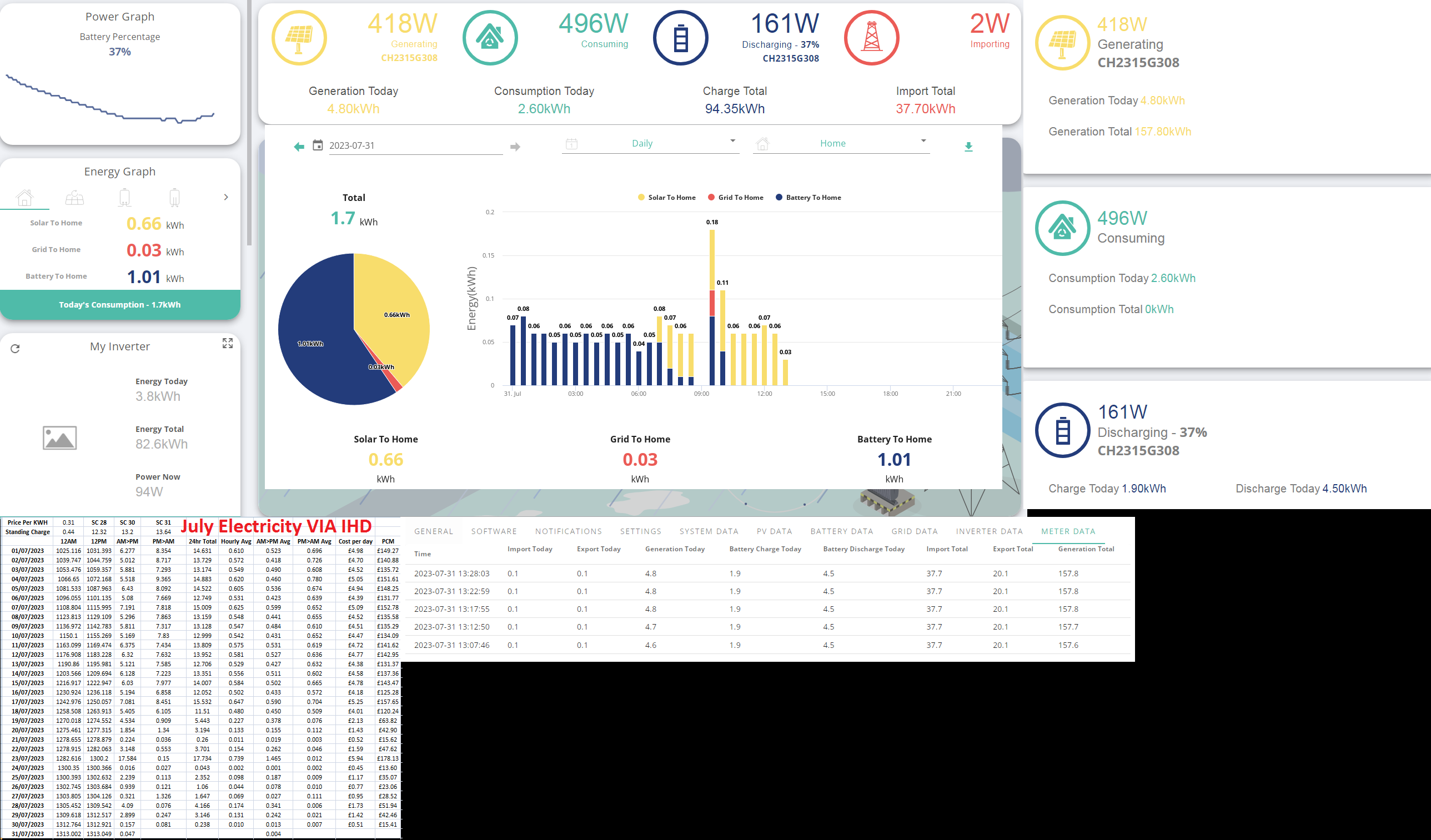
Example of info here.

Considering the cost of all the equipment id assume it would be rock solid at obtaining data and despite the 5m updates it would be able to at least store the interim between updates but despite all of that none of the breakdowns add up to what other info is saying and the app is even worse.

The app says
Solar to home has been 0.66kwh when the house load is minimum 300w draw (That is only for about 4 hours during night and thanks to the solar equipment overheard its an extra 80-100w on top but doesn't get included into home load)
Battery to home reads 1.01kwh which I don't understand since discharge from meter says 4.5 as does the info to the right on legacy dashboard.

The lack of accurate info on a near 10 grand piece of equipment is absolutely shocking.

Edit
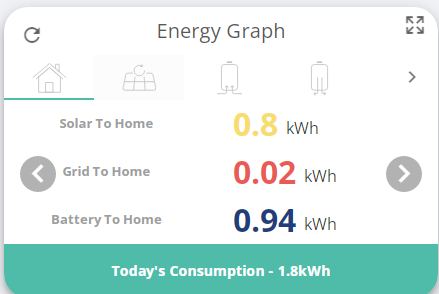
Battery to home now says 0.94kwh

S
#101 Spike

I don't take data readings, so have no history.
I don't really get time to record everything in spreadsheets.

K
#102 kram

Spike

@TheDragon (GivEnergy) might want to find out some information or be able to provide help. As it’s a new product I imagine they’ll want to bottom out if there are any issues and is it GE , solax or elsewhere.

D
#103 Dougm11

Saw this today from someone on Twitter who’s trying to get a GE AiO installed through 🐙. The DNO (WP) said the max export they would approve would be 5kW and so she couldn’t have the AiO due to the fact the AiO would cause too much voltage rise. Western Power have said the following- I thought the AiO could be export limited for such scenarios?

“ENA EREC G100 states that the installed capacity must not cause a voltage rise greater than 3.35%. When running a load flow on the system we first do our load for studies for the installed capacity, until the voltage rise gets to 3.35%, then for the export capacity until it gets to 1.5%.”

K
#104 kram

Dougm11

My understanding is the gateway is g100 compliant. The installer did say g100 gateway and AIO I hope.

K
#105 kram

Did you get an answer on the backup and why it didn’t work?

D
#106 Dougm11

No I didn’t unfortunately- initially they denied approval because they thought the switchover to backup time was 10 seconds when it turns out it’s 20 milliseconds and then they kept going on about the voltage rise. I don’t really feel I can ask to see the DNO application to see if there are any obvious errors though.

K
#107 kram

Dougm11

Have you spoken to the DNO, ours were actually pretty helpful👍

D
#108 Dougm11

They have spoken to them and it’s gone back and forth a few times. I feel like someone’s missed something which has put a spanner in the works. I’ve passed on what you’ve said to the affected person and hopefully they’ll get somewhere. Otherwise they’ll just go for a hybrid inverter and one or more 9.5 batteries. Thanks for your help!

K
#109 kram

Just in case you didn't get this sorted...

Just saw a g99 for some work and noticed that even though there was clearly >5kW of inverters spread over 2 inverters and they were all names as inverter + AC battery, someone on the DNO side had seen GE and just assumed 5kW hybrid.

Oops, they sent me the diagrams, I checked and called them back and the installer has/will have an updated G99 sent over.

Fair to the installer they had missed the hybrid bit as it came in in the big pile of responses, but they probably would have picked it up closer to install time.

It might just be worth you speaking to your DNO, explaining the situation and seeing if they can sort the problem.

K
#110 kram

TheDragon (GivEnergy)

Just been doing some networking myself and thought I'd ask a question of you.

I imagine the AIO doesn't need the full 1GbE from 4 pairs.

If you take 2 pairs you get a 100MbE connection.
Why not allow a mode where your connection from g/way send the Can down up to 4 of the wires and uses the other 4 for a 100GbE Lan port?

If would probably make for an easier install and allow for people to piggyback.
I'm not saying why isn't that possible, but just a wouldn't that be a nice feature update to allow such behaviour?

S
#111 SteveUK

Kwaka I've been offline for 5 weeks (!) due to phone line problems but now reconnected. Playstore not offering any update so still no 'home' setting. 'away' still not updating regularly. Currently says last updated 5 hrs ago. Does the app talk to both the AIO and the gateway (they're in different locations)?

S
#112 SteveUK

The portal also says the inverter is offline. I've data from 05:00 to 15:55 then nothing (the system seems to be working just no data)

T
#113 TX200

Using WiFi or ethernet? Ethernet recommended where possible.
If wifi, is the router close enough to get a good signal?

S
#114 SteveUK

Yes WiFi. I've extenders near both AIO and the Gateway so signal should be good. If it is WiFi problem wouldn't data connection go on and off frequently rather than in large blocks of time?

T
#115 TX200

SteveUK yeah you’d think so.

Have all the firmware updates been installed on it?

Also, what Wi-Fi channels are your routers / repeaters broadcasting on?

Sure I read something somewhere on here about GE kit not liking the higher channels, something like 12 and 13 maybe.

If there’s a lot of Wi-Fi devices in the nearby area, maybe the router and/or extender swaps channel every so often.

S
#116 SteveUK

Judith Sorry about delay in responding - our telephone line has been down for 5 weeks (!) so no wifi but its now been fixed.
My aim is to prevent the battery discharging during our off peak period (midnight-7am) so the power in the battery can be used in daytime when electricity is more expensive, But I also want the eco mode to operate during the day so any excess solar generation tops up the battery. Are you saying that if I set the discharge time to 07:00-23:59 that it will no longer use eco mode during the day?

S
#117 SteveUK

Well that's weird. The inverter has been connected all day but data stopped again at exactly 15.55 - the same time it stopped yesterday!

T
#118 TX200

When you setup the inverter dongle, did you delete the network from your phone/tablet whatever after?

I’m not sure if this is true, but when I setup mine after changing my broadband, my phone would occasionally jump onto the inverter dongle access point. I was also seeing the dongle disconnect every 24 hrs. Happened 2-3 times I think.

I told my phone to forget the access point and everything was ok after that.

Could just be a coincidence, but maybe…

T
#119 Tim

SteveUK You have an AIO with additional PV I believe. I can't say for certain, but, assuming it works along the same lines as an AC-Connected, I think you should be able to put the AIO in ECO mode which will minimise grid import/export by diverting surplus PV to charge the batteries and discharging the batteries to meet home demand. In addition, set a timed charge for your off-peak period (midnight to 7am or whatever it is). Make sure you have the same start and finish time as your EV charger. During the timed charge, the AIO shouldn't discharge to meet house demand (your immersion will charge from the grid) and it will charge up at whatever rate you set the charge rate at. You should also be able to set the Charge to % so that it doesn't necessarily charge to 100% every night, leaving you room to charge from PV the next day. You may have to play with the Charge to % to ensure it is high enough to not import from grid before PV is available and low enough to consume most of your surplus PV.

S
#120 SteveUK

Tim Thanks, that makes sense. I will try that out.

NB I tried setting the discharge time to 7am-midnight thinking this meant discharge to the load but it appears to mean discharge to the grid and emptied the battery! I disabled this and re-enabled ECO but it carried on discharging to the grid and only stopped doing so when I reverted to factory settings.

S
#121 SteveUK

Yes, that seems to have worked but I lost connection again at 8am this morning (after working ok for 29 hrs) so can't see what's happening now.

Givenergy says there should be an external WiFi aerial on both the AIO and the gateway. We only have the latter so wondering if that's the cause of our data gaps

T
#122 Tim

SteveUK Any chance you could run ethernet between them and from each to your router? Wifi is very convenient until it's flakey when a good old piece of wire works very nicely.

S
#123 SteveUK

It would be very difficult to run ethernet to both AIO and Gateway. Givenergy says I should have external aerial on both AIO and the Gateway whereas I only have one on the latter. So next step is to get installer to fit missing aerial to see if that solves the problem

S
#124 SteveUK

Tim I set charging rate quite low, about 1Kw, and assumed this only applied during the forced charging period (midnight to 7am) but it looks like this is wrong as during the day when I had a high level of excess solar some of it was exported to the grid. So it looks like the charging rate should be set at least as high as maximum excess solar that might be expected so it all gets stored in the battery. Does that sound right?

T
#125 Tim

SteveUK The behaviour you report is as expected. You can set the charge level back to max at the end of the timed charge period. Having said that, at this time of year, our batteries are always fully charged by lunchtime, even at the much lower charge rate, except on the darkest of days. As the autumn approaches, I'll set an automation to change the charge rate during the day to ensure that the batteries are fully charged while there's opportunity.
If you have an SEG Tariff, you may find that having a low charge rate set during the day actually increases the total generation (because there's reduced/no clipping at the peak) and therefore the total export.

S
#126 SteveUK

Tim I set the battery to charge to 50% overnight so there was room for more charging by solar excess during the day. But it looks like the 50% setting also limits the amount it charges during the day as once the battery reached 50%, the excess solar was exported (so wasted). I guess this can be avoided by changing the battery % back to 100% each morning but this is a bit of a faff to remember. Is this what you expect? I had assumed that the charging rate and battery % set when specifying the forced charging period only related to that period but it looks like it applies at all times (until changed to something else).

J
#127 Jellybaby

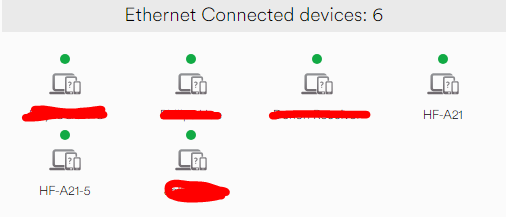
Anybody here with the AIO and Gateway notice that the inverter HF-A21 number keeps changing?

It was on 4 yesterday and now its bumped to 5 and I got no idea why, before I switched from wifi to lan it was in the 300's but just assumed it was due to spotty wifi keep dropping.

Just want to make sure its not just me.

T
#128 Tim

SteveUK Oops. Yes the Charge to % will (probably) relate to the amount of energy provided from AC, whether timed or surplus PV. Ours is hybrid and the Charge to % doesn't figure when PV is available; it just keeps charging. So yes, you would have to bump the Charge to % up at the end of the timed period.

T
#129 Tim

Jellybaby just assumed it was due to spotty wifi keep dropping.

I suspect that it's to do with your router? If you delete all the devices, let the devices connect and lock that first device to always have the same IP address (option for that device somewhere in your router setup), it should solve the issue. I've seen this with IoS devices where they issue random MAC addresses on public networks to increase privacy. That feature can be disabled for specific networks so they always issue the actual device MAC address. I can't see your dongle issuing random MAC addresses but it would be interesting to know what it is that is different between the HF-A21 entries.

J
#130 Jellybaby

Tim Inverter is connected to an unmanaged switch connected to virgin media superhub, I have reserved its specific address so it always connects on the same one as I did with my PC.

S
#131 SteveUK

I'm still getting intermittent data. Most of the suggestions are that its probably a poor wifi signal but I've gone back over the history and nearly all the data loss periods are of the same length (8 hours) and most of them start at 00:00 (or 23:55), 08:00, and 16:00 (or 15:55). I have had a small number of days where I've had data for all 24 hours but most days I'm without data for one or two 8 hour blocks. Has anyone any idea what might be causing this, why the blocks are mostly 8 hrs long and start/stop at midnight, 8am or 4pm? I can't see how a poor wifi signal could cause this.

K
#132 kram

What do your router logs say about uptime and internet connectivity?

S
#133 SteveUK

kram I can get into the 'technical log' for my router - what am I looking for?

As far as I know our wifi is working ok - we don't expereince any problems with connections to laptops, phones etc

K
#134 kram

You want to see if you can find anything about when the router rebooted itself or if the internet connection went down/reconnected (often called PPPoA or PPPoE)

Essentially does the house have internet at these times.

Have you updated the firmware to the current version to make sure you’ve ruled out bugs also?

Also worth searching the DHCP logs for your routers MAC Adress.

S
#135 SteveUK

I've been doing further analysis of the times I am losing data. We have a 3 rate electricity tariff (day rate, night rate and heating rate). The heating tariff (which at this time of year only powers the immersion heater as all storage heaters are switched off) is is provided for 2 hours in the afternoon and 5 hours at night, the times being controlled by OVO via a radio telemeter and a four pole contactor. Although the times can vary, most days the 2 hours in that afternoon are 14:00-16:00 and at night the tariff nearly always ends at 08:00.
Most of the periods during which data from the inverter is missing either start or finish at 08:00 or 16:00. Indeed, I watched it at 16:00 this afternoon. The contactor clonked off at 16:00, the Gateway showed export to the grid for a period of about 5-10 seconds (despite the battery having a charge level of around 30%) and the data graph on the app and the portal stopped at 16:00 (and hasn't yet restarted). So I strongly suspect that the switching on/off of the heating tariff is somehow causing the stopping or re-starting of data recording by the Gateway.
The immersion heater is powered from the same consumer unit as the rest of the house but is NOT powered by the Gateway/battery (I don't know why although this is not a problem as we only want the battery to reduce our peak rate electricity). Has anyone any ideas as to why thus is happening and, more importantly, how to stop it happening?

T
#136 TX200

SteveUK as you say it’s not powered from those circuits (inverter power or router) so I assume it can only be some form of interference? Radio interference? Electrical interference? Maybe a question for an electrician, or perhaps someone good with radio waves? Some kind of radio enthusiast?

#138 Judith

Tim
Tim described this better than I did.
In timed charge mode but battery set to a given level, day 70% it keeps it there so all the house load comes from the cheaper mains. As your solar kicks in it supplements the mains on supporting the house.

#139 Judith

Your switch off does seem like interference. Perhaps your installer could add some clip on ferrite beads over the data cable?
If your installer doesn’t understand those terms perhaps there’s someone in GivEnergy who can give them or you a part number?