D
Just wondering if the is a need for home assistant to manage GE equipment?
If so is there a simple solution that provide this or does GE provide it as part of the deal?

Just wondering if the is a need for home assistant to manage GE equipment?
If so is there a simple solution that provide this or does GE provide it as part of the deal?
DDunn You dont "Need" it, but it can come in handy if you want to do more advanced things like custom automations or intergrate your batteries to interact with other devices in your house. EG EV charger.
If you look at the GivTCP page on facebook, you can see some of the things people have setup and decide if it is something you want. "Speak to the Geek" on youtube is another good place to start.
Make your own dashboard
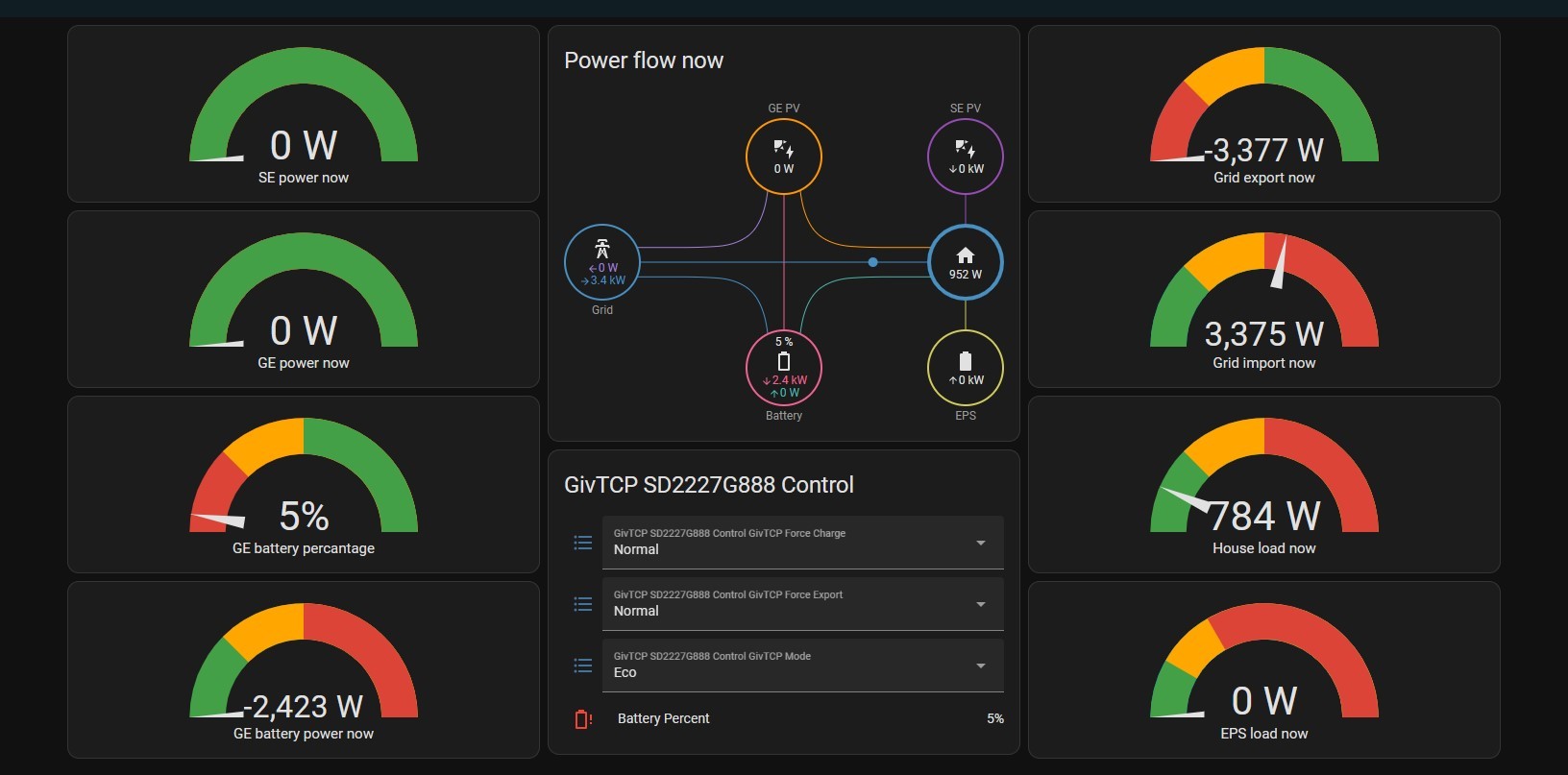
I have literally just started yesterday on the Home Assistant journey.
Bought a second hand Lenovo tiny PC which arrived yesterday, installed home assistant and GivTCP and was able to get it up and running within a few hours. The speak to the geek videos are excellent, I followed this one to install MQTT and GivTCP https://youtu.be/ygD9KyciX54
My intent is two fold, automate the charge and discharge of the battery for weather compensation and maximising flux income, and to enable me to get accurate generation and consumption figures - I’m expecting to need to add some CT clamps as my FIT array confuses the GE inverters and I end up with negative consumption figures!
Getting this up and running is reasonably straight forward but you do need to have a degree of PC literacy. In my case I had to install Visual C++ runtime and python before I could get virtualbox installed, and I had to turn on virtualisation in the BIOS before I could launch the Home Assistant image. Once up and running the installation of MQTT and GivTCP was very straight forward and even though my inverters are on a separate powerline wifi network, Home Assistant found them OK.
Looking forward to seeing what I can do with HA.
geoffreycoan Look into Predbat/Batpred as well. It's another fun rabbit hole to go down 😃
thewhalw21 Thanks for the tip, a quick look at the batpred github https://github.com/springfall2008/batpred this looks to be quite comprehensive.
Found a speak to the geek video as well https://www.youtube.com/watch?v=hfg62N_5kX4
Rabbit holes indeed !
One problem with HA is that it can take you down all sorts of rabbit holes!
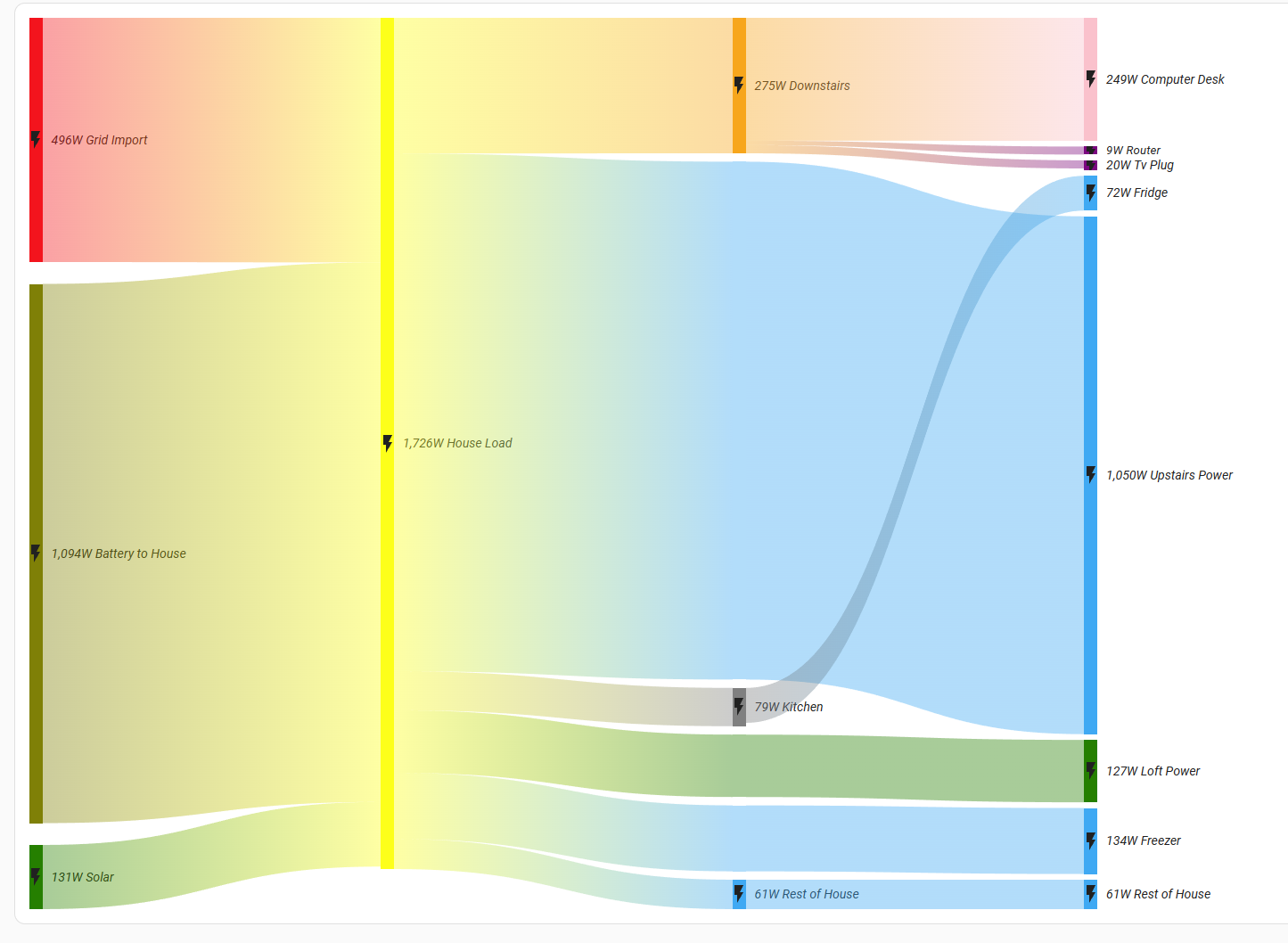
anglefire That’s quite impressive data analytics, presumably from a series of CT clamps and smart plugs.
Having the information is one thing, but what to do with it? Knowing that the freezer is using twice the power of the fridge, maybe you could check the door is closed properly and defrost it, but you can’t really change behaviour in how you use it. Tell the kids to turn off their PlayStations as they’re drawing most of the power in the house - don’t think so!
I’ve got some Tapo wifi smart plugs which can report power usage. They were bought when I had oil radiators after the oil tank sprung a leak and I was waiting for the ASHP to be fitted. They were useful to automate the turning on and off of radiators in rooms, so I do plan to add the Tapo integration to HA, but not sure what I will want to monitor/control with them yet.
If you can point me towards any advice on CT clamps/HA integration monitors, that would be useful. I see quite a few are Tapo/Tuya connnected.
Thanks
geoffreycoan it’s exactly that - a mixture of Shelley, and tasmota plugs as well as the CU having 4 Schneider power tags (very expensive but I obtained relatively cheaply)
Some are useful for deciding if swapping out appliances is worth it from an energy perspective. And to see what is worth using when there is enough sun.