Dashboard "Power" Card only shows today's data

16 comments started 2023-09-22 last 2023-09-25
Cards - Power FlowBugsBeta PortalCloud Portal
J
#1 JTG

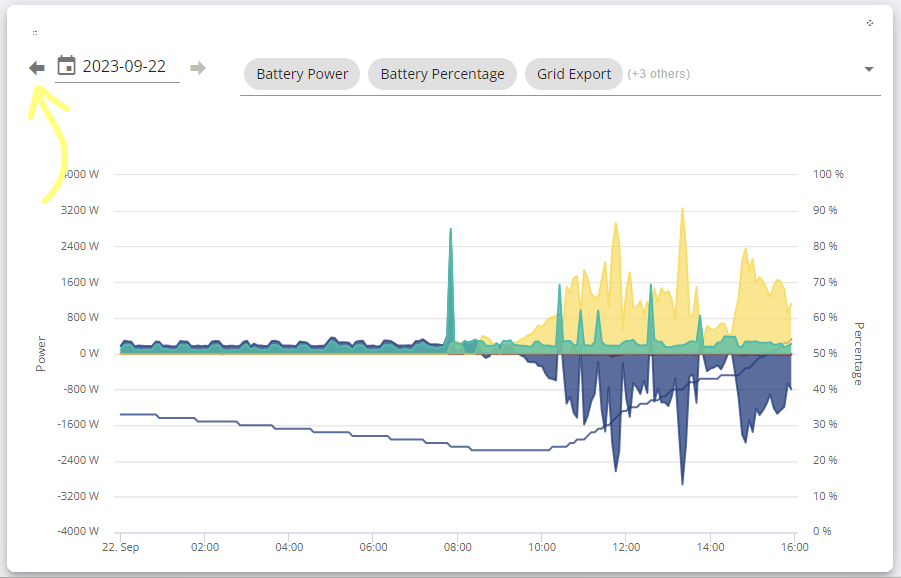
Hi - wondering if anyone else is seeing this problem. In the givenergy.cloud dashboard all cards seem be able to show historic data, but the 'Power' card only shows date for the current day. I can cycle through the days using the date select tool, but the data itself never updates. (Have tried on Chrome/Edge/Firefox and all do the same.)

If i use the phone app i am able to cycle through the days on that report, so the data is definitely there.

This is the card i'm referring to if that helps:
T
#2 Tim

JTG Works fine for me.

B
#3 Barns

JTG I've had exactly the same issue, I can change the date but the actual graph never changes or updates. Same on Firefox or Chrome.

J
#4 Jellybaby

Can't say ive seen this myself but something odd I saw was when I left gaming PC on for full 24 hours with home assistant in virtual machine and it displays weird, colors are not solid like they should be, I can barely see PV data and what I can see isn't very clear.

G
#5 GaryS

Same issue here. Can not see any previous days on the Power Graph. Not on Portal or App. This clearly is a glitch in the software, not our side, as it happens across devicess.
@dragon2905 Please help!

#6 positor1

Perhaps clear the browser cache ?

D
#7 dragon2905

GaryS wrong dragon you want @TheDragon (GivEnergy)

in all one word you need to type the @ followed by plandregan

eg @00000

G
#8 GaryS

positor1 Tried that, doesn't make any difference. App and Portal on different devices all have the same issue.

J
#9 JTG

positor1 thanks... yeah, i'd tried that already unfortunately. different machines, different browsers, inprivate/incongnito. all other charts move through historic data fine.

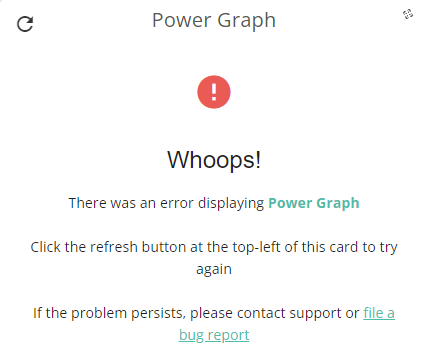
tried again just now and am instead getting:


wondering if something's being worked on (again, all other charts showing data fine)

G
#10 GaryS

JTG mine is down too on the portal, but works on the app. Maybe GE are trying to fix this at last?
Then still the totally useless info on the Energy Data app, which is totally confused for the AIO atm.

T
#11 ToothyChris

I can see the history, but what I am getting is incorrect values. For example, my full batteries are now showing at 200%, instead of the usual average value. And it shows I am exporting far more power than I can possibly generate. So it looks like someone has been messing around in the back end data, and has fecked something up. I have a pair of AC3 inverters each with a single battery.

J
#12 JTG

GaryS interesting that i'm not the only one confused by the data showing on the dashboards. for my [new] AIO installation it's seems to broadly be reporting along fine, but then I end up with random negative solar generation days (?!), and negative battery charge days too that don't align with what the batter was doing at the time.

also struggling to tally total solar generation as reported by my separate solar inverter (via my Solar inverter App, and it's separate vendor's dashboard), vs the solar generation as reported by the AIO in the GivEnergy dashboard. my SolaX inverter is reporting way higher solar generation than my AIO claims to see. i expect it to appear higher at the SolaX side due to conversation losses going DC-AC-AC-DC in to the battery... but it seems way off.

i've been thinking about opening up another thread to see if anyone else is able to explain away what look like discrepancies (it could just be that i'm not interpreting the data correctly!)

#13 Jase1703

JTG at last I’ve found someone else with the same problem, so it’s not just me, I raised a tech query with GE but no reply, mine has been this way since day one early August, phone app works but not cloud data online. Are you AIO user? My power card is also down today and I see firmware upgrade for AIO is now available.

J
#14 JTG

Jase1703 yep - AIO user. only been commissioned a couple of weeks though so still learning. good spot RE the firmware upgrade. might see about updating tomorrow morning (i'm only charging from solar at the moment - no overnight cheaper tariff yet - so generally pretty low charge by morning)

T
#15 ToothyChris

JTG One skill which most new GE users need to acquire, is the ability to distinguish valid data from junk data. I think because of the breadth of different system configurations which exist, GE has struggled to get the data to align and display correctly for all of them, at the same time. Even on the same page (and this is particularly true of the web portal), you will see data which is clearly contradictory.

The trouble arises when the data is wrong, but not so wrong that you identify it as junk.

Only once you have been through the stages of Confusion, Frustration, Annoyance, Anger and then Acceptance, can you truly reach a state of 'solar zen', when you accept that the system is (probably) working, despite what you may be seeing on the App/Portal.

(As an engineer, that is rather more philosophical than I am used to being. But the large gin probably also helped).

G
#16 GaryS

I am rapidly coming to the conclusion that GE hardware works, but the portal and app data is simply a lot of junk dressed up in fancy colours. Most of it totally inaccurate and actually not worth using at all for any analysis. Sure GE must have programmers who can sort this out and not just play colouring in games?