Home Assistant + Portal Data Transparency

7 comments started 2023-09-23 last 2023-09-23
Cloud Portal
J
#1 Jellybaby

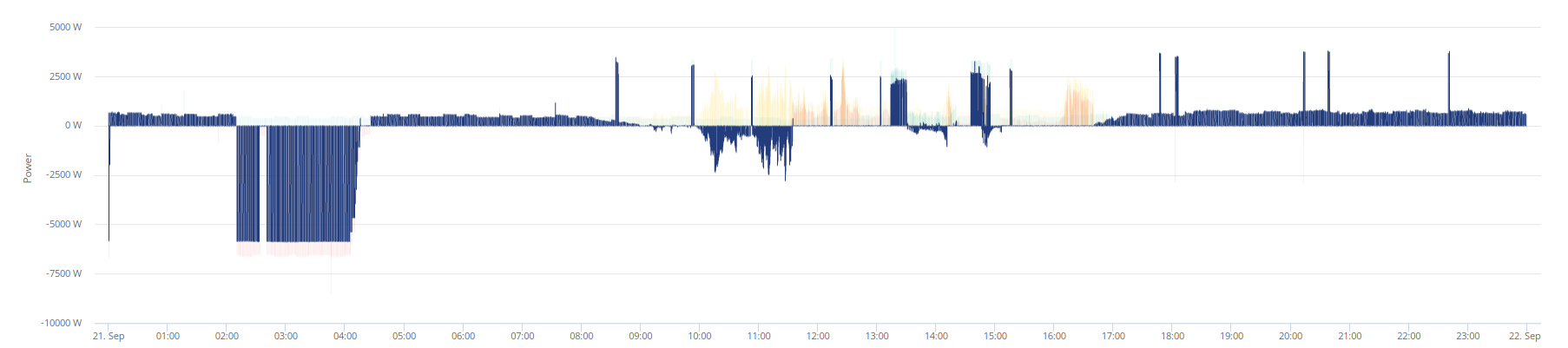
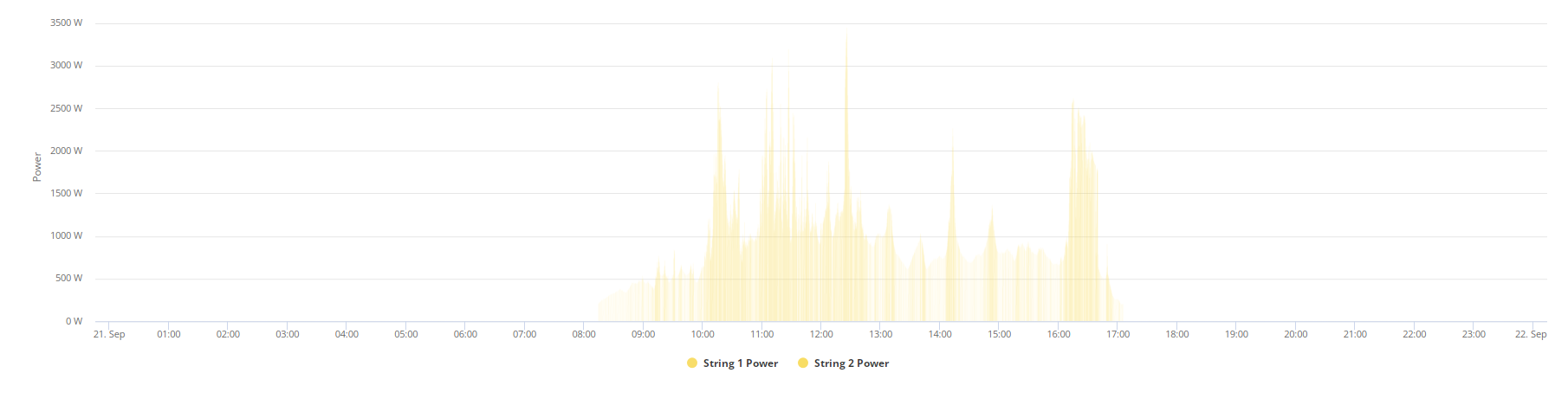
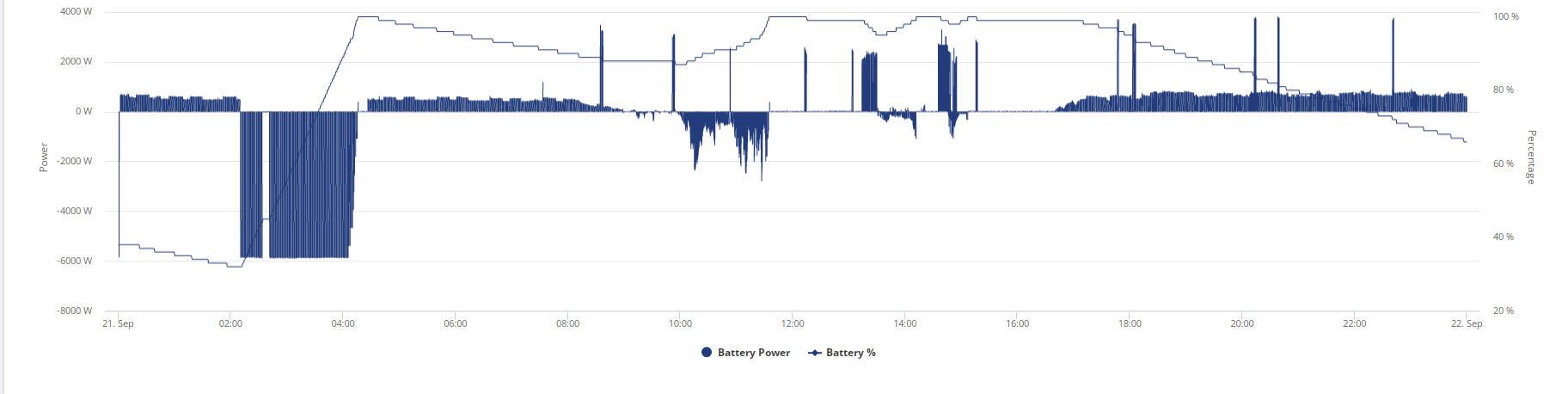
21st of September was the first time I ever had home assistant on for a full 24 hours (currently only have gaming PC able to use VM for it but that is an additional 60-80w draw idle) and the graphs are pretty useless to see visually as the transparency is weird.

I was wondering if anybody has the same.

General view
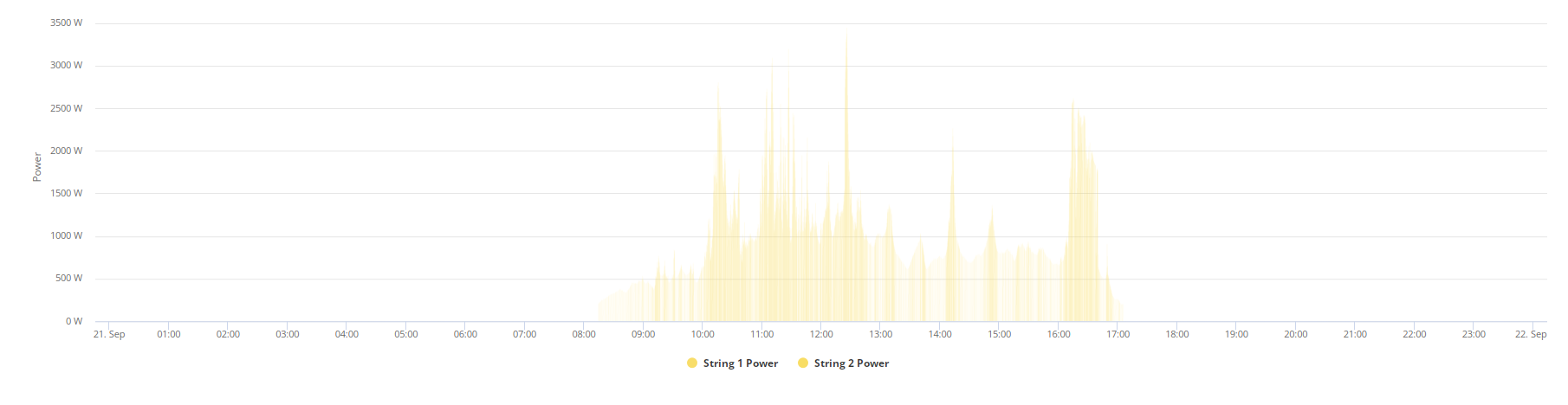
PV Data
Battery Data (seems to be only one that works)
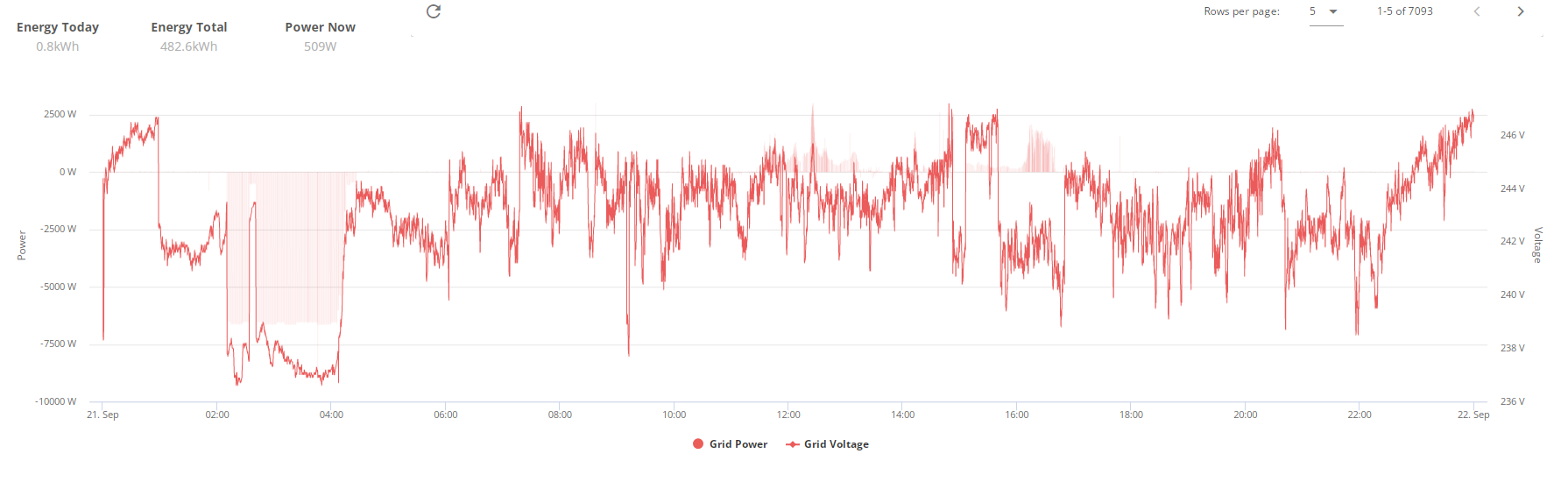
Grid data (Voltage is fine but grid draw is barely visible)
I was just wondering if anybody else has this issue running home assistant 24/7?

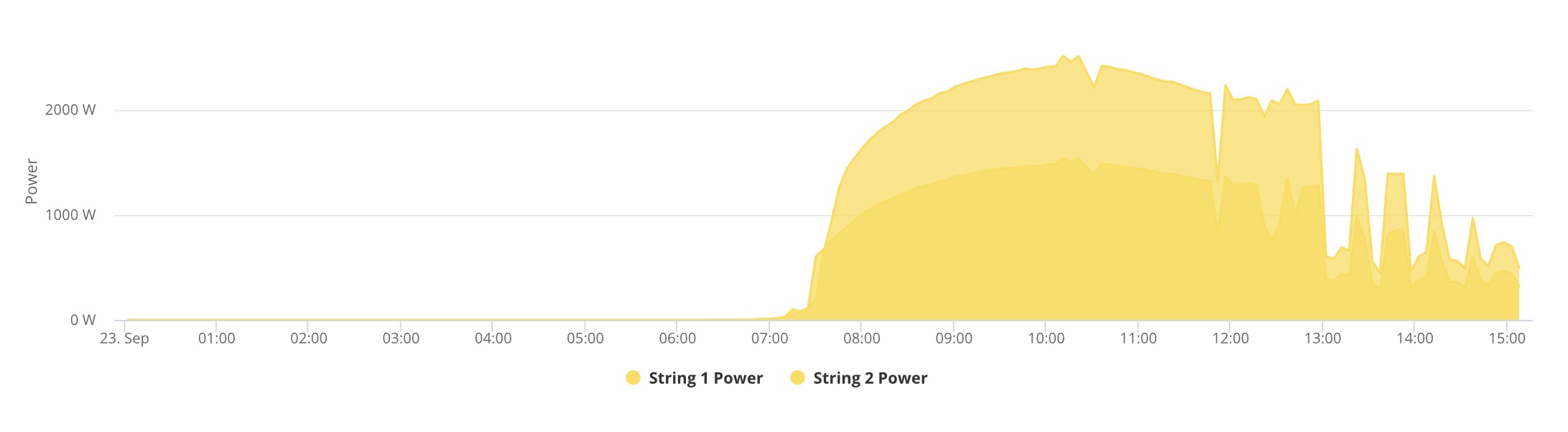
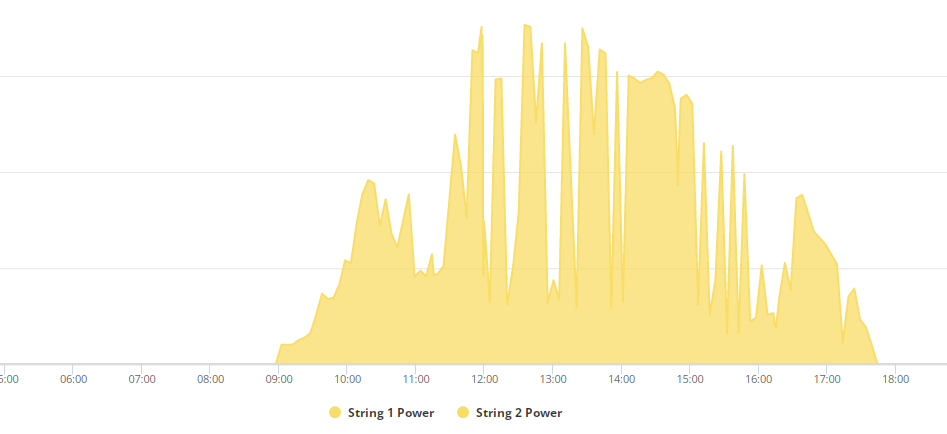
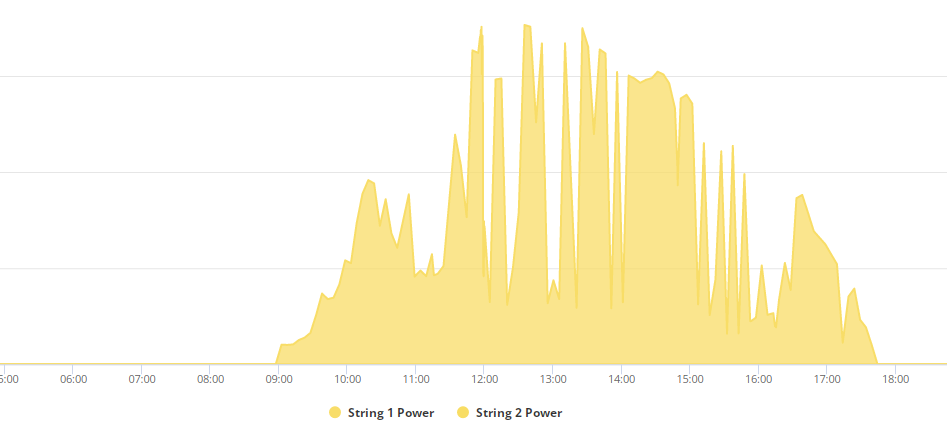
This is what PV data usually looks like for me, nice and solid
EDIT
Am I also alone in having constant issues of the graph blanking out when trying to zoom into a specific section.
V
#2 Vestas

Home assistant takes a snapshot of data every 15 seconds or so; portal does it every 5 minutes so HA data will be more accurate.

I'm not sure if that's what you were asking as I couldn't make any real sense of your post 🙂

J
#3 Jellybaby

Vestas Not sure how, I even put in a comparison for the PV Data, nice solid yellow clearly visible when not using home assistant 24/7, most of the graph on the chart is nearly invisible, only thing that looks solid is battery info and grid voltage, grid power is barely visible as well but the grid voltage is nice solid red as it should be.

24/7 home assistant PV data view

What it should look like

I was contemplating a thin client for home assistant but if im not going to be able to see anything on the graph on portal for info its pretty pointless.

I was asking those with home assistant running 24/7 if this is typical behavior where a lot of graph info is about 90% transparent.

G
#4 geoffreycoan

Jellybaby If you look at the GivTCP log I suspect you will find that you are getting errors connecting to the inverter. At a guess is your PC connected to your home network via wifi?
I found that Home Assistant would have occasional connection errors to my inverters despite the PC being in the same room about 1m from the router. I swapped to an Ethernet cable and it’s been rock solid.

Personally I find the data in HA is much more credible than that in the GivEnergy portal & apps. I have all sorts of weird data, probably due to having two inverters an a FIT array also generating electricity

J
#5 Jellybaby

geoffreycoan There are no errors, all the data is there, if there was data errors there would be gaps it wouldn't change the transparency of the charts, I see all the info if I drag my mouse across the graph but like the comparison PV Data graph I showed when going into inverter info its not solid at all.

Here is today currently, I have had my mobile phone in local mode for a while.

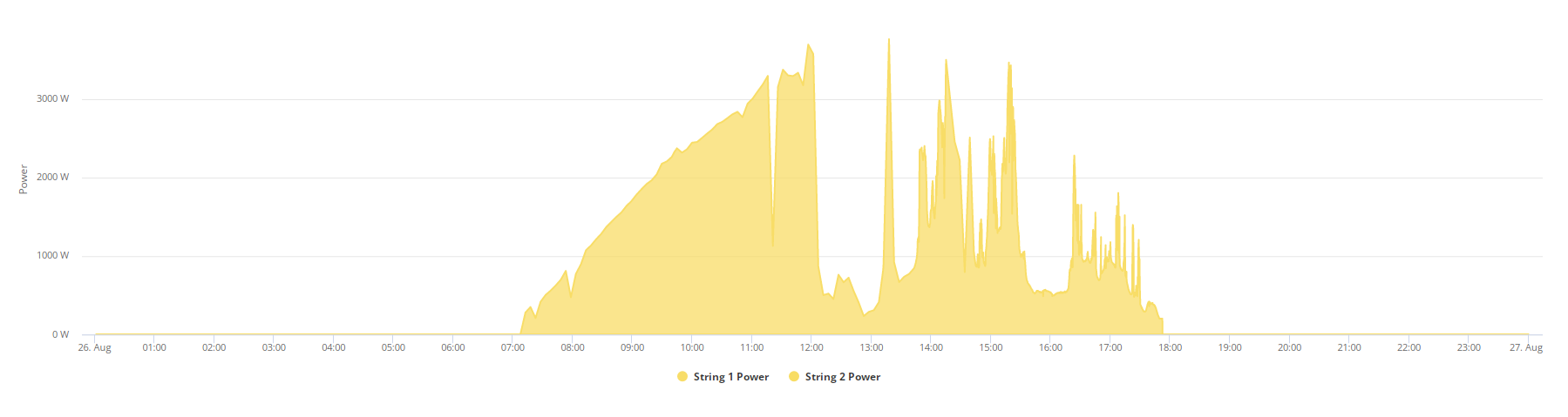
Here for example is 26th of August and I turned my gaming machine on just before 2pm and ran home assistant til around midnight

You can see its still solid for that period in home assistant and despite there being a lot more spikes and falls in PV data its there in the proper solid yellow color and not nearly invisible.

This shows 3,250 entries in Home Assistant but the date in question where the graph is highly transparent for nearly everything there were 7,093. I was just wondering for those that used home assistant and givtcp if this was a typical thing because my baseline personally is just one 24hr cycle.

G
#6 geoffreycoan

Ah ok, sorry I misunderstood, you’re getting transparent graphs in the GivEnergy portal when you’ve had Home Assistant running 24x7.
Sounds like the data isn’t getting reliably from your inverter to the GivEnergy and that’s why the graphs are showing as incomplete.

Check what the poll frequency is set to in GivTCP, the “self run loop timer”. I think the default is for every 5 seconds, mine is set to every 30 seconds and my portal energy graph is fine so data is flowing OK to the GE servers.
Also if you have your app set to Local mode it will poll the inverter every 10 seconds so this is probably also contributing to the inverters not being able to connect to the GE servers all the time if they are busy serving your HA and local app

J
#7 Jellybaby

geoffreycoan Local mode is VERY rarely checked, I only use it to get up to date when im at computer info or setting charge times and is closed after and never used when HA is running,

I did set mine to 5 but it NEVER gets that low it always refreshes at the same rate local mode does, if I decide to leave gaming PC on for an entire day again I might try increasing refresh rate although if it didnt change going down I dont think it will change going up.

5 minute intervals are all present on main portal page though so I think it was all getting through fine and as I said there are no gaps in the data its just not solid as you would expect and any issues in communicating would change the transparency of the portal graph info it would just leave gaps, if the info is getting there to be seen despite being extremely hard to see but able to view when you mouse over in the little tooltip its not going to be a communication issue just a display one.

All the info is there but only the battery and grid voltage are solid color as they should be.

Thought id ask others that run home assistant as well all day every day to see if they encountered this.