I'm on 3012 and ever since 2013 dropped I've had an update button. I've not used it because my system has been working fine. That button is today no longer present.
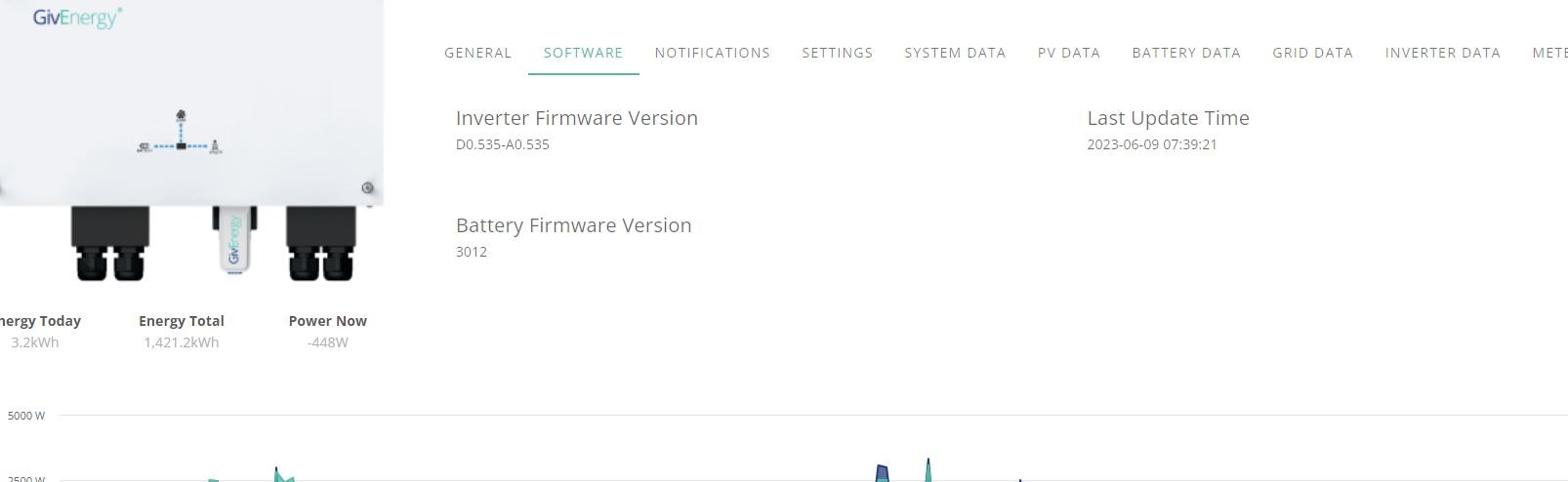
Is the system sulking because I've not done it?
Am I the only one?
Thanks

I'm on 3012 and ever since 2013 dropped I've had an update button. I've not used it because my system has been working fine. That button is today no longer present.
Is the system sulking because I've not done it?
Am I the only one?
Thanks
3013 has been withdrawn, I updated one of my batteries not the other and the update button I had has also disappeared
I wonder if GE would tell us why?
John
gwynnej3
Try my post here: https://community.givenergy.cloud/d/3111-combine-eco-mode-and-timed-export
I'm not the only one... My whole system (the battery part +BMS) has been down from the day it was installed with 3013.
After reverting to 3012, we got it to partially work, but there's still serious issues with that version as well. GE is working on it...
Thanks for that JMA. Luckily I never use timed discharge - only eco and timed charge and so 3012 works for me. I couldn't see anything I needed in 3013 and I didn't want the cost of 16.4kWh of calibration so I never touched it. Right deciison!
gwynnej3 and I didn't want the cost of 16.4kWh of calibration
If you kickoff the upgrade early morning on a sunny day when the battery is low after a night of use, it shouldn’t cost you anything for the calibration. That’s what I did. And I did wait before upgrading one of my batteries to let any early teething bugs (and there were some) in 3013. Only then there were later further bugs found.
I’ve had no issues with 3013 on my 5.2 battery but haven’t done the 9.5 and since the further issues were reported I wouldn’t upgrade either

If you get Givenergy support to update your firmware, they can do it without a calibration.