GE AIO Exporting excess Solar w/o charging empty battery

9 comments started 2023-10-08 last 2023-10-09
GivEnergy ProductsBattery
A
#1 ARW

Hi,
Very newbie AIO + Solar owner here; installation completed on Friday!
ECO mode engaged but nothing else enabled / everything default as I've yet to get the certs etc to change tariff.

Ever since the calibration completed, the battery has been on a slow discharge (to the home, mostly, but some to the grid).
Solar has covered the daytime household consumption, but almost all the excess generation has gone to the grid.
As I write, there is a mere 27W going to the AIO battery (currently at 6%), yet 20 times that going to the grid (for free, grrr!).

I'll talk to my installer on Monday, but too inquisitive wrt the new toy not to wonder whether there's a simple setting amiss or some such...

Anyone got any clues?
Thanks in advance!
D
#2 Daveb01

ARW

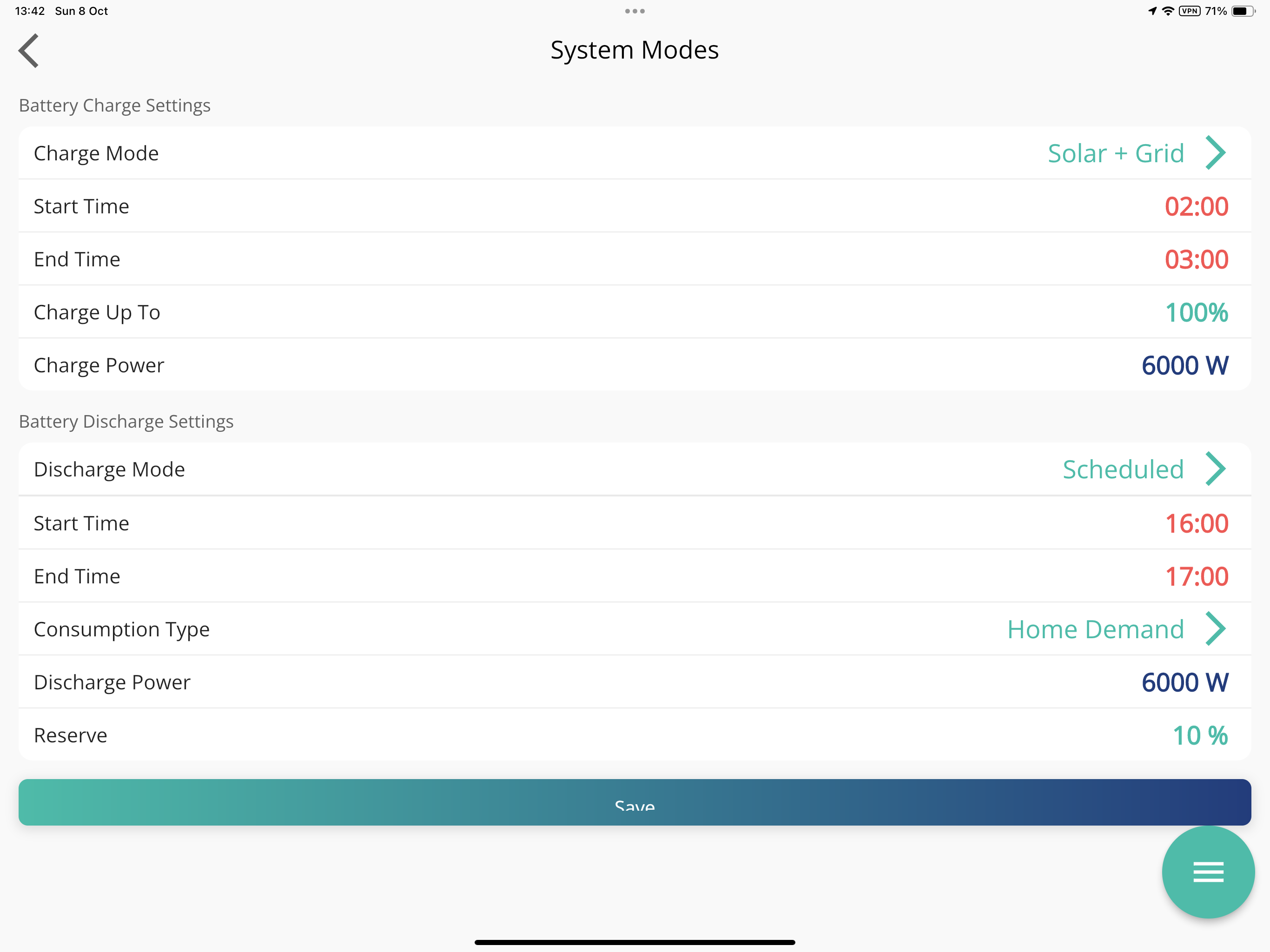
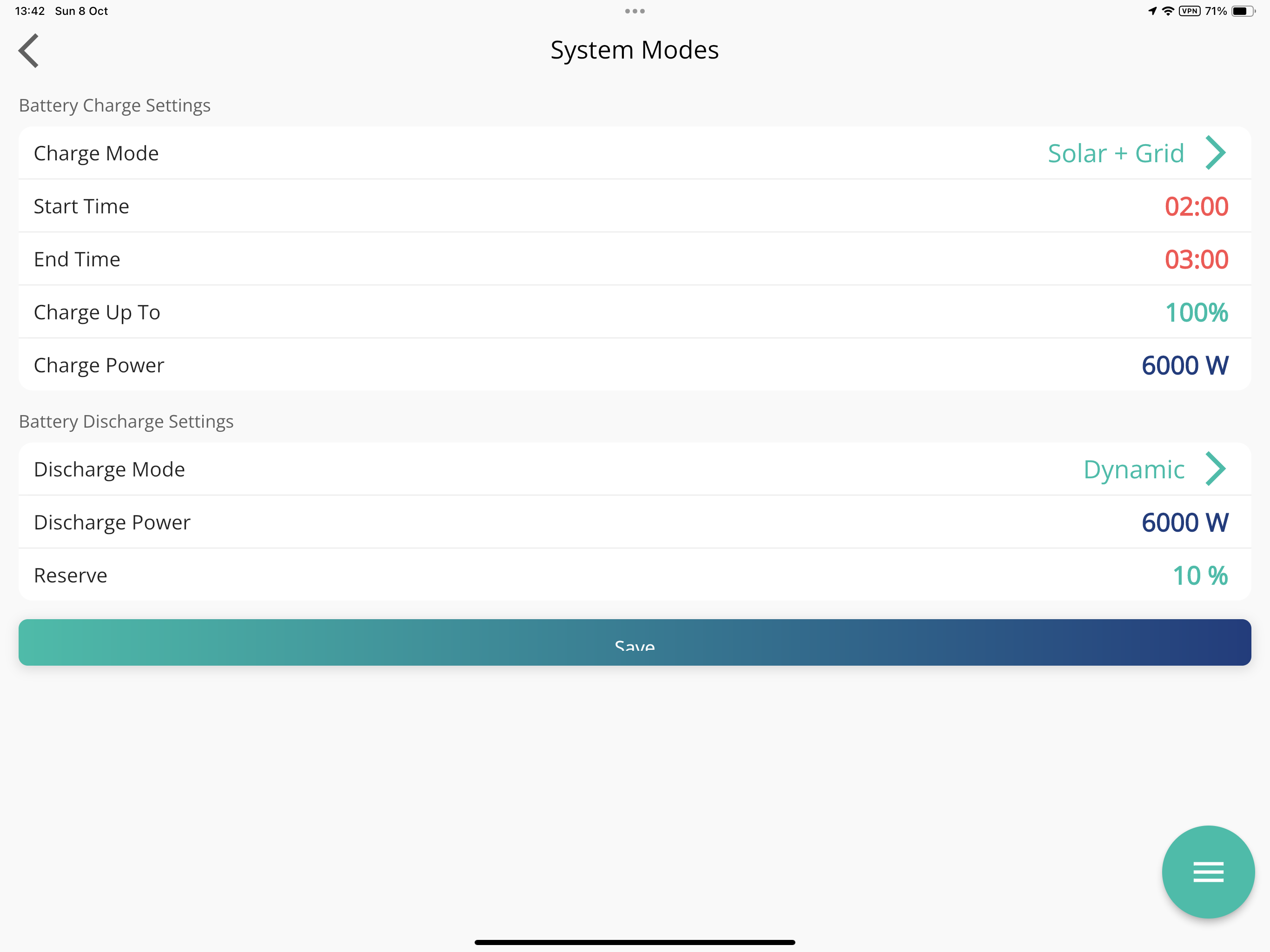
In the app, this is what I set mine to pic 1. When you get all the certs and want to export, you can change it to these settings pic 2. But not much sun durning the day soon as winter is coming, so I will just charge during the night so stop drawing from the grid during the day.

BTW, did you get a notification the battery commissioning had completed? In Notification Centre in app?


A
#3 ARW

Thanks!
I got the notification
"Thanks for waiting while your inverter calibrated its batteries. Your inverter will now function as normal"

Filling the battery from the grid (still on my pre-solar tariff) has no benefit, actually a disadvantage I think as a little of the battery leaks back to the grid, so I left the Charge-mode as solar-only for the moment. And discharge is Dynamic, exactly as you have it in the pics.

On a sunny day in October, with few significant household loads, I had expected the battery to charge from excess solar, in preference to export, on Eco-mode ... yet the opposite seems to be true.

Currently: Battery=5% (reserve=4%, default), Solar-to-Battery=32W, Export-to-grid=677W. Odd.

J
#4 Jellybaby

Have you tried clicking "Reset all settings" incase its an issue with settings. If its not charging from solar at all it could have been wired up wrong.

G
#5 geoffreycoan

ARW as said above, try reset to defaults in the portal.

Otherwise get your installer back as it’s not working properly. You may have the ct clamp fitted round the wrong way because excess solar should be charging the battery. You will often see a few watts of trickle either way as the inverter continually tries to balance house demand/supply, but excess solar should always be going into the battery until it’s full

A
#6 ARW

Many thanks @Jellybaby & @geoffreycoan!
The settings were (AFAIK) defaults already -- but I clicked to reset them a couple of hours ago as suggested: the AIO went offline briefly, and since then the flow as been 'normal'! Yay!

I can't see any settings differences from a cursory check, so I guess something might have been 'not quite right' after the firmware upgrades & calibration. (There was an issue with the first f/w update as the installer needed to call GE for a little remote intervention on something.) Probably always worth a reset after installation; I'll mention that to my installer.

Just now: Battery 11% and charging, with just a trickle out to the grid as mentioned above.

Many thanks for the guidance, much appreciated.

A
#7 ARW

Quick update: it seems to be 'a thing'; the installer has had one other report of this with the AIO, so if it happens to you, reset settings via the dashboard.

G
#8 geoffreycoan

ARW I have very occasionally found my inverter not charging the battery and a reset to defaults and potentially a restart fixes the issue. Others here have found the same

Glad it’s all working for you now

J
#9 Jellybaby

ARW Yeah, something may have wigged out and something might not have got pushed through properly so a reset kinda defaults everything again, always worth a punt as it does no harm considering there are not that many settings to change.

Glad its all going for you now though 🙂