Timed forced export if battery almost full

24 comments started 2023-10-22 last 2023-10-25
Home Automation
R
#1 Richard14

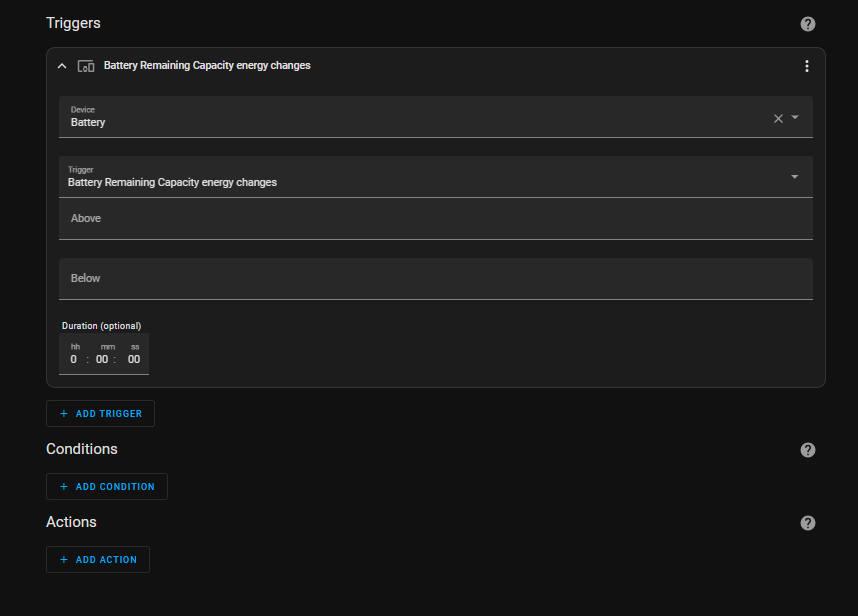
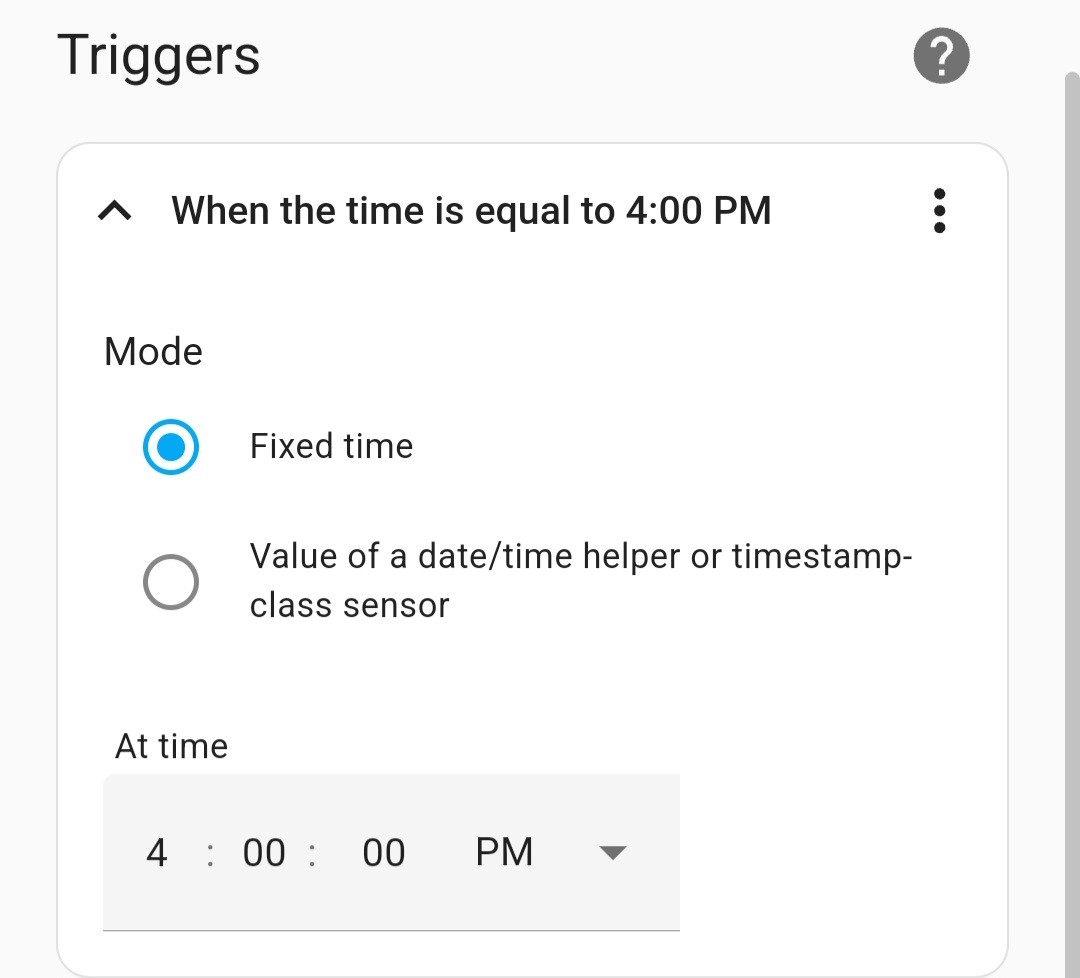
I am new to HA buy have it running on PI 4 with GiveTCP. It overcomes the issue on Gen 1 of not being able to recover from a timed forced export on the GE app. However I'm trying to make an automation to a forced export at 5pm if battery level > 95%. Got the trigger and condition sorted I belive but can't find the action to force an export. I'm sure it's simple but just can't see it. Any ideas ?
T
#2 TX200

Richard14 select device, then search for givTCP control

It'll be one of them in the list, look for something like mode if I recall correctly.

R
#3 Richard14

Richard14 thanks I'll give it go

G
#4 geoffreycoan

Richard14 you’ll need to set a discharge start and end time, eg 00:00:00 and 23:59:59

Then as said, set control mode to Timed Discharge

If you want to discharge for a set time, set the end time accordingly, or have an automation to monitor the soc and set mode back to Eco when it reaches the desired level

R
#5 Richard14

geoffreycoan thank you for that. I'll certainly try it out. Thanks again

S
#6 SteveCook

try looking at this automation and editing/building on it.
tell us how you get on plz

R
#7 Richard14

Thanks. I will check it out

R
#8 Richard14

Thanks for looking at this. Now bearing in mind, I really don't know what Im talking about, to me there seems to ba problem with this approach. As I understand it, there needs to be an action when triggered. That was the bit I was struggling with. Having said that though, I am hopefully close to a solution. I'll post it when I get there. Thanks again for your help though

T
#9 TX200

Richard14 the trigger is time based

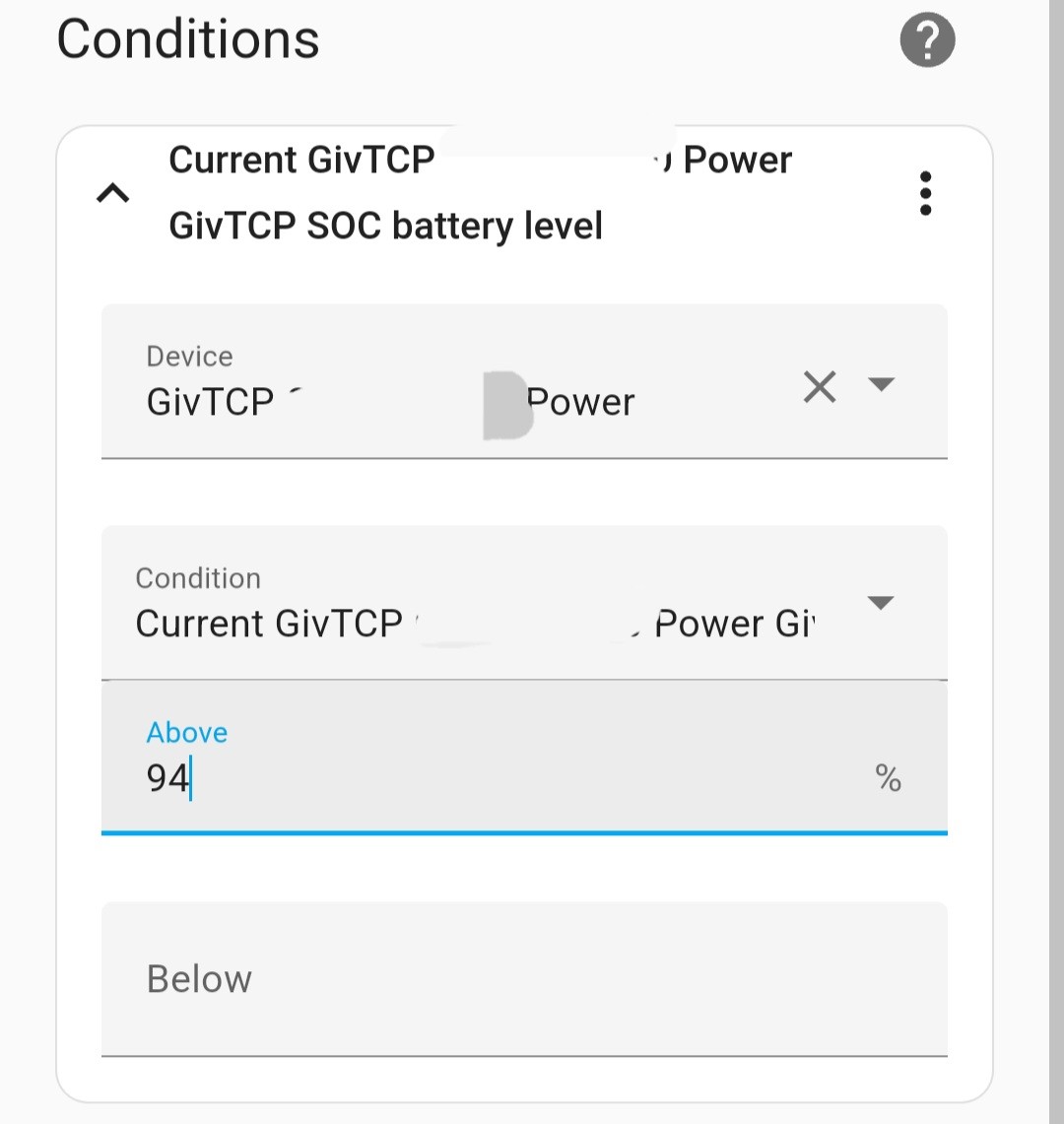
The condition is the battery soc is over 95%

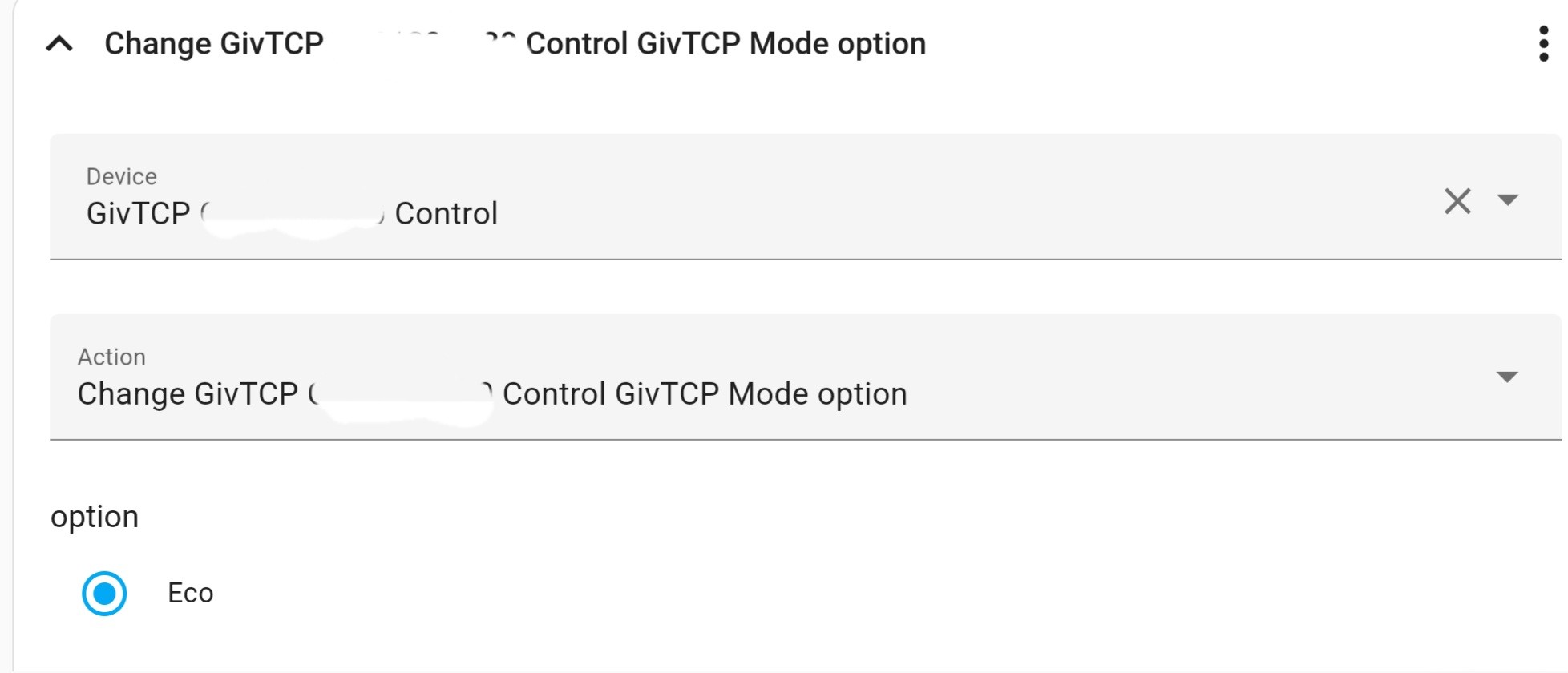
The action is a device, GivTCP [inverterserial] control with option ...mode = timed export

T
#10 TX200

Something like this I think, but with timed export or timed discharge rather than eco!

R
#11 Richard14

This all makes sense except where to I specify the duration?. I see there are times slots for start and end times, but I don't see one for duration. My intention is to have s6 of these set up, each with a 30 min duration covering the peak 3 hour slot. Whether each happens depends on the SOC each time which will depend on whether the previous discharge happened or not

#12 Cdent

Richard14 can you add a delay for 30 mins before the next timeslot kicks in?

T
#13 TX200

Richard14

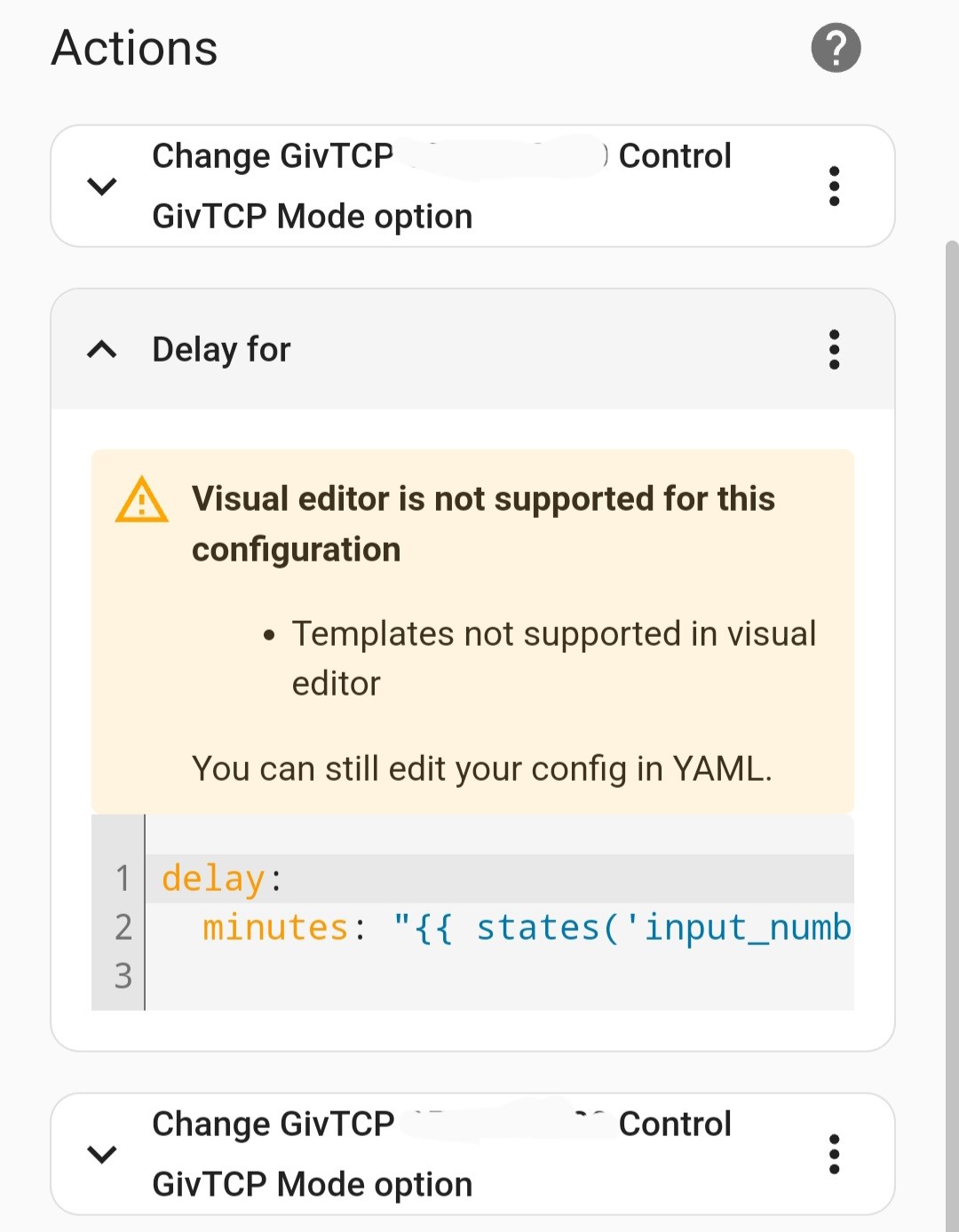
You can add a second action with a delay action for 30 minutes, followed by a third device action to change back to eco mode

Or a separate automation, for a specific time, that sets the mode to eco.

That could just say 30 next to the minutes, but I'm using an entity to hold a duration and updating that entity (number helper if I recall correctly) as required from a dashboard.

T
#14 TX200

The only other thing to think about is what happens if home assistant reboots or there's a power cut around the time you wanted it to go back to eco.

Might be worth having a separate automation that fires when home assistant starts up, that checks if the time is beyond say 7pm, and if so sets the system to eco mode.

Wether it'd ever be needed, who knows, but better safe than ending up with an empty battery?

R
#15 Richard14

Yes - good point. I am investigating this at the moment
Call a service 'Select: Select' on GivTCP XXXXXXX Control and GivTCP XXXXXXX Control GivTCP Force Export.
Apparently this should do exactly as I want, where the duration is put tin the option. I have tried it for 2 minutes, but it doesn't run. Still trying to work out why

service: select.select_option
data:
option: 2

G
#16 geoffreycoan

Richard14 on mine (gen 1 hybrid) you set the start and end discharge times then select the givtcp control for the inverter to Timed Export

R
#17 Richard14

thanks for that. When I get a moment I'll have another look at this

G
#18 geoffreycoan

Richard14 when you call the service select.select_option (not input_select.select_option, that doesn’t work 🙄) the data value you select has to match one of the option drop down choices. I just reread and it looks like you are trying to set it to "2" which it can't find

R
#19 Richard14

I have actually got it to go, and 2 is on the list I believe. The problem I have now is that when it comes out of it, the battery is in idle. I think I'm not too far from solving it I think but no time today (so my wife tells me!!!)

T
#20 TX200

Richard14 timed demand should return to eco' once the times set for discharge have ended. Timed export doesn't.
Or you just have a further separate automation with an explicit request to set it to eco at a specific time.

R
#21 Richard14

Ah. I see. Thanks. I'll give it a go tomorrow

G
#22 geoffreycoan

Richard14 ah there are two controls, and you can use them in different ways.

Givtcp_xxxx_mode is the main control mode for the inverter. Should normally be set to Eco.
If you set the givtcp_xxxx_discharge_start_time and end_time to the period you want to discharge and set mode to Timed Demand then at the scheduled time it will start discharging the battery, export any excess and switch to Eco at the end.
If you want to stop the discharge early set mode to Eco

If you use givtcp_xxxx_force_export this takes a time period in minutes so 2, 5, 15, 60 etc and will export straight away for the specified time period. No ability to forward schedule.
And to cancel the discharge early set force_export to Normal or Cancel

And yes I'd definitely advise setting mode to Eco as a failsafe as well

R
#23 Richard14

Excellent. Thanks so much for the info

P
#24 Pandorian

Just to help people a little Timed Discharge and Timed Export are really wrapper functions and not necessarily intrinsic to the inverter. You can see what the wrapper functions do here:

https://github.com/britkat1980/giv_tcp/blob/main/givenergy_modbus/client.py#L369

My advice, is to do the following:

  1. Set the device into Eco mode (Portal->Settings).
  2. Set the Timed Discharge (Portal0>Settings).
  3. Set the Battery Discharge Power (Portal->Remote Control).

You can do all this using GivTCP if you wish, but be careful of the order in which you do it in GivTCP.

In your automation, all you then need to do is check for SOC > 95% and if set use the Enable Discharge function. After the discharge schedule is complete it will return to ECO/dynamic/home demand mode.