Octopus intelligent go

24 comments started 2023-11-26 last 2023-11-30
Forums/Meta
S
#1 Steph

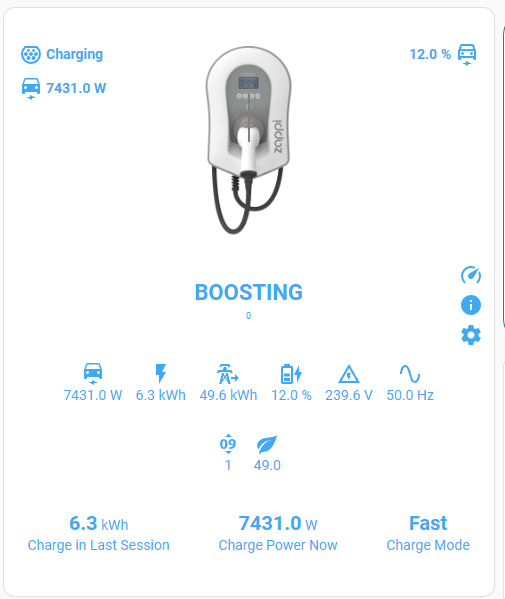
I changed Octopus tariff last weekend to Intelligent, linking via car rather than house batteries. Last night the car needed a big charge, as I had made a long journey yesterday. House battery was set to charge to 100%, as was the car battery. At 8am the car was fully charged, but only 5% in house batteries! Any thoughts on what I could have done wrong please? (Car charger is a Zappi)
S
#2 stevelewis

Steph you need to pause the battery when charging the EV outside off-peak hours - or better, to up the battery at the same time. Automations exist for this exact issue.

J
#3 Jon-boy

You say House battery was set to charge to 100% but did the house battery charge window match the Car charge window. With IO-Go the car charge window can be outside standard 23:30 - 05:30 so as @stevelewis says you need to charge or pause house battery otherwise it will drain into car. Automation is defo the way to go.

N
#4 NSR2

I've a simliar setup. But my Zappi was installed after my batteries / inverter.
The grid connection CT for my batteries is after the Zappi connection. So my Giveenergy system doesn't see zappi draw power from the grid.
This works really well, except my givenergy data for import isn't correct.

S
#5 SimonClarke

NSR2 yes that’s the easiest to me. Octopus will show all the import. Not sure automation will suit you! Or the postman!

R
#6 Rogerbu

My house battery charge is set to 11:30 - 05:30. Car charges are controlled normally within those same times by IO - all good.

Occasionally, Octopus App Device tab tells me that it will be charging outside those slots, I then manually set the house battery charging times to match IO mapped times - as 'all Smart Charging is billed at the off peak rate' according to Octopus App - Charging Explained.

The other night I had a late mapped 08:00 to 08:30 slot and the car charging went on till 08:56. I believe that this overun time was also priced at overnight rate.

D
#7 dcsh

I normally tell octopus to have the car ready by 0530, so that it doesn’t continue charging after that and discharge the batteries which are set to charge 2330 to 0530. Obviously if the car is really low and plugged in late at night you will need to make sure you are going to have time to ready your desired charge level.

A
#8 anglefire

I have home assistant and Batpred, which manages the battery charge/hold automatically - if an additional slot is available it will (This time of year anyway) charge the battery during the time - once the battery is full, it will hold the battery full and import from the grid at cheap rate.
I appreciate that not everyone wants to have HA, but if not it does seem to need a lot more manual intervention to either stop the battery charging the car or missing out on the cheap slots.

J
#9 Jon-boy

anglefire I already have HA and I have started to read about Batpred and it looks interesting. I am nervous about installing without full understanding or ability to control. I would like to have it installed in say "passive mode" where it can produce its BEST scenarios without actually doing any active changes to settings to start with. Then when I have confidence its going to work then make it active. Do you know if this is possible?

A
#11 anglefire

Jon-boy Yep, you can do that I believe as there is a read only option. But other than that you can just not tick the relevant boxes. I don't use it to force discharge - because the solar diverter sees the export and heats the hot water! Something I have to sort out, but not got around to it yet!

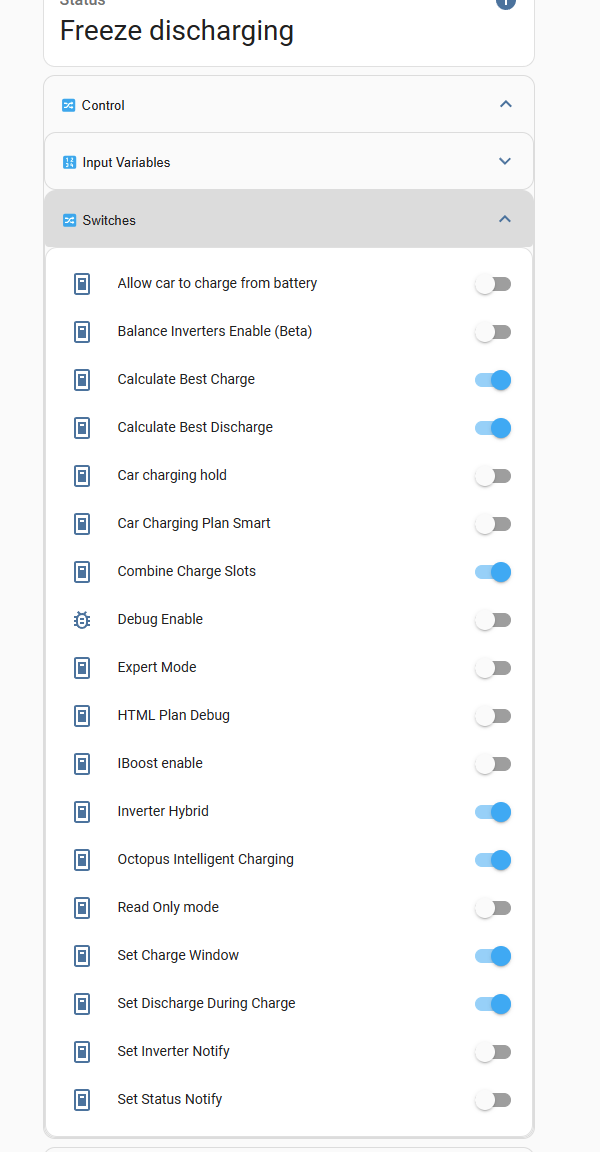
These are the options

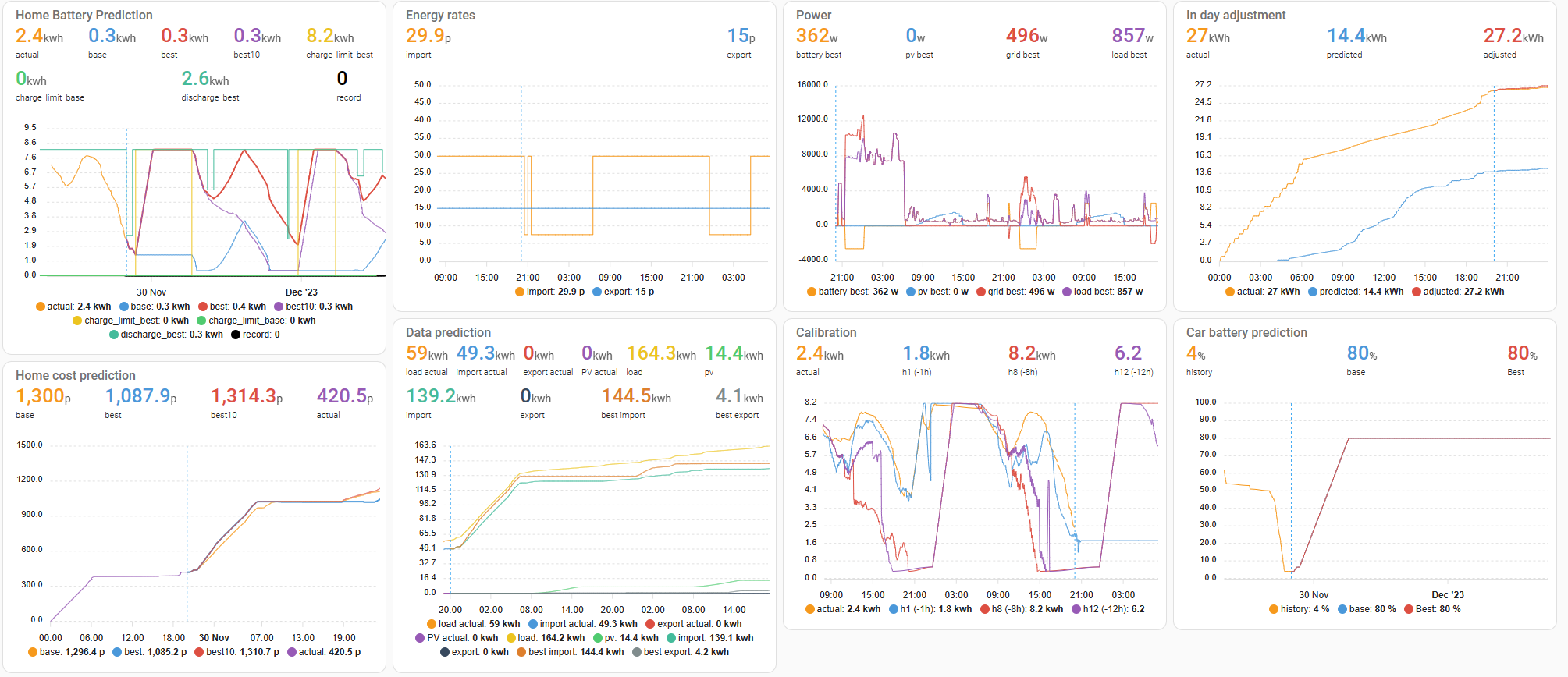
And these are the charts that you can get out "As standard"

I've yet to work out what some of them tell me - but frankly, I'm not overly bothered as long as it charges the battery at the right time and doesn't discharge it into the car!

D
#12 deanjesper

It’s worth to note that if you have an Ohme charger, IO doesn’t show as “on” via the Octopus API as Ohme work out when to charge your car based on data from Octopus and then report back to Octopus after your car has finished charging. It’s really frustrating, so if you want to pause discharge with Ohme then you can’t.

A
#13 anglefire

deanjesper Glad I went for the Zappi then! Actually two reasons, 1 the GE charger isn't on Octopus's list for installing (Or wasn't a month or so ago anyway) and I needed an untethered one as I needed a 15m cable to get it to reach the car. Or one I could rewire.

D
#14 deanjesper

anglefire yeah I wish I had a Zappi. I’ve been trying to get Ohme to engage to integrate with GE but they don’t want to talk.

A
#15 anglefire

deanjesper Oh that was the third reason for not going with Ohme as there is no way I know of to integrate and get the data out of it for visualisation and other use,

Can do this with it: 🙂

S
#16 stevelewis

deanjesper use a Shelly EM to monitor the Ohme charger instead. I have this working nicely with my code at www.github.com/salewis38/palm - much easier to set up for Intelligent Octopus than HA/Predbat - horses for courses!

A
#17 anglefire

stevelewis I already had HA - and Predbat took a few minutes really. Some of the updates to the Octopus integration has broken it a couple of times and took a bit more time to fix, but not that long.
Zappi and Wallbox being very easy in Predbat as the sensors are very simple to setup (Pretty much preconfigured) as was OIG - automatic in the main.

But as you say, horses for courses!

D
#18 deanjesper

stevelewis I think that has to be wired in which is more cost and faff!

S
#19 stevelewis

deanjesper it can be powered from a standard plug, as long as its housed in a suitable enclosure as it has exposed terminals.

D
#20 deanjesper

stevelewis where have you got yours installed?

S
#21 stevelewis

deanjesper the CT for the Shelly is on the tails to the EV charger, the Shelly itself is powered from a lighting circuit, in my case but could as easily be run from a plug instead.

D
#22 deanjesper

stevelewis in the meter box or CU?

S
#23 stevelewis

deanjesper it needs to measure current to the EV only. Location will depend on your setup.

D
#24 deanjesper

stevelewis yeah just trying to understand how it would work, my Ohme is next to my meter box outside but there isn’t a power source in there, surely the clamp needs to be connected to power?

S
#25 stevelewis

deanjesper the CT clamp has about 4ft of cable to THE shelly EM itself, which needs to be mains powered and communicates over WiFi.