Do NOT update to battery 3015 if using givenergy-local in Home Assistant

39 comments started 2023-12-07 last 2024-01-02
GivEnergy Products
A
#1 andyn

I've discovered the hard way that this also includes an upgrade to the inverter firmware that either I missed or was not actively mentioned in the portal prompt to upgrade, and is not mentioned in the battery firmware changelog here: https://kb.givenergy.cloud/article.php?id=22.

This update affects the modbus API used by givenergy-local, and so far I've not found a workaround - it seems to require a significant update to givenergy-local (see this issue: https://github.com/cdpuk/givenergy-local/issues/61).

It seems best to either ignore the update to 3015 until givenergy-local is updated, or to switch to givtcp (with all that entails) as 3015 will make givenergy-local non-functional.

If anyone knows of a way to workaround this if you have updated to 3015, please post here, thanks. I'm also about to look into whether it is possible, and how to revert the software update.

D
#2 DD

andyn s not mentioned in the battery firmware changelog

I see there is mention of a coming inverter firmware upgrade - eg for G3-hybrid it mentions A306 and A307 (dated 13/10/2023 "coming soon to portal") - I'm on A305.
Release notes say it was 305 that updated the comms, requiring app update.

A
#3 andyn

I found this:

https://kb.givenergy.cloud/article.php?id=92

which refers to "Local connection security verification enhancements (Requires latest App update)". Is that what you are referring to? There's a similar reference on the G2 changelog.

It does seem a likely candidate, though if so it doesn't clearly warn of a risk for API access, and of course (at least in my case I wasn't aware I was also upgrading the inverter fw (I can't be sure that was or wasn't stated, but if I'd seen such a statement I'd have been more cautious. We know for next time, but it seems GE should make this clear/clearer.

#4 hoggy

Yes the later inverter FW will break Givenergy_local because it does CRC checks on the modbus commands. The modifications needed to modbus library it runs on are yet to be (and sound unlikely to be) done by the author any time soon.
Even more unfortunately as you've discovered the firmware update can update both inverter and battery with no option to opt out of either.

It is purely the inverter FW that causes it, I have 3015 on an old Gen 1 running on it fine still in HA.

D
#5 DD

andyn Yes, that was the one. I'd heard that they made the crc mandatory, to try to avoid concurrent requests getting misinterpreted, or something.

S
#6 SteveCook

hoggy
Hoggy
Is it worth me updating my setup - Gen1 Hy 5.0 and 9.5 battery - and did it go OK.
I was on 3012, went to 3013 and then GE told me to go back to 3012 which I did

#7 TheDragon (GivEnergy)

BMS upgrade will NOT change homeAssistant.

Inverter update could, in the settings of GivTCP, check is New Firmware option

A
#8 andyn

hoggy So if I've understood correctly, if I can roll back the inverter update from 912 to 909, staying on 3015 with 909 works ok?

A
#9 andyn

TheDragon (GivEnergy) Hi, I'm not using givtcp I'm afraid (and migrating to it is not practical), this concerns givenergy-local which is a very different integration.

It seems from comments above, that it is the inverter fw update which introduces the change that breaks givenergy-local (but not givtcp as they have implemented the necessary code in their version of givenergy-modbus for the CRC checks).

It appears I am going to have to see if support can help me roll back to 909 (or 909 and 3012 if I need to). Massive pita to be honest, has cost me hours today and looks set to cost more :-(

#10 TheDragon (GivEnergy)

andyn No idea what this givenergy-local is. If its old code, it wont be supported going forward for any new inverter. As CRC checking is mandated now.

The breaking change was 909-910

  1. Optimize CRC issues in 0x10 multiset register
D
#11 DD

TheDragon (GivEnergy) it's an application based on givenergy-modbus. While once upon a time there was an official version of givenergy-modbus (in that it was on a github repository owned by givenergy), that copy seems to have rotted, and now there are multiple forks around the place.

IMHO we should get back to a single, blessed copy of that which other tools can then build on.

#12 hoggy

SteveCook depends if your having any issues. If your not having SOC drops or slow inverter reactions to load then I'd leave it well alone.
FW updates have historically only brought fixes to certain issues - if your not having issues then you probably don't need to worry about updates.

#13 hoggy

andyn 3015 + old FW should work fine. I do recall there being a point of no return for firmware at some point so it might not be possible to roll back.
It was around the time of the CRC check thing so you might be stuck. @TheDragon (GivEnergy) will know if it's possible.

A
#14 andyn

DD yep, specifically there are two Home Assistant integrations, givtcp and givenergy-local. Both sre current and maintained.

Personally I prefer givenergy-local as it is simpler, and native to Home Assistant, while givtcp is an HA add-on (difficult for me to use as I use HA 'Core' and requires mqtt. It appears to me at least to be more complex and feature-rich, but with features amd complexity I don't need.

HA integrations are encouraged to build upon external libraries rather than include code themselves, for reasons of maintainability, compatibility, longevity etc. Unfortunately as the original modbus library appears to have been abandoned this has left givenergy-local adrift while givtcp has chosen to 'roll their own' library. Sadly this isn't in a format other projects can leverage. So the library is the 'old code', with givtcp only functioning because they forked a kind of proprietary version inside their project.

I'm no expert but that's my understanding at least.

A
#16 andyn

hoggy Thanks, though that could be very bad news :-(

It will likely take weeks to move to givtcp and I'd really rather not - I chose givenergy-local as it suits my needs better, so it will be like solving a delicate yet simple problem with a complex hammer :-)

What do you think about rollback @TheDragon (GivEnergy)?

#17 TheDragon (GivEnergy)

andyn If you wish to revert to D909-A909, then please email into support, so its logged.

Older firmware contains bugs and performance issues.

So if you wish to revert, we need this officially logging

#18 TheDragon (GivEnergy)

Or, ask the owner of your integration to correctly implement the ModBus protocol

#19 hoggy

TheDragon (GivEnergy) they can't, the published library owned by Givenergy hasn't been updated on Github.
Britkat has his own version internally that would need merging. I have no idea who owns your Givenergy Github, used to be Martin K.

A
#20 andyn

TheDragon (GivEnergy) Will do, but of course I was on that older version yesterday and it was good enough so older and working is better than newer and unusable (except manually which is tricky given how much else interacts with it).

A
#21 andyn

hoggy yes, plus of course I need a solution now, and whether the original is updated, or the integration owner incorporates a fixed version into ihs integration (which is poor practice for a bunch of different reasons but may become necessary for the integration to survive), it will take some time, so rollback might be the only solution right now.

That said, I just found a community post where someone claims to have bodged the givtcp version into givenergy-local - we'll see whether that bodge is shareable if they reply to me 🤞 :-)

A
#22 anglefire

Any reason why you are using Givenery-Local in HA and not GivTCP? I just looked at the Git for it, and it does say its Pre-Release?

A
#23 andyn

anglefire it doesn't say that, it says that the original version of the givenergy-modbus library, which both givenergy-local and givtcp were built to leverage, has since not been updated.

As has already been mentioned givtcp took the decision to modify the library and include it in their own code (which is an understandable but far from ideal approach).

Givenergy-local has managed OK so far but this latest change in the API has left it non-functiomal. It works absolutely fine up to 909.

Local is the best solution for me - the two are fundamentally different solutions, and givnergy-local is no less mature than givtcp as far as I can see. Both need updates if and when new GE hardware or functionality is made available. It is however simpler and to my eye the functionality fits Home Assistant and the automation I need.

The developer of givenergy-local is considering using a pre-release update of the library to solve this problem (out of necessity) which is probably where you got 'pre-release' from. This is effectively what givtcp has already done. Not ideal but both developers are between a rock and a hard place. It would of course take them some time to make this happen though.

That said it would be technically possible to migrate from local to givtcp, except this would take weeks I don't have weeks as things are broken right now, so a rollback is the only option unless someone has a workaround that can see givnergy-lkcal users through until either the library is properly updated, or they can make the non-trivial move to what is at least for me a different and inappropriate soluton (givtcp).

I'm told that GE themselves originally maintained the library and no longer do, but whether or not that is correct and why that happened, it is what it is.

Clearly the ideal would be that the library is updated and maintained so that both givenergy-local and givtcp can rely on it as they should, and perhaps this pre-release version (no idea who is behind that) is a step in that direction, but that's all there is right now.

I've already covered all this already, but perhaps that makes it clearer.

A
#24 anglefire

Yes it does thank you.
Britkat who is the author of givTCP works with GE to update as and when required and has added the charger to the code.

The update to include the security element by GE is probably to be compliant with the latest regulations. https://www.gov.uk/government/collections/secure-by-design

It seems to me that GE working with one person for the HA side at least initially is sensible.

A
#25 andyn

anglefire There's not one person/group/developer on the 'HA side' though, there's a large community with different needs and priorities, and we (and GivEnergy) are fortunate that two viable add-ons have emerged to cover that.

Had the library been updated, givtcp/Britcat would not have needed to work with GivEnergy at all, but its fine if he wishes to, and there's nothing stopping GE and the developer of givenergy-local working together too (if they need to - there may be no need). I don't know what working together means anyway, it may just be being in contact and providing documentation, something GE could do with any number of developers, just as many other companies who foster a 'developer community' do all the time.

The background behind the change is interesting but not particularly useful in resolving this problem, it is what it is, security, nice to have or anything else updates of integrations that use the API are needed. It doesn't really help me get back up and running.

As for EV chargers, the vast majority have no need for it as yet,, but its great that for those who do, there's a solution.

There's no competition or race here between integrations, and no need for either users or GivEnergy to back just one horse (in fact that wouldnt be at all wise), just a difficulty to be solved as constructively as possible. Next time it could be users of givtcp finding something isn't supported, while it is fine in givenergy-local, or even a 3rd integration or a different smart home platform.

Perhaps this could inspire GE to develop some way of better supporting developers collectively, such as dedicated comms when changes are made to APIs, documentation, maybe even maintaining the modbus ibrary again. There will be many out there beyond Home Assistant I'm sure, not least the likes of electricity suppliers, other EV manufacturers, other smart home systems and so on. At the end of the day those who purchase GE products will benefit from that.

But that is for another thread 😁

A
#26 anglefire

andyn There's not one person/group/developer on the 'HA side' though, there's a large community with different needs and priorities, and we (and GivEnergy) are fortunate that two viable add-ons have emerged to cover that

Whilst this is true overall for HA there is typically one or two people involved in the smaller integrations.

Have to confess, I don't think I have heard of the one you are using before - but probably because I have been using Givtcp since I had my system installed very nearly 2 years ago and have no need to look anywhere else!

But I don't disagree that having more than one solution is no bad thing. I would also say that the likes of Octopus would use the official API's and wouldn't be using any modbus calls directly.

A
#27 andyn

anglefire Whilst this is true overall for HA there is typically one or two people involved in the smaller integrations.

Well yes, though I don't think that is too important. Givenergy-local has 4 contributors while givtcp has zero according to github yet I'm pretty sure givtcp is the 'bigger' integration. Though that does highlight the need to back more than one integration - if givtcp has one major/prolific developer then they have done a great job but one day they may not be able to support the integration anymore.

Octopus would use the official API's and wouldn't be using any modbus calls directly.

The difference here isn't official/unofficial as far as I can tell, its local/cloud - they would obviously be using a cloud-based http API right now, but if they ever wanted to leverage e.g. the Octopus Home Mini/Pro for some imaginative purpose, they might want to use Modbus instead.

An EV charger, EV (e.g. for bi-di charging), IHD, solar manufacturer, alternative home automation or commercial building management system might want to use modbus or some other local API for the same reason.

There are also some changes that would affect any API, such as changes in the data/data format they provide, so like I said there's benefit to GE in fostering 'development' generally rather than links to one particular integration (givtcp) for one particular software solution (HA) in one particular field (consumer home automation).

#28 hoggy

andyn There was a GE developer forum years back (where GivTCP started & also the original author of Givenergy_MObus library - neither of which are GE employees, purely community driven all this stuff) it is since abandoned / deprecated but did include (now out of date) Modbus documentation from GE. I think Britkat just talks directly now.

A
#29 Arg0t

GIVenergy have no obligation to provide the platform for the third party integration or liability in the stability of those solutions, we should all understand that they can go away at any time when we chose to implement the non commercial and community provided solutions in our setups.
In this instance GIVenergy have increased the security of their platform as the historic implementation, without the CRC validation, allowed occasional writes to the wrong registers on the inverter which exposed risk to GIVenergy. As some who experienced a support instance when a write to a register resulted in a forced calibration, I appreciate that they closed the gap whilst still supporting community solutions.

HA integration is a convenience solution for advanced users, it's not part of the sales documentation or service offered by GivEnergy.

A
#30 andyn

Arg0t I don't think anyone has implied otherwise but yes of course this is largely true (I say largely in that I am quite sure that GE (much like other hardware vendors) would be and I'm sure are more than happy to point to these community solutions as a product advantage). It is also the case for things like this forum, or haing a member of staff participate in Facebook groups - there is no obligation to do so, but I bet the sales guys are glad it happens.

It is a shame that it was not obvious (I'm not sure whether I missed something or it wasn't stated at all) that the battery firmware would also update the inverter firmware, and that the inverter firmware would potentially break code not prepared for the CRC checks, but I'm sure GivEnergy are as keen as any of us to avoid anything like that happening again.

I'd really like to keep this thread on topic though, I created a separate thread to make sure others did not end up in the same position and to find a fix. There is a problem and while it may not affect many others yet, it will do, so it would be great if a fix could be found - that's the topic (including understanding the history and how we got here, which may help find that fix).

We're part way there knowing how to ask for a rollback, we know the cause of the problem, and personally I'm looking elsewhere at how to get the integration updated to work, whether through short-term bodge or an eventual update that fixes things in a sustainable way. It would be great if the next post in this thread got us closer to a fix.

A
#31 andyn

A quick update, I've chosen to stay on the updated firmware while the developer if givenergy-local tries to update to support the new CRC checks. That has meant manually controlling the battery which is a real pita so not sure how much longer I can do that - obvs as a volunteer the developer will work at whatever pace he feels able to. However there is promise as it does now read data briefly before the integration fails again, though write actions are not functioning at all yet.

I've also out of desperation (and very reluctantly for reasons provided above) tried to install GivTCP and MQTT. As already mentioned I use HA Core so the add-ons are not available to me. That took half a day and failed, mainly because there seems to be no relevant instructions anywhere to get this working. The best I found were old and for Windows. Happy to try again if someone can steer me to better guidance, but not interested in opinionated people telling me and others we should be using their preferred choice of integration - enough time has been wasted on that in this thread.

Today I've noticed there is another new firmware update available though I can't see what it provides, and the GivEnergy changelog referred to in the first posts of this thread doesn't appear to have updated. Does anyone know what this update is/does?

Obvs I don't want to make things even more complex, but if it fixes issues in the recently introduced CRC code (if there are any) it may be helpful to getting givenergy-local working again.

I'm assuming GivEnergy are sadly not interested in fixing the original library so that anyone can use it, and prefer to let Britkat (GivTCP) do that work for them. Let's hope he maintains his interest in doing so as it seems a pretty risky single point of failure, and this will obviously limit the chances of any software being developed/innovated beyond GivTCP itself in the future.

#32 PianSom

andyn I've also out of desperation (and very reluctantly for reasons provided above) tried to install GivTCP and MQTT. As already mentioned I use HA Core so the add-ons are not available to me. That took half a day and failed, mainly because there seems to be no relevant instructions anywhere to get this working.

I’m a Core user, with Docker containers for HA, an MQTT broker, GivTCP, appdaemon (for predbat), my solar inverter etc. It works perfectly well, and I’m very happy with it.

it’s really not that bad, though there is some learning curve. Get it all set up slowly, rather than trying to do everything at once. I suggest using docker and docker-compose.

Give me a holler when you get stuck.

A
#33 andyn

PianSom Thanks, good to hear it can be made to work and I very much appreciate the offer - I may take you up on it!

I'm at the stage where I'm cautious about diving back into the docker approach again unless I can find a clear guide for the installation. I run other docker containers fine and use compose etc for those, but I'm not 'comfortable' using docker, so don't find it particularly intuitive yet (I often find things work or dont work yet have no undrstanding of why, or what the purpose is of the commands I'm blindly typing in :-) ). I suspect it would take some time and back and forth to get it going without a guide of some sort...

Including reconstructing my automations and perhaps even the underlying logic to work with GivTCP it will be a big investment, so it may be that I wait until later in the year when I move everything to HAOS and new hardware (another big investment in time) before I can try GivTCP again using add-ons (though I'd only do that if I'm forced to give up on givenergy-local).

A
#34 Arg0t

andyn

Here is a docker compose that can be used as a base for your deployment, it spins up HA, Postgres, Zigbee2Mqtt, GIVtcp, Eclispe MQTT broker and Appdaemon.
Add your relevant URLS & IPs for HA, IPs for inverters, change volumes to your storage schema.
Delete the sections for the containers you do not want.

services:
  postgres:

    container_name: "postgres"

    command:
      - "postgres"

    entrypoint:
      - "docker-entrypoint.sh"

    environment:
      - "PATH=/usr/local/sbin:/usr/local/bin:/usr/sbin:/usr/bin:/sbin:/bin:/usr/lib/postgresql/15/bin"
      - "GOSU_VERSION=1.16"
      - "LANG=en_US.utf8"
      - "PG_MAJOR=15"
      - "PG_VERSION=15.2-1.pgdg110+1"
      - "PGDATA=/var/lib/postgresql/data"
      - "POSTGRES_PASSWORD=<<Enter a Password>>"

    hostname: "postgres"

    image: "postgres:latest"

    network_mode: "bridge"

    ports:
      - "5433:5432/tcp"

    restart: "always"

    volumes:
      - "<<local mount point>>:/hass"
      - "<<local mount point>>:/var/lib/postgresql/data"

  homeassistant:

    container_name: "homeassistant"

    entrypoint:
      - "/init"

    environment:
      - "TZ=Europe/London"

    hostname: "homeassistant"

    image: "lscr.io/linuxserver/homeassistant:latest"
     
    network_mode: "host"

    restart: "always"

    volumes:
      - "<<local mount point>>:/config"

    working_dir: "/config"

  mosquitto:

    container_name: "mosquitto"

    command:
      - "/usr/sbin/mosquitto"
      - "-c"
      - "/mosquitto-no-auth.conf"

    entrypoint:
      - "/docker-entrypoint.sh"

    hostname: "mosquitto"

    image: "eclipse-mosquitto:2.0"

    network_mode: "bridge"

    ports:
      - "1883:1883/tcp"

    restart: "unless-stopped"

    volumes:
      - "<<local mount point>>:/mosquitto"
      - mosquitto-log:/mosquitto/log
      - mosquitto-data:/mosquitto/data

  GivTCP:
  
    container_name: "GivTCP"
    
    image: britkat/giv_tcp-ma:latest
    ports:
      - "1884:1883"                   # MQTT
      - "6345:6345"                   # REST (add increments for each inverter)
      - "3000:3000"                   # This should match the WEB_DASH_PORT ENV below
      - "6379:6379"                   # Redis port for job queueing
      - "9181:9181"                   # RQ Dashboard to view job scheduling

    volumes:
      - "<<local mount point>>:/config"
      
    environment:
## Critical to update
      - NUMINVERTORS=1                # Set this to the number of Inverters in your setup, then replicate the next two lines for each inverter (changing the last number of the ENV)
      - INVERTOR_IP_1=<<InverterIP>>    # Set this to the IP address of your Inverter on your local network
      - INVERTOR_AIO_1=False          # Set this to true if you have an AIO
      - INVERTOR_AC_1=False           # Set this to true if you have an AC on old firmware and don't have the new registers
      - NUMBATTERIES_1=2              # Number of battery modules installed and connected to the above inverter
      - MQTT_OUTPUT=True              # "True" if you want to publish your data to MQTT, "False" otherwise
      - MQTT_ADDRESS=<<MQTT Host IP>>        # IP address of an existing MQTT broker, or leave as "127.0.0.1" to use the internal broker
      - MQTT_USERNAME=                # Username of your existing broker, if needed. Not required for internal broker
      - MQTT_PASSWORD=                # Password of your existing broker, if needed. Not required for internal broker
      - HOSTIP=<<GIVTCP Host IP>>           # External IP address of the docker host (needed for web dashboard)
      - CACHELOCATION=/config/GivTCP  # Location of cache data, this folder can be mapped to a persistence storage outside the container
      - TZ=Europe/London              # Set to your Timezone
## Optional
      - MQTT_TOPIC=GivTCP            # Root topic to publish data to for Inverter 1. If left blank it will default to GivEnergy/<invertor_serial_number>
#      - MQTT_TOPIC_2=                 # Root topic to publish data to for Inverter 2. If left blank it will default to GivEnergy/<invertor_serial_number>
#      - MQTT_TOPIC_3=                 # Root topic to publish data to for Inverter 3. If left blank it will default to GivEnergy/<invertor_serial_number>
      - MQTT_PORT=1883                # Port of your existing broker, leave as "1883" for internal broker
      - LOG_LEVEL=Info               # Level of logs to be reported: "Error", "Info" or "Debug"
      - PRINT_RAW=True                # If True this will publish all inverter data unprocessed as well as standard data
      - SELF_RUN=True                 # If True the container will self-run and connect and publish data. If "False" the you will need to trigger externally via REST
      - SELF_RUN_LOOP_TIMER=5         # Wait time between every read command to the inverter
      - QUEUE_RETRIES=5               # The number of calls to the inverter when trying to set a register. A higher number improves the chance of inverter writes succeeding
      - INFLUX_OUTPUT=False           # "True" if you want to publish your data to InfluxDB, "False" otherwise
#      - INFLUX_URL=                   # URL of an external Influx instance
#      - INFLUX_TOKEN=                 # Access Token for your Influx instance
#      - INFLUX_BUCKET=                # Data Bucket of your Influx instance you want data sent to
#      - INFLUX_ORG=                   # Influx instance Organisation
      - HA_AUTO_D=True                # If True (and if MQTT_OUTPUT is True) this will publish Home Assistant Auto Discovery messages to the broker
#      - HADEVICEPREFIX=GivTCP         # Defines the prefix for all entities in Home Assistant for inverter 1
#      - HADEVICEPREFIX_2=GivTCP2      # Defines the prefix for all entities in Home Assistant for inverter 2
#      - HADEVICEPREFIX_3=GivTCP3      # Defines the prefix for all entities in Home Assistant for inverter 3
      - PYTHONPATH=/app
      - DYNAMICTARIFF=True           # When set to true DAYRATESTART and NIGHTRATESTART times are ignored and tariff rates are changed by a dedicated entity/function
#      - DAYRATE=0.3022                 # Price in £/$ for your daytime electricity per kWh
#      - NIGHTRATE=0.1812               # Price in £/$ for your night time electricity per kWh
#      - EXPORTRATE=0.33               # Price in £/$ for your export electricity per kWh
#      - DAYRATESTART=05:00            # Time in HH:MM when your day time\expensive tariff kicks in
#      - NIGHTRATESTART=02:00          # Time in HH:MM when your night time\cheap tariff kicks in
      - WEB_DASH=False                # Enable the web dashboard
      - WEB_DASH_PORT=3000            # Port to serve the web dashboard on. Should be the same as the private port (above), not the container port
#      - SMARTTARGET=False             # Enables the PALM capability, requires the three ENV below to be set
#      - GEAPI=                        # API Key for the GivEnergy Cloud
#      - SOLCASTAPI=                   # API key for Solcast
#      - SOLCASTSITEID=                # SiteID for Solcast site (first array)
#      - SOLCASTSITEID2=               # SiteID for Solcast site (second array)
      - DATASMOOTHER=medium           # Set the data smoothing to most aggressive setting (High, medium, low, none)
#      - PALM_WINTER=01,02,03,10,11,12 # Comma delimited list of the winter months (01=January, etc)
#      - PALM_SHOULDER=04,05,09        # Comma delimited list of months in which consumption can vary so SOC calculation should be more cautious
#      - PALM_MIN_SOC_TARGET=25        # Lower limit for state of charge (summertime)
#      - PALM_MAX_SOC_TARGET=45        # Lower limit for SoC limit in shoulder months
#      - PALM_BATT_RESERVE=4           # Battery reserve for power cuts (minimum of 4%)
#      - PALM_BATT_UTILISATION=0.85    # Usable proportion of battery (100% less reserve and any charge limit) on a scale of 0-1
#      - PALM_WEIGHT=35                # Weighting used for final target soc
#      - LOAD_HIST_WEIGHT=1            # Load History Weighting
    restart: always
    privileged: true

  zigbee2mqtt:

    command:
      - "/sbin/tini"
      - "--"
      - "node"
      - "index.js"

    container_name: "zigbee2mqtt"

    devices:
      - "/dev/ttyUSB0:/dev/ttyACM0"

    entrypoint:
      - "docker-entrypoint.sh"

    environment:
      - "PATH=/usr/local/sbin:/usr/local/bin:/usr/sbin:/usr/bin:/sbin:/bin"
      - "NODE_ENV=production"
      - "TZ=Europe/London"

    hostname: "zigbee2mqtt"

    image: "koenkk/zigbee2mqtt:latest"

    network_mode: "bridge"

    ports:
      - "8020:8020/tcp"

    restart: "unless-stopped"

    security_opt:
      - "label=disable"

    volumes:
      - "/run/udev:/run/udev:ro"
      - "<<local mount point>>:/app/data"

    working_dir: "/app"

  appdaemon:

    container_name: "appdaemon"

    entrypoint:
      - "./dockerStart.sh"

    environment:
      - "HA_URL=http://127.0.0.1:8123"
      - "TOKEN=<<Enter HA Token here>>"

    hostname: "appdaemon"

    image: "acockburn/appdaemon:latest"

    network_mode: "host"

    ports:
      - "5050:5050/tcp"

    restart: "unless-stopped"

    volumes:
      - "<<local mount point>>:/conf"
      - "/etc/localtime:/etc/localtime:ro"
      - appdaemon-certs:/certs

volumes:
  mosquitto-log:
  mosquitto-data:
  appdaemon-certs:

version: "3.9"
D
#35 deepanshus

andyn are you not using raspberry pi?

A
#36 andyn

No, HA can be installed in many ways (HAOS, docker, core) on many different platforms. Pi is the easiest way to get started but not something that will necessarily perform well if HA gets busy.

I was already running a home server more powerful than a Pi so installed HA on that - adding HA to an existing server precluded HAOS however.

Glad I did as there's no way what I do with HA would perform well on a Pi :-) I know this because I've hit limitations even on the server which these days doesn't do much else.

That said, I've come up against a few occasions including this one where using HAOS would make life slightly easier so I plan to eventually migrate HA to HAOS on something as powerful performance-wise, but which consumes fewer Watts, e.g. a fanless Intel NUC.

A
#37 andyn

Arg0t Thanks, that could be very helpful! Unfortunately I've already found what appear to be known good docker examples and failed with those - as I mentioned I'm not that conformable with Docker (but fine with Linux generally) so I'm not sure where I went wrong. Probably nothing to do with the compose files.

Again it comes down to being able to risk investing the time again sadly. Unless I have a decent walk-through to follow I doubt I will bother.

What is really needed is for the givenergy-local integration to evolve to work with the new firmware - that should just be a question of time 🤞 If not I'll be forced to try and get givTCP working, though as I've said, that is not the right solution for me, so it will be square peg/round hole even if I do manage it.

D
#38 DD

How much overhead does HA add ? I have a pi running 24/7, on which I run various control scripts. Haven't yet felt the need to install HA, since I'm not entirely sure I see the benefits, though that does mean that I'm missing out on some of the cool integrations (unless they can also run in standalone mode).

A
#39 anglefire

andyn I use a NUC (actually I have two mini PC's, one is a NUC and one something else but fail to remember what!)
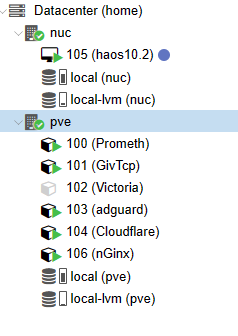
I use Proxmox as a hypervisor on both and then operating as a cluster - the NUC is just used for HA running as a VM - and the other mini pc everything else. No real reason - I just can!

I then use portainer to run the VM and Containers- its a lot easier for me to manage the compose files as I am a bit more visual rather than text files!