GivTCP - Connected but devices not in Homeassistant

14 comments started 2023-12-08 last 2023-12-10
Home AutomationHome Assistant
R
#1 Rdk72

Hey
Had solar, battery and inverter installed yesterday and I am trying to make GivTCP working in Homeassistant.

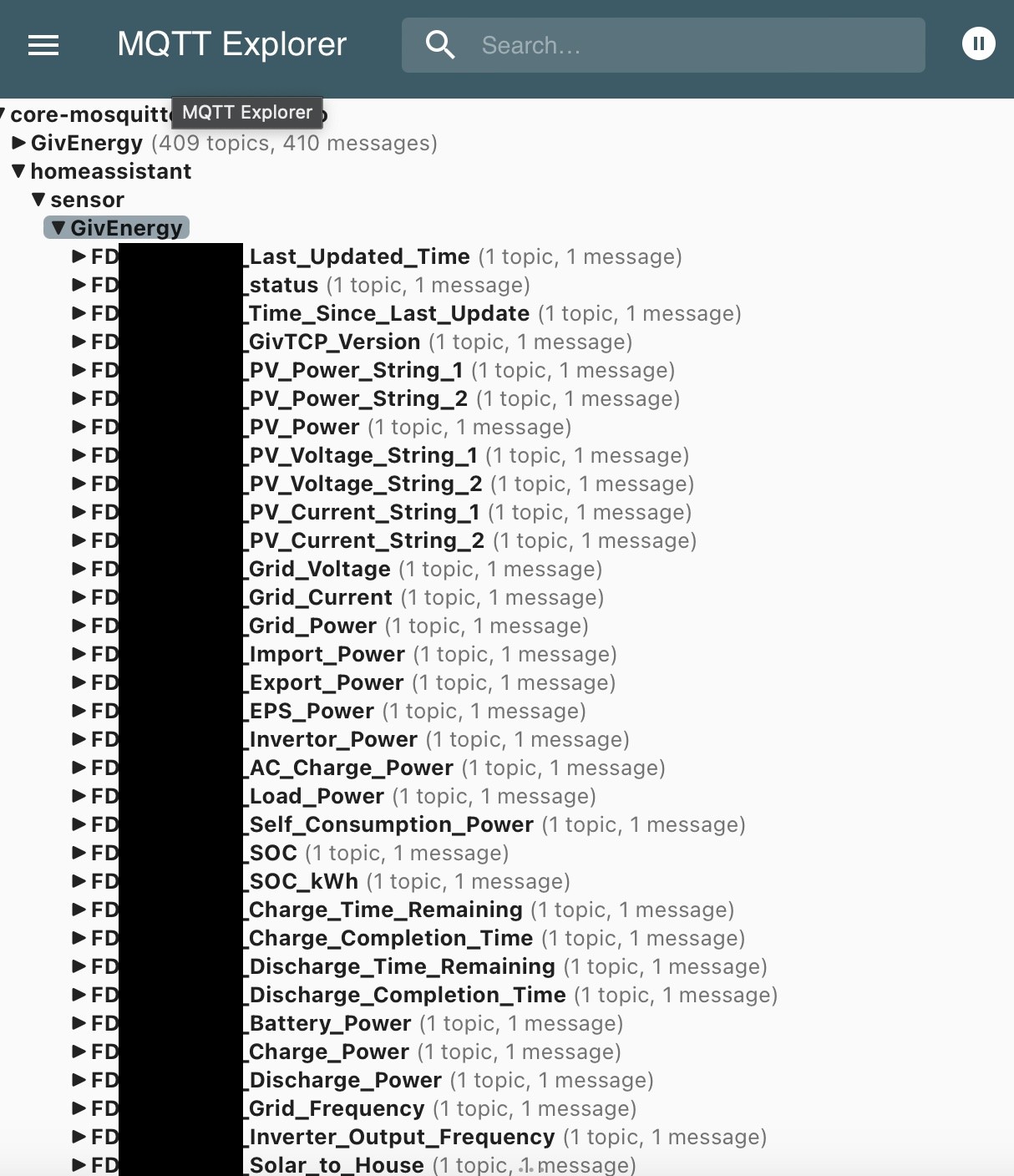
I have configured GivTCP and I can see the communication happening in MQTT Explorer, but none of the GivTCP devices are appearing in home assistant.

Can anyone offer any advise on what I am doing wrong?

Configuration file below:

NUMINVERTORS: 1
INVERTOR_IP_1: *.*.*.*
INVERTOR_AIO_1: false
INVERTOR_AC_1: false
NUMBATTERIES_1: 1
HADEVICEPREFIX: GivTCP
INVERTOR_IP_2: ""
NUMBATTERIES_2: 1
INVERTOR_AIO_2: false
INVERTOR_AC_2: true
HADEVICEPREFIX_2: GivTCP2
INVERTOR_IP_3: ""
NUMBATTERIES_3: 1
INVERTOR_AIO_3: false
INVERTOR_AC_3: true
HADEVICEPREFIX_3: GivTCP3
MQTT_OUTPUT: true
MQTT_ADDRESS: core-mosquitto
MQTT_USERNAME: *****
MQTT_PASSWORD: *****
MQTT_TOPIC: ""
MQTT_TOPIC_2: ""
MQTT_TOPIC_3: ""
MQTT_PORT: 1883
MQTT_RETAIN: false
LOG_LEVEL: Info
PRINT_RAW: true
SELF_RUN: true
SELF_RUN_LOOP_TIMER: 15
QUEUE_RETRIES: 2
HA_AUTO_D: true
DYNAMICTARIFF: false
DAYRATE: "0.155"
NIGHTRATE: "0.055"
EXPORTRATE: "0.04"
DAYRATESTART: "04:30"
NIGHTRATESTART: "00:30"
INFLUX_OUTPUT: false
INFLUX_URL: ""
INFLUX_TOKEN: ""
INFLUX_BUCKET: ""
INFLUX_ORG: ""
PYTHONPATH: /app
TZ: Europe/London
WEB_DASH: false
WEB_DASH_PORT: 3000
HOSTIP: homeassistant.local
CACHELOCATION: /config/GivTCP
DATASMOOTHER: medium
SMARTTARGET: false
PALM_WINTER: 01,02,11,12
PALM_SHOULDER: 03,04,09,10
PALM_MIN_SOC_TARGET: 25
PALM_MAX_SOC_TARGET: 45
PALM_BATT_RESERVE: 4
PALM_BATT_UTILISATION: 0.85
PALM_WEIGHT: 35
GEAPI: ""
SOLCASTAPI: ""
SOLCASTSITEID: ""
SOLCASTSITEID2: ""
LOAD_HIST_WEIGHT: "1"
EVC_ENABLE: false
EVC_IP_ADDRESS: ""
EVC_SELF_RUN_TIMER: 5

#2 PianSom

Rdk72
Just to cover off the obvious - you do have the MQTT integration in HA?

Oh, and ‘homeassistant.local’ does resolve to your HA?

D
#3 deanjesper

Rdk72 make sure you put your inverter IP in there as I can’t see it. When you start GivTCP, check the logs and it’ll tell you if it’s found the inverter or not. Entities will appear in HA after a few mins.

A
#4 Arg0t

Rdk72

Here are the docker compose entries for my setup. Obviously, change the IPs to your inverter and HA instance.

  mosquitto:

    container_name: "mosquitto"

    command:
      - "/usr/sbin/mosquitto"
      - "-c"
      - "/mosquitto-no-auth.conf"

    entrypoint:
      - "/docker-entrypoint.sh"

    hostname: "mosquitto"

    image: "eclipse-mosquitto:2.0"

    network_mode: "bridge"

    ports:
      - "1883:1883/tcp"

    restart: "unless-stopped"

    volumes:
      - "/volume1/docker/mosquitto:/mosquitto"
      - mosquitto-log:/mosquitto/log
      - mosquitto-data:/mosquitto/data

  GivTCP:
  
    container_name: "GivTCP"
    
    image: britkat/giv_tcp-ma:latest
    ports:
      - "1884:1883"                   # MQTT
      - "6345:6345"                   # REST (add increments for each inverter)
      - "3000:3000"                   # This should match the WEB_DASH_PORT ENV below
      - "6379:6379"                   # Redis port for job queueing
      - "9181:9181"                   # RQ Dashboard to view job scheduling

    volumes:
      - "/volume1/docker/givtcp:/config"
      
    environment:
## Critical to update
      - NUMINVERTORS=1                # Set this to the number of Inverters in your setup, then replicate the next two lines for each inverter (changing the last number of the ENV)
      - INVERTOR_IP_1=192.168.1.30    # Set this to the IP address of your Inverter on your local network
      - INVERTOR_AIO_1=False          # Set this to true if you have an AIO
      - INVERTOR_AC_1=False           # Set this to true if you have an AC on old firmware and don't have the new registers
      - NUMBATTERIES_1=2              # Number of battery modules installed and connected to the above inverter
      - MQTT_OUTPUT=True              # "True" if you want to publish your data to MQTT, "False" otherwise
      - MQTT_ADDRESS=10.0.0.25        # IP address of an existing MQTT broker, or leave as "127.0.0.1" to use the internal broker
      - MQTT_USERNAME=                # Username of your existing broker, if needed. Not required for internal broker
      - MQTT_PASSWORD=                # Password of your existing broker, if needed. Not required for internal broker
      - HOSTIP=10.0.0.25              # External IP address of the docker host (needed for web dashboard)
      - CACHELOCATION=/config/GivTCP  # Location of cache data, this folder can be mapped to a persistence storage outside the container
      - TZ=Europe/London              # Set to your Timezone
## Optional
      - MQTT_TOPIC=GivTCP            # Root topic to publish data to for Inverter 1. If left blank it will default to GivEnergy/<invertor_serial_number>
#      - MQTT_TOPIC_2=                 # Root topic to publish data to for Inverter 2. If left blank it will default to GivEnergy/<invertor_serial_number>
#      - MQTT_TOPIC_3=                 # Root topic to publish data to for Inverter 3. If left blank it will default to GivEnergy/<invertor_serial_number>
      - MQTT_PORT=1883                # Port of your existing broker, leave as "1883" for internal broker
      - LOG_LEVEL=Info               # Level of logs to be reported: "Error", "Info" or "Debug"
      - PRINT_RAW=True                # If True this will publish all inverter data unprocessed as well as standard data
      - SELF_RUN=True                 # If True the container will self-run and connect and publish data. If "False" the you will need to trigger externally via REST
      - SELF_RUN_LOOP_TIMER=5         # Wait time between every read command to the inverter
      - QUEUE_RETRIES=5               # The number of calls to the inverter when trying to set a register. A higher number improves the chance of inverter writes succeeding
      - INFLUX_OUTPUT=False           # "True" if you want to publish your data to InfluxDB, "False" otherwise
#      - INFLUX_URL=                   # URL of an external Influx instance
#      - INFLUX_TOKEN=                 # Access Token for your Influx instance
#      - INFLUX_BUCKET=                # Data Bucket of your Influx instance you want data sent to
#      - INFLUX_ORG=                   # Influx instance Organisation
      - HA_AUTO_D=True                # If True (and if MQTT_OUTPUT is True) this will publish Home Assistant Auto Discovery messages to the broker
#      - HADEVICEPREFIX=GivTCP         # Defines the prefix for all entities in Home Assistant for inverter 1
#      - HADEVICEPREFIX_2=GivTCP2      # Defines the prefix for all entities in Home Assistant for inverter 2
#      - HADEVICEPREFIX_3=GivTCP3      # Defines the prefix for all entities in Home Assistant for inverter 3
      - PYTHONPATH=/app
      - DYNAMICTARIFF=True           # When set to true DAYRATESTART and NIGHTRATESTART times are ignored and tariff rates are changed by a dedicated entity/function
#      - DAYRATE=0.3022                 # Price in £/$ for your daytime electricity per kWh
#      - NIGHTRATE=0.1812               # Price in £/$ for your night time electricity per kWh
#      - EXPORTRATE=0.33               # Price in £/$ for your export electricity per kWh
#      - DAYRATESTART=05:00            # Time in HH:MM when your day time\expensive tariff kicks in
#      - NIGHTRATESTART=02:00          # Time in HH:MM when your night time\cheap tariff kicks in
      - WEB_DASH=False                # Enable the web dashboard
      - WEB_DASH_PORT=3000            # Port to serve the web dashboard on. Should be the same as the private port (above), not the container port
#      - SMARTTARGET=False             # Enables the PALM capability, requires the three ENV below to be set
#      - GEAPI=                        # API Key for the GivEnergy Cloud
#      - SOLCASTAPI=                   # API key for Solcast
#      - SOLCASTSITEID=                # SiteID for Solcast site (first array)
#      - SOLCASTSITEID2=               # SiteID for Solcast site (second array)
      - DATASMOOTHER=medium           # Set the data smoothing to most aggressive setting (High, medium, low, none)
#      - PALM_WINTER=01,02,03,10,11,12 # Comma delimited list of the winter months (01=January, etc)
#      - PALM_SHOULDER=04,05,09        # Comma delimited list of months in which consumption can vary so SOC calculation should be more cautious
#      - PALM_MIN_SOC_TARGET=25        # Lower limit for state of charge (summertime)
#      - PALM_MAX_SOC_TARGET=45        # Lower limit for SoC limit in shoulder months
#      - PALM_BATT_RESERVE=4           # Battery reserve for power cuts (minimum of 4%)
#      - PALM_BATT_UTILISATION=0.85    # Usable proportion of battery (100% less reserve and any charge limit) on a scale of 0-1
#      - PALM_WEIGHT=35                # Weighting used for final target soc
#      - LOAD_HIST_WEIGHT=1            # Load History Weighting
    restart: always
    privileged: true
R
#5 Rdk72

Thanks for the comments.
I removed the IP address from the file, but yes, it is correct.
Ive attached the log below. It takes a while, but does eventually connect. But then gets stuck at Publishing Home Assistant discovery messages.

If I look in MQQT Explorer, I can see the inverter and battery info, but none of the devices are added to HA. (See below)

2023-12-08 19:05:03,027 - startup - [CRITICAL] - HA MQTT Service has been found at core-mosquitto
2023-12-08 19:05:03,029 - startup - [INFO] - Supervisor Timezone: Europe/London
2023-12-08 19:05:05,034 - startup - [CRITICAL] - Scanning network for GivEnergy Devices...
2023-12-08 19:05:08,879 - startup - [ERROR] - Gathering inverter details for REMOVED failed.
2023-12-08 19:05:08,880 - startup - [ERROR] - Unable to interrogate inverter to get base details
2023-12-08 19:05:09,090 - startup - [ERROR] - Gathering inverter details for REMOVED failed.
2023-12-08 19:05:09,091 - startup - [ERROR] - Unable to interrogate inverter to get base details
2023-12-08 19:05:09,091 - startup - [INFO] - Searching for Inverters again
2023-12-08 19:05:09,092 - startup - [CRITICAL] - Scanning network for GivEnergy Devices...
2023-12-08 19:05:12,940 - startup - [ERROR] - Gathering inverter details for REMOVED failed.
2023-12-08 19:05:12,941 - startup - [ERROR] - Unable to interrogate inverter to get base details
2023-12-08 19:05:13,148 - startup - [ERROR] - Gathering inverter details for REMOVED failed.
2023-12-08 19:05:13,148 - startup - [ERROR] - Unable to interrogate inverter to get base details
2023-12-08 19:05:13,148 - startup - [INFO] - Searching for Inverters again
2023-12-08 19:05:13,148 - startup - [CRITICAL] - Scanning network for GivEnergy Devices...
2023-12-08 19:05:17,008 - startup - [ERROR] - Gathering inverter details for REMOVED failed.
2023-12-08 19:05:17,008 - startup - [ERROR] - Unable to interrogate inverter to get base details
2023-12-08 19:05:17,220 - startup - [ERROR] - Gathering inverter details for REMOVED failed.
2023-12-08 19:05:17,221 - startup - [ERROR] - Unable to interrogate inverter to get base details
2023-12-08 19:05:17,223 - startup - [CRITICAL] - Running Redis
2023-12-08 19:05:17,226 - startup - [CRITICAL] - Setting up invertor: 1 of 1
2023/12/08 19:05:17 [notice] 188#188: using the "epoll" event method
2023/12/08 19:05:17 [notice] 188#188: nginx/1.20.2
2023/12/08 19:05:17 [notice] 188#188: OS: Linux 6.1.63-haos
2023/12/08 19:05:17 [notice] 188#188: getrlimit(RLIMIT_NOFILE): 1073741816:1073741816
2023/12/08 19:05:17 [notice] 188#188: start worker processes
2023/12/08 19:05:17 [notice] 188#188: start worker process 192
2023-12-08 19:05:17,246 - startup - [CRITICAL] - Running RQ worker to queue and process givernergy-modbus calls
2023-12-08 19:05:17,246 - startup - [CRITICAL] - Running Invertor (REMOVED) read loop every 15s
2023-12-08 19:05:17,249 - startup - [CRITICAL] - Subscribing MQTT Broker for control
2023-12-08 19:05:17,252 - startup - [CRITICAL] - Starting Gunicorn on port 6345
[2023-12-08 19:05:17 +0000] [196] [INFO] Starting gunicorn 21.2.0
[2023-12-08 19:05:17 +0000] [196] [INFO] Listening at: http://0.0.0.0:6345 (196)
[2023-12-08 19:05:17 +0000] [196] [INFO] Using worker: sync
[2023-12-08 19:05:17 +0000] [197] [INFO] Booting worker with pid: 197
[2023-12-08 19:05:17 +0000] [198] [INFO] Booting worker with pid: 198
[2023-12-08 19:05:17 +0000] [199] [INFO] Booting worker with pid: 199
2023-12-08 19:05:18,680 - Inv1 - mqtt_client - [CRITICAL] - Connecting to MQTT broker for control- core-mosquitto
2023-12-08 19:05:24,908 - Inv1 - read - [CRITICAL] - First time running so saving AC Charge status
2023-12-08 19:05:24,910 - Inv1 - read - [CRITICAL] - Publishing Home Assistant Discovery messages
#6 PianSom

Rdk72
The GivTCP logs will not show anything more after that message until midnight. That log is completely normal.

What devices can you see on your HA MQTT integration?

What is published in the MQTT topic “homeassistant” (I think that’s where discovery messages are published, but can’t check right now so may be wrong on that)?

R
#7 Rdk72

Hey
Thanks for the reply.
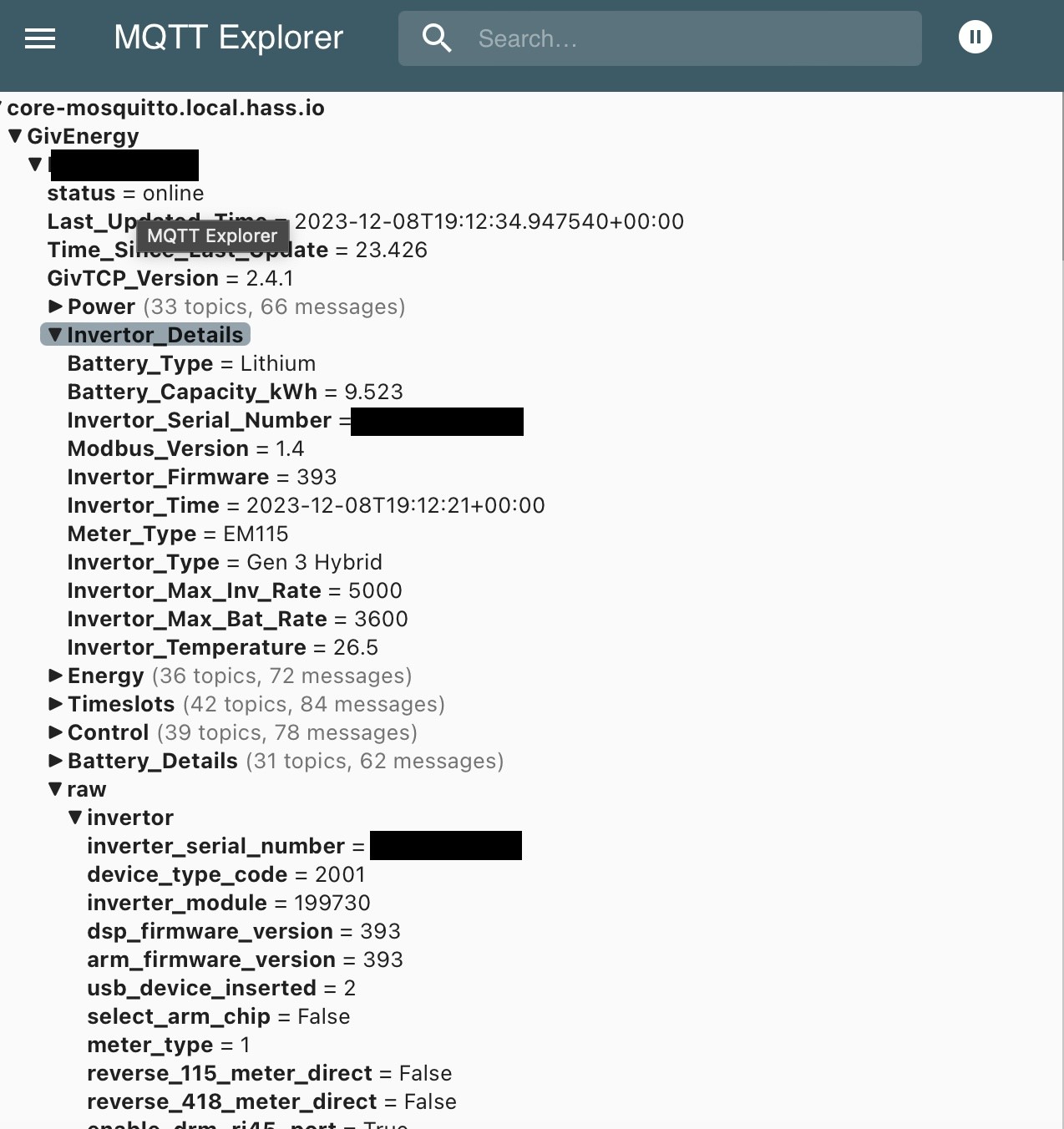
Here's a screenshot of some of the messages

#8 PianSom

Rdk72
Ok, so the discovery messages are indeed being published.

But what about my first question?

R
#9 Rdk72

PianSom
Hey

Sorry, I don’t understand the question. Very new to home assistant. Can you tell me where to look and what for?

#10 PianSom

Rdk72
If, in HA, you go Settings / Devices & Services and look at the Integrations tab, do you see an entry for MQTT?

If so, are any of the Devices listed under it Givenergy named?

My guess is that the answer to both of these is "yes" and so GivTCP and HA are working ok. In which case you need to do a bit of learning about HA. People around here like the Speak to the Geek site/channel.

If the answer to the first question is "no" then click the blue "+ Add Integration" button on the bottom right of the Integrations tab and search for and add the MQTT integration and you will be all set.

R
#11 Rdk72

That's done it! I'd not understood that I had to 'Add Integration' for MQTT after installing it via HACS.

I really do still have a lot of learning to do.

Thanks a lot for your help and patience 🙂

#12 PianSom

Rdk72
Enjoy! And welcome to the black hole of time which is Home Assistant.

#13 Jase1703

PianSom on a similar theme, my inverter IP address keeps changing periodically which throws out Givtcp, to fix it I just reconfig Givtcp after attaining new inverter IP address! Should I, can I assign a permanent IP address to the AIO inverter?.

#14 PianSom

Jase1703
How strange! It's pretty unusual for consumer kit to shift client device IPs, so I can imagine why GivTCP wouldn't be very impressed.

Anyway, yes - the simple solution is to fix the address of the AIO battery unit. (I've never found a reason for the Gateway to have an IP, but I guess it would be sensible to do that too if you are doing the battery. Mine are both on static addresses.) As to how - that very much depends on what router you are using. Most kit will allow you to fix an IP address for any client device somewhere in the settings. The phrases to look out for are "DHCP address reservation" or "static IP address" or some such. If you post the make and model of your router here someone may have some suggestions, if you can't figure it out.