Power usage monitoring

31 comments started 2023-12-09 last 2023-12-12
GivEnergy ProductsBatterySmart Plugs
J
#1 johnsherman

I am in need of ideas about the best way of monitoring usage in the house.
I have a few Tapo plugs (eg washing machine, tumble drier, MVHR, boiling tap) but the big users - Heat Pump, steam room, ovens, hob, electric UFH, towel rails are on spurs from the distribution board.
Ideas welcome so I can target how to save electricity, maximise solar and battery.
I have been looking at this system - https://www.emporiaenergy.com/how-the-vue-energy-monitor-works
Thanks,
John
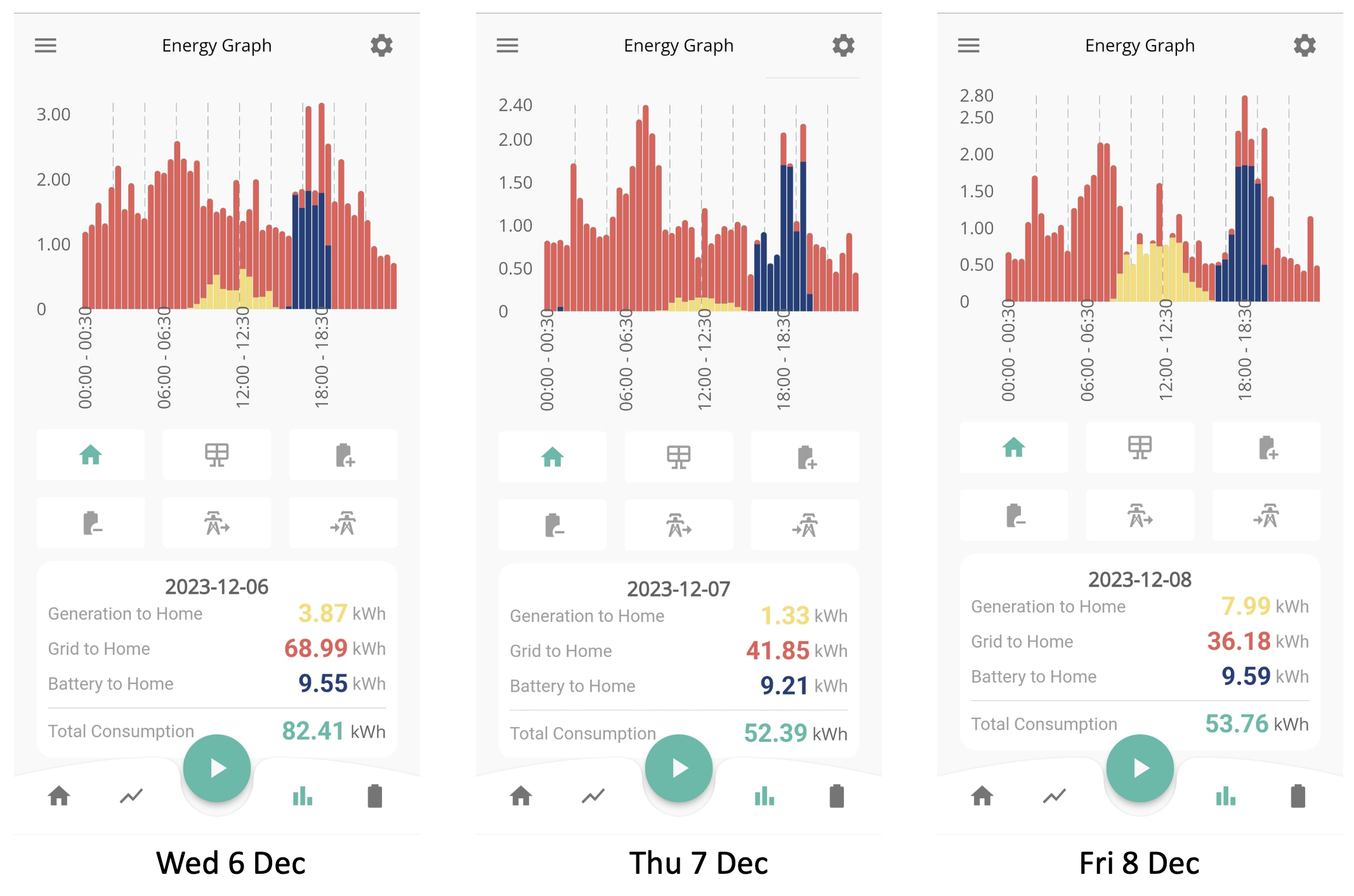
PS - Here's a picture of my past 3 days use for info (if the upload has worked)

#2 PianSom

johnsherman
Like you, I have a 500-750W background, which it would be good to reduce.

I've thought about getting that type of system too, and came to the conclusion that it wasn't really worth it. I mean, I already know that the tumble dryer, oven, steam shower, a/c etc gobble up the kWh when they are on. But I (or the family anyway!) won't use them any less if armed with the knowledge of the usage or cost. Suggestions that the laundry might be done in the middle of the night have not been taken well.

Where I am now is having lots of individual smart plugs that I can use to look at individual outlets (I actually use Tasmota'ised generic smart plugs) which I use to try and track down those constant background-using devices. So, for example, I have a few network switches around the place which have UPSs attached. I'm going to use the plugs to work out how much those UPSs actually are costing me to run (with - presumably - little benefit now I have an AIO).

One other concrete suggestion - get an Octopus Home Mini or Hildebrand Glow CAD. That way you can at least see what is happening in close to real time.

S
#3 SteveCook

That bit of kit looks good, though you might need to add on an electrician costs if you are not comfortable taking off the front of consumer units to install the clamps.

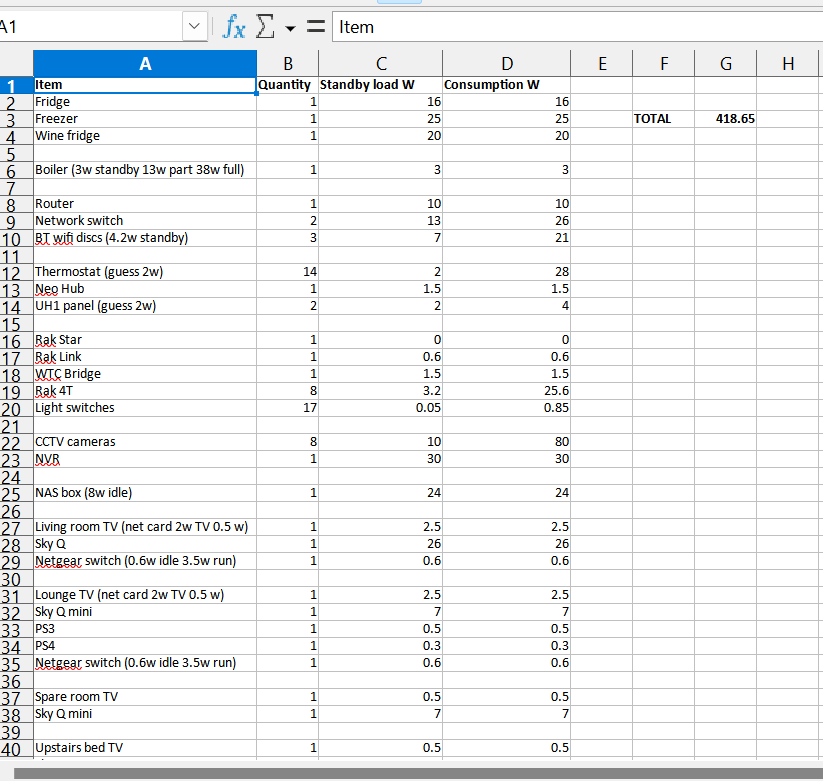
I would suggest you start with figuring out exactly what you have just running 24/7 and you might be shocked. I did this and it runs to row 79 for everything (not every row has data).

You might find the obvious ones without spending money. For me I was surprised at CCTV cameras running at night.

The number pretty much matches my overnight portal number

#4 Windy Miller

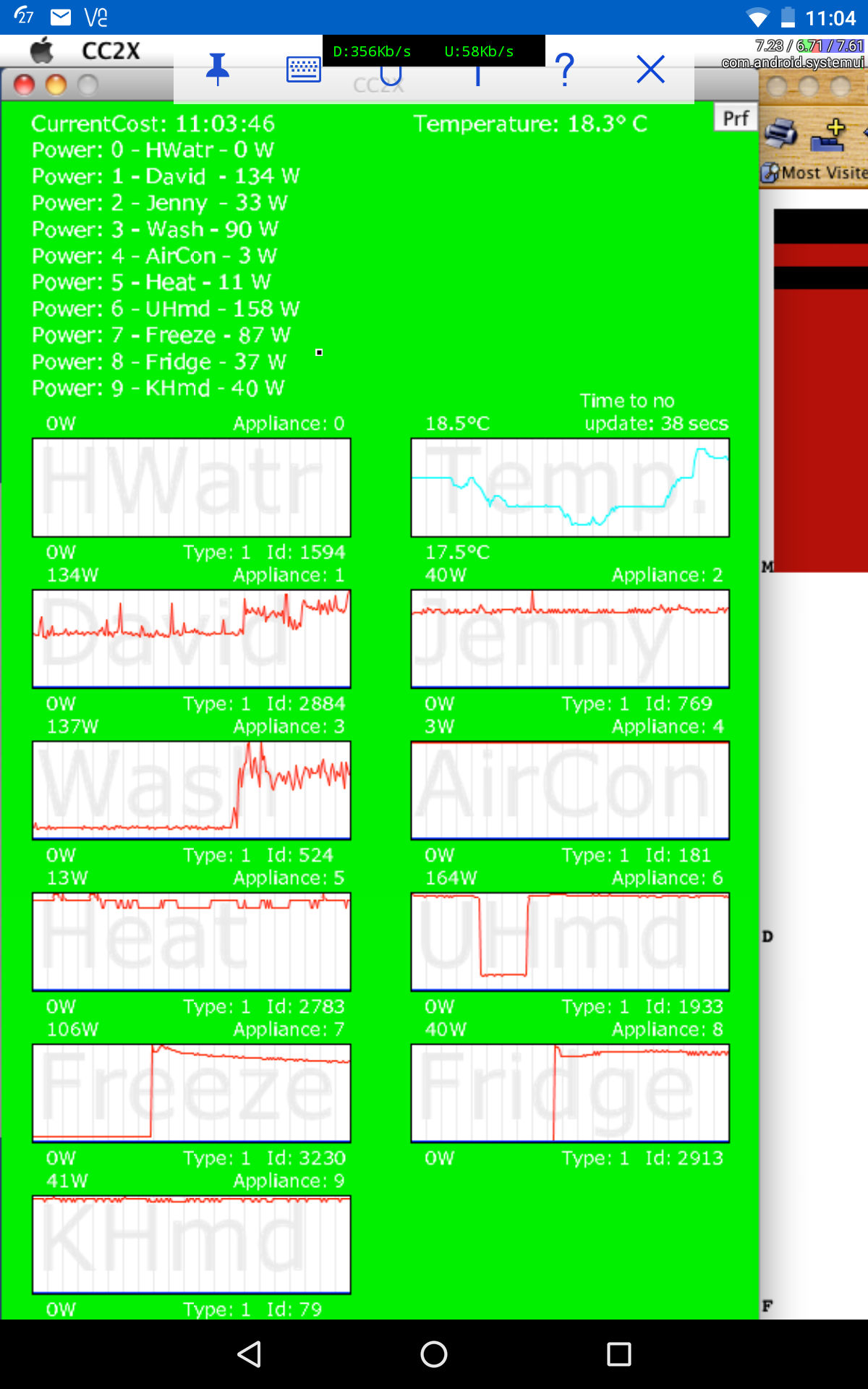
I have used a system of appliance monitors from Current Cost (now out of business) for the last 10 years and whilst the knowledge is useful, I only got the benefits in the first year until I saw the pattern of usage. I monitor 10 appliances all of which are only used when necessary. Our background also remains at about 400 watts which is basically down to fridge, freezer, 4 computers (1 as a server always on), many smart gadgets, network equipment (modem and 3 routers).

An option, whilst a but inconvenient but without outlay, is to turn off each circuit at the distribution board whilst recording the house load at the smart meter. Shutdown your Solar and batteries first to avoid them messing up your readings. You can even put each appliance on individually to see its load although I would expect measurement errors if trying to read just 10 watts.

#5 Windy Miller

Windy Miller

Last 30 days usage

Hot water 0 (on gas in winter)
Computer 68
Another computer 51
Washing machine and Dishwasher 36
TV and Hifi 46
Gas boiler 18
Upstairs dehumidifier 53
Freezer 43
Fridge 10
Downstairs dehumidifier 48

This lot averages out at 500 watts or 12 units a day. My smart meter records 14 units so I have 2 units for gadgets and lighting.

G
#7 geoffreycoan

@johnsherman like you I wanted to better understand where my electricity consumption was all going. I also looked at that emporia solution because it offers a lot of energy monitors in one box, but I concluded that it was just going to be too difficult to fit in my UK consumer box. They seem to be geared more towards US and continental fuseboxes that have a lot more dead space in them,

I had already gone down the home assistant route as I wanted to automate the battery discharging in summer for Flux, and now in winter on agile so wanted something that was Home Assistant compatible.

Took soundings here, looked at lots of videos and products and eventually settled on Tasmota smart plugs for the kettle, TV, internet & HA PC, dishwasher, washing machine, tumble dryer and oil heaters in my workshop and wife's shed with her horse stuff in. (The latter I have on an automation that turns the heater on when the temperature drops too low to protect the leather saddles - brownie point there!). I bought the plugs from mylocalbytes as they are a UK company and seemed to give good customer care from reviews I read.

For monitoring the rest of the house load I bought two Shelly EM's which give me monitoring of 4 circuits: the house extension, hot tub, our FIT solar array and the ASHP.

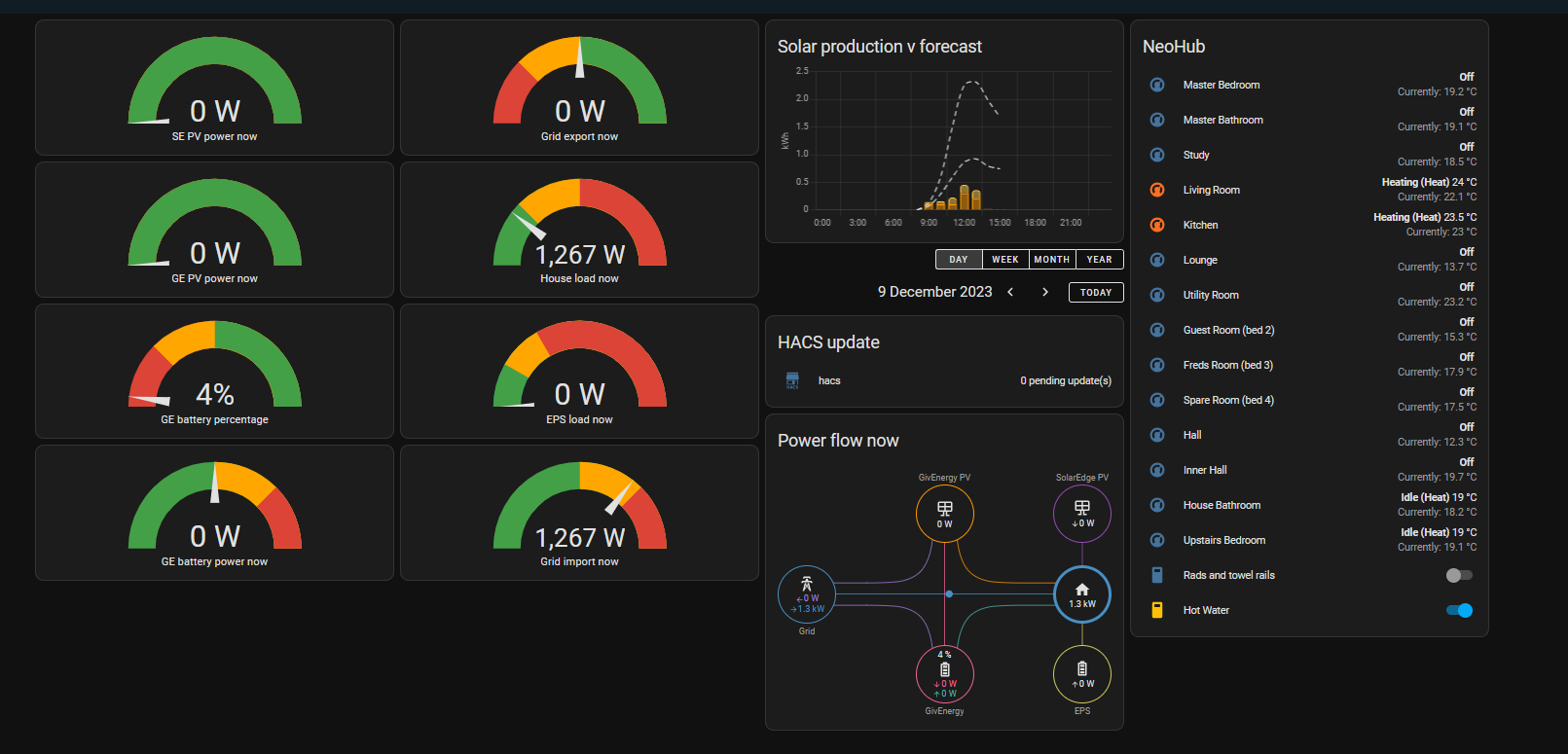
A simple home assistant dashboard shows what is using what power at any instant of time with the daily totals in the HA Energy dashboard:
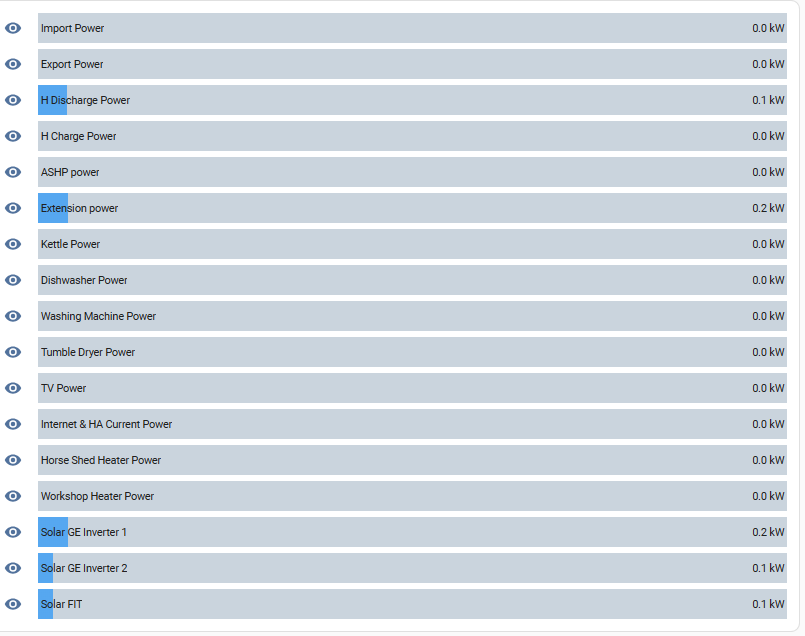
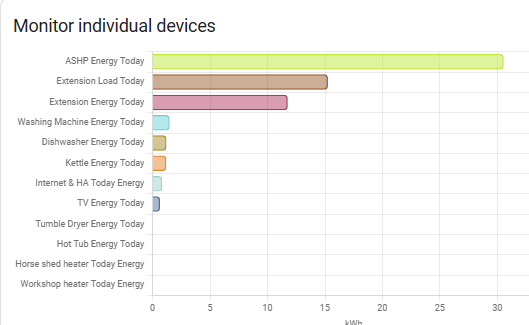
Could probably get much prettier dashboard but these "do" for now!

What is surprising is how much the kettle and internet/HA PC use, both about 1kW a day. The dishwasher again another 1kW but the washing machine is usually < 0.5kW. What I've also learnt is what the power curve of the appliances is. The dishwasher for example draws hardly any current for the first half hour, then a lot, then half hour gap, then another large amount - useful for planning when to put it on to take best advantage of agile rates.

D
#8 DD

johnsherman deas welcome so I can target how to save electricity, maximise solar and battery.

Is your primary interest reducing power, or reducing cost ? I think you've mentioned previously that you are on Agile tariff. I assume dark blue on the graphs is the battery providing power - that's only happening in the early evening, so I assume that's done to reduce imports at that time. But house usage is still peaking around that time - can you move any of that demand to cheaper parts of the day ? Can things like UFH be made smart, to track cheaper times? Have you considered whether other tariffs, such as tracker, might work better for you if you can't avoid expensive parts of the day.

As has been mentioned, it's only really worth measuring if you know how to use the information. I was always very sceptical of justifying smart meters on the grounds that, with the IHD, you'll know how much you're using.

J
#9 johnsherman

DD Thanks DD.
My intent is to reduce cost (like most people I guess), by being able to be more intelligent about what power I use and when. I am on Octo Flux, not Agile, so cheap 0200-0500 (when I charge the battery) and expensive 1600-1900, but good export rates if I have any excess.
Yes on the picture - Red=Import, Blue=Battery, Yellow=Solar.
I'm wondering if Flus is more a summer tariff. Not sure what the best option is for winter.
Our big use is at evening mealtime c.6pm with ovens, hob, microwave etc and it's difficult to shift this.
I'd like to be smarter with electric UFH and towel rails but they're wired in.
What's IHD?
It's the Heat Pump information I'm most keen to interrogate to see what I can do there.

J
#10 johnsherman

geoffreycoan Thanks.
On Emporia I'm tempted because I do have a Consumer Box with lots of space inside. Happy to install it myself too, and it's only £134 for monitoring 16 circuits.
I am intrigued by Home Assistant. It seems like a stretch for me to get my head around but I do like the sound of the ability to take greater control, but not if I need a PhD in it....
The Shelly gear looks interesting but quite expensive.

S
#11 SteveCook

johnsherman HA took me about 5 hours to do all the downloads and install and get up and running. The hardest thing for me was extracting the Pi from my son.
I am 63 and not a computer boffin

J
#12 johnsherman

SteveCook Thanks Steve. But I don't even know what a Pi is, if it's not 3.142

D
#13 DD

johnsherman IHD = In Home Display - the mostly useless little screen that shows usage.

D
#14 DD

johnsherman Yes, flux might be best for summer. Perhaps Cosy tariff is an option? But still has expensive rate during peak period. Could perhaps run HP harder during the afternoon cheap period, then have it back off a little during peak rate.

D
#15 DD

johnsherman pi is (probably) a raspberry pi, a small cheap, low-power computer running full Linux. Popular for home automation and all sorts of hobbying.

J
#16 johnsherman

SteveCook Thanks Steve.
What are the main benefits of going the Home Assistant route with a Raspberry Pi? What do you mainly use it to do?

S
#17 SteveCook

I use it to control my night charge based on solar predictions and peak export (when my smart meters were working - Octo investigating).
I use it to monitor energy flow in real time as it is my server on my network.
I can monitor and control the heating in all the rooms as they have their own thermostats.
Have a nice dashboard on a old TV
I am new to this and just scratching the surface

S
#18 SteveCook

The power flow now tile is animated, but can't show that in a screenshot

#19 Tenkaykev

Is there a Raspberry Pi " turnkey " solution available or a step by step setup guide? I only have an M1 MacBook Air and I've read that it's a bit of a faff to set up. On a related note I watched a recent " Gary does Solar " video where he was talking with the guy who ha set up the " My Energy Optimiser " website and spoke very highly of it.

G
#21 geoffreycoan

The speak to the geek channel (last recommendation) is a great resource. I followed his videos to setup home assistant and get it talking to my inverters.

The big advantage of a local solution is that you are not reliant on connectivity to other persons cloud services. This is the disadvantage of the My Energy Optimiser service that you mentioned Tenkaykev (and other similar services like Octopus R&D and WonderWatt), they rely on the other cloud service working, the givenergy cloud working, and everything then being able to talk back to your inverters.
Home assistant being locally setup doesn't have that disadvantage.

There are "ready made" home assistant hardware solutions now like the HA Yellow and Green, in effect raspberry pi's in a box with home assistant pre-installed.

#22 Tenkaykev

Thank you both geoffreycoan SteveCook for your very helpful replies. I've just remembered that I gave a raspberry Pi 3? that was lying unused in a drawer to my Grandson when he visited last Christmas. I shall ask if he put it to use. If it's now just lying in his drawer then I'll ask him to bring it with him when he visits in a couple of weeks.

S
#23 Slartibartfast

I've just bitten the HA bullet and invested in the HA Green - £86 + VAT & shipping. Followed the 'Geeks setup instructions. Now I've hit a dead end - GivTCP gives errors - something about inverter serial number attribute missing when it tries to talk to Mosquitto. Any ideas?
The reason for HA is to get better power monitoring - with twin AC3 inverters the portal data is garbage. The other reason - to block cross charging.
If only I could get GivTCP running ...

S
#24 SteveCook

Slartibartfast
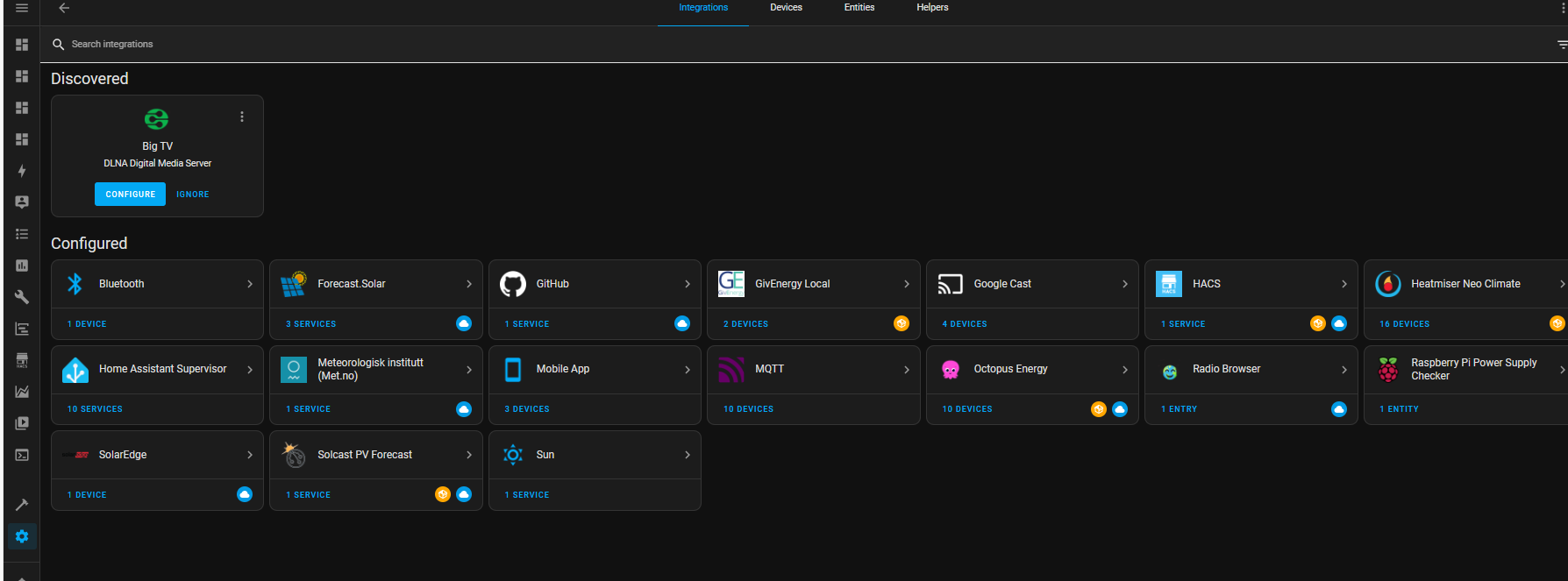
Have you got MQQT running in Addons
Have you got MQQT running in Devices and Services-integrations
Have you got your GivEnergy API into the MQTT configuration in Addons


G
#25 geoffreycoan

Slartibartfast Now I've hit a dead end - GivTCP gives errors - something about inverter serial number attribute missing when it tries to talk to Mosquitto. Any ideas?

Check (as suggested below) you have MQTT running as an add-on and as an integration.

Check the 'use old firmware' switch as to whether that is on or off, and try changing it

But it does sound like the same error I reported a couple of weeks ago with GivTCP 2.4.3. I downgraded to 2.4.1 and it works fine now https://github.com/britkat1980/giv_tcp/issues/153

If you have the same issue, do add to the bug details

The reason for HA is to get better power monitoring - with twin AC3 inverters the portal data is garbage. The other reason - to block cross charging.

Similar reason for me in initially getting HA, I have two gen 1 hybrid inverters and the portal data is rubbish, especially home consumption.

#26 Tenkaykev

Slartibartfast
I followed your link and took a look at that and it seems like a good option. It seems that it is basically a Rasberry Pi with power supply and case pre loaded with Home Assistant. Not a bad price as you don't need to source the various components and download / install software.

S
#27 Slartibartfast

GivTCP is in add-ons - but not in integrations. Just noticed - no Givenergy API. Could be the reason. I thought it was only required for the Solar stuff ...
I'll add it to the GivTCP config and see what happens.
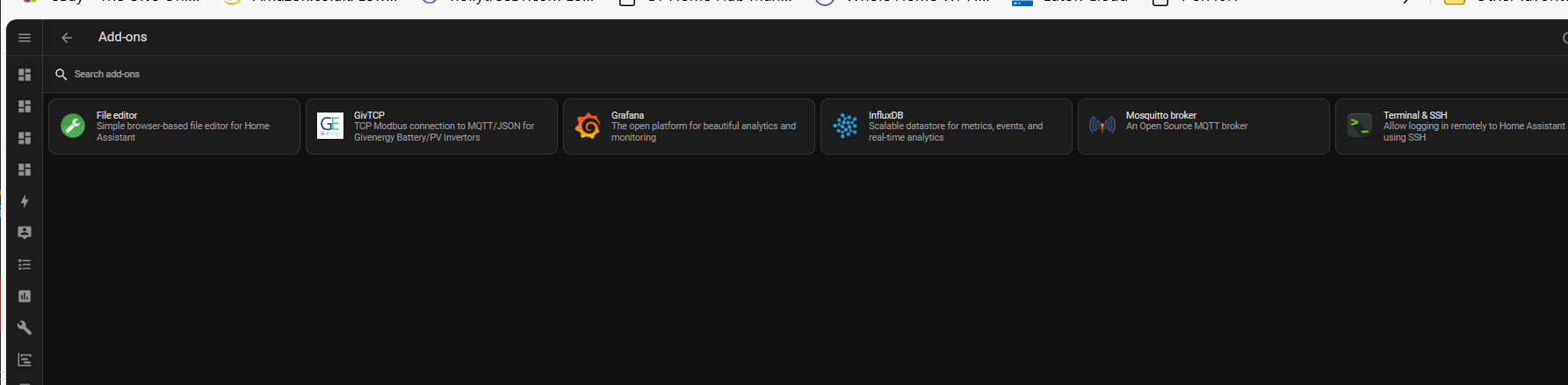
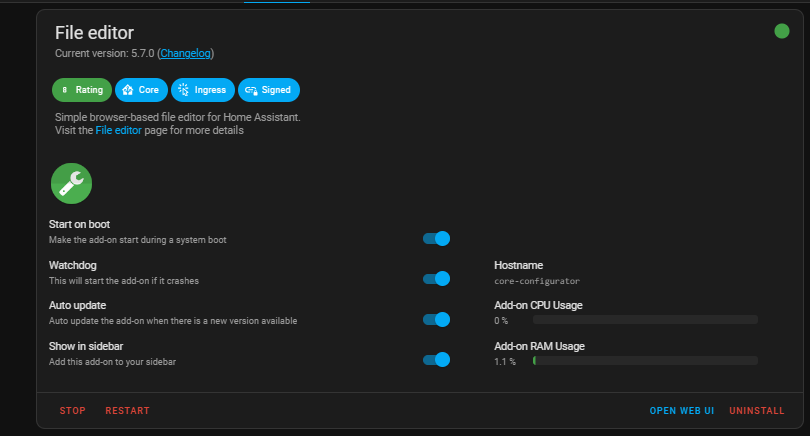
Another quick question - File editor - how do you get the spanner on the main menu?
One thing about 'Green' is that you should add all of the 'needed bits' first i.e. Terminal & SSH, HACS and then the File editor. I've been using the Terminal instead of the File editor (does require a basic knowledge of Linux).

S
#28 Slartibartfast

Slartibartfast So you can like your own posts ...

S
#29 SteveCook

Slartibartfast
In the file addons - file editor. Move the slider over

G
#30 geoffreycoan

@Slartibartfast Visual Studio Server is also available as a good alternative to the File Editor. Certainly better for changing yaml files and ensuring everything is lined up correctly

There's plenty of youtube videos on getting to grips with HA. Everything Smart Home and Smart Home Junkie are good ones to start with

S
#31 Slartibartfast

Still the same:
2023-12-12 16:52:21,589 - Inv1 - mqtt_client - [CRITICAL] - Connecting to MQTT broker for control- core-mosquitto
2023-12-12 16:54:01,715 - Inv1 - mqtt_client - [ERROR ] - No serial_number found in MQTT queue. MQTT Control not available.
Traceback (most recent call last):
File "/app/GivTCP_1/mqtt_client.py", line 402, in <module>
client.loop_forever()
File "/usr/local/lib/python3.10/site-packages/paho/mqtt/client.py", line 1756, in loop_forever
rc = self._loop(timeout)
File "/usr/local/lib/python3.10/site-packages/paho/mqtt/client.py", line 1164, in loop
rc = self.loop_read()
File "/usr/local/lib/python3.10/site-packages/paho/mqtt/client.py", line 1556, in loop_read
rc = self.
packet_read()
File "/usr/local/lib/python3.10/site-packages/paho/mqtt/client.py", line 2439, in packet_read
rc = self.
packet_handle()
File "/usr/local/lib/python3.10/site-packages/paho/mqtt/client.py", line 3039, in packet_handle
return self.
handle_connack()
File "/usr/local/lib/python3.10/site-packages/paho/mqtt/client.py", line 3138, in _handle_connack
on_connect(
File "/app/GivTCP_1/mqtt_client.py", line 386, in on_connect
client.subscribe(MQTT_Topic+"/control/"+GiV_Settings.serial_number+"/#")
AttributeError: type object 'GiV_Settings' has no attribute 'serial_number'
2023-12-12 16:55:16,502 - Inv1 - read - [ERROR ] - 10 failed inverter reads in a row so removing regCache to force update...