Octopus Agile & GE Smart tariff - unscheduled export

12 comments started 2023-12-10 last 2024-02-13
Cloud Portal
D
#1 DroiX UK

Hi all,
I'm quite new here. Just got my 5kW Gen3 + 8.2 Gen1 installed and now trying to figure out how to setup my inverter to automatically charge battery when tariff is cheapest, and then use it for home needs.
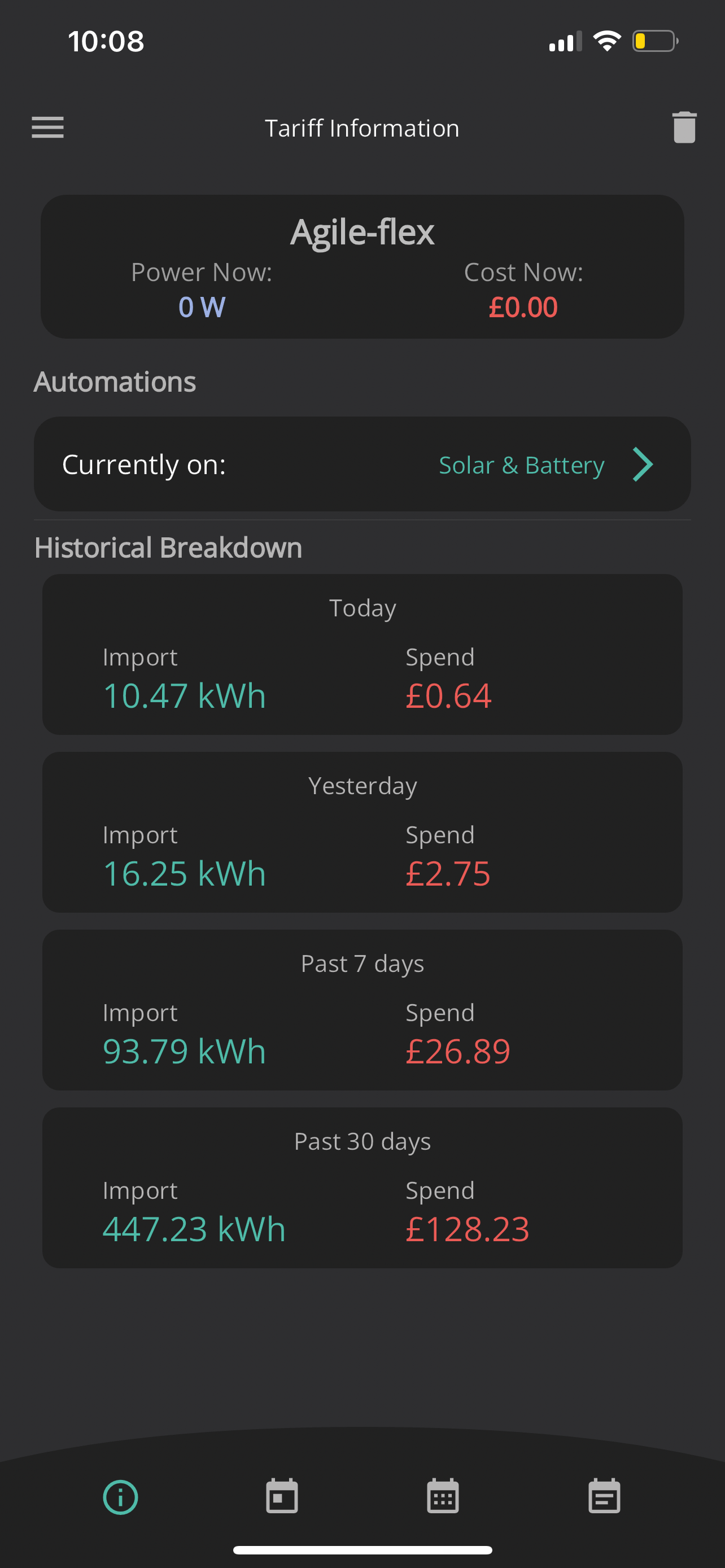
I've set Automation as Solar & Battery:
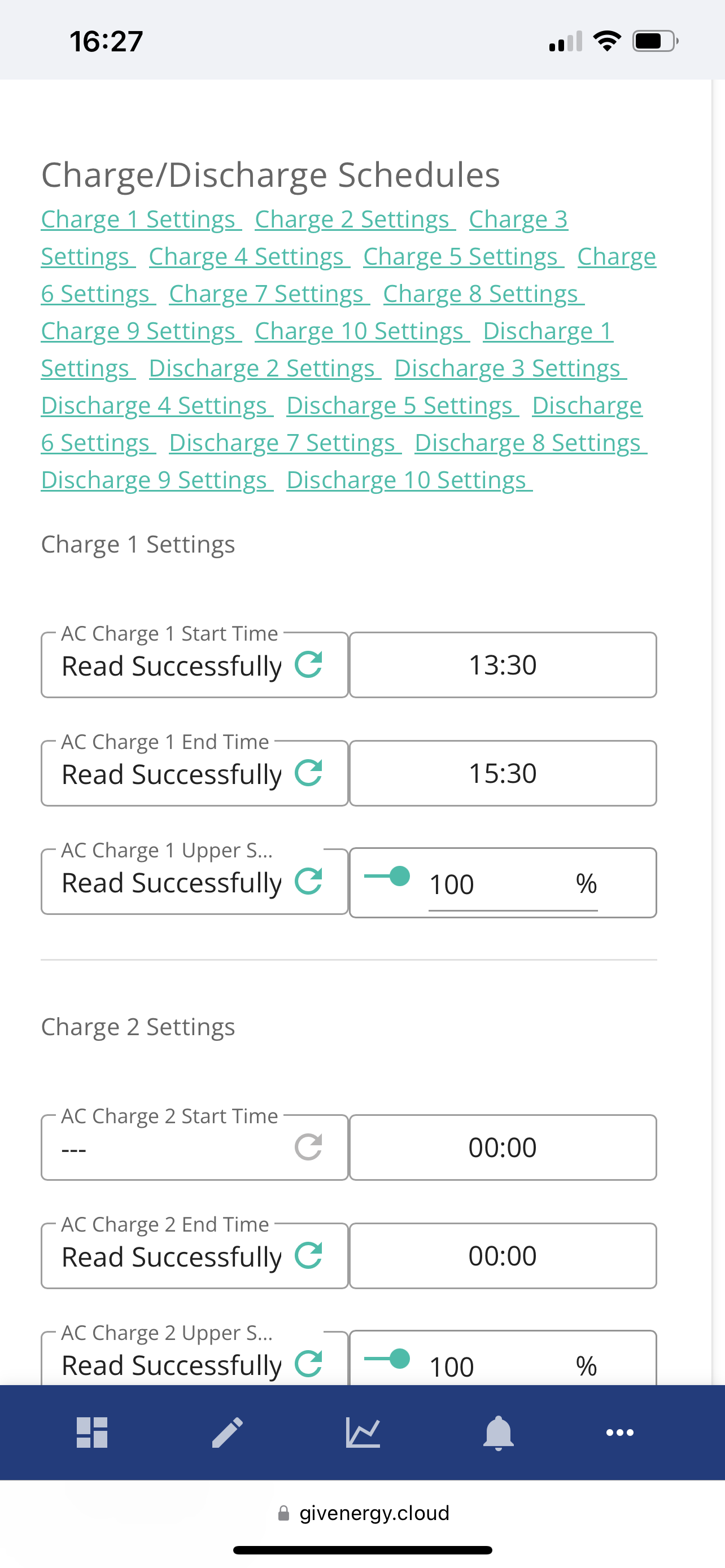
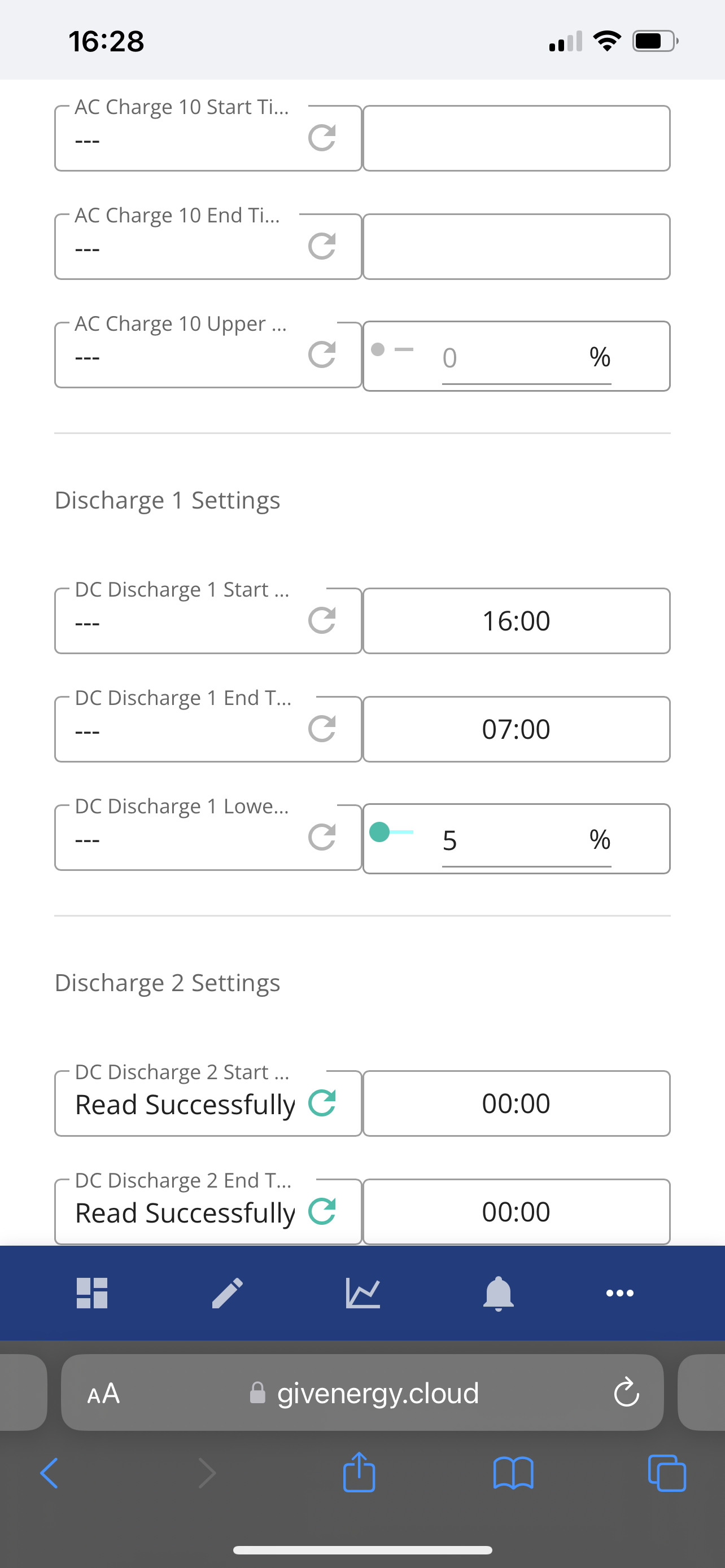
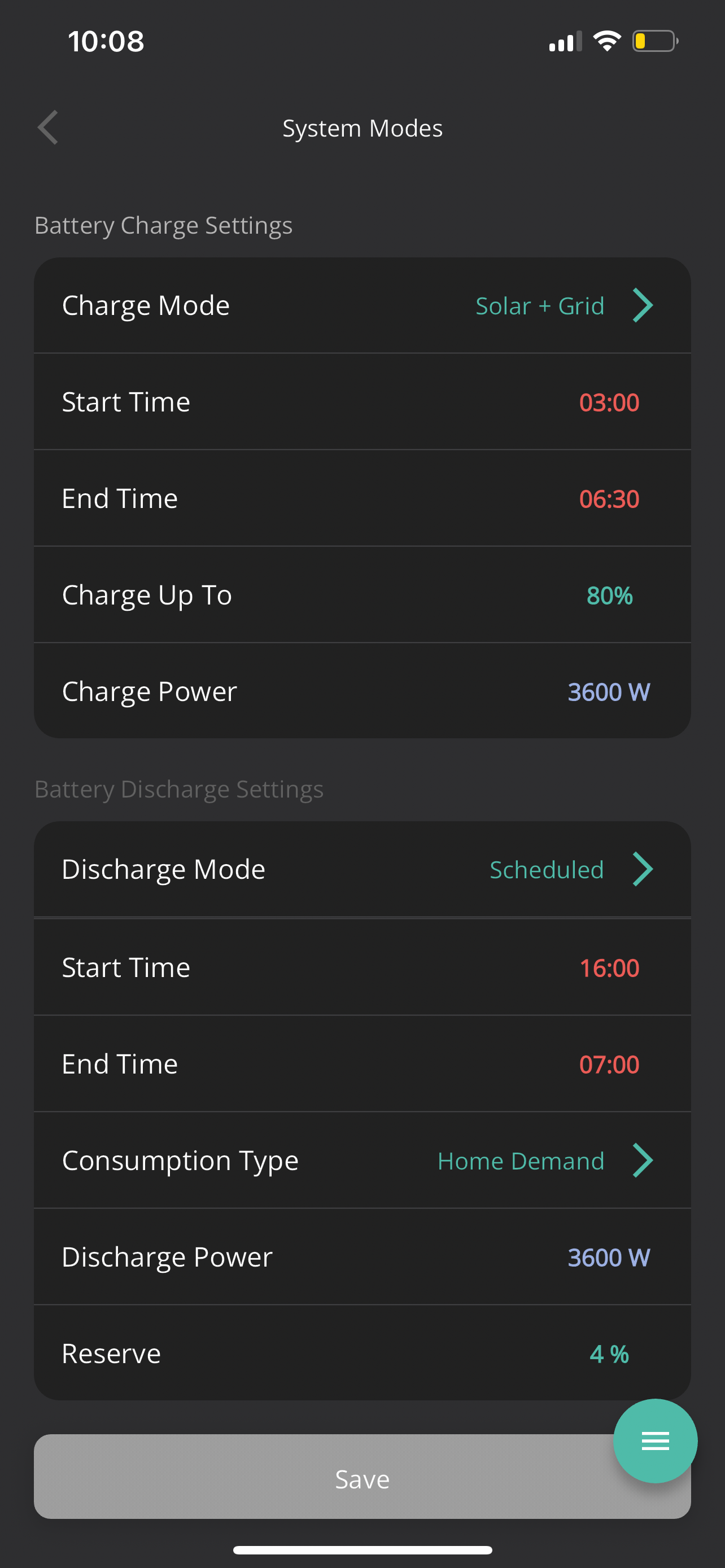
Then I've noticed that settings for Charge/Discharge got updated:
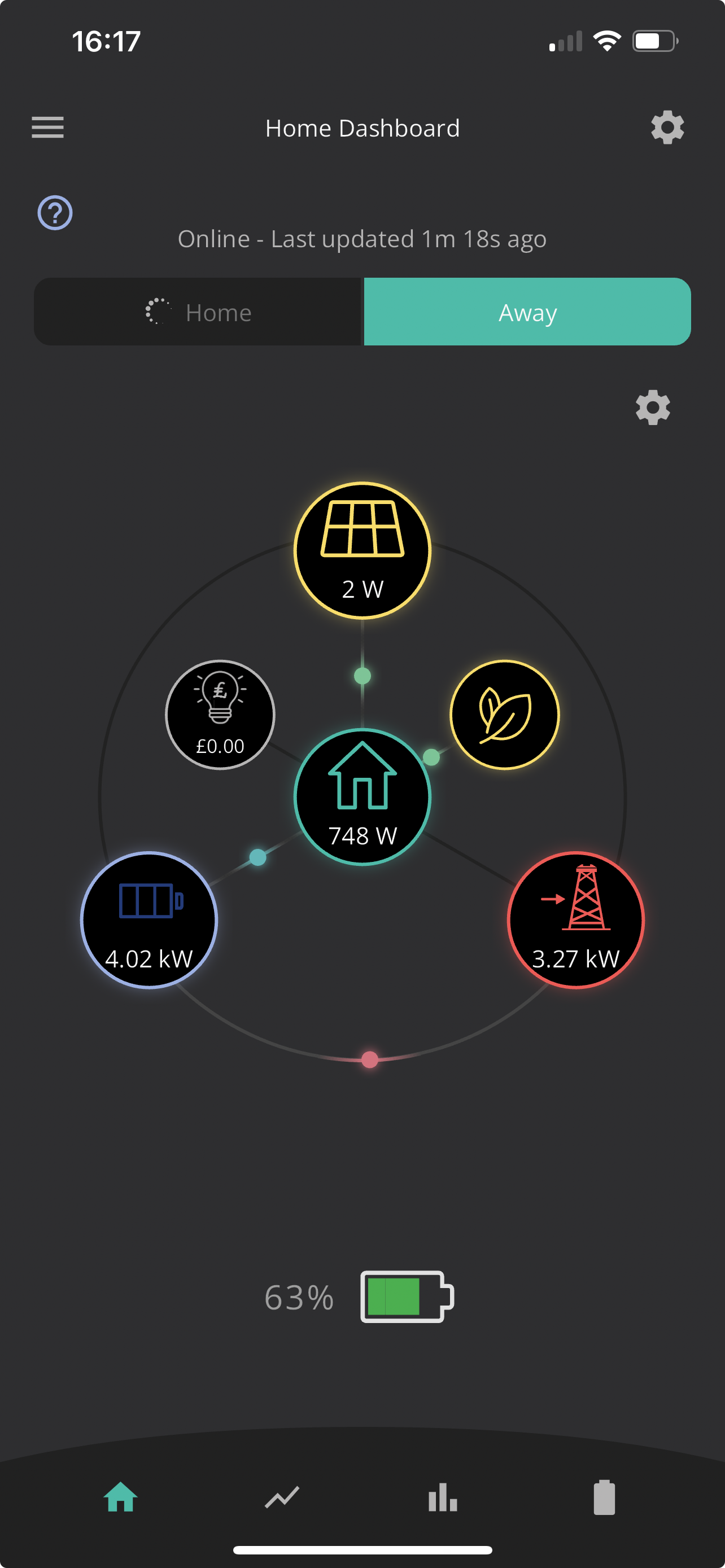
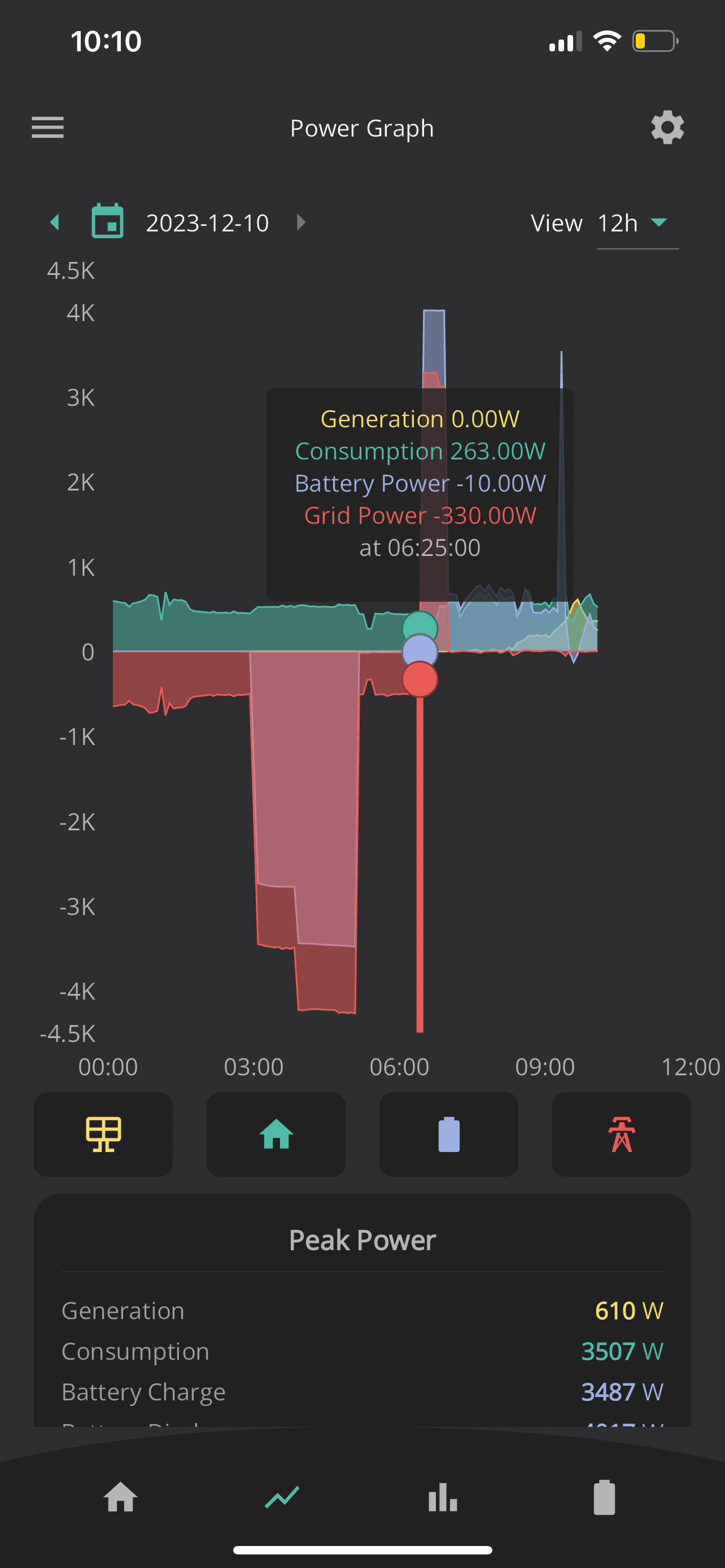
Today in the morning, when checked I've seen that battery got charged to 80% as planned and surprisingly started exporting around 6:30am:
And finished around 7 am:
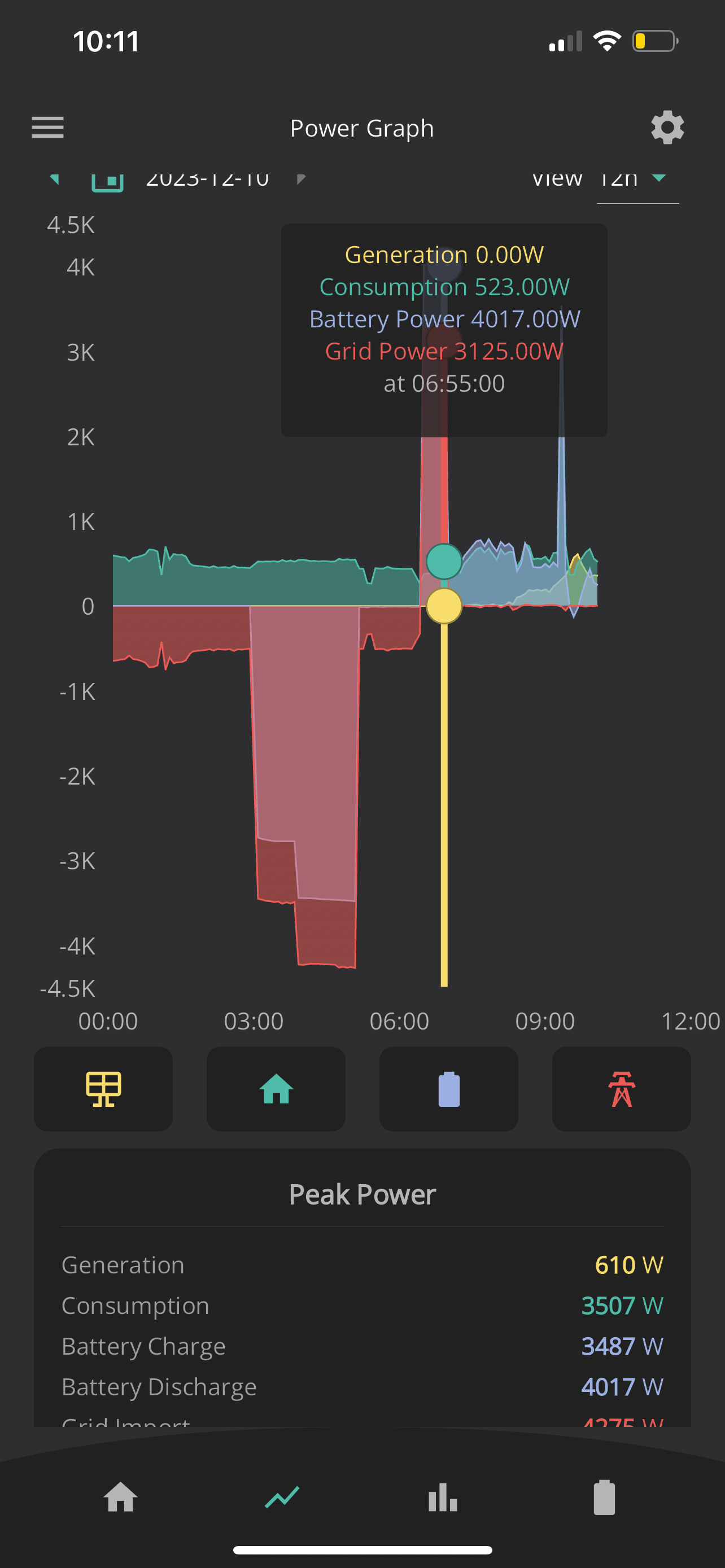
Battery got discharged from 80% to 55% and exported 3.3kW:
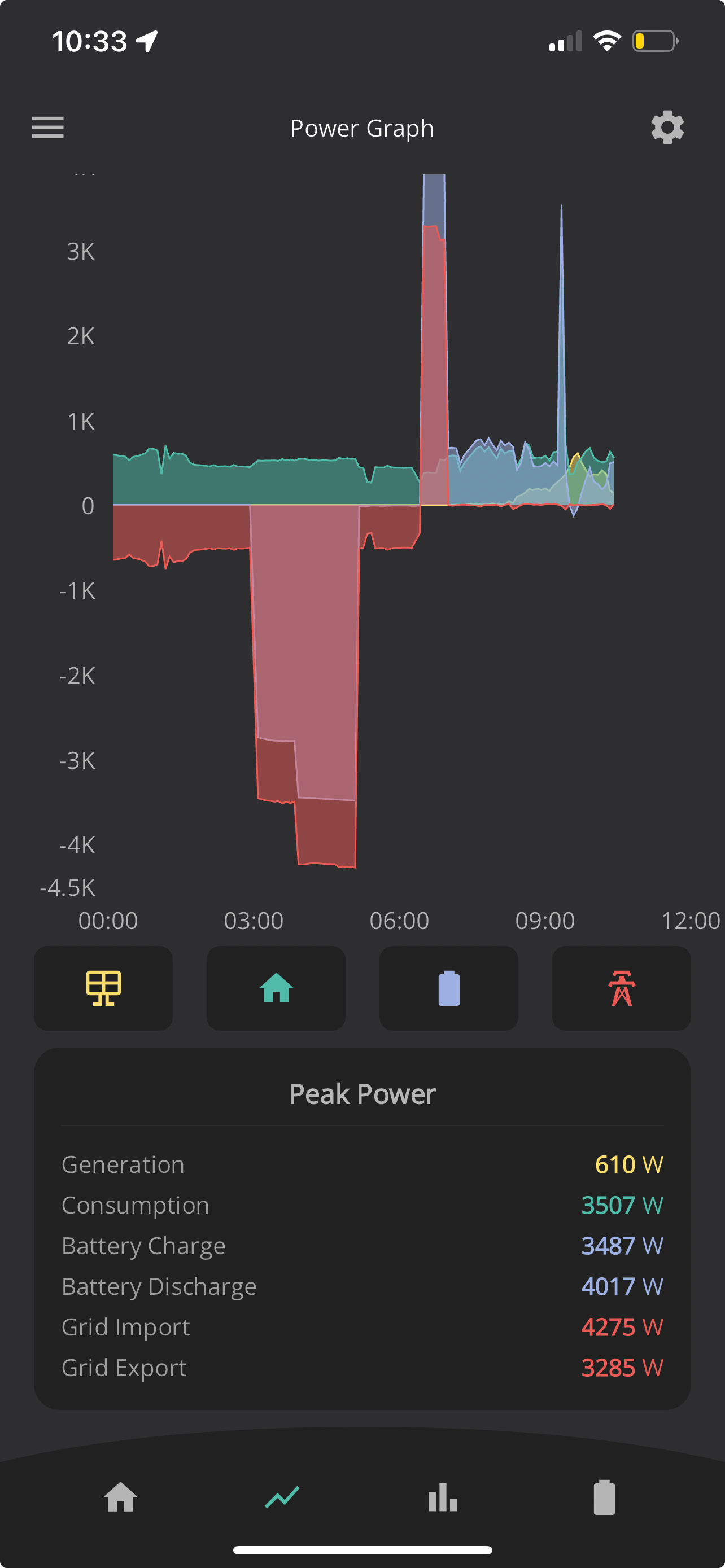
Which doesn't make any sense.
1) I could not find any settings which could have caused that. ECO mode enabled
2) Maximum discharge rate is 3.6kW so it's not possible it would discharge 3.3kW in 30 min?
3) 80% of 8.2kW is 6.56kW. Battery has discharged from 80% to 55% so based on this 1.64kWh should have been exported, not 3.3kW, which correlates with max discharge rate of 3.6kW.

Has anyone faced similar issue? Thanks a lot!
D
#2 DroiX UK

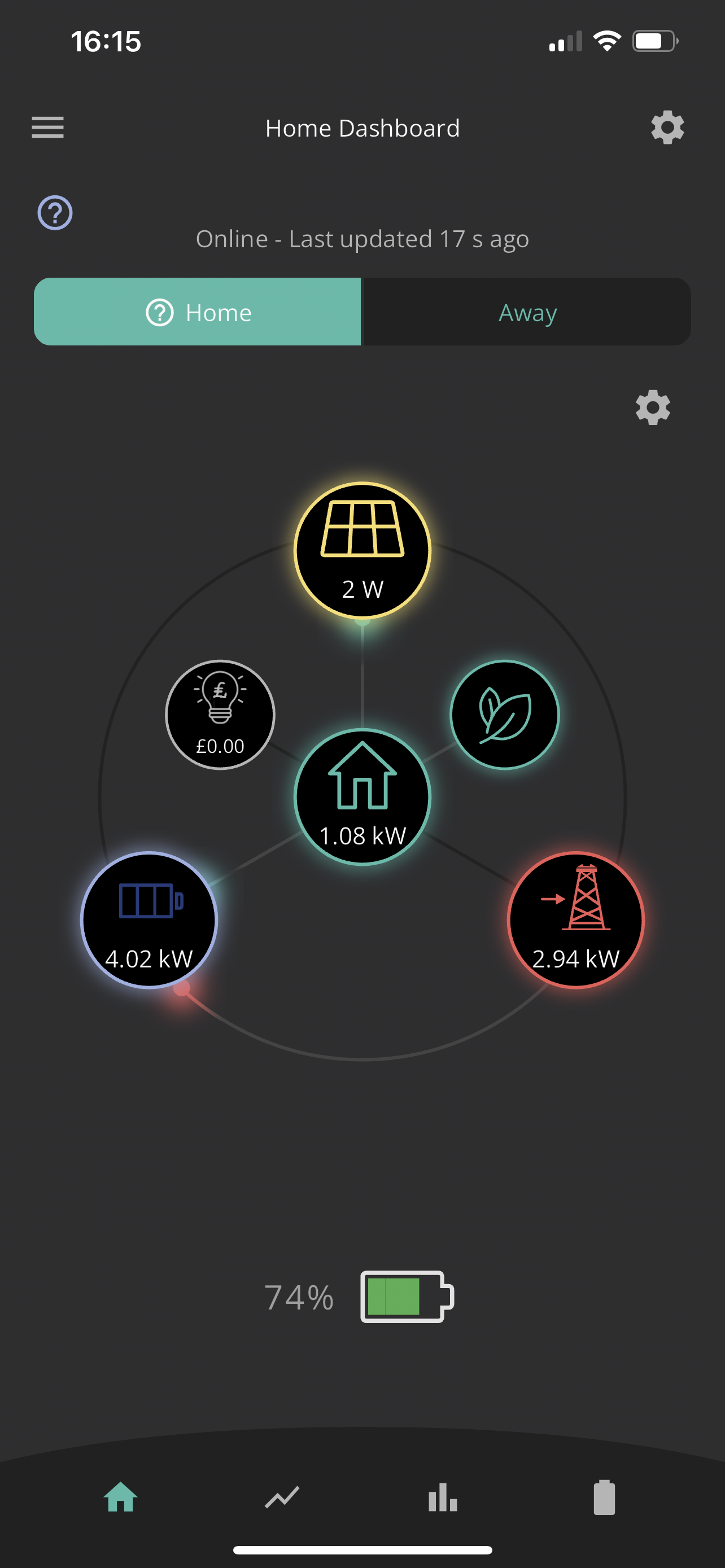
Now again today again : it was charging Battery between 2 and 4 pm and now exporting even no of the settings request to.


D
#3 DD

You've configured discharge from 4pm to 7am. As soon as the charge finishes at 6.30am, it enters the final half hour of the configured discharge time, and so discharged the battery.

Not sure what behaviour you were hoping for, but having overlapping charge and discharge windows seems odd.

Be careful of units - 3.3kW is power, not energy. 3.3kW for 30 mins is 1.65kWh of energy.

N
#4 Niceguy

I had the automation set to "On" for Octopus Agile with my GivEnergy 9.5 kWh battery. It seems the automation logged on to my system at 01:06 each day to set my automation, and it set the discharge times from 4pm to 7am

If you look in the GivEnergy web portal under "My Inverter", then Remote Control (small cog on top right hand side), then "Jump To Logs" (on the very top left) you should be able to see what changes have been made to your settings.

I'm strongly suspect that the automation was intending to set the discharge window from 4pm to 7pm in the evening, coinciding with peak prices, so it's a bug in the automation. You could try raising this with GivEnergy.

D
#5 DroiX UK

DD Thanks for your reply. I've confused Peak power with overall export power. thanks for pointing out🙂
I never set these settings. They were set by Octopus Scheduler.

D
#6 DroiX UK

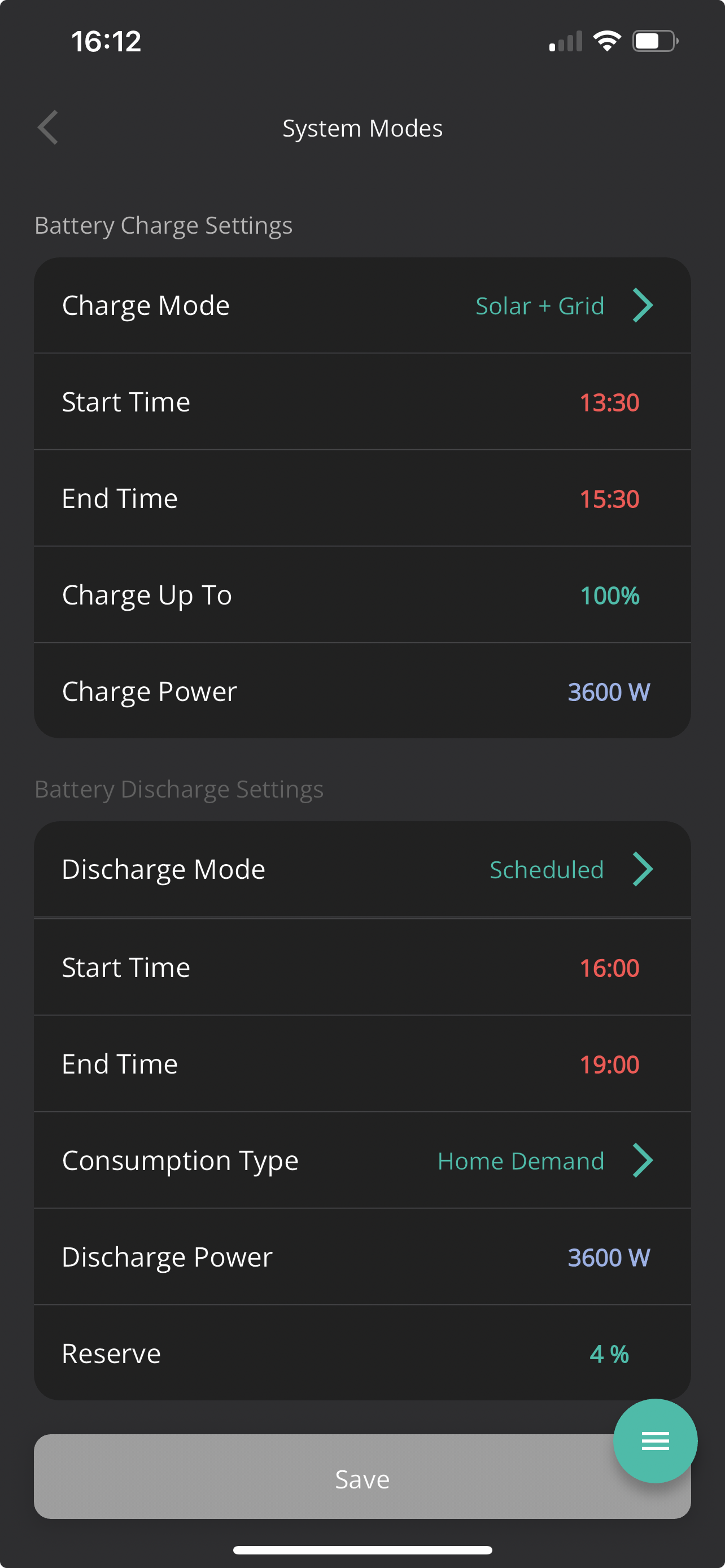
Niceguy you are right here. I had same settings of 4pm to 7am, however Discharge mode was set to Dynamic, which I assume should match house demand and do not export.
I've already contacted customer service, however they seem not to pick up the issue. Will try to create a new ticket explaining the issue from scratch. Sometimes it helps 😃

D
#7 DroiX UK

I've located the log files but it seems that settings set by Octopus scheduler seem to be wrong. Reached out to their support for clarification.

D
#8 DroiX UK

I've got a reply from Givenergy today:

The scheduler is Octopus side.

Our API sends a request to the API key you inputted during the smart tariff sign up section and it sets times based on the data received. If it is setting this not to your liking I recommend disabling the automation.

I understand that Octopus Scheduler provides data for when to charge, when to discharge, but it's invertor itself which doesn't follow the specified instrucitons:
today again:
Settings set by Scheduler to discharge & meet Home Demand:

However instead of meeting home demand it exports!

Only setting it back to Dynamic mode seems to stop it! 🙁

D
#9 DD

DroiX UK However instead of meeting home demand it exports!

Yeah... while the functionality is fine, the description is very misleading.
On my system at least, 'cover home demand' is describing what it does outside of the discharge window. Within the discharge window, it means discharge at a fixed rate. (Like 'timed export'.) The difference between 'timed discharge' and 'timed export' is just whether the eco flag is left on or off, and therefore what it does outside of the timer window.
But other inverters may behave differently.

(sorry, 'timed discharge' and 'timed export' are the portal terms... the app calls them 'home demand' and 'full export')

D
#10 DroiX UK

Givenergy finally confirmed there is an issue. Here is their reply:

My apologies I misunderstood the issue.

​Essentially yes it is an issue with how the scheduler sets that command. On our Generation 3 inverters the timed discharge will ALWAYS export, it is not a setting for discharging to home. Therefore the automation is setting a timed discharge (as if the system were gen1 or gen2) and the inverter is doing as its told and exporting. There is nothing we can do to rectify this at the moment It is being worked on between our developers and Octopus to rewrite the API commands.

Seems like Givenergy not coping up with keeping new products updated.
Now I have manually limit discharge rate if I want to use Octopus scheduler 🙁

M
#11 matttheotter

DroiX UK wondering if this is why I have been having issues with the setup of the Smart Tariff option today, I set it for "Hold Until Peak Time" but it never started to discharge for the home, as soon as I put it in "Eco Mode" it worked as expected.

M
#12 McStonnie

DroiX UK These issues you describe sound identical to my current experience, however, I do not even have the Octopus scheduler. I only have the GivEnergy portal and app. So how can GivEnergy say that this is Octopus's issue?