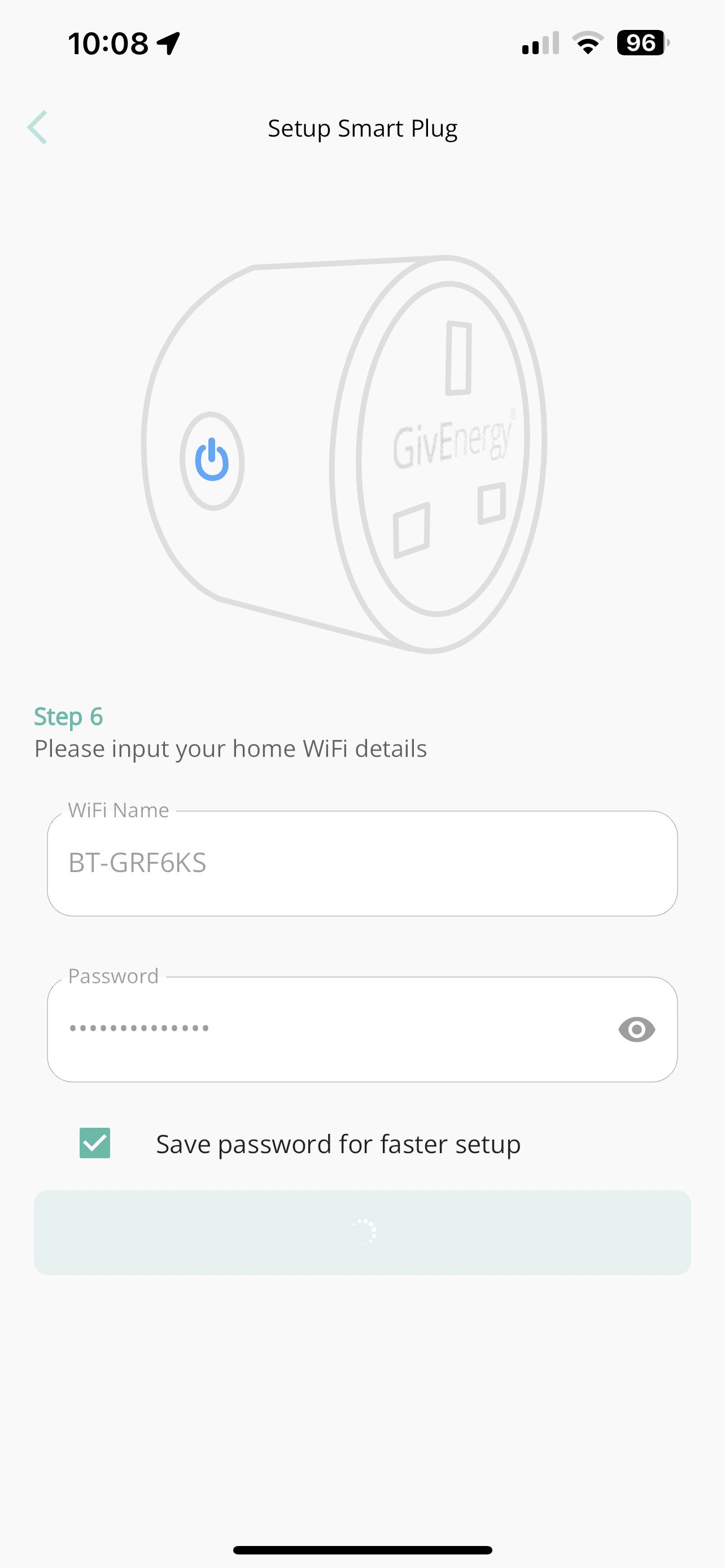
I purchased 2 GE smart plugs and programmed them successfully into my GE App and had them connected to an extension lead next to me so I could see them working. Then transferred them into use. One works perfectly fine and switches on/off day in day out, saving my Hot Water Tap maintaining a small tank through the night. The sound plug will not work and now deleted from App to try and start again I cannot re - add it to the App. I have tried using Home Assistant and still no joy. It get it to blinking slow whilst phone still on router network, then see the Smart Life ******* to connect to, then try to connect to network and it just stalls for a minute or so and I go through the same loop and will now no longer add as device to the App. Any help would be appreciated as it did connect fine first time when testing on the work bench ( kitchen table ). Thanks in advance.
How do I default my GE Smart Plug
Try... Go into the app > Switch off the plug's. socket > Leave for at least 10 seconds > Switch on the pliug's socket > Press and hold the on/off button for 5 seconds > On the app 'add a new socjket' (maybe a + sign), enter network details and follow instructions.
If that fails, press and hold the smart plug on/off button for 10 seconds, then try the above again.
MM/AIO saving my Hot Water Tap maintaining a small tank through the night
how much does that really save though? any idea?
pacemaker Hi, I don't think its much but I noticed every 90 minutes or so through night it boiled up small 1.5 litre tank to temp. Plus it's saving battery use if this occurs outside my charge period for that night which is probably more important so peak is always met. I will trial it on and off and see but with smart plug I use about 1kwh pe day. Wife won't do without her hot tap, she loves it.
SilverArt Have tried a few times now that process as detailed but at point I submit my home wifi details it stops blinking ( slowly mode) and just times out.
MM/AIO I have a Quooker one too, I see it turns on for about 10 seconds every now and then (or straight after I use it to replenish). Didn't think its worth turning off tbh, because you're still gonna use energy re-heating the now colder water in the morning.
MM/AIO When it is blinking slowly check the WIFI settings on your phone... does the plug show up as a WIFI location, if it does select it.
SilverArt yes it shows as the Smartlife ******* and as soon as I submit ( image above) it stops blinking immediately. I am thinking now it's a faulty unit. I have been looking if I can default it to factory settings if at all possible. Thanks for responding
MM/AIO It's while since I did this on a stubborn plug. Make sure you are right next to the plug when you select the plug's WIFI name on the phones's WIFI list. The phones name should then show as the 'Current Network' on your phone and it should sort itsself out.
Perhaps try again. The long, at least 10 seconds press should do a factory reset as I remember.
SilverArt Many thanks, did a reset and then held my phone inches away and went through full process and took first time. Back in the game and already smart plug in use. Cheers.
pacemaker I did a little trial and it is a small saving and around 250wh is saved from around 1.25kwh per day with no control. 250wh per day is small pence but over time adds up. Hope this is helpful.