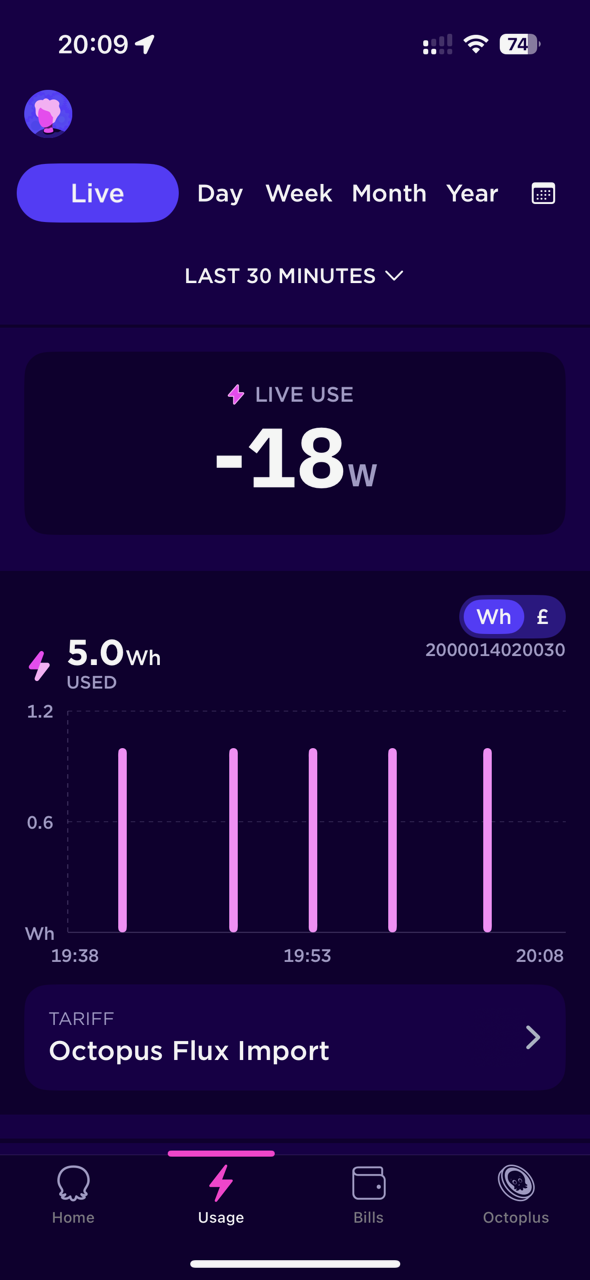
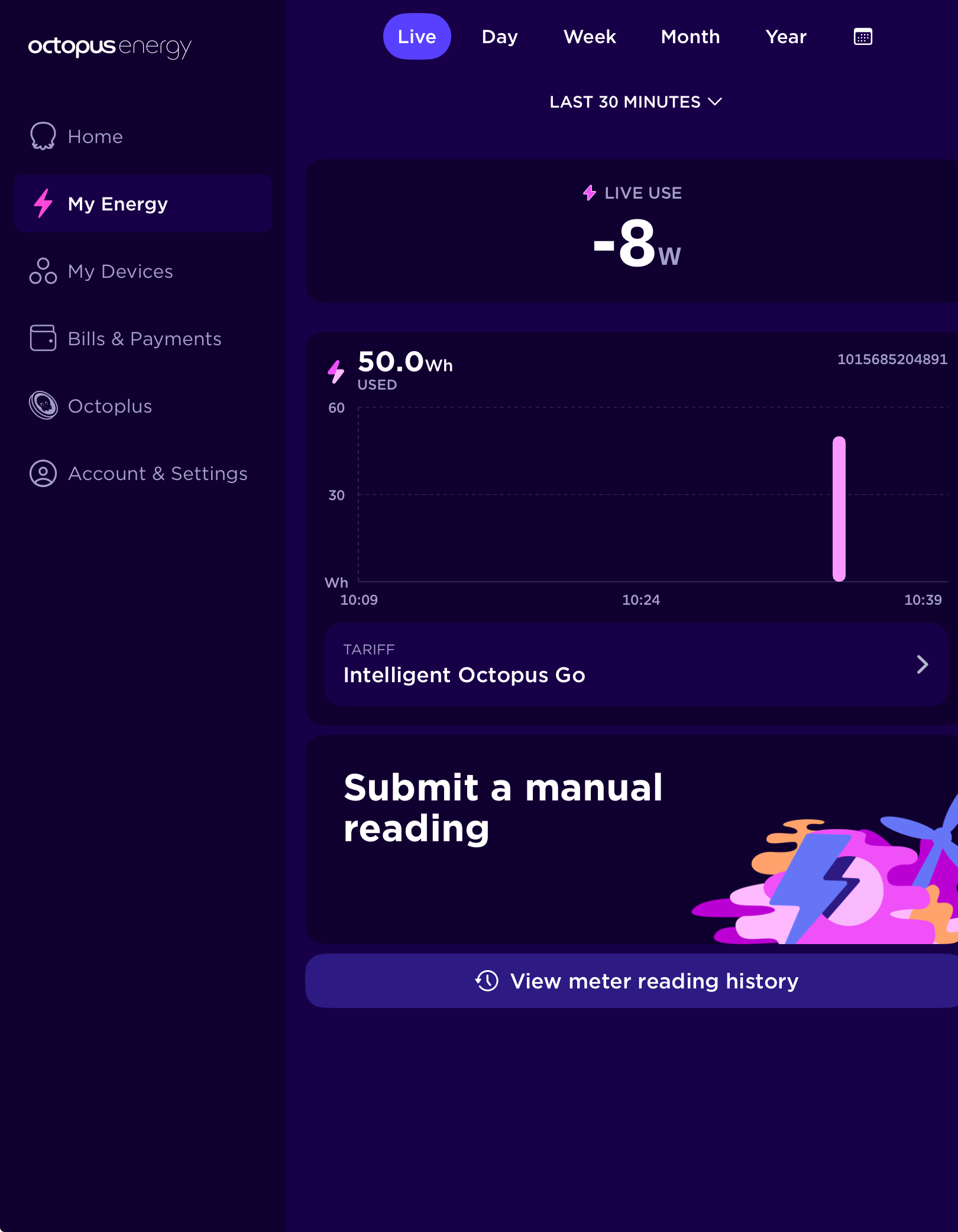
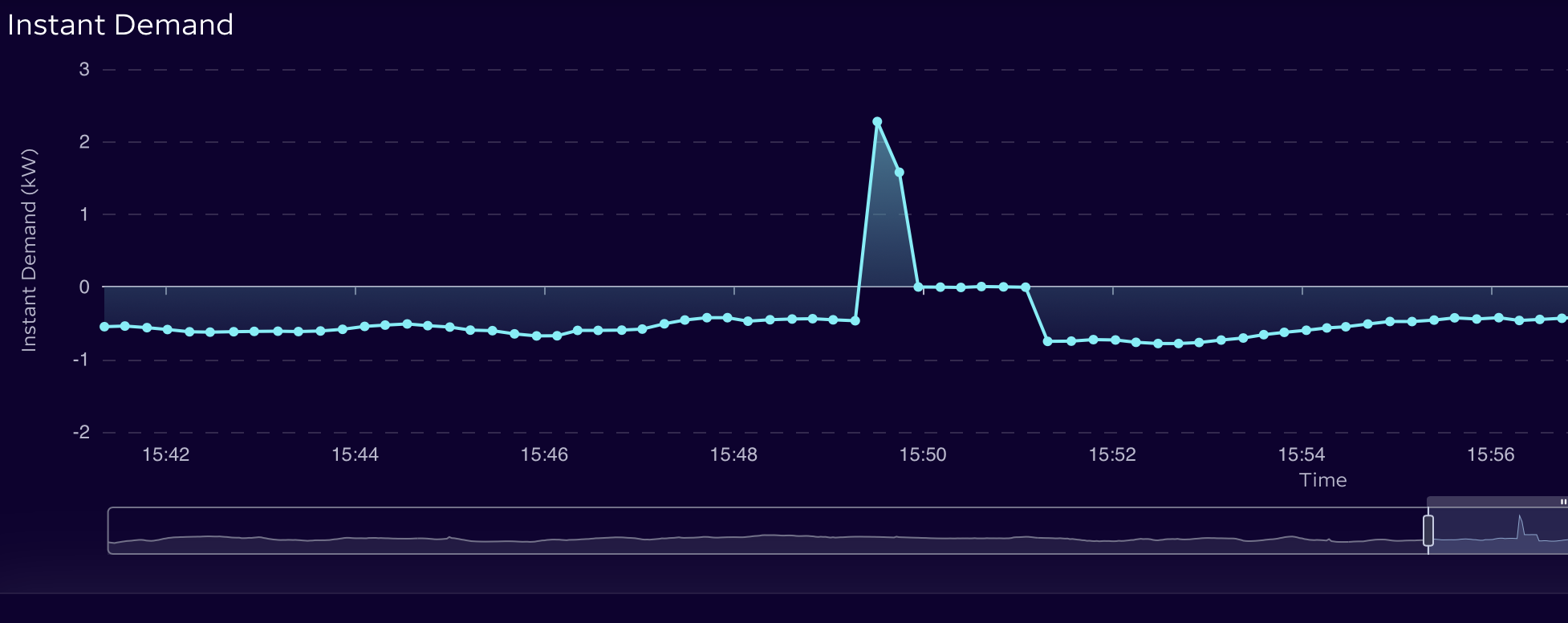
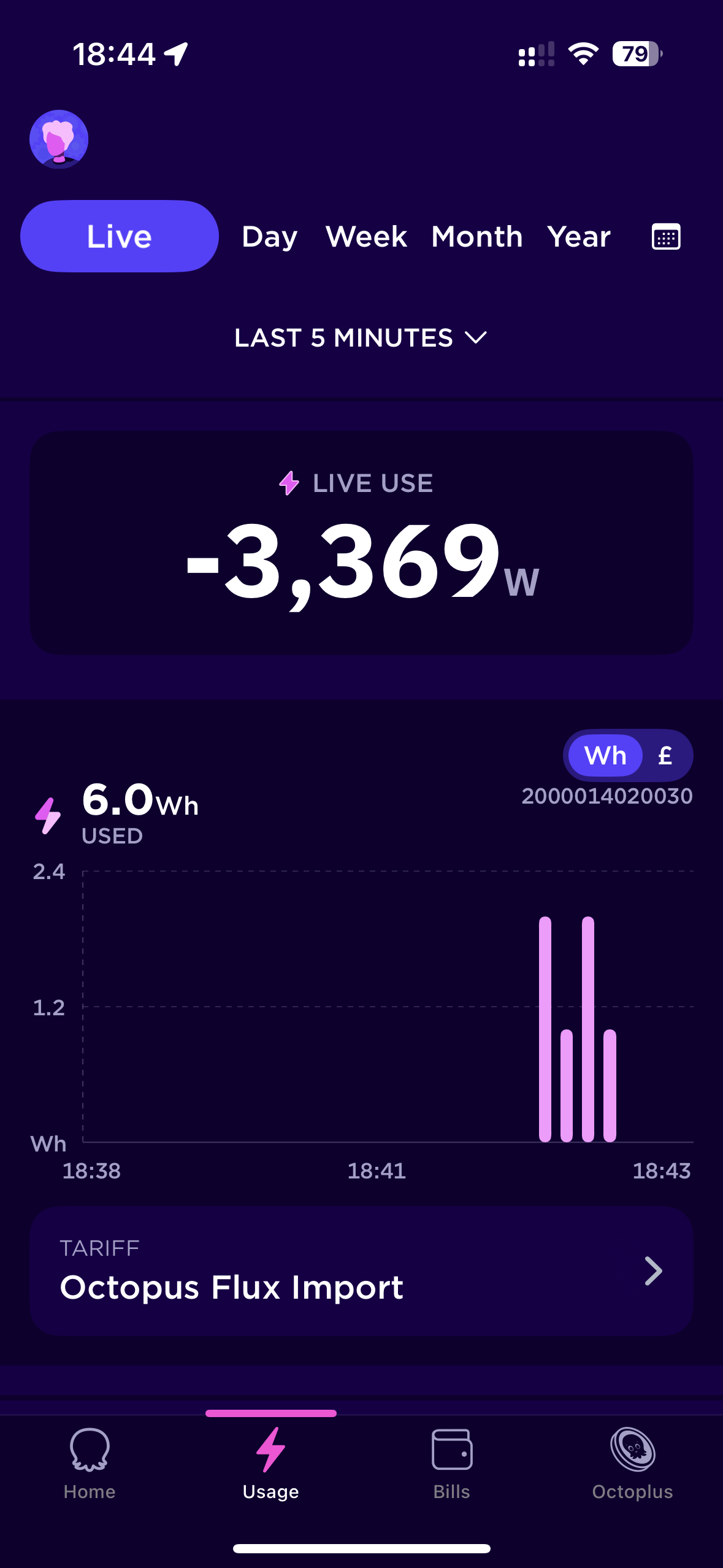
It gives you readings for Smart Meter import for 30 mins and 5 mins in the app. I can now see the drain from the grid when Home is needed power and there is a delay. Would this help any of you on HA?
I am currently exporting from 18:00 - 19:00 as good solar today. But still importing every now and then?
S
#2SteveCook
Well done.
I asked for one a year ago but they won't give me one or an IHD as my meters are not smart.
They installed them 46 months ago but still can't make them work.
I live half way between Skipton and Keighley, not in the middle of nowhere!
P
#3pfmorris57
SteveCook i've got the IHD, mini and the home pro(r&d).
The home Mini also showed this after the export finished. Still looks like a bit of delay hence export when in ECO and supplying home 🙁gggrrr
#6Simon_C
Daveb01, how close to 0W of grid import/export do you expect any battery inverter system to get?
5.0 Wh over 30 minutes would be less than 250 Wh (0.25 kWh) over a whole day, which seems pretty good to me.
If your household loads fluctuate on a regular basis then the GE grid meter needs to detect the change and the inverter needs to respond. This control loop is never perfect, so there will always be some grid import/export, albeit small values.
Thanks for the explanation, I agree. I think it’s just because I can now see it, it started to worry me.
S
#8SimonClarke
As an example Nespresso machine kicking in
G
#9geoffreycoan
I applied for my home mini about 3 months ago and it arrived about a month ago. Works well as as above, is useful extra source of data in HA via the Bottlecap Dave Octopus integration.
TBH I use my inverter import and export entities to see live (20s delayed - GivTCP poll frequency).
The Bottlecap Dave integration is I think getting Octopus mini data off the Octopus cloud so there will be a lag
P
#10pacemaker
does octopus have an API you can get access to the mini data?
G
#11geoffreycoan
pacemaker does octopus have an API you can get access to the mini data?
In the Bottlecap Dave integration you get current consumption and demand if you have an Octopus Mini:
@geoffreycoan - as well as an OHM, I have a Hildebrand Glow, which posts live updates from the meter to MQTT every 10 secs. I win! 🙂
J
#13James L
geoffreycoan I've just been told that my Mini (which I don't remember ordering!) is arriving soon. Is it worth using this in HA/Predbat in preference to the other Octopus integration(s)?
G
#14geoffreycoan
James L When the Home mini arrives and you’ve paired it into your account and wifi (its pretty straight forward, all done via the Octopus app), you can then reconfigure the Octopus Energy integration to say you have a home mini. There’s a config tick box to say you have a mini.
With that you could then use these live sensors for dashboards. I decided to not use this sensor for tracking import power and continued using the inverter import power entity, primarily because the Octopus mini sensor is only updated every minute (and the data has to go from your meter to the mini to Octopus and then back again into HA), whereas the inverter entities are populated every 20 seconds from GivTCP and it gives me a view that’s consistent with what’s happening to the battery.
What I did do is to use current_accumulative_consumption entity to populate the Energy dashboard in Home Assistant. I was previously using the inverter import entity but swapping to the Octopus mini one gives me consistency with the Octopus bill
P
#15pacemaker
One big drawback of the HA BottlecapDave integration with the mini (which I think is down to Octopus limitation according to Dave) is that your export meter data isn't available for today (e.g. the kWh exported today), you can only get the previous day. Versus the import meter will show kWh consumed today and the cost of it.
In order for me to have some idea of export I have to take that data from the givtcp integration sensor.givtcp_INVERTER_export_energy_today_kwh. Then do my own maths to figure out the export value in £ for today.
T
#16TX200
pacemaker the energy dashboard can do that for you?
G
#17geoffreycoan
TX200 yes you just have to configure the energy dashboard with the right sensors.
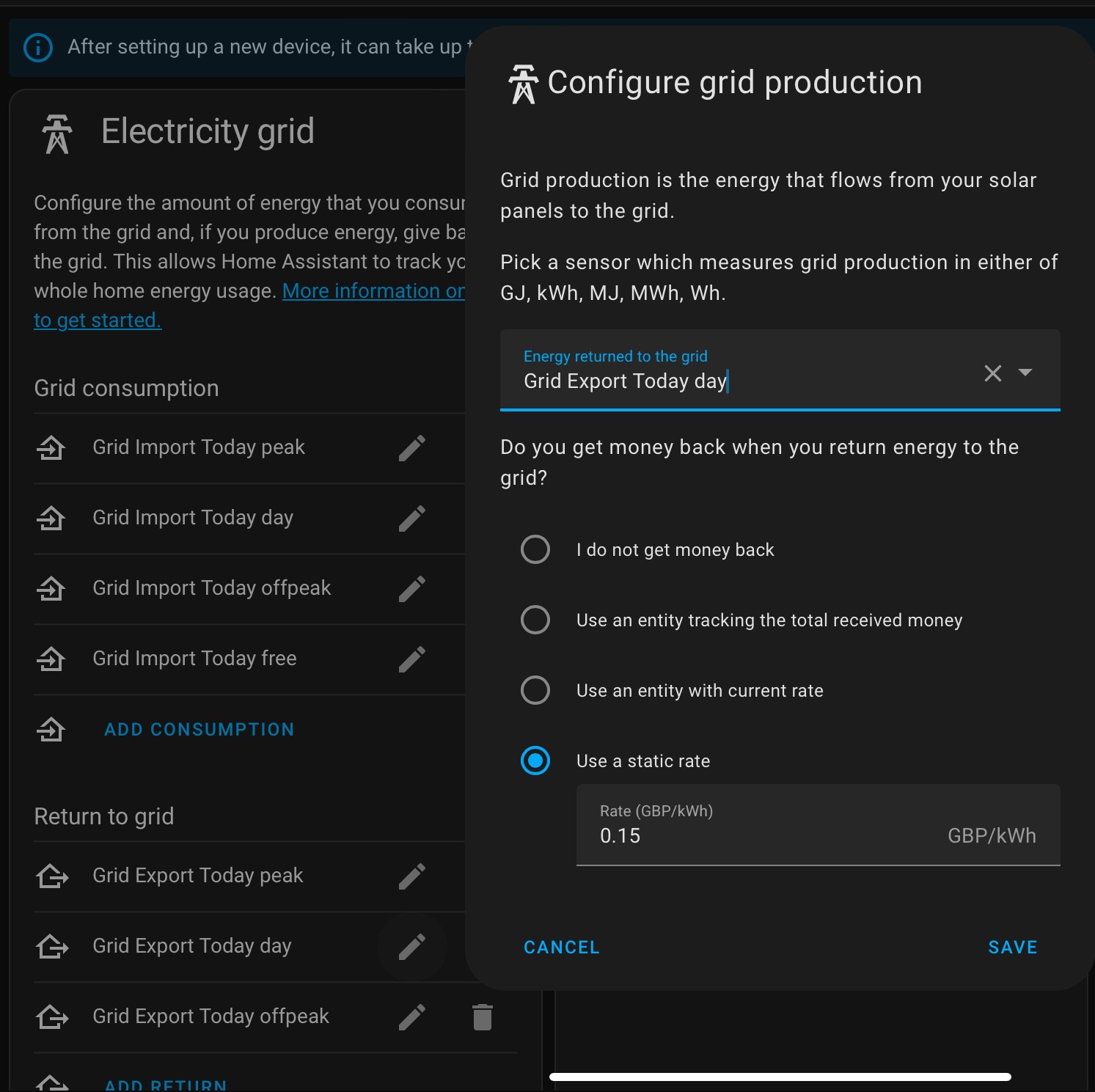
I just realised the guide only covers import, not export, but if you are on a single rate tariff like Octopus Outgoing you just configure it as a flat rate tariff and use the sensor.givtcp_INVERTER_export_energy_today_kwh sensor:
If you have multiple export rates such as Octopus Flux you need to create a utility meter to wrap the givtcp export sensor, and create different tariffs. Then create an automation to swap between the tariffs at the appropriate times.
There’s a speak to the geek video on this - you can see the remnants of this setup on the left corner as I have Export Peak, Day and offpeak all configured with the different rates on the energy dashboard.
Interesting but I'm confused then. Why doesn't the Octopus integration from BottlecapDave support the Export kWh amount for "today" on the Export Meter? I can see export happening live via my OHM so assume my smart meter is supported.
D
#20DD
pacemaker I'm not sure why, but my mini shows live import, but not export. I've been told it depends on the smartmeter model - some send the export as -ve import, and the mini can pick this up, but apparently mine does something different. I don't think the IHD showed export either.
P
#21pacemaker
DD yeah I see it on my OHM (via octopus app) as negative values (e.g. -1000w)
D
#22DreadorUK
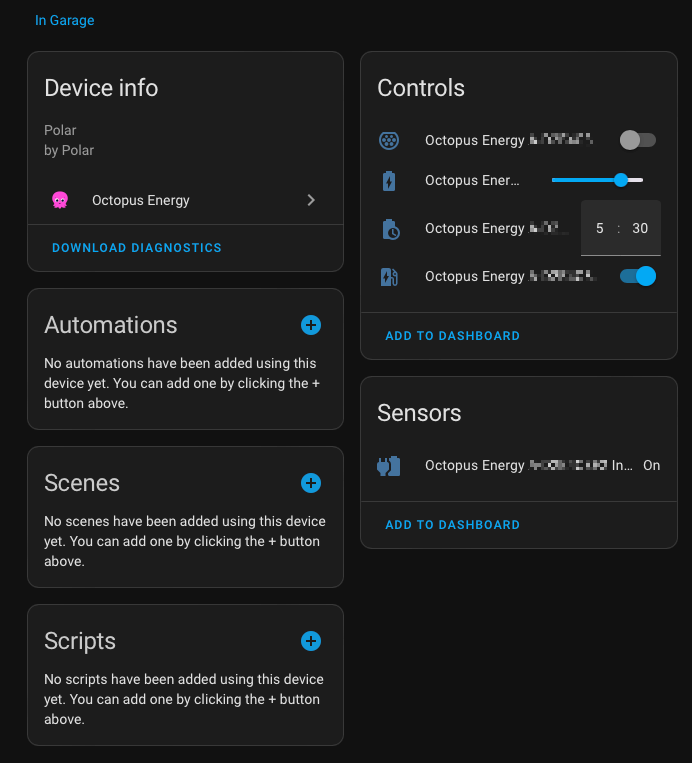
Just got my mini and I have a dumb charger aka a Polar Chargemaster
After installing in home assistant MIni is spotting it which seems a bit crazy as its dumb
Not that it matters as I control it with a shelly but its a little weird
D
#23DreadorUK
Just as a follow up.
Think Ive worked out what my charger is doing popping into the data for the mini - its the Octopus Intelligent API named as my charger but is in fact for my car but in the setup I had to give charger type so seems that fed in.
It has hooks for delayed start boost etc
W
#24Wavy Davy
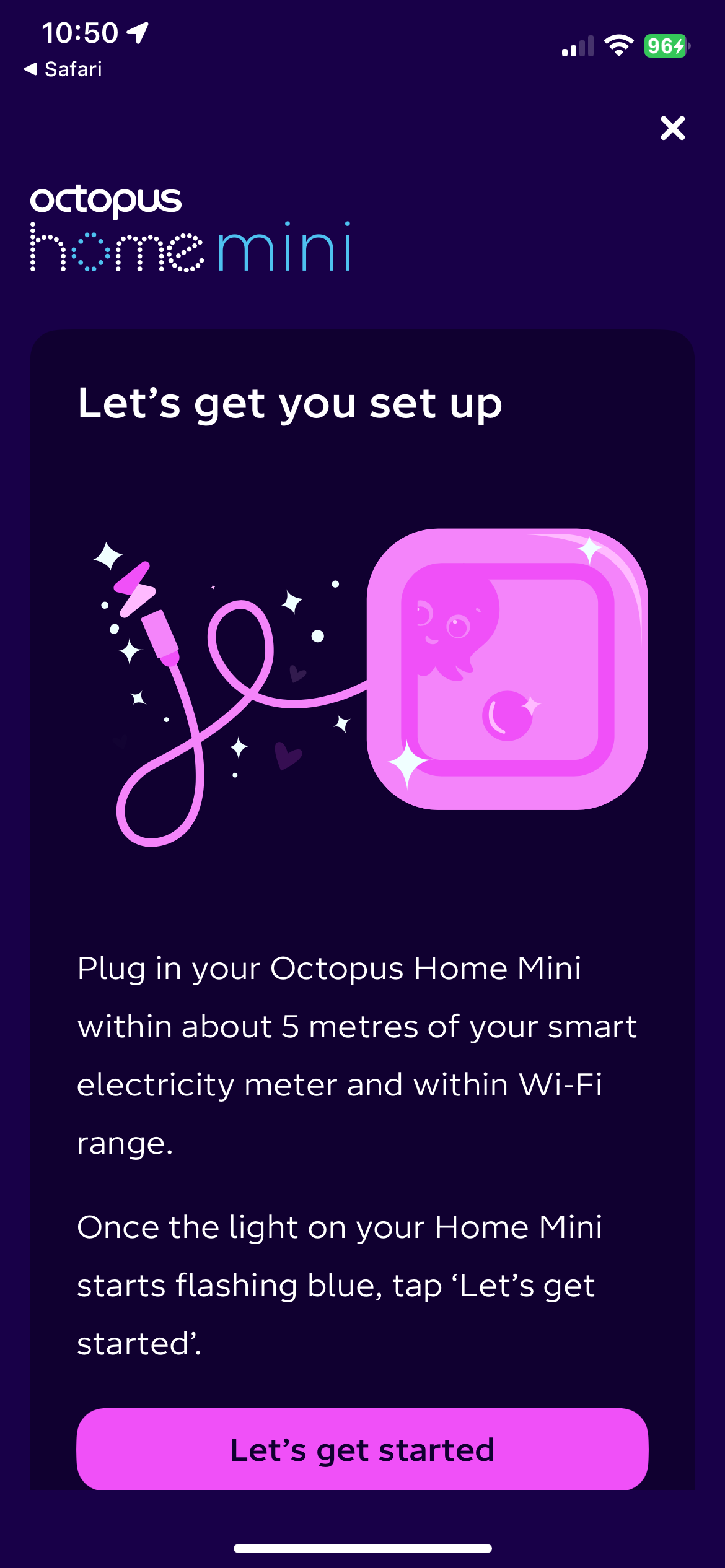
Just received my mini, instructions would have been nice, but eventually found them online.
Q code wouldn't work.
How long does it take to completely set up?
on the dashboard screen I have Home, battery and solar. I can see data on the app but the mini is still flashing green after about 10 minuits.
By the way mine is a white box not pink thank god..
Mine worked as per instructions and Q code. It took a while to be visible in app. I think I did mine after 6pm, and it was all working the next day.
In the app you have to click the Usage tab, the you should see live:
Last 30 mins or last t mins.
I was going to screen shot it but I am exporting Solar so it says -1,994 at moment and 0.0w or £0.00 so not worth showing you sorry.
W
#26Wavy Davy
Mines been flashing green for over an hour now, so I think its time to contact octopus.
#27Windy Miller
Wavy Davy Mine took some time - a few hours. Green means it's connected to your wifi and is now searching for the meter signal so make sure it is close enough to the meters. I think Octopus need to authorise the mini to connect to the meter signal which means accessing the meter details in their database and downloading them to the new mini.
W
#28Wavy Davy
Windy Miller Do you have to contact them to connect it or do they pick it up automatically?
D
#29Daveb01
I would leave it until tomorrow and see if it’s sorted, then give them a call after 9:00 if not🤞
G
#30geoffreycoan
I had absolutely no problems installing my mini. There was some brief instructions in the box from what I remember, I scanned the QR code, it opened in the app, went through an enrolment to my wifi and I think it connected automatically to the meter (about 2m away through the garage wall). Can’t remember when the live data appeared in the app, next day at most.
Annoyingly it doesn’t show same day export figures, it does for import, but not export. I can see negative import figures (i.e. export) in the last 5/30 minutes display in the app but this doesn’t accumulate in the export today.
Other than that, its worked flawlessly. And its pink, but its in the garage so I don’t see it.
#31Windy Miller
Wavy Davy No it sorted itself out. I did need to put it closer to the meters. It seems it is less sensitive than the IHDs.
#32Windy Miller
geoffreycoan Annoyingly it doesn’t show same day export figures
Yes I too was disappointed that it didn't show export. I still have to go to the meter cupboard to see my export reading. Eon even still want a photo of the reading to pay the export. Go figure!
V
#33Vestas
Windy Miller It seems it is less sensitive than the IHDs.
It'll have the interference from the wifi radios to deal with, which the IHD doesn't.
I don't know the specs of the OHM but if it doesn't have 5GHz radios as well as 2.4GHz then its a bit of a design flaw.
Its also the way the gas meter communicates with the DCC box on the electricity meter so there's lots of potential for interference.
I hate Zigbee. So much.......
W
#36Wavy Davy
Which app does it use, octopus or octopus R & D?
I did get it installed on R & D but couldn't get it to show any data.
I can't get it installed on Octopus because it didn't come with a QR code anywhere and that is the only option to install it.
G
#37geoffreycoan
Wavy Davy The OHM appears in the Octopus app, gives a couple of extra ‘live data’ options under usage
maybe call Octopus about the missing QR code. I don’t know if they are specific per OHM or just generic to start the installation process?
S
#38SJB
Wavy Davy The QR code is also in the setup booklet.
W
#39Wavy Davy
SJB Didn't get one, just got a box with the OHM, plug and cable. Nothing else.
Suggests you don’t need the QR code just click the link that opens the octopus app
W
#41Wavy Davy
geoffreycoan When you start the app and go to add device you have to scan the QR code, there's no other option. There is a QR code on the back of the device but it's not recognised by the app. It's just a link to "octopus energy/home" which doesn't work.
I would paste a pic but for some reason it won't let me. Even tried a screenshot of it, no luck.
click the link above, takes you to a ‘download the octopus app’ page
I have the app installed,click on open. at the top of the screen
and it opens in the app at the screen to setup the OHM
just did this on my iphone
W
#43Wavy Davy
@"geoffreycoan"#p59755The link still won't work for me, but I have the app installed. When I open it and go to add device I get a scan QR code window. I get a message QR code not recognised.
I'm sure the qr code on the back is just a generic code, not an install code. When I scan it using a QR code reader it comes up with "http://www.octopusenergy/home". which gives a message "this site cannot be reached".
Have emailed octopus but no response yet. Cant ring them as its week days only according to the web site.
G
#44geoffreycoan
Wavy Davy @"geoffreycoan"#p59755The link still won't work for me, but I have the app installed. When I open it and go to add device I get a scan QR code window. I get a message QR code not recognised.
No I applied in the octopus app, will have to check my emails and make sure.
W
#48Wavy Davy
Having another close look on the back it does say "home pro".
No idea what that is or does. Will have to investigate further.
G
#49geoffreycoan
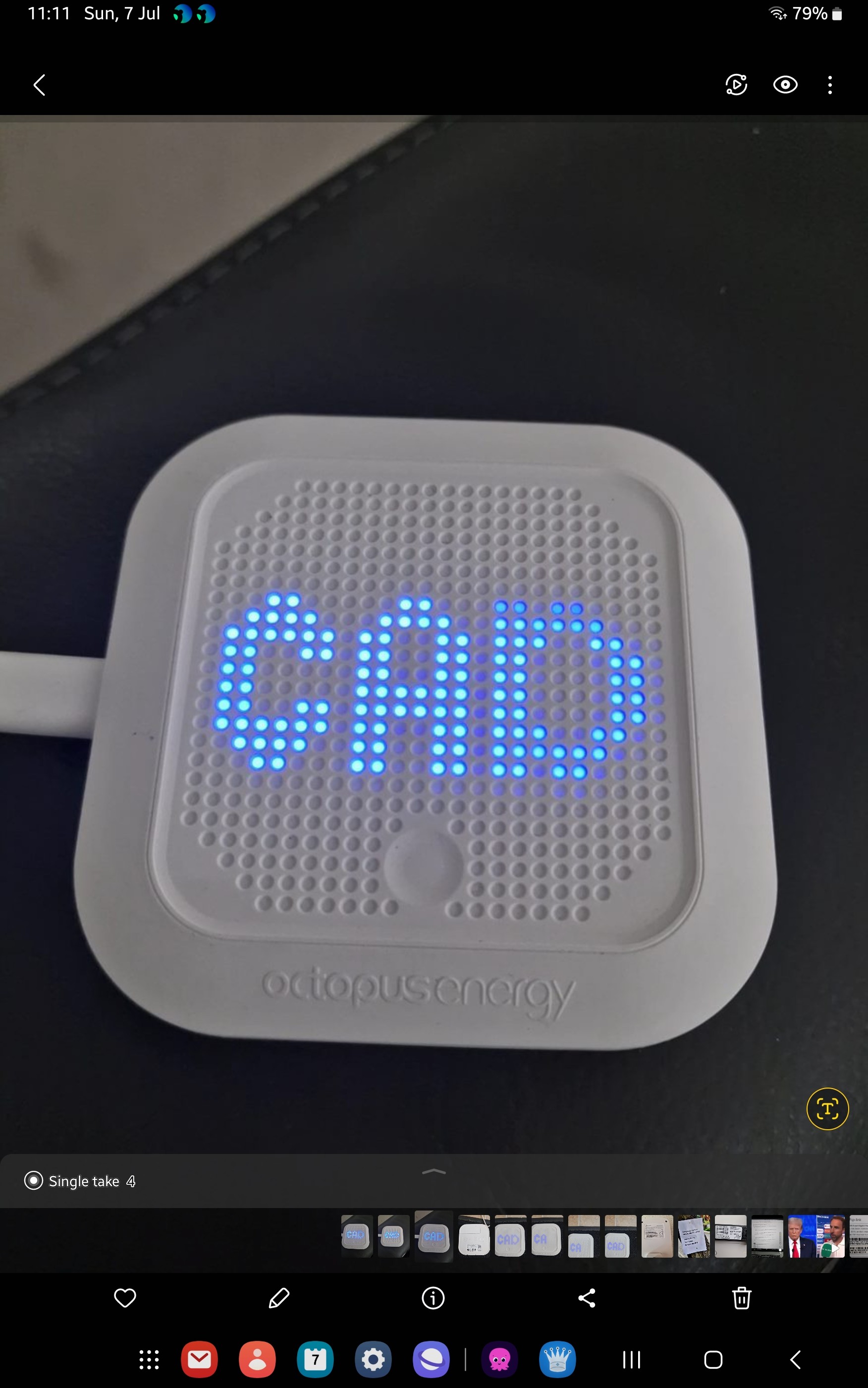
Wavy Davy I’m pretty sure you have been sent a Home Pro. I applied for one in the Octopus forum but haven’t got it yet, but from reading the forum they talk about the blue CAD lights.
It’s a new device, that’s much more powerful than the OHM. It can run MQTT for example.
Here’s the install instructions i found:
Connect to phone via Bluetooth.
Use Bluetooth to Configure WiFi
Mini uses WiFi to acquire certificates for your HAN.
Mini connects to HAN.
HAN = smart meter
W
#50Wavy Davy
Thanks Geoff, will have a go later, as I have some things to sort out first.
Will let you know how I get on.
K
#51KevinB
Yeah that's definitely a Home Pro, which you setup in the Octopus R&D app (as it's still quite experimental I think).
(BTW Agile users may be interested in the "Optimising a GivEnergy system with Agile" section - tagging @geoffreycoan )
W
#53Wavy Davy
PianSom Thanks for the info.
I can get CAD, SDK and ALL OK on the screen, but I cant do a reset. I thought I would start from scratch with it, but it's not doing what the instructions say should happen.
Will contact the R & D team to try and sort out.
G
#54geoffreycoan
PianSom (BTW Agile users may be interested in the "Optimising a GivEnergy system with Agile" section - tagging @geoffreycoan )
I did get as far as creating and linking my givenergy system to Octopus R&D about 10 months ago when I realised I needed to be able to control the battery charging more intelligently than Eco mode. Then at the time on the forum the only options outside of the GivEnergy portal seemed to be Octopus R&D or Home Assistant, and others were reporting that R&D wasn’t working reliably, was leaving the inverter with Eco turned off, etc. So I went down the HA route.
It does remain an option alongside MyEnergy Optimiser and Wonderwatt but now these options are available I don’t know whether it’s used as much on this community ?
Unpairing my inverters off Octopus R&D was suggested by Octopus as one of the possible fixes for getting OIF to work for me. It wasn’t though
#55PianSom
Wavy Davy
Sorry, I'm a bit confused - did you get to step 11 of the instructions (sounds like you did)?
And if you did, why do you now want to reset?
And if you do really want to reset, which of the resets are you trying to do, and how is it not doing what the instructions say?
W
#56Wavy Davy
PianSom No, I power the device up, and it flashes CAD. although I can cycle through CAD, SDK and "ALL OK".
I cannot get it to show BLE.
I cannot get it to do step 4. it is not discoverable in step 3.
I thought I would reset it and start again.
If I long press the button I can get a flashing CAD or SDK but still cant connect or reset.
W
#57Wavy Davy
Thanks to all who advised and particularly Plansom who finally steered me in the right direction.
using this article, at the bottom I found better reset instructions and the position of a small reset hole, which worked!!
I re-installed it and now have it working.
article was "https://github.com/OctopusSmartEnergy/Home-Pro-SDK-Public/blob/main/Home.md"
It is saying "no meter connection", so maybe my meter isn't supported, or maybe it just needs more time.
K
#58KevinB
Wavy Davy It is saying "no meter connection", so maybe my meter isn't supported, or maybe it just needs more time.
Mine's always said that (on the R&D website), even though it's connected fine and getting data. Do you see readings when you click on the "Charts" tab (with "Realtime" as the time window)?
W
#59Wavy Davy
I was going to say no, as it is a flat line, but then I realised it's the meter reading and the house load is being supplied by the battery at the moment. Looking back into the history there is a lump in the data, so yes it is connected.
I’ve been a Home Assistant user for many years now, so am well used to that being the main portal through which I interact with my home electronics. (Well, that and the tv remote!)
In that light, I think
IHD : never look at it at all, ever. Only have it because Octopus sent me one, when I was trying to get a OH Mini
Glow : solid piece of kit, well built, good support, reliable transmitter of MQTT data, very expensive by comparison. I never use the data from it these days. Even though I have a general preference for using local data in preference to cloud data.
OH Mini : the workhorse. Just sits there happily relaying data from my meters to the Octopus cloud, where BottleCapDave’s excellent software picks it up and reliably stuffs it into my HA for management and analysis.
OH Pro : the way of the future. BCD’s software is only starting to scratch the surface so far, but it’s already clear that this is going to be the way forward. One to watch, rather than necessarily rely on today.
Of course, your mileage may vary.
S
#62SJB
PianSom Do either the Glow or Pro give export meter readings?
G
#63geoffreycoan
PianSom To your excellent summary of ways to get your energy data I would also add:
Inverter import/export readings via GivTCP into Home Assistant: Near real-time (20second delay) ‘meter’ readings. Risk however that the figures may not align with your actual meter
Hildebrand Glow DCC HA integration: Meter readings from the DCC, 30 minute data blocks and ‘delayed by 30 minutes’
Personally I use the GivTCP inverter meter readings in Home Assistant. I found the Hildebrand Glow DCC integration was awful, the data used to arrive in lumps, certainly not consistently lagging by 30 minutes, so it was fairly useless and I ended up uninstalling the integration.
I didn’t have an OHM at the time and thought the Hildebrand Glow kit was very expensive for what it gave. Over a month the inverter meter readings are very close to the Octopus readings so that’s good enough for me so that’s what I use.
The OH Pro looks to be very exciting in terms of what it can do, but for the future.
#64PianSom
SJB
No. But I believe (based on the OH Mini FAQ) that that is because it is not supported by my Aclara meter.
Based on that source, I suspect all three would for most brands.
G
#65geoffreycoan
SJB I have a Kaifa smart meter. My OHM displays negative live use figures in the Octopus app when I’m exporting, but these don’t accumulate in the ‘day’ view. The export data only appears sometime the following day
I think this is an Octopus limitation. There is no API or Octopus integration sensor for ‘current export accumulation’, only import
S
#66SJB
geoffreycoan Yes, that is the conclusion I was coming to. I have an EDMI meter, like you I can see when it is exporting but not the meter reading.
I'd like to record the export meter reading at midnight, but I've only been able to find the import meter in the Octopus Integration and the Geo Home integration (it's a Trio IHD).
I suppose I could calculate it from the DCC export data but it probably isn't worth the bother to get it right.
W
#67Wavy Davy
SJB I have a EDMI meter supplied by Eon in 2021.
On my Octopus R & D app I get positive and negative readings from my Home Pro.
W
#68Wavy Davy
Meant to add I can also see the meter reading to more decimal places than looking at the meter itself.
W
#69Wavy Davy
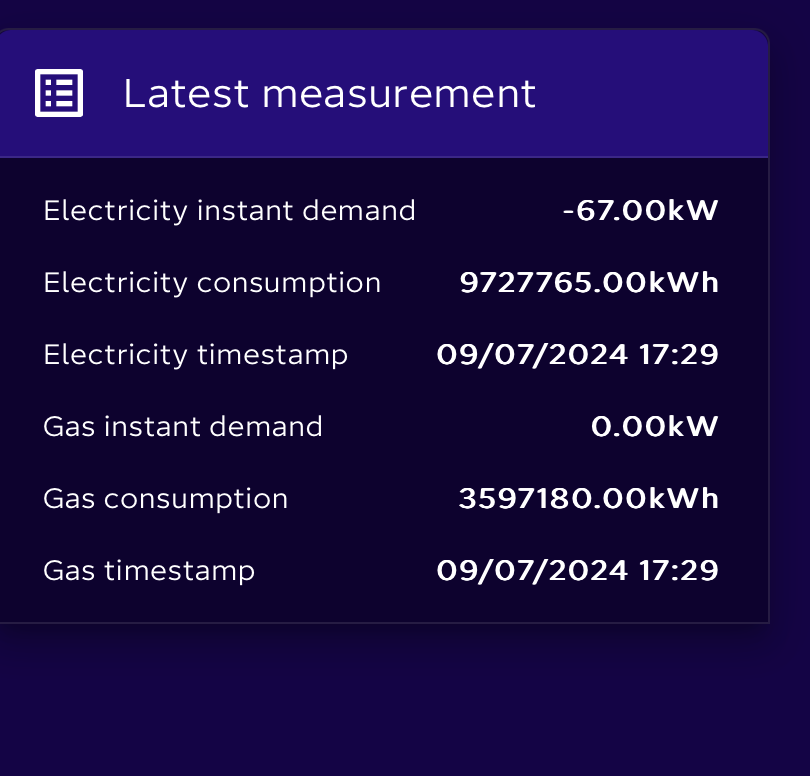
Actually looking at the reading above I think the decimal point is in the wrong place. should be 9727.765kWh
Same on the Gas reading should be 3597.180. Also gas meter reads in m3 not kWh. the conversion is done by octopus.
Yup - running both (plus a Hidebrand Glow device!) here.
#76Windy Miller
geoffreycoan Yes I do use adblock on my main machine but not on my tablets as too old. Generally I steer clear of sites where you are the product.
V
#77Vestas
geoffreycoan I've used adblock plus for years, works well enough
Gave up on it a while back as the developer kept turning the "allow some ads" (or whatever wording it was) option back on silently (so he could make money).
I just use NoScript these days, which allows you to blacklist domains manually. Handy for crap like twilio....
R
#78Rbor
geoffreycoan I have had OHM running since January. Setting it top was a challenge but I think many of the initial teething problems have been resolved now. Follow the instructions and let each stage run its course. Don't be impatient!
I have OHM, Mini and IHD sat beside each other and they all work together.
On OHM, there are nice chart displays on computer screen via Octopus R&D. I find it too crunched up on the app.
Nothing much has happened though over last 6 months.
You can download daily details on your import down to 30 min level. These matched my Octopus bill when it arrives.
There are some users who are coding the OHM but beyond me at the moment.
SJB Did you ever find a source for export data? I have just moved to EON and have found out how to get histrorical import data from Glowmarkt, but I can't find anywhere to source the export data
G
#80geoffreycoan
CW You can download your import data in 30 minute blocks direct from your Octopus account, you just specify the start date you want and it downloads a CSV file
C
#81CW
geoffreycoan Yes, I used to, but I've moved to EON now (better tariff for battery owners). Can't find (yet) a way to get this detail from there - although I've only just moved!
G
#82geoffreycoan
CW Should have downloaded the Octopus data before you left ….
The OHM won’t be any use now you have moved supplier.
I think your only other option is to download it from the GivEnergy portal. Normally you can only download a single day of data from the portal but there’s some scripts on this forum (need to search for it) that enable you to download a block of data in a date range
Personally though I only track my import and export on a monthly basis which is good enough data granularity for me. I just record the figures in a manual spreadsheet. Simply find the ‘export total’ figure for midnight the last day of the month and subtract from that the previous month’s last day ending reading.
S
#83SJB
CW Unfortunately not, I get it manually from the IHD each morning. Not a great solution but I can't be bothered trying any of the other meter reading solutions.
D
#84DreadorUK
For anyone who moves partially and I assume same for fully away from Octopus the mini stops working totally
Ive moved electric over to Tomato and still have Gas with Octopus but its not updating anymore - no huge issue but worth noting
C
#85CW
DreadorUK still have Gas with Octopus but its not updating anymore
Indeed AND you seem to also lose all the half-hourly gas readings as well.
I now use GlowMkt which provides me data from the DCC for Gas and Electric. Currently I cant get the export data, but they have plans to provide that
S
#86SJB
[unknown] There is now a value in the HA Octopus Integration 'sensor.octopus_energy_electricity{{METER_SERIAL_NUMBER}}{{MPAN_NUMBER}}_current_total_export'. Only spotted it by accident - I really should read the release notes 🙂