Hi folks, still experimenting with our system and I've managed to set it up to charge at a cheap overnight rate when applicable, but I can't work out how to set it up to export at a time of our choosing. I'm sure it's perfectly simple once you know!
How to set up timed export
Dufay It seems to depend on which system you have, as they behave differently. Are you using the app or the web portal? (They use different terminology.) How do you want the system behave outside of the discharge time window?
I'm using the web portal at present. I tried setting up a discharge period but nothing happened, and other documents I've consulted seem to imply that this just discharges to the home. I can't find any references to export on either the app or web version...
At the moment we simply export excess automatically during the daytime when it's sunny and charge up between 2-5am
DD sorry, didn't realise I probably needed to click on reply to notify you - have added a bit more info...
Dufay no problem. I assume that 2-5am means you are on flux tariff. Are you hoping to export to the grid during the peak rate to take advantage of the higher export rates?
I assume you've already noticed that peak export rates are roughly the same as daytime import rates, so exporting too much and having to import in the evening may be counterproductive.
I think the terminology on the app is more straightforward: discharge mode can be either 'dynamic' or 'scheduled'. Dynamic just means match AC output to consumption, to avoid both import and export.
With scheduled, you then choose start/stop times, and consumption type of 'home demand' or 'export'. This is the point at which behaviour seems to change between different systems. For me, 'export' will export at fixed power during the time window, and pause discharge outside of that window, whereas 'home demand', despite what the name implies, covers home demand outside of the time window, and exports at a fixed rate during the time window. (On the portal, the difference between the modes is just down to whether the eco flag is left on or not.)
Note that whether it actually results in grid export depends on the discharge power you set: if it exceeds house demand, you'll get grid export; if not, you will still have to import to cover the difference. (Eg if you are discharging at a fixed 1kW, then put the kettle on, you might end up importing 2kW, since the battery discharge won't increase to cover the increased load.)

DD thank you so much - I got as far as setting it to scheduled rather than dynamic on the app but hadn't found the bit where you choose between home demand and export so maybe that's why it didn't seem to export anything during the experimental time period. I'll have another go today π
Dufay The second bit is hidden while the mode is 'dynamic' and only appears after you have set it to 'scheduled'.
DD Well, I set it to export for an hour between 6 and 7pm - it definitely exported, but it started at 4pm and didn't stopπ€¦ Luckily I realised on checking just after 6pm and stopped it before we ran out of power completely! The times are correct for when we import during the night so it's a mystery π€
When I was using export, I could not get Eco to reset after the timed export/timed discharge.
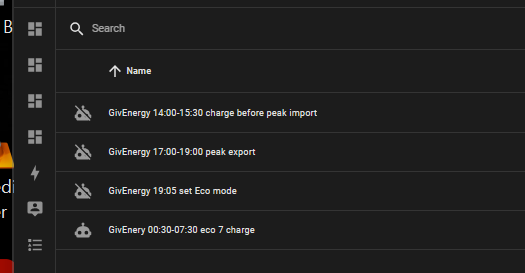
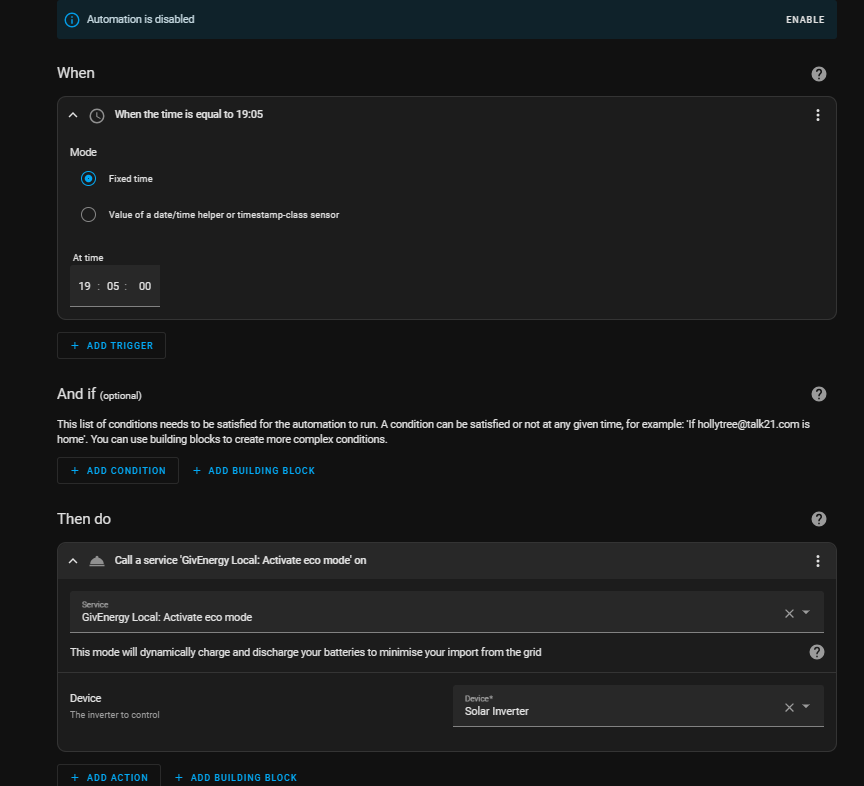
I went to home automation and built in an Eco reset to make sure

Dufay Yes, that is odd. Which firmware revision are you running? Might need someone running the same version to comment.
Could try an external agent. wonderwatt.com seems popular - I think it should be able to do something simple like this.
DD getting a bit above my pay grade now! - I'll keep experimenting!
SteveCook Thanks - I'll look at this when I"be hit a bit more time...
Been saving the planet in a different way tonight redistributing waste food from Tesco π

Wonder Watt I'll check again today to see if that was the issue. Eco mode was enabled when I checked after I changed it back to dynamic.
Dufay I assume that if eco mode was off, the battery just wouldn't discharge at all (so that house ran from grid), rather than manifesting as dumping the battery to grid?
DD will experiment further today!
DD you were absolutely right. At 5pm I set it to export from 6-7pm once more (with a full 3kW discharge rate because I hadn't thought about the fact that we'd need some capacity for the house supply). Nothing was exported but the battery stopped supplying the house until I switched Eco mode on again from the web version. So, Eco mode was turned off at the correct time (6pm - I was keeping an eye on it to see what changed) rather than 2 hours early, but no export took place π€·
Dufay Hmm... well one possible reason for that is if you have set a minimum SoC to be maintained. That's not accessible from app or the settings in the web portal, but you can get to it via the remote control section.
See https://community.givenergy.cloud/d/3902-discharge-settings-on-home-assistant and my experiment in #4. (Oops - I see I'd forgotten to reset the SoC afterwards - that would have confused me on the next saving session !)
DD I really appreciate your taking the time to try and help me π
DD However, it's definitely getting beyond my abilities/understanding, I'm afraid. It would be so nice if installers gave some training in how to do the things you might need to, instead of having to work it all out yourself! Think I'll have to try the help desk next, though they weren't able to sort out our problem when our inverter went offline...
DD reply from the help desk - not sure I understand entirely but it's an answer, at least!
Timed export does not work on G1 inverters as they lack the hardware for this, this feature is only possible on G2 or G3 inverters currently.
The only way to export is if you set it at the time you want to use it, then turn it off when you dont want to use it, but it cannot be charged unfortunately.
We are looking to do server side software scripting to allow this in future for models that dont support this.

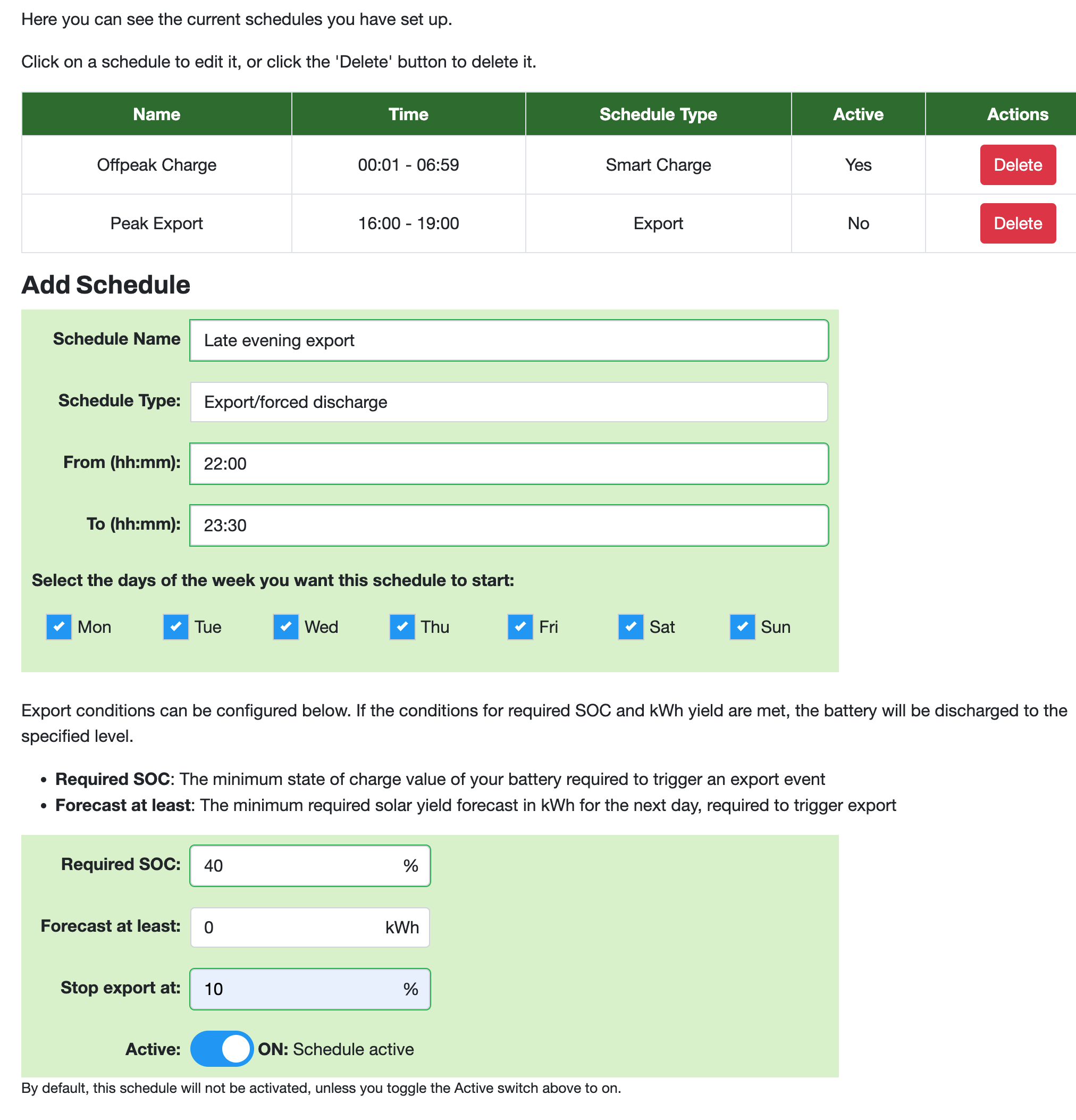
Dufay Yep - feel free to set multiple export schedules up with us if you want. Fully supported for Gen1 inverters as we handle everything server side.

Happy to help out if you hit any snags.
Wonder Watt thank you!
Dufay Timed export does not work on G1 inverters as they lack the hardware for this, this feature is only possible on G2 or G3 inverters currently.
Support is getting worse by the day. Timed export works fine on G1 inverters.
Vestas I must admit, I didn't quite understand the reply π€¦
I have an AC3 unt rather than a hybrid inverter, but this is how I do it manually. Go into the inverter icon on the portal and select the settings tab. Click in timed export. Set your start and stop time for the export, but DO NOT press the submit button util just before you start to export as it will stop the battery supplying the house at this point, and until your export time comes around your house will run off of the grid. Just before your export period press the submit button. You should get a green banner at the bottom of the screen saying that it has been changed. If you get a red banner just press submit again, as sometimes it can take a couple of goes. Provided your battery is set to discharge at full capacity and you don't have a large reserve capacity set (check you battery settings option in the settings tab), then the battery will discharge at full pelt. It will supply what ever your home needs and the rest is shoved out to the grid. By pressing timed export the ECO setting is automatically disabled. At the end of your export period the export option will automatically switch to disabled, but you will need to manually re-enable the ECO setting, or your house will be supplied from the mains rather than whatever is left in your battery. This is fine if you only force export occasionally, (for example for the saving sessions) but if you want to do this regularly you may find it easier to automate as suggested above.
Karen Click in timed export.
What behaviour do you see if you choose timed discharge rather than timed export. For me (gen-3 hybrid), timed export behaves as you describe (immediately turns eco flag off), but timed discharge leaves the eco flag on, and the house continue to run from battery until the start time (Within the timed period, the two behave identically.)
But AIUI this is different from other models.
Karen thank you - sorry I haven't replied before but I've been having an extended exchange of emails with GE. I signed up to the GivBack event but all that happened was that the battery stopped supplying the house. Support told me I just hadn't waited long enough before changing the settings back myself (12 minutes) and to have more faith! I persevered and they eventually discovered my inverter had been set to GMT-1 instead of GMT+1 when it was installed in June. So not only had I not been able to export when I wanted, but I've been importing at the standard rather than off-peak rate all this time π This is the second problem I've had when I've been made to feel by GE that it's my fault for being stupid (the first time the inverter was offline for a week before we finally got the installer to come and look at the problem after GE kept sending me the same instructions which didn't work). However, I'm nothing if not persistent and determined and gratified both times to find it wasn't me being stupid or going mad! Thank you for your comprehensive explanation - I've come to understand it by a different route, but it's frustrating that this information can't be given by GE or the installers at the outset. There must be many of us out there trying to work things out and using a lot of our valuable time unnecessarily along with that of the support teams.
DD see my reply to Karen. I have an AC3 inverter, and don't have a timed export setting but just scheduled discharge. Yesterday I managed to export for the first time following syncing of the inverter time by GE, and all went as planned. I set it up on scheduled discharge in the app at the time I wanted it to go live, and it exported, supplied the house, and went back to Eco mode automatically afterwards π