M
I decided to try this out and charge my batteries on a schedule , the time in my inverter is correct and I can also read start and end times of the charge battery settings but it never works...
Can anyone help please
Cheers in advance
Richard

I decided to try this out and charge my batteries on a schedule , the time in my inverter is correct and I can also read start and end times of the charge battery settings but it never works...
Can anyone help please
Cheers in advance
Richard
Can you provide some screen shots of what you setup, what the mode you set, etc.
Have you tried doing a manual force charge and see if that works as opposed to a future time setup charge.
Sometimes the inverter can just "get confused" and won't charge or discharge when it is supposed to. Its probably worth you going into the portal and doing a 'reset to defaults' to reset all the settings on the inverter, and then set your charge schedule up again.
geoffreycoan thanks for getting back how do I force a charge ?
Also, are you using the app or the portal to configure? Both can do it, but the interfaces are different. (Can also do it using the remote-control section on the portal, which may give access to multiple charge slots, but also more ways to get it wrong.)
I have tried portal and app to set times
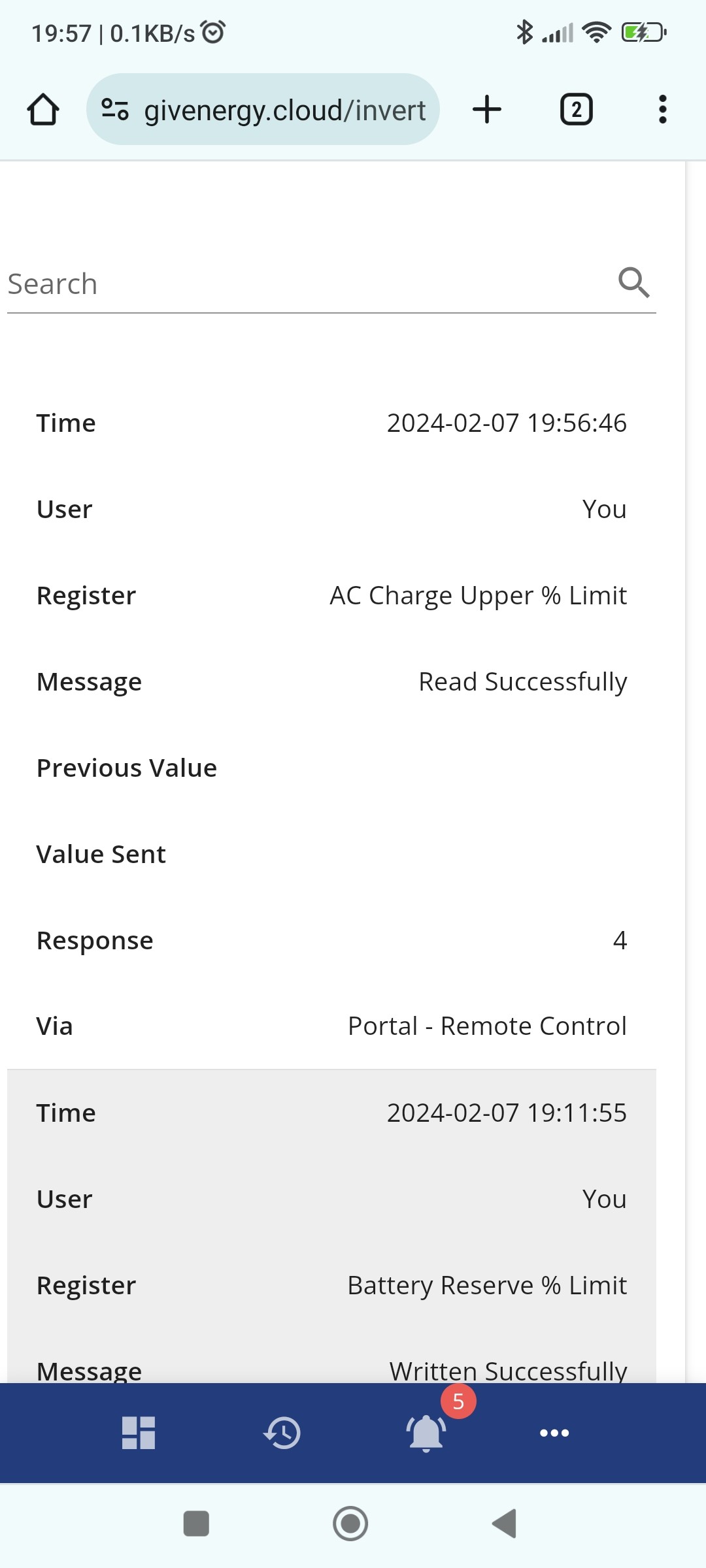
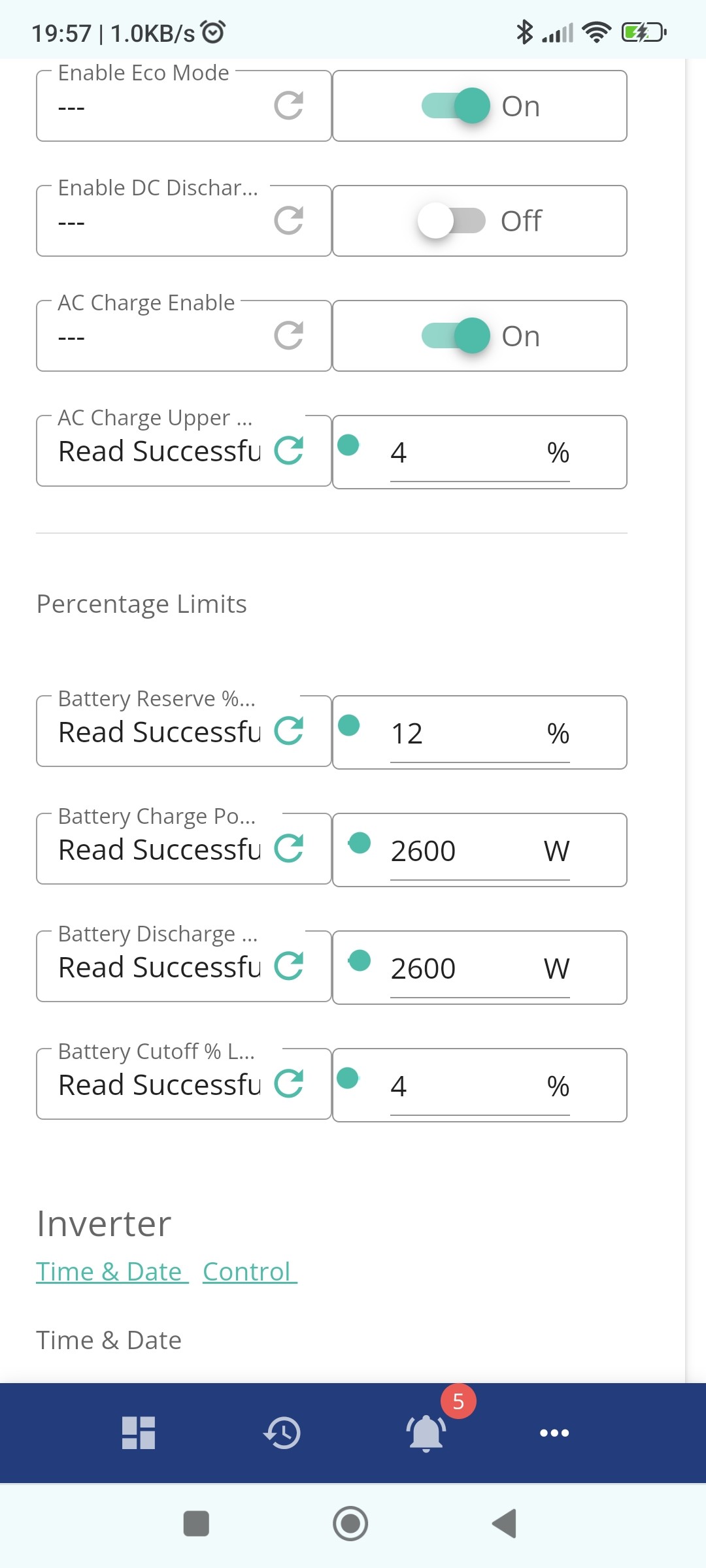
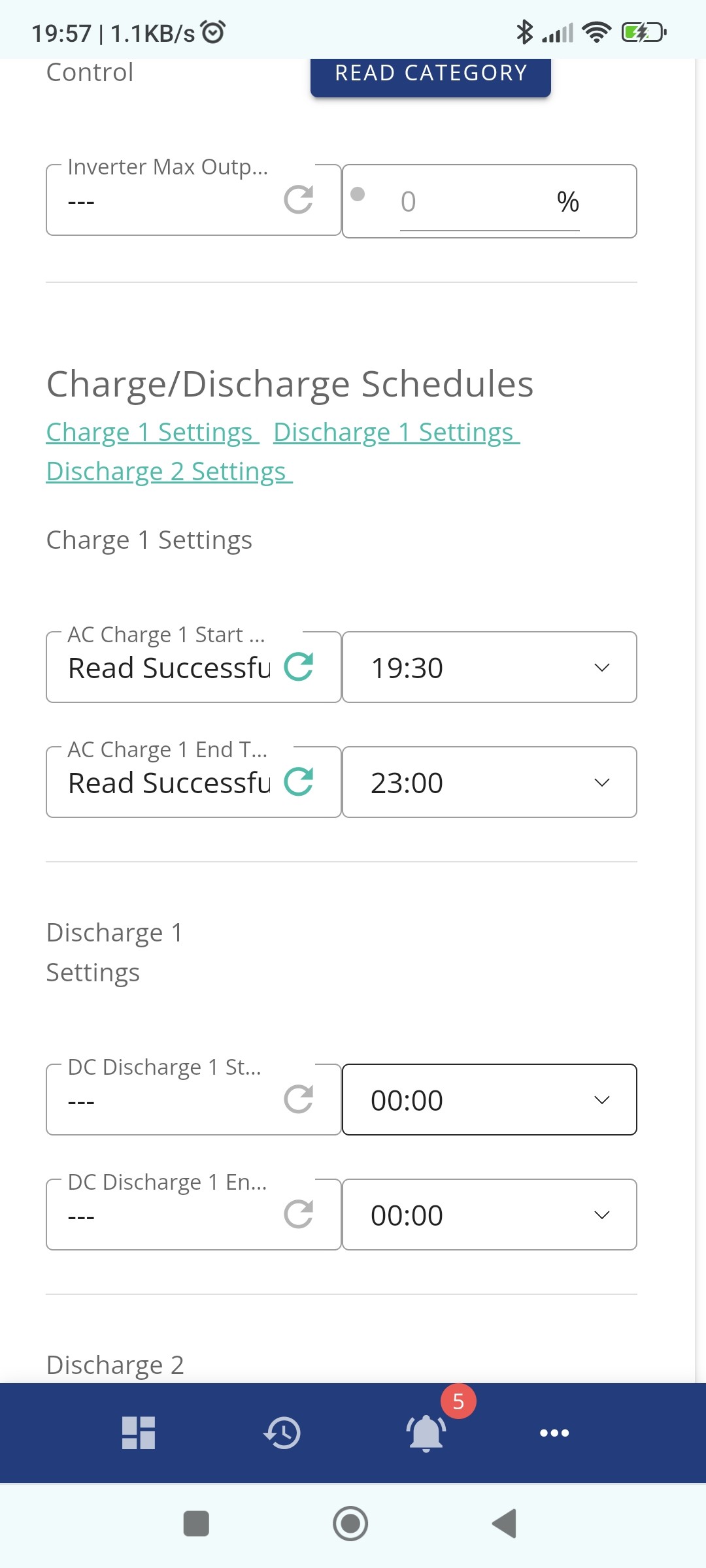
Cheers
matthes1 On the app, do you have a big 'play' button at the bottom of the screen? If not, go to settings, then preferences, and enable 'show quick settings button'.
Then when you press that, it should pop up 3 icons: battery+, pause, and battery-. The battery+ should force an immediate charge.
matthes1 OK I can see your problem.
On the next to last screen the "AC Charge Upper Limit" is set to 4%. This is the maximum battery percentage that the battery should grid charge to. It should be 100%
Also, just below this, the "Battery Reserve % Limit" is currently set to 12%. This is the minimum level your battery will discharge down to to support your house load. It will keep 12% back in reserve in case you have a power cut and the Emergency Power Supply will then support those EPS circuits until you get down to the "Battery Cutoff % Limit" which is 4%.
If you don't have an EPS wired up to your inverter or you're not bothered about always keeping 8% back in reserve for power cuts (e.g. don't get too many power cuts) then the Reserve limit can also be set to 4% to use the whole battery capacity for house load.
But your charging issue is the first setting that's wrong.
I assume you have a gen 1 hybrid inverter with those charge/discharge rates
Thanks will give it a go
Thankyou that was the setting . Anything else you advise as I've set battery to 8% lower limit as suggested also .. and not sure what generation it is sry...
matthes1 If the inverter looks like this with a white wifi dongle sticking out the bottom, its a gen 1 hybrid
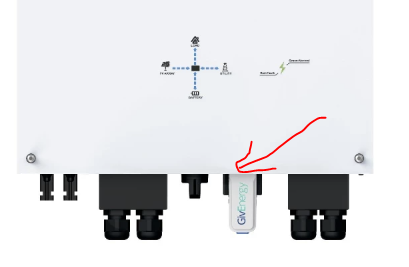
this is the 2nd gen with an antennae
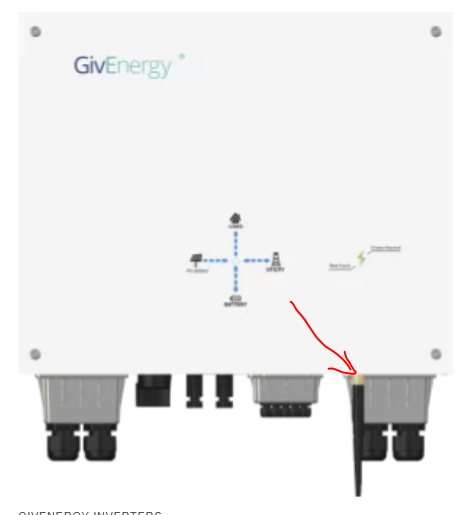
and this the 3rd
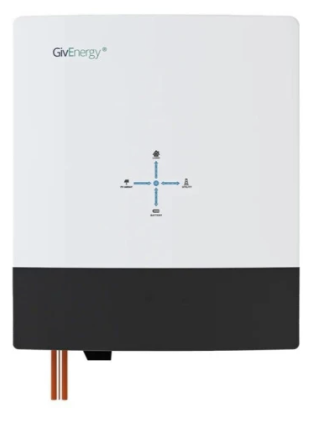
the gen 1 has a 2600w charge and discharge rate, the gen 2 and 3 are higher. I was just surprised if you have had a new system installed that's a gen 1. Mine was installed a year ago and was a gen 1, but at the time the gen 2 was also out but in short supply. The gen 3 was released later last year so wouldn't expect any gen 1's to still be being installed