geoffreycoan
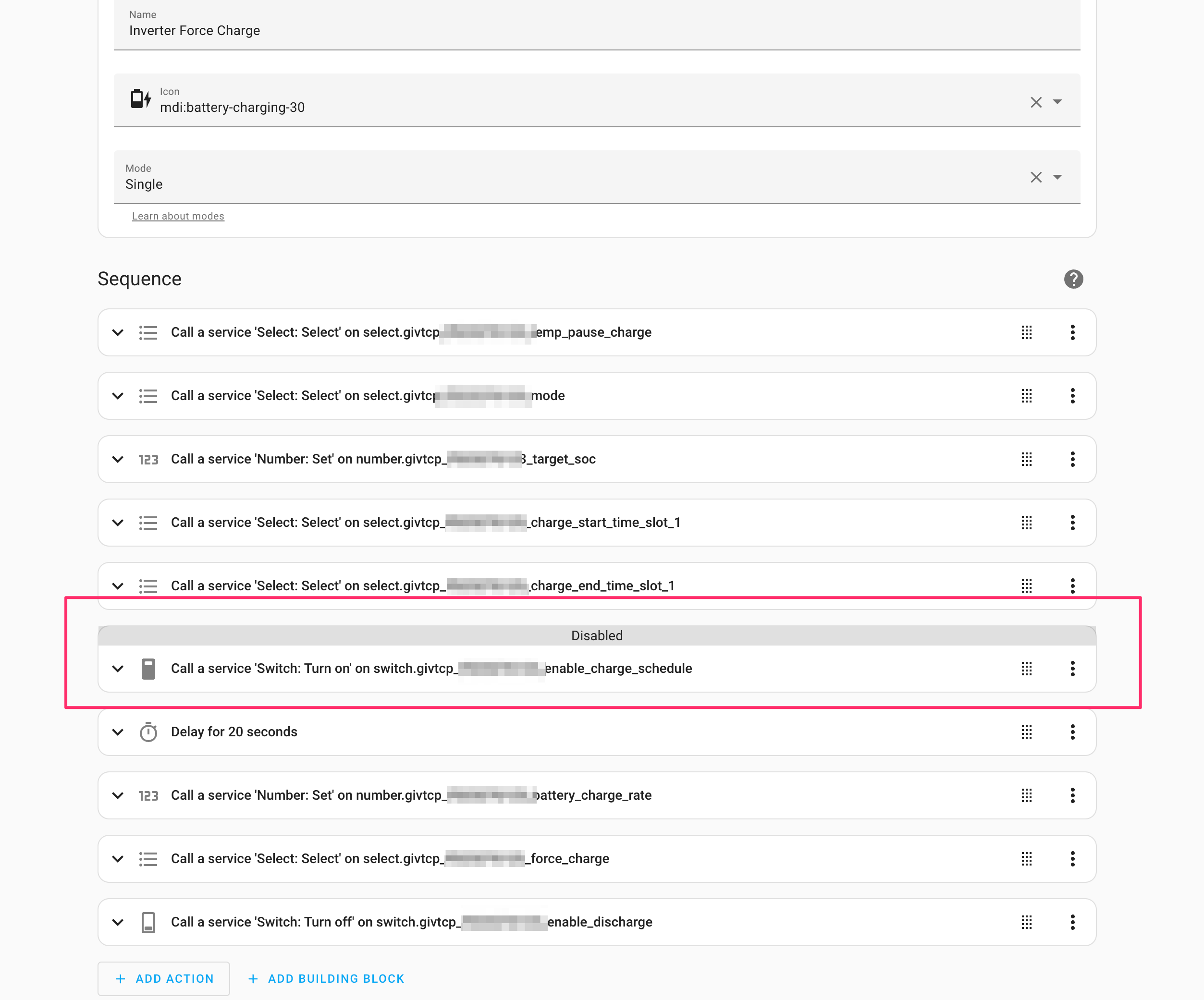
here's my start charging script (replace the x's with your inverter id):
alias: G395 Inv 2 Force Charge
description: Force a full rate battery charge
sequence:
  - service: select.select_option
    data:
      option: Normal
    target:
      entity_id:
        - select.givtcp_xxxx_temp_pause_charge
  - service: select.select_option
    data:
      option: Eco
    target:
      entity_id: select.givtcp_xxxx_mode
  - service: number.set_value
    data:
      value: "100"
    target:
      entity_id: number.givtcp_xxxx_target_soc
  - service: select.select_option
    target:
      entity_id:
        - select.givtcp_xxxx_charge_start_time_slot_1
    data:
      option: "00:00:00"
  - service: select.select_option
    target:
      entity_id: select.givtcp_xxxxx_charge_end_time_slot_1
    data:
      option: "23:59:00"
  - service: switch.turn_on
    data: {}
    target:
      entity_id: switch.givtcp_xxxx_enable_charge_schedule
    enabled: false
  - delay:
      seconds: 20
  - service: number.set_value
    data:
      value: "2600"
    target:
      entity_id: number.givtcp_xxx_battery_charge_rate
  - service: select.select_option
    data:
      option: Running
    target:
      entity_id:
        - select.givtcp_xxx_force_charge
  - service: switch.turn_off
    data: {}
    target:
      entity_id: switch.givtcp_xxx_enable_discharge
mode: single
icon: mdi:battery-charging-30
And the stop charge:
alias: G395 Inv2 Stop Charge
sequence:
  - service: select.select_option
    data:
      option: Normal
    target:
      entity_id:
        - select.givtcp_xxxx_force_charge
  - delay:
      hours: 0
      minutes: 0
      seconds: 20
      milliseconds: 0
  - service: select.select_option
    data:
      option: Eco
    target:
      entity_id: select.givtcp_xxxx_mode
  - service: select.select_option
    data:
      option: "00:00:00"
    target:
      entity_id:
        - select.givtcp_xxxx_charge_start_time_slot_1
        - select.givtcp_xxxx_charge_end_time_slot_1
  - service: switch.turn_on
    data: {}
    target:
      entity_id: switch.givtcp_xxxx_enable_discharge
  - service: number.set_value
    data:
      value: "4"
    target:
      entity_id: number.givtcp_xxxx_battery_power_reserve
mode: single
icon: mdi:timer-cancel
There are other ways of doing this, you can set force_charge to a duration such as 30 to start the charging for 30 minutes, but what this does is start a timer process in GivTCP that then cancels the charge after the time period. I prefer to do all the controls in my scripts.
You also don't need to be as exhaustive as I am in setting the inverter to a known state. But belt and braces.
Save these to an automation script and you can then call the script from your own automation. I'll leave that as an exercise for the reader, as is understanding what the different controls do ...