Studio Code Server & Predbat

17 comments started 2024-03-03 last 2024-03-04
Home AutomationHome Assistant
C
#1 Chaz

Is anyone using Studio code Server to edit the app.yaml file in Predbat ?

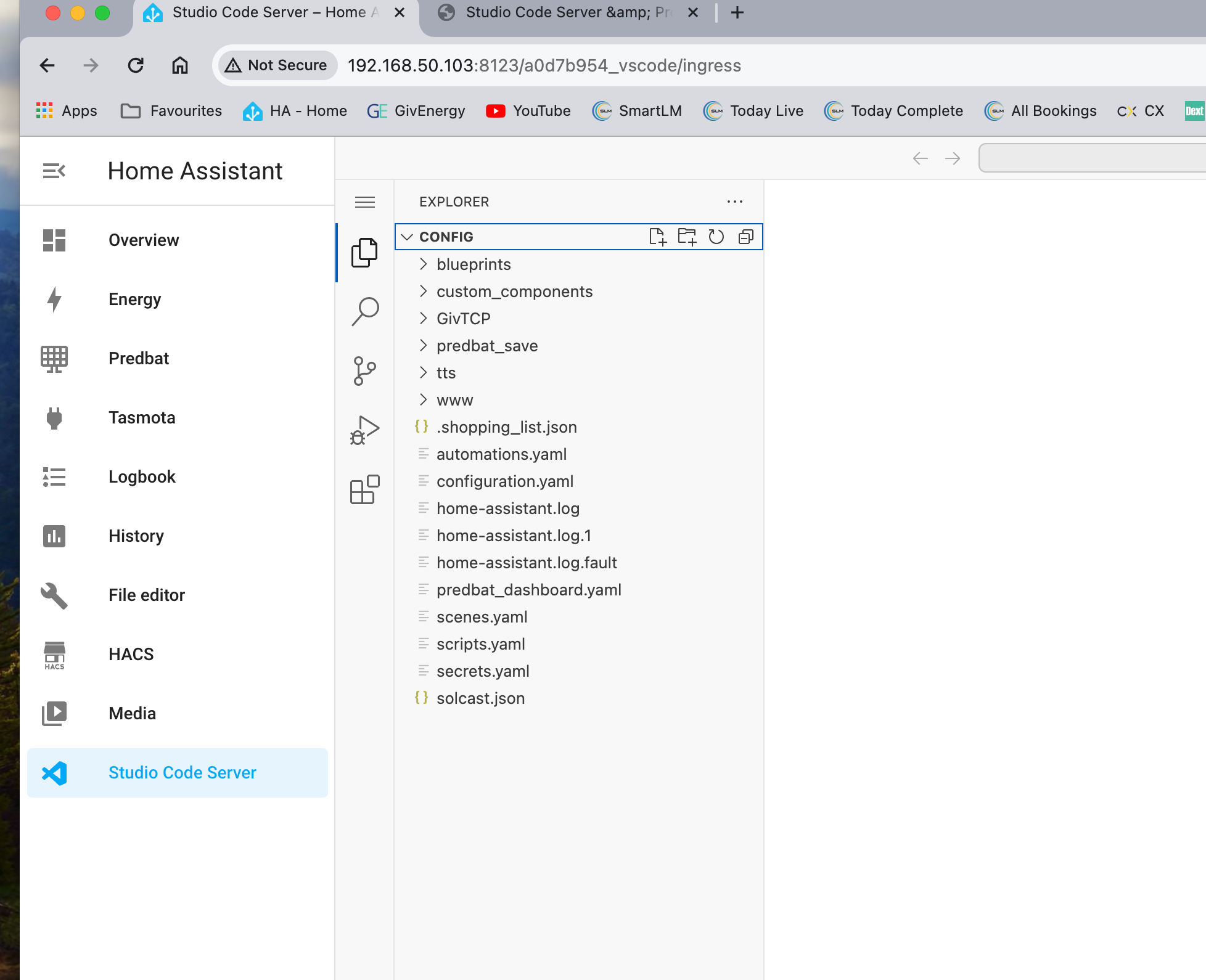
I've installed it but can't find the folder structure where the file is inside. I remember on File Editor you had to configure it to see the /addon_configs folder. Is it the sane here? Is so any help appreciated.

C
#3 Chaz

Sorry missed the S.

I've edited it loads of time in File Editor. I go all the way back to /addon_configs folder then drill down. Just can't find this folder using the Studio Code server.

C
#5 Chaz

Hmmmm. Looking quickly at that page it shows that untrusted pages stay in ReadMe. So I presume that I would at least get to see it.

C
#6 Chaz

In the set up it states.

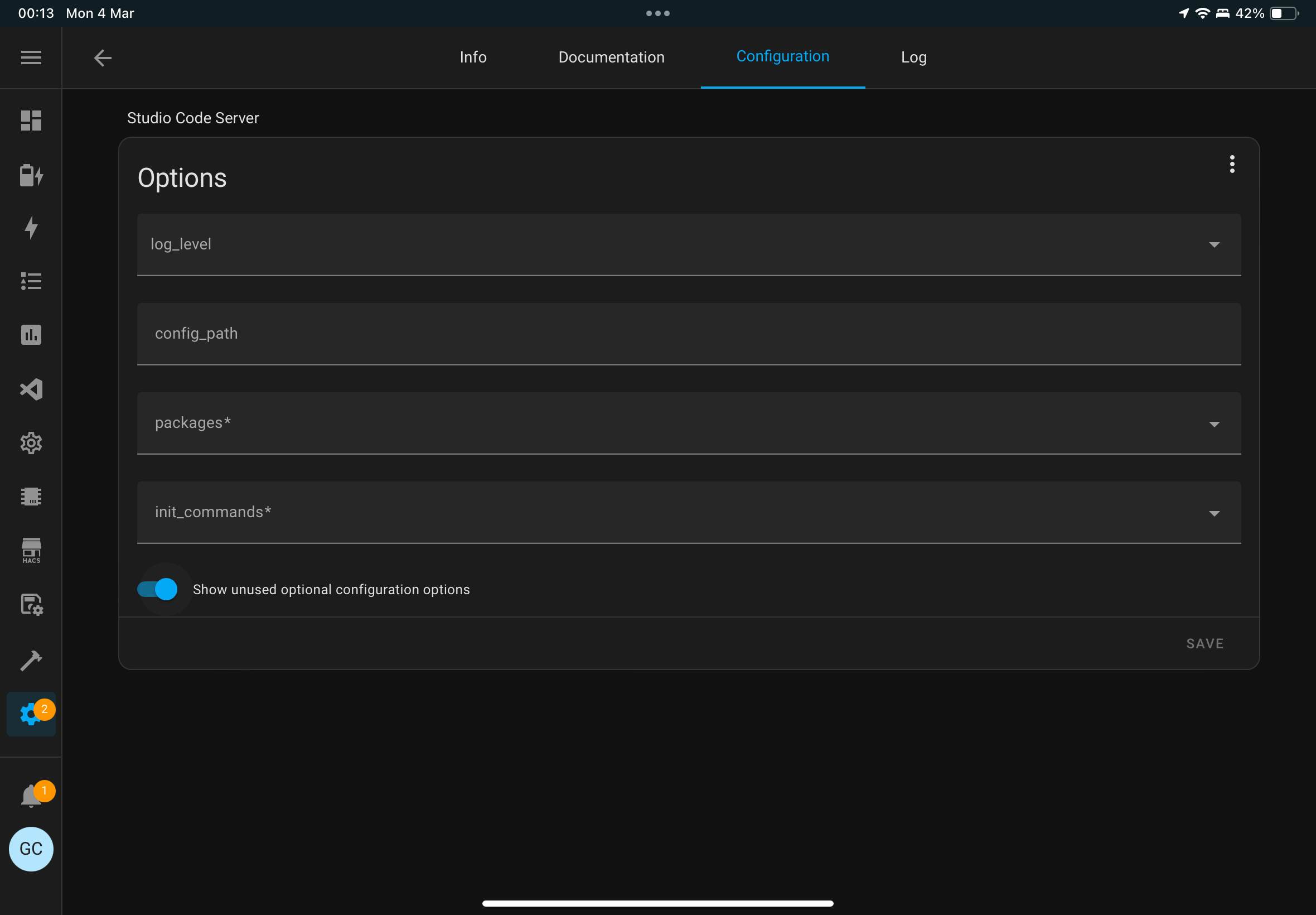
Option: config_path
This option allows you to override the default path the add-on will open when accessing the web interface. For example, use a different configuration directory like /share/myconfig instead of /config. If set to /root then all the common folders of HA such as /config, /ssl, /share, etc. will appear as subfolders for each access.

When not configured, the addon will automatically use the default: /config

What have you guys who can see the file got in there?

I tried /root but it still won't show up.

G
#7 geoffreycoan

Chaz I can’t find that in my visual studio settings

I think by default it opens in /config, I just did File Open Folder then chose / to be able to edit anything on the HA filesystem from the tree structure on the left

C
#8 Chaz

It’s on the notes screen where you start and stop the add on.

I can’t get it to access the root directory no matter what I try.

I have Home Assistant Green so the only thing I can think is that for some reason it’s setup differently somehow.

G
#9 geoffreycoan

I don’t have any settings changed on my add on

You can always remove the add on if it was pre-installed on the HA green and install it from HACS

C
#10 Chaz

I put it on from HACS.

No worries mate I give up.

P
#11 pacemaker

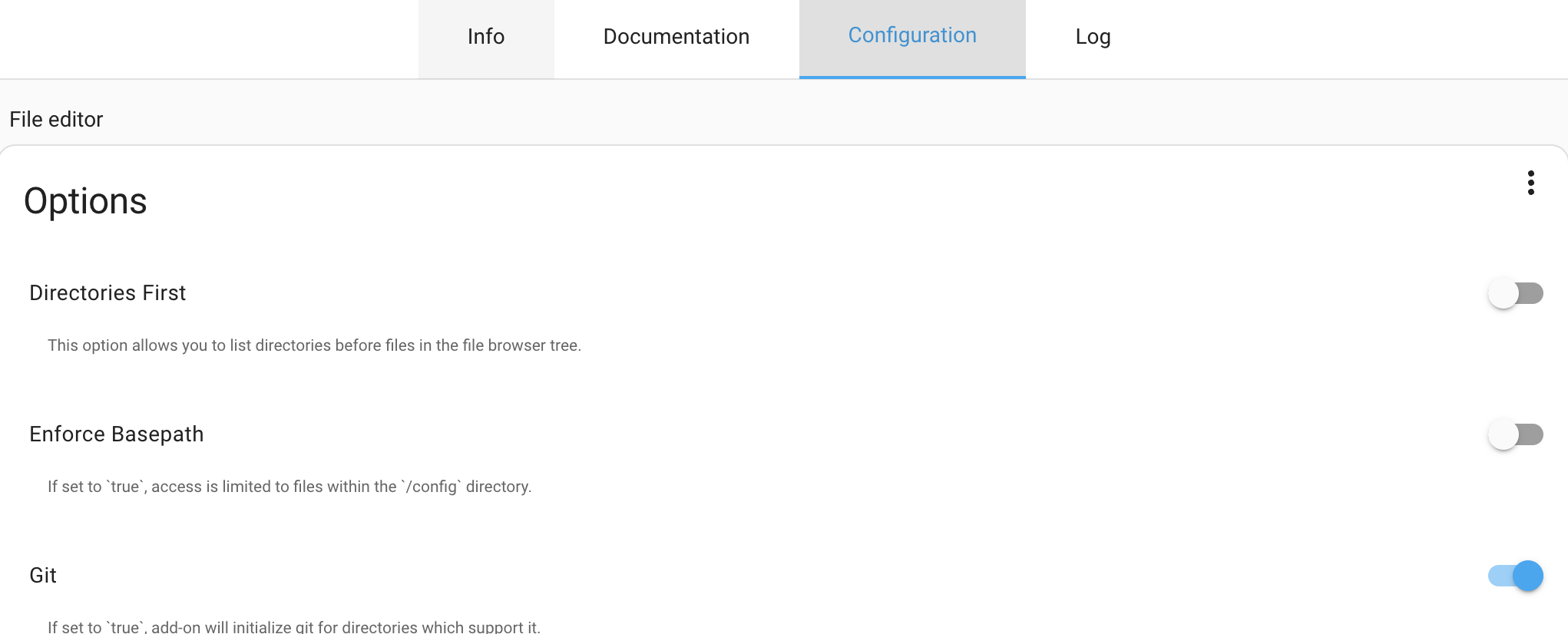
use the file editor add on, it works fine and I found easier than studio coed server to setup (though not as functional)

Make sure you set the base path config item to off after install:

C
#12 Chaz

I’ve had File Editor since day one. As you say it’s not as feature rich.

C
#13 Chaz

OK so I sorted this out. Basic error really being new to this. I thought it would show up in the Explorer tree on the left but turns out you have to go to Open File then in the top confic bar type /root/ then it gives me access to drill down and get to the apps.yaml file.

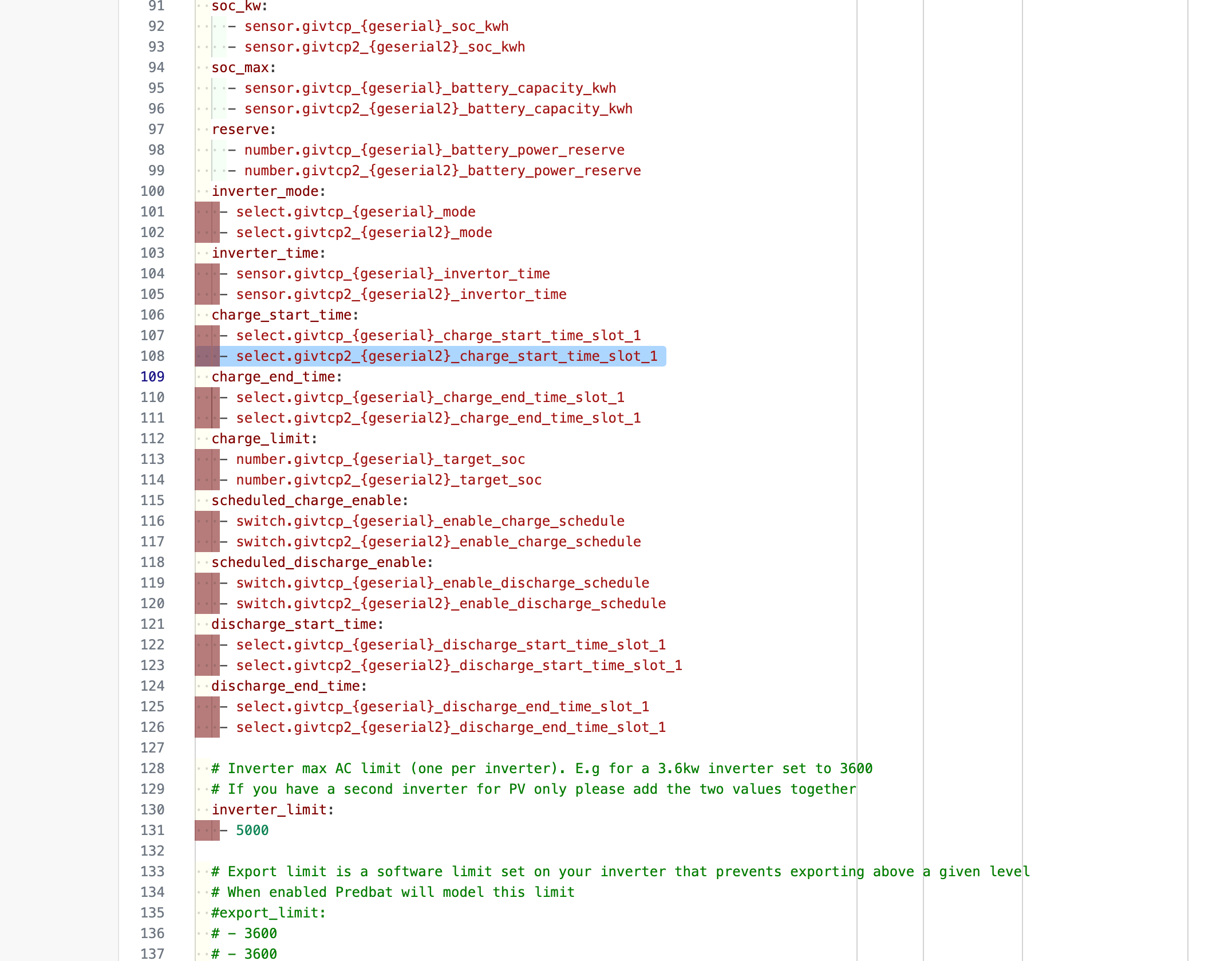
Whilst I'm there though and again being new to this. I was told to start using this as it's better to help find errors in the file when I make changes. I took at look at my working file and it shows loads of Red Boxes which I presume it's pointing me out possible errors which can't be correct as the file is working and I haven't messed with those parts.

G
#14 geoffreycoan

All those highlighted rows, the YAML is invalid.

A sub element should be indented 2 spaces from the entry above,

so:

discharge_start_time:
  - switch …..

not

discharge_start_time:
 - switch …

I added some useful intro videos to the predbat install instructions, have a look at the one on yaml https://springfall2008.github.io/batpred/install/

C
#15 Chaz

Brilliant I'll put them right.

Just for info that how it was installed. I know I have changed some to set me up but I was very careful and I haven't changed those.

G
#16 geoffreycoan

Chaz Thanks, looks like an error had appeared in the supplied apps.yaml, half way down the indentation goes wrong.

I have edited the file and submitted a pull request for Trefor to incorporate it into the main code

https://github.com/springfall2008/batpred/pull/820

C
#17 Chaz

Brilliant. What a team.

This editor is much better. Thanks for your help again mate. Top work.