P
I have just noticed this in my GivTCP log : -
Inv1 - read - [ERROR ] - Battery Object empty so skipping
Does anyone know what this is and how to fix (if it needs fixing) ?
Thanks

I have just noticed this in my GivTCP log : -
Inv1 - read - [ERROR ] - Battery Object empty so skipping
Does anyone know what this is and how to fix (if it needs fixing) ?
Thanks

Phil89a It's when it can't detect a Givenergy battery attached. This may be genuine (i.e the Givenergy Portal equally reports the same) which may indicated a loose BMS cable. The inverters generally default back into dumb/lead acid mode when the battery doesn't talk back to the inverter because of this.
IF you have an AIO then it may also say this just because the AIO hasn't had it's battery details fully integrated into GivTCP yet so this may also be the source of the error. In which case simply ignore it.
The new 3 phase inverter is likely the same if you have one of those.
I have a Gen 3 Inverter and 2 x 9.5 kWh batteries installed last year and everything appears to be working.
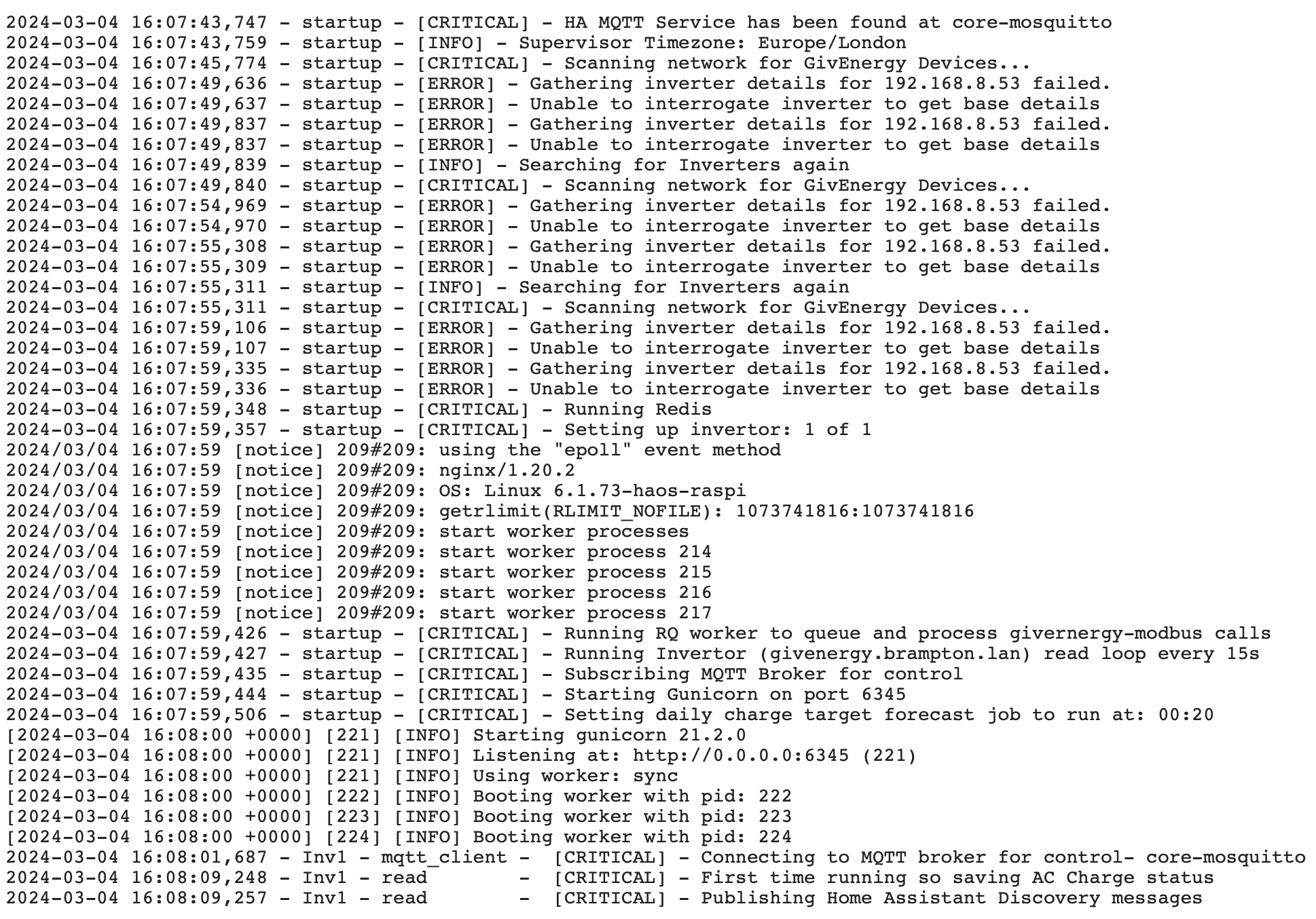
I restarted the Inverter and GivTCP and the error seems to have cleared (see below....)
Not sure why it fails to find the inverter a few times before I assume it does a rediscovery. Any ideas?
To add to this, I am seeing a lot of DUP! errors when Pinging the Inverter…..
64 bytes from 192.168.8.50: icmp_seq=175 ttl=64 time=10.636 ms
64 bytes from 192.168.8.50: icmp_seq=176 ttl=64 time=9.111 ms
64 bytes from 192.168.8.50: icmp_seq=177 ttl=64 time=5.608 ms
64 bytes from 192.168.8.50: icmp_seq=177 ttl=64 time=7.357 ms (DUP!)
64 bytes from 192.168.8.50: icmp_seq=178 ttl=64 time=5.642 ms
64 bytes from 192.168.8.50: icmp_seq=179 ttl=64 time=10.124 ms
64 bytes from 192.168.8.50: icmp_seq=180 ttl=64 time=16.855 ms
64 bytes from 192.168.8.50: icmp_seq=181 ttl=64 time=12.785 ms
64 bytes from 192.168.8.50: icmp_seq=181 ttl=64 time=13.972 ms (DUP!)
64 bytes from 192.168.8.50: icmp_seq=182 ttl=64 time=4.384 ms
64 bytes from 192.168.8.50: icmp_seq=183 ttl=64 time=11.751 ms
64 bytes from 192.168.8.50: icmp_seq=183 ttl=64 time=13.683 ms (DUP!)
64 bytes from 192.168.8.50: icmp_seq=183 ttl=64 time=14.864 ms (DUP!)
64 bytes from 192.168.8.50: icmp_seq=183 ttl=64 time=14.956 ms (DUP!)
64 bytes from 192.168.8.50: icmp_seq=184 ttl=64 time=6.315 ms
64 bytes from 192.168.8.50: icmp_seq=185 ttl=64 time=18.930 ms
I have changed the routing end-to-end, new cables, different Access Point and also different manufacturers. But I am still getting the errors.
Not sure if it is related to my original problem, but I would suspect the DUP! errors are coming from the Wireless NIC in the inverter ?
Anyone seen this before or have any ideas ?