Limiting battery import

9 comments started 2024-03-04 last 2024-03-07
GivEnergy ProductsAC Coupled
A
#1 Aguera5

Friends
I hope someone can help me solve a puzzle regarding using the grid to charge a AC coupled battery. I have signed up to the Octopus Flux tariff which means the cost of power from the grid is significantly lower between 2:00am and 5:00am, so my plan is to pump up the battery to 80% capacity, to fulfill power needs until the solar panels kick in and top up to 100%.
So in the inverter page>Settings of the GivEnergy cloud, we have set a timed charge from 2.00 to 500 up to 80 %. However when I check in the morning, it continues charging beyond 80% upto a full 100% depending on how low it was at the start of the charging session.
Any ideas why the battery continues to change beyond 80%? Have we missed some other setting?
Carlos
D
#2 DD

Aguera5 I can't say for sure about your AC inverter, but I did find an anomaly on hybrid that could explain this. Full details in my post from a few days ago - oddities in charge/discharge limits, or something like that. (I'm on mobile, so can't check or link).

Problem is that there are two different registers for the charge limit. The app sets one of them, but the inverter actually uses the other one. If AC inverter is the same, look in the remote control section and if you have a block of 10 charge timers, put the limit into the charge_limit_1 slot, or whatever it's called.

But it might be something else entirely.

A
#3 Aguera5

Thanks DD. The remote control section seems to be showing consistent data with the Settings page. When I change the value in the Remote page, I see that it changes the value reported in the Settings page and vice versa. But I will continue to investigate.

D
#4 DD

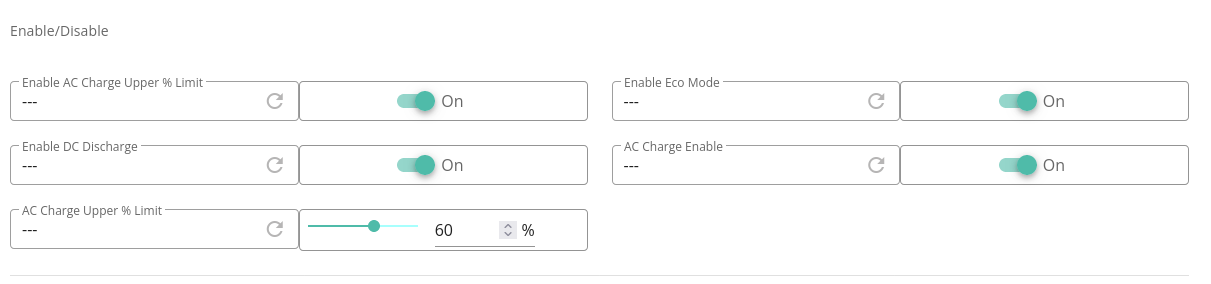
Aguera5 On the remote control page, I see

...

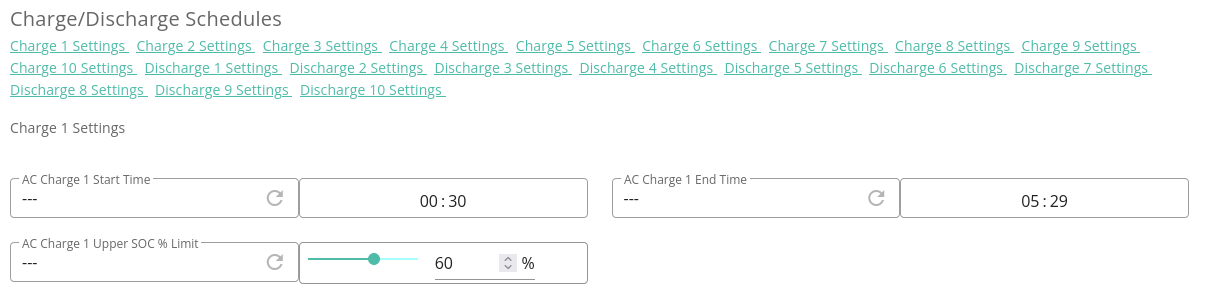
with two different AC upper limit controls. For me, while the upper one is kept in sync with the app and settings page, it is the lower one that the inverter actually uses. (They're both 60% in the images, but that's only because I have a script which copies the upper setting to the lower setting. They are appear as different slots in the API, and can be updated independently.)

A
#5 Aguera5

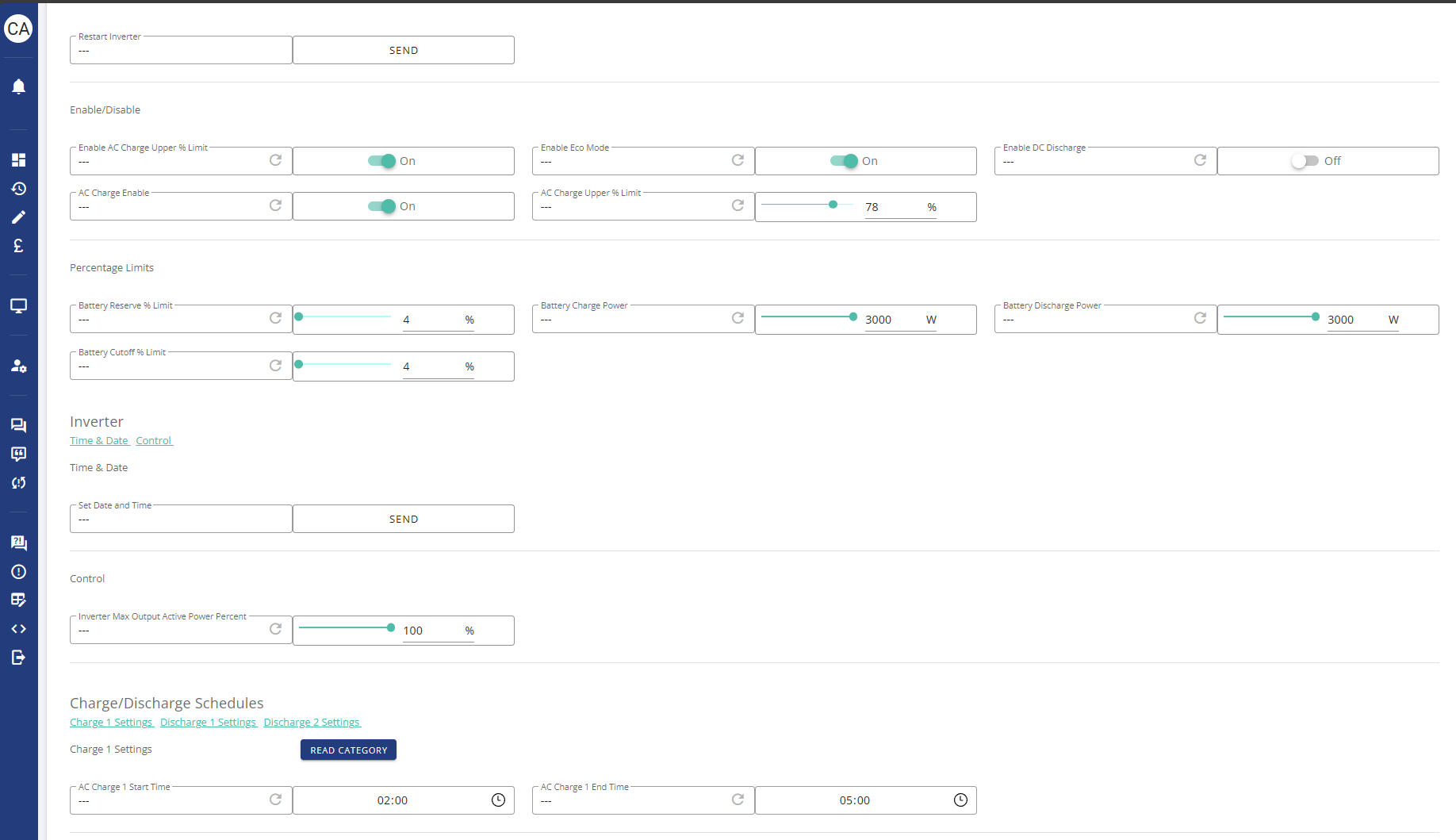
Hmm. I think this is where we differ slightly. In my Enable/Disable section, like you I see a field to set the AC Charge Upper % limit, but in the Charge/Discharge section I only see times. No option to set a charge upper limit:-

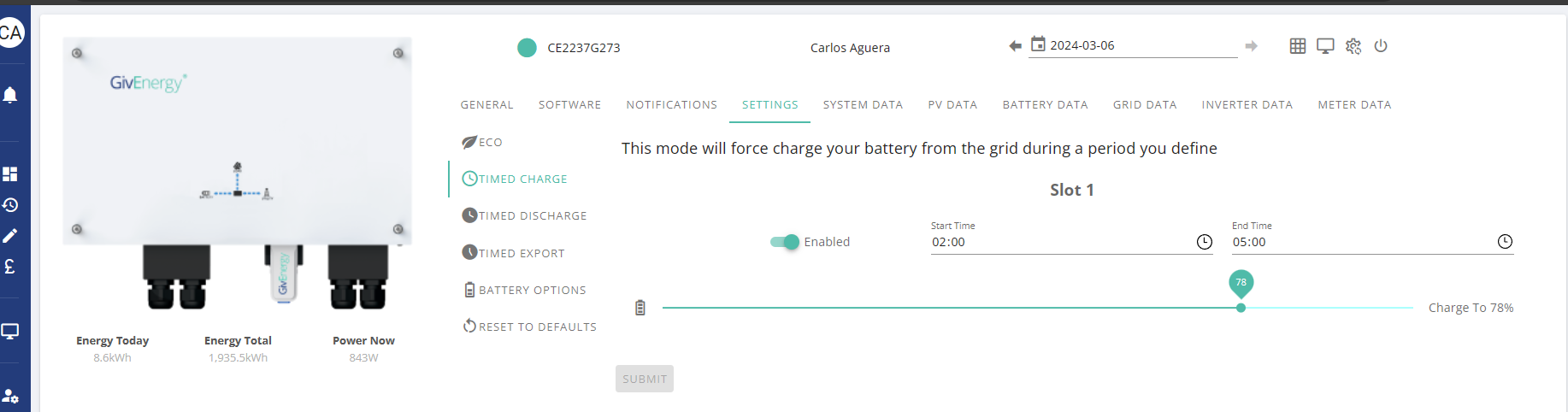
If I check the Setting page, it shows the timed session and shows the same 78% limit:-

I wonder if that is a difference in the software used by the Hybrid Inverter.

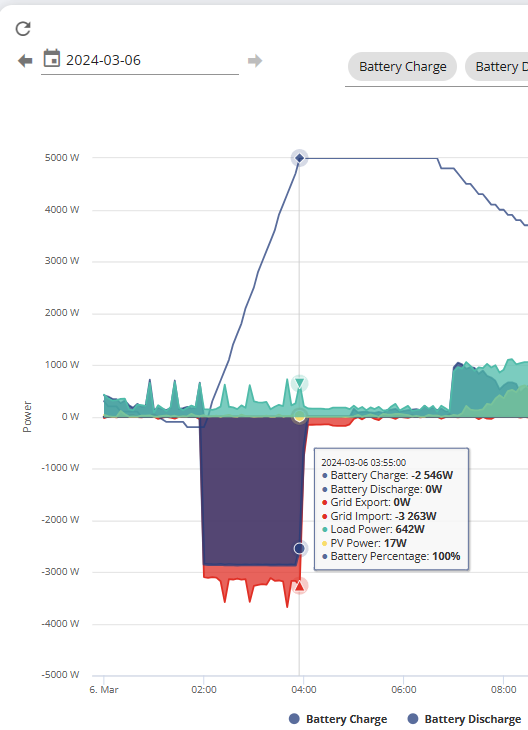
Anyway, as you can see this does not seem to stop the battery from charging up to 100%:-

A
#6 Aguera5

I have posted this as a bug on the Feedback page and waiting to hear back from the GiVEnergy support team.

R
#7 Rubikcube

Aguera5 The settings on the portal may not be the same as the settings on the inverter. Have you pressed the "refresh circle" for both "Enable ac Charge Upper % limit" and "AC Charge Upper % Limit"?

D
#8 DD

Aguera5 I wonder if that is a difference in the software used by the Hybrid Inverter.

Almost certainly. And it varies from generation to generation. (Newer generations tend to have more registers, and more facilities, available,)

GE have a demo portal on the cloud - if you logout of your own system, or open it in a private browsing window, you can access it, to compare and contrast. And I see it's like your one - only one charging slot (and two discharge slots ?), and no separate AC charging limit.

Although... if I untick the 'hide registers' box at the top, it does then show another 'charge up to' box in the 'charge' section. (5% rather than the 100% shown at the top.)

Another way to limit the overnight charge is to reduce the charging power, so that it takes the entire charging period to reach the SoC you want. But that probably requires calculating it afresh each night, since it depends on the starting SoC. (I have a python script that runs nightly to automate this via the API. I think wonderwatt.com can also do this for you ?)

A
#9 Aguera5

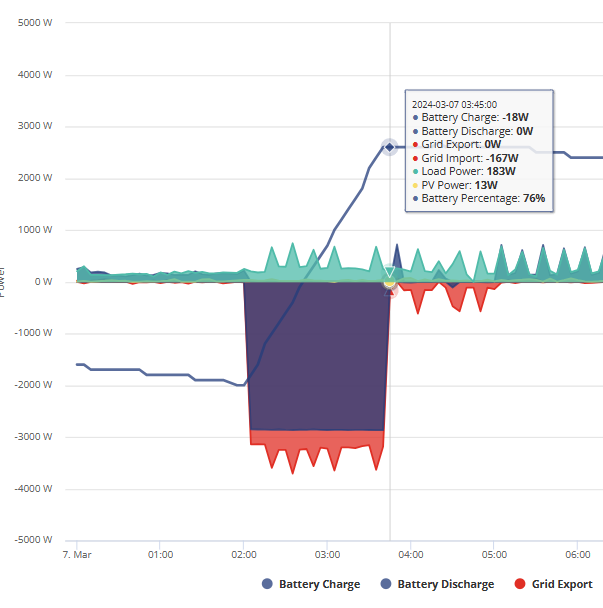
Well I appear to have hit the magic button whilst playing with the settings yesterday as this morning I checked the battery and this time it has observed the 78% limit to stop pulling from the grid:-

I am not 100% which of the steps was the trigger. I will continue to monitor as I aim to reduce the % charge as we move to more solar generation in spring and summer.