V
Hi everyone,
I'm very new to this. I seem to be still running on winter timing on the android app. I have clicked the button for daylight saving on the cloud portal but I'm still seeing winter times.
Am I just being impatient?
Help please

Hi everyone,
I'm very new to this. I seem to be still running on winter timing on the android app. I have clicked the button for daylight saving on the cloud portal but I'm still seeing winter times.
Am I just being impatient?
Help please
As I understand it, when the hour changes, GE push out a change to all systems. It should be initially set by your installer. So normally, it should require no user input. Mine did go wrong one time, possibly a result of me "playing" with some settings, that I can't accurately recall...
So best for you to log request to GE to reset it.
Appears to be an issue.
I had Inverter and battery installed July 2024.
Now Jan 2025 and only just noticed that app time is 1hr ahead.
This is an issue as I thought I was charging battery at cheap tariff time - 1hr was charged at a standard tariff.
Estimate I have been charged 15 pence extra a day ,for a few months. Annoying.
macandanne change your time zone in the portal - Account Settings to GMT and then in Inverter / Remote Control do synchronise time
Thanks Geoffrey - eventually got GivEnergy to set it for me. It had been set to Amsterdam time rather than GMT.
Cheers.
Oooh, wonder what will happen on Sunday! It's that time again. 🤣
Never had a problem with this, system has updated correctly every time since installation in '21.
I guess if you are using a different scheduling program that is the master.
[unknown]
Ditto
I'm sure there was one year where the inverter didn't change time so it was charging in peak by accident. Using basic timed charge settings.
Checked my Givenergy App, display is on the right time. Wrong timezone setting is the most likely cause of errors. When I first got my PVC and battery the clock was set to Azores. Too long since to remember if I did it or the fitter.
When it was installed it was another 'phone a friend' fitter, his first Givenergy install.
All changed OK last night although a bit late. At 1am my phone changed to 2am, checked my inverter but the clocks were still on GMT
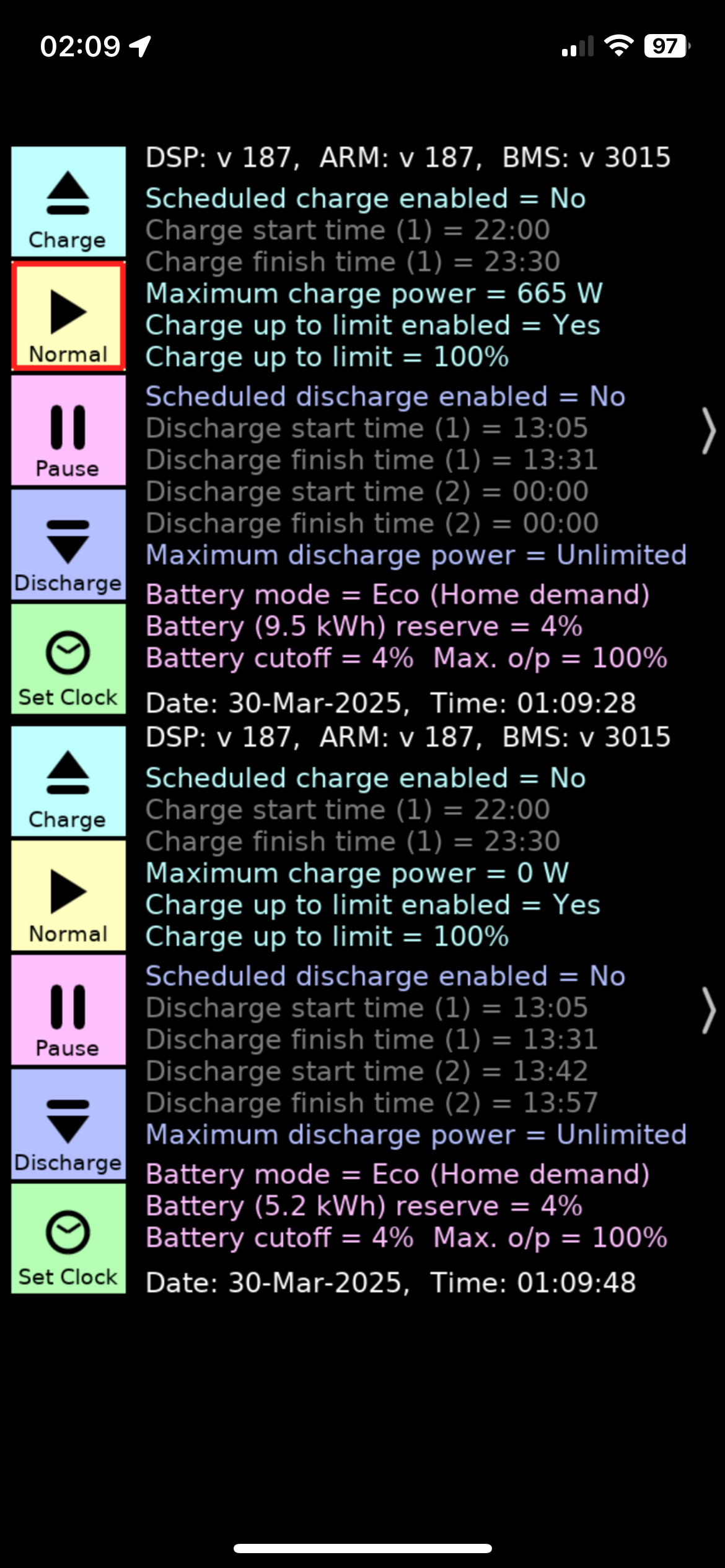
Got a notification at 2:35 that my inverter time had been sync’d, and sure enough this morning, both inverters on BST
I had my notification a 02:51, so slightly late. I had ensured that there were no inverter event planned between 00:00 and 04:00 just to be on the safe side
Mine seemed to update at the correct time, Portal logs show a gap between 0100 and 0200 and HA shows the time changing at 0100.
Remote control reports:
2025-03-30 02:01:51 Server Set Date and Time Written Successfully Set Set Automated Maintenance - Daylight Savings Time.
The notification was at 0235.
I've got 'Inverter Time Sync' failed. I've tried the manual update in Account but with no joy. I saw i had a new firmware available and that didn't take (taking 2 hours to notify me). Always worked ok before (installed in Dec 22). Any ideas?
[unknown] try powering off and powering off the inverter to force a reconnect to wifi, and maybe a reset to defaults to initialise itself.
There is a bug in the current version (v3.4) of the Android Inverter Monitor app. If you have the target time (in settings) set to before 02:00, it is displaying an hour forward in the battery bar calculation. It will automatically fix itself tomorrow. No action required; a display issue only.
Mainly an issue for Octopus Go, where the target time is 00:30, but today showing 01:30.
It will be fixed (hopefully!) in the next release.
Just checked the batteries before catching the flight and they have been charged up as expected, so what ever caused the hiccup is now resolved.
Will still check the logs later today...
TTFN