D
Anyone has any instruction on how to set the Dongle to a Static IP?

Anyone has any instruction on how to set the Dongle to a Static IP?
If you go to STA settings page, there is a LAN connection type drop down from DHCP to static

simont When done that the other day I thought it worked, but then realised that I couldn't only access the Inverter in Local mode only. At Subnet mask I entered: 255.255.255.0 and at Default gateway: 10.10.100.254. I don't know if the problem (of only accessing Local mode) was because of the value set on Subnet mask and Default Gateway. Reverted to DHCP after faced these.
Cdent So I entered the setting of my router in Virgin Media, but is not very straight forward on how to set the dongle to static IP.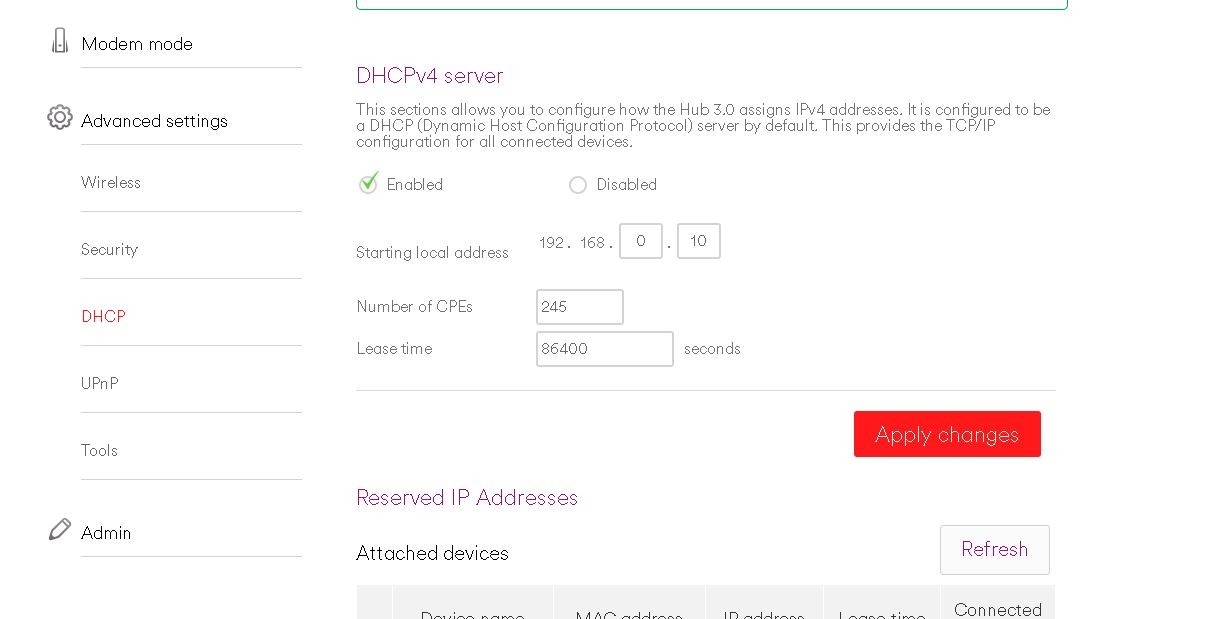
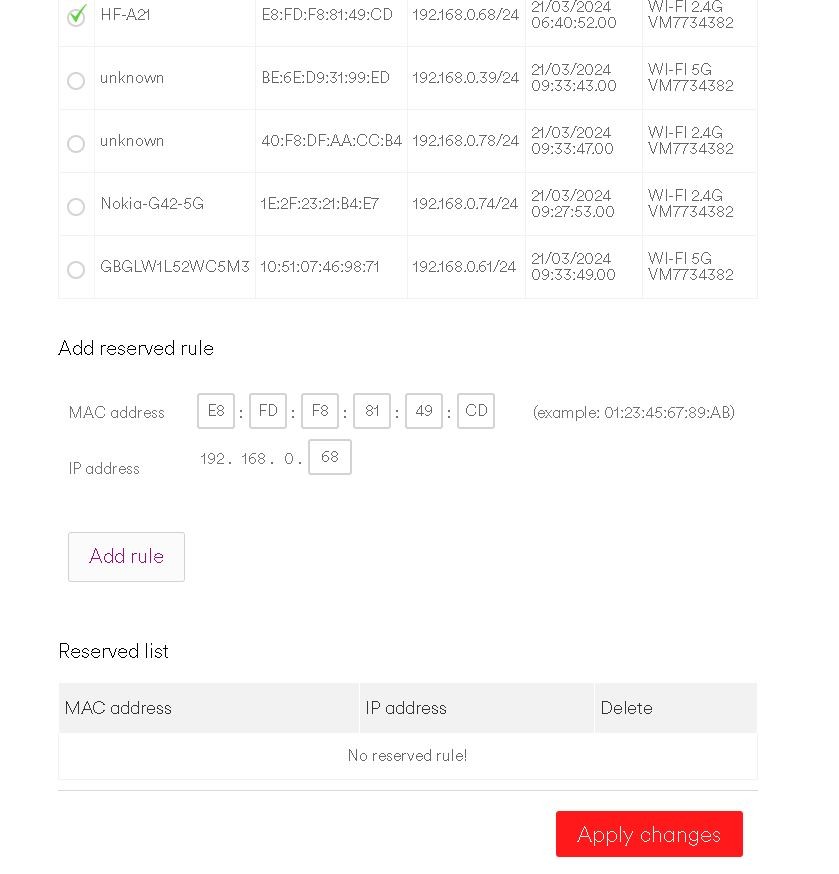
Attached two screenshot which I believe are relevant with this. Do I select the HF-A21(the dongle) and add it in the Reserved IP Addresses then? Is the reserved IP addresses list "Static IPs"?
Well done, you found out how to do it.
The procedure is not easy to explain, but I tried to document it.
https://givenergymonitor.wixsite.com/tutorials/connecting
Now if there was a smart way to access the Inverter in "Local" mode whilst not being connected on the Home Wifi that would have been brilliant. But my IT knowledge is limited to be able to know or attempt of doing something like that :-) !
dorosde start off small and work your way up - I got mine because I was fed up of having multiple apps for all the different things - GE, LightwaveRF, Tapo, Govee, etc. and wanted something to be able to monitor/control in one place. If you have loads of smart home tech it's worth it, if it's just for GE maybe not (unless you look into the automation stuff like PredBat!).
Only problem then is where do I stop - now I'm buying things to connect to it just because I can!