S
We have a 5.0 gen 1 inverter on firmware version D0.450-A0.451 and a 9.5 battery on firmware 3008.
There is a button to click to upgrade firmware .
Should I do that ?
I guess my versions are pretty old …but everything seems to work OK…

We have a 5.0 gen 1 inverter on firmware version D0.450-A0.451 and a 9.5 battery on firmware 3008.
There is a button to click to upgrade firmware .
Should I do that ?
I guess my versions are pretty old …but everything seems to work OK…
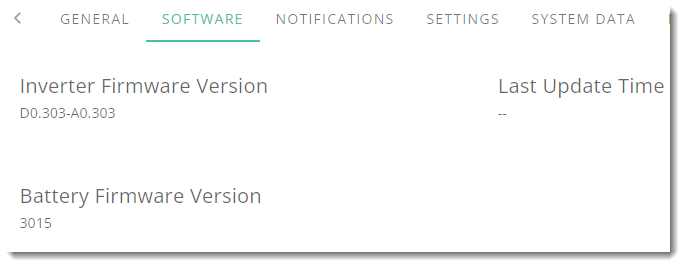
skinnerneil 450/451 is the current inverter firmware so that will not update. The battery firmware will upgrade to 3015. The main issues with the battery upgrade were done to solve the state of charge problems. Ie the battery suddenly jumping to 100% from say 70% or dropping from 40% to 0%.
If you don't have these issues then there's no need to upgrade unless you wish to.
skinnerneil I’m on 3015 on both of my batteries and haven’t seen any issues with them. Others have reported some issues but I believe 3015 is better than some of the other upgrades.
Alternatively you can get support to upgrade you to 3012 which most people say was a “good version”.
I have gen 1 inverters and support manually put me on D0.191-A0.193 to improve an issue I had with inverters not discharging together. Don’t know what else it is supposed to fix but it does improve this for me.
But D0450-A0451 is the current ‘main stream’ gen 1 software
i only last upgraded when support did it for me, since then i have not touched it. Not sure how far off my version is. IMO, it depends on what is making you think about an upgrade? if its working fine for you then perhaps just let it run !
Having had 2 out of 3 firmware updates go wrong with a day of trying things and being on the phone with Givenergy and our installer for each failure I am most definitely in the only update when necessary and on the advice of Givenergy to fix a particular issue. So, no issues, no update attempts for me.
If I had more confidence in the success of the update process I would be more likely to update regularly as I tend to do with the Myenergi products we have such as a Zappi and Eddi. I have updated these several times without issue.
Battery frmware 3015 has been applied to my system for a couple of months now, with no issues, and no SoC jumps whatsoever.
Having said that, I needed to apply the firmware update to the battery memory sticks myself - never have been able to do a "remote update" on my system for some reason.
Thanks for all the replies.
I am generally the sort of person who assumes being on the latest firmware or OS is generally the right course of action …
But reading some of the posts - I think I will just leave it alone for now.
It's up to you but if it ain't broke, I tend not to fix it.
However, if your system needs to be recomissioned, then any pending updates have to be done as part of the recomissioning. In this case, you might want to do them manually beforehand at a time that suits you rather than a time that suits the recomission process.