Firmware update failed notification

11 comments started 2024-04-12 last 2024-04-14
Mobile AppGivEnergy Products
A
#1 Amy

Hi,

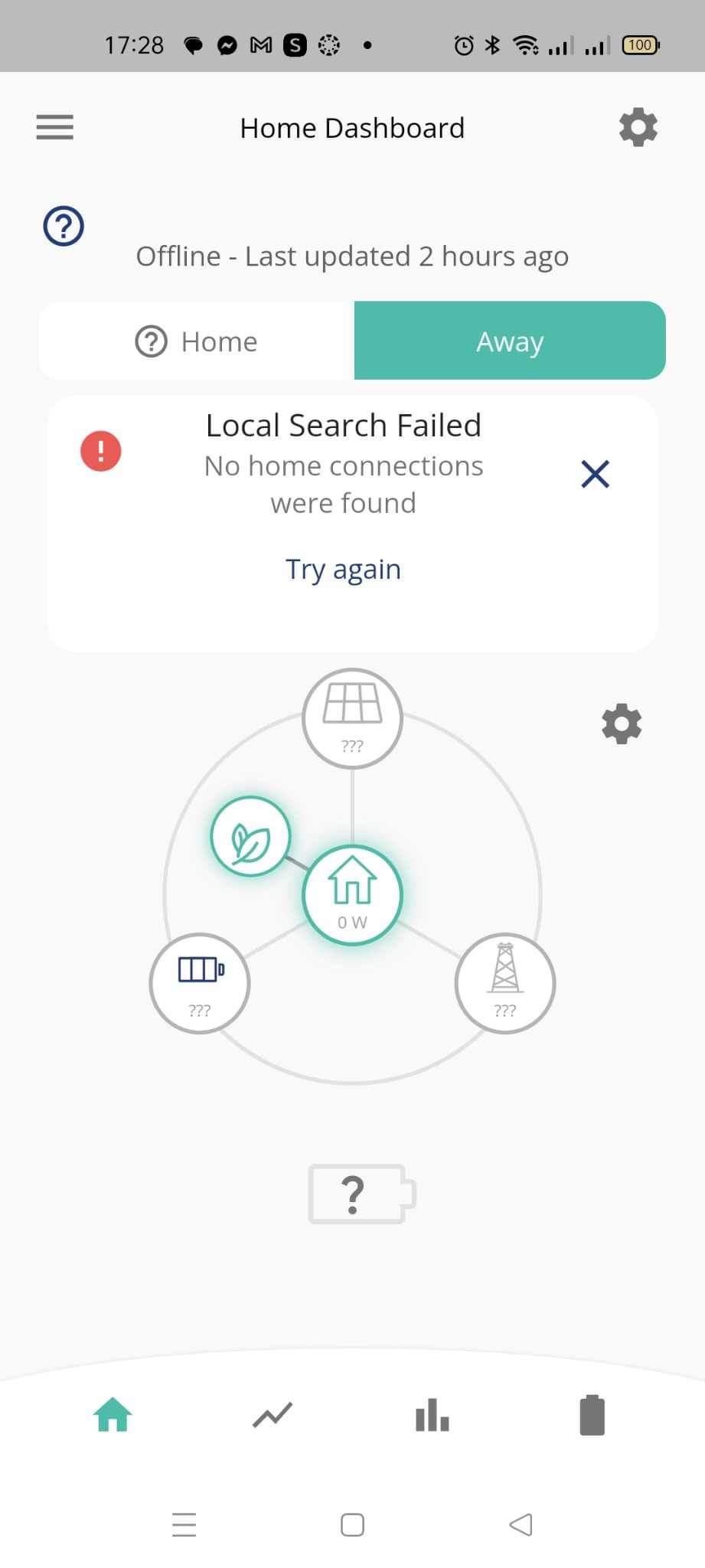
Just received a text from GivEnergy app that says the firmware update have failed and its asking me to start again on the inverter card on the portal, where is this inverter card on portal the app is talking about. Also it seems with the failed update, the app cannot track my inverter at all and the dashboard is blank. Even when I press, retry, same thing happens. Is this normal? What do I do?

D
#2 DD

Amy Hi, welcome to the forum.

I've recently had a firmware update: it was the firmware on the wifi dongle that links the inverter to your router, and then onto the portal. If you had the same update, and it went wrong for some reason, the dongle may be in the wrong state, and unable to connect. You won't be able send it any commands from the portal or app until it's resolved.

Probably best to get in touch with GE support, but they're possibly closed for the day/weekend, which is unfortunate timing. (Why push firmware updates on Fridays ?)

The good news is that the inverter will (probably) continue operate normally. You just can't change any settings in the mean time. A remote restart wouldn't work. I don't know if a full power cycle of the inverter (including batteries) would be any use.

To help, we'd need to know what sort of system you have - what hardware, generation, etc. How to access the dongle depends on that. On some systems, the dongle is visible, on others its hidden inside the casing. I don't know if you can simply unplug and replug the dongle while the inverter is running. (Not something I've ever had to worry about - hopefully someone who knows what they're talking about will come along soon.)

#3 smileymiley

Amy Mine has failed for the 5th time today! GE don't make it easy do they?

#4 hoggy

Whatever the update actually does it is only for Gen 3 and the AIO apparently.
No update coming for Gen2 and below.
And yes you can just yank the dongle out a Gen 1 if it comes to it. Likewise plugging one back in on a working unit

D
#5 DD

Amy the dashboard is blank

I should have asked: are the lights all on as normal on the inverter itself ?

A
#6 Amy

DD
Thanks, I’ve emailed over, hopefully it’ll get sorted.

A
#7 Amy

DD
To be honest, I have no clue yet, it’s stored in the loft so I would need to get a ladder first or at least something tall enough to get me up there which I currently don’t have 😓

A
#8 Amy

smileymiley
That sounds bad, how did you try and resolve it?

#9 smileymiley

Amy
My installer paid a visit today, I emailed him yesterday about the situation and he called in as he was passing by.
He rang support, followed their advice and after nearly 3 hours the inverter was still not online.
They did admit that one of the pieces in the update was causing problems 🤷‍♂️
My installer wasn't a happy bunny.
It still isn't online!
Givenergy... please ensure that updates to firmware are good to go before they are sent out... don't use us as Guinea pigs!

D
#10 DD

Amy Do you have your smartmeter's IHD plugged in? That would tell you whether you are importing from grid or running from solar, for example, which would be a clue.

#11 smileymiley

smileymiley
My system started working today at 12:49pm...
Two & half days!
😡