AIO not discharging when it should be

19 comments started 2024-04-14 last 2024-04-15
GivEnergy ProductsBattery
G
#1 Gervais

Hi all - fist time using the forum. Slightly furstrated as a customer as hoped the GV install would be an install and forget type deal - It has been pretty far from that.

Have a AIO 13.5kw battery and gateway installed last Sep - generally it works fine however recently have noticed the house is pulling from Grid rather than from battery and no matter how many times i toggle between ECO mode, Timed discharge, timed export I can't get the battery to discharge.

Friday night I had this problem so went through the firmware upgrade to v9. After the obligatory dump and recharge of battery at the most inconvenient times 😒 it seemed to work well yesterday.

However this evening simply can't get load to pull from battery first rather than from Grid.

During the working week really hard to carve out hours to spend on a phone to giv energy help.

Anyone experienced or experiencing this kind of issue that may be able to share any insights on what to try to resolve it.

Cheers

J
#2 Jellybaby

Are you using the automations provided by Givenergy in the portal/app or on any smart tariffs such as octopus intelligent tariffs where they take control of your battery or using Home Assistant with any automations?

Are you using any of the discharge options (these should NOT be used under any circumstances unless you wish to dump at the set rate to the grid during the time you specify.

Timed Discharge = Will discharge at the rate set but will cover home outside of the times you specify

Timed Export = Will hold all charge in the battery and draw from the grid outside of the times you specify and then discharge during the times you specify

Both above modes are purely for when you want to export to the grid and should be left alone until you wish to do so.

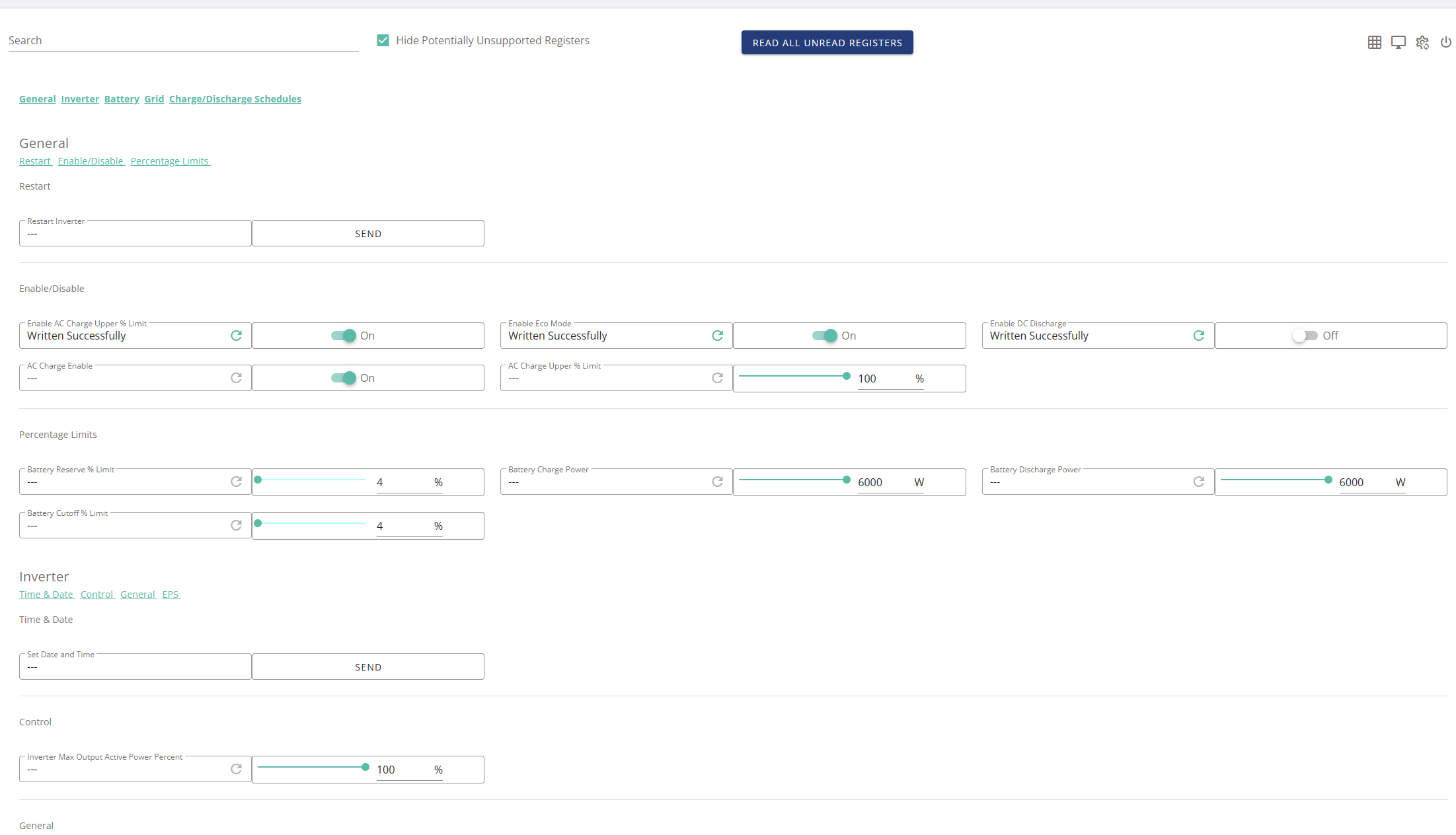
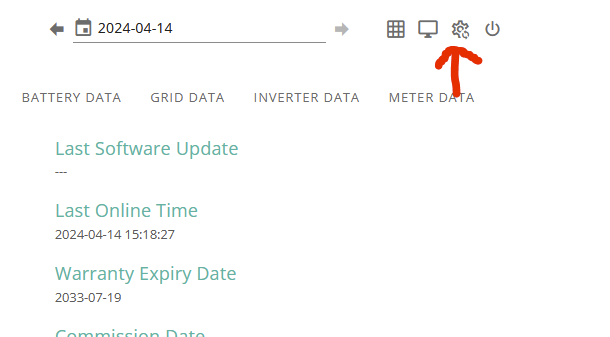
If you go to "My Inverter" and click this cogwheel it will take you to the remote control page

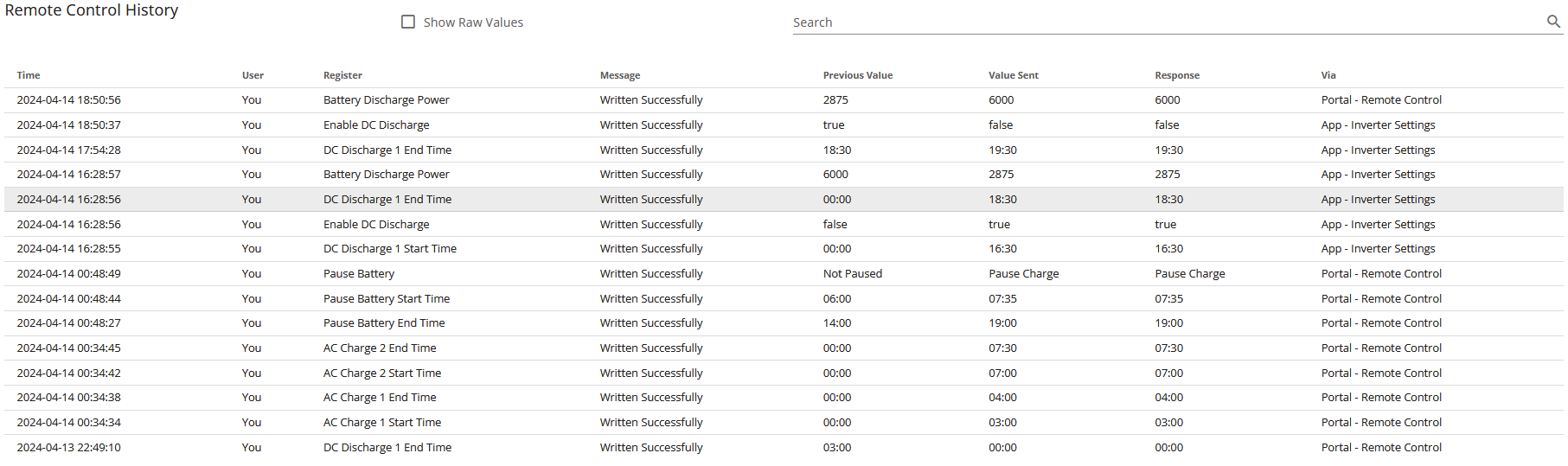
If you go to the very bottom you can see if anything is changing any settings, example below.

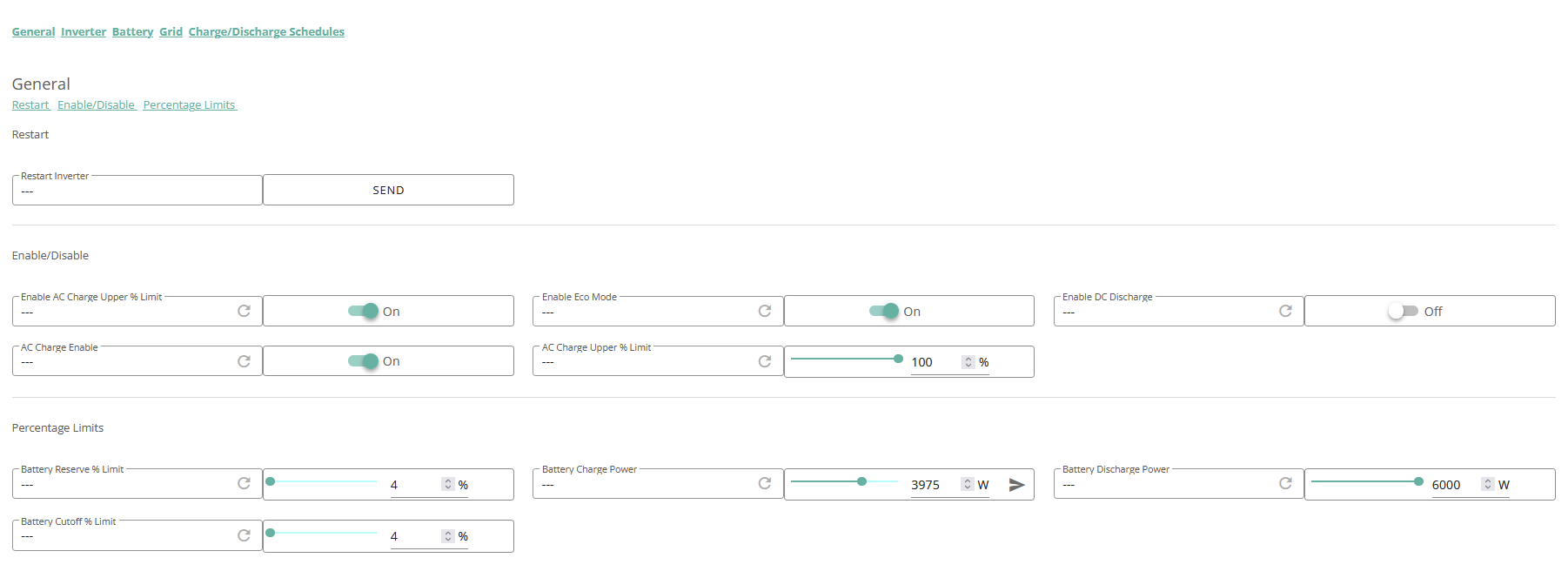
At the top of the very same page this is what mine is set at

For the most part it is set and forget but understanding what does what can take a little getting used to and I speak from experience.

D
#3 DD

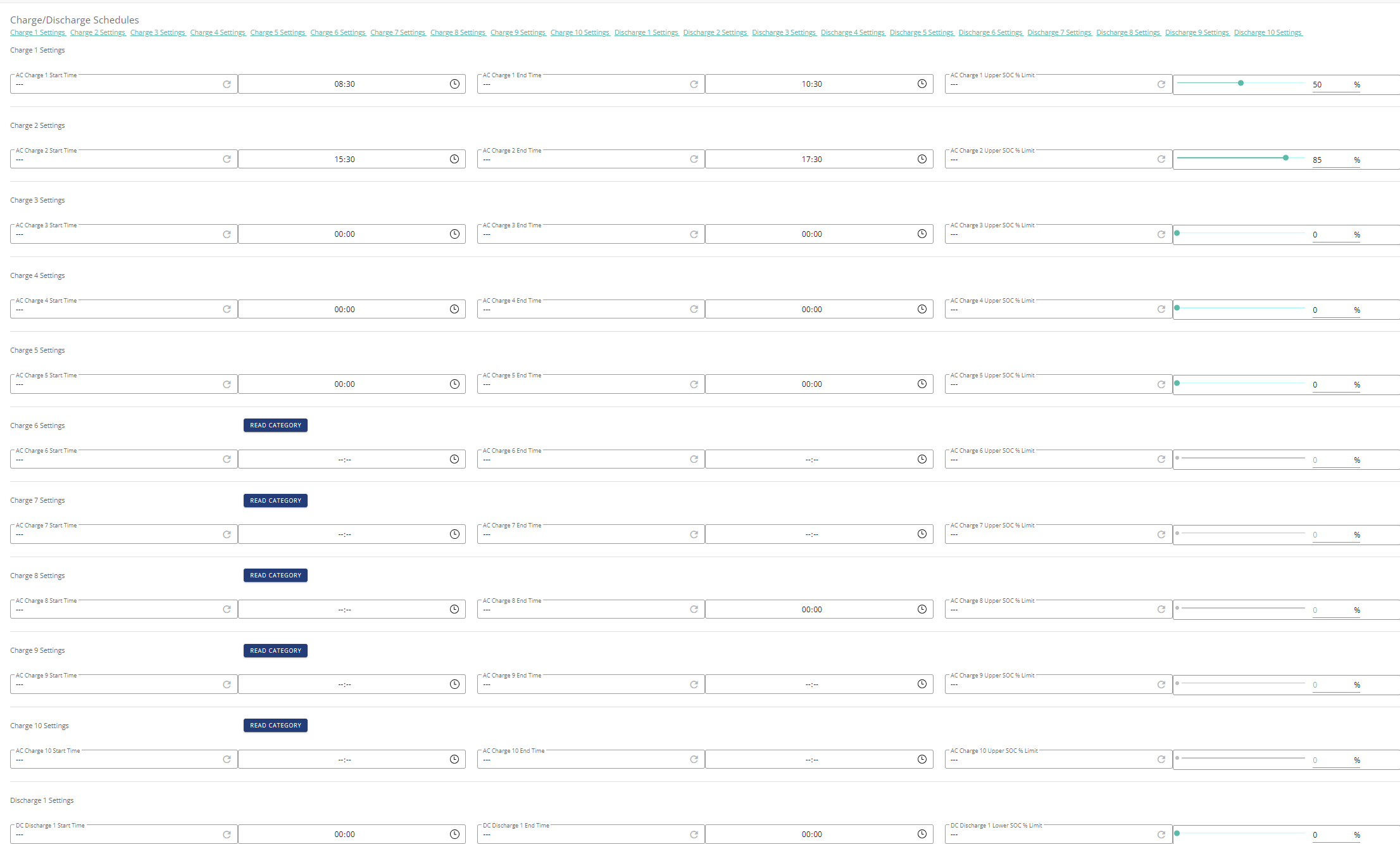
Perhaps worth mentioning that the remote control page offers a lower-level view of the configuration on the device. It also exposes various settings that are not available through the "friendly" part of the interface. For example, you will probably have multiple charging and discharging slots, whereas the app and main interface only show one.

One setting that could prevent battery discharge is the battery reserve - shown as (the default) 4% above. The battery will not discharge if it is below this reserve value. (Except when calibrating ...)

(I don't have an AIO, but I should hope the behaviour is similar across the more recent models - gen-1 inverters do behave differently.)

G
#4 Gervais

Hi there thanks for the reply and info - no we don't have a smart meter installed so no smart meter tariff, pretty sure there are no other automations at work either.

the guidance on the Timed Export / Timed Discharge is helpful thank you. been trying to play about with these to see if it would make a difference.

Have just set everything back in the portal inline with your screenshot but still pulling from grid rather than from battery.

J
#5 Jellybaby

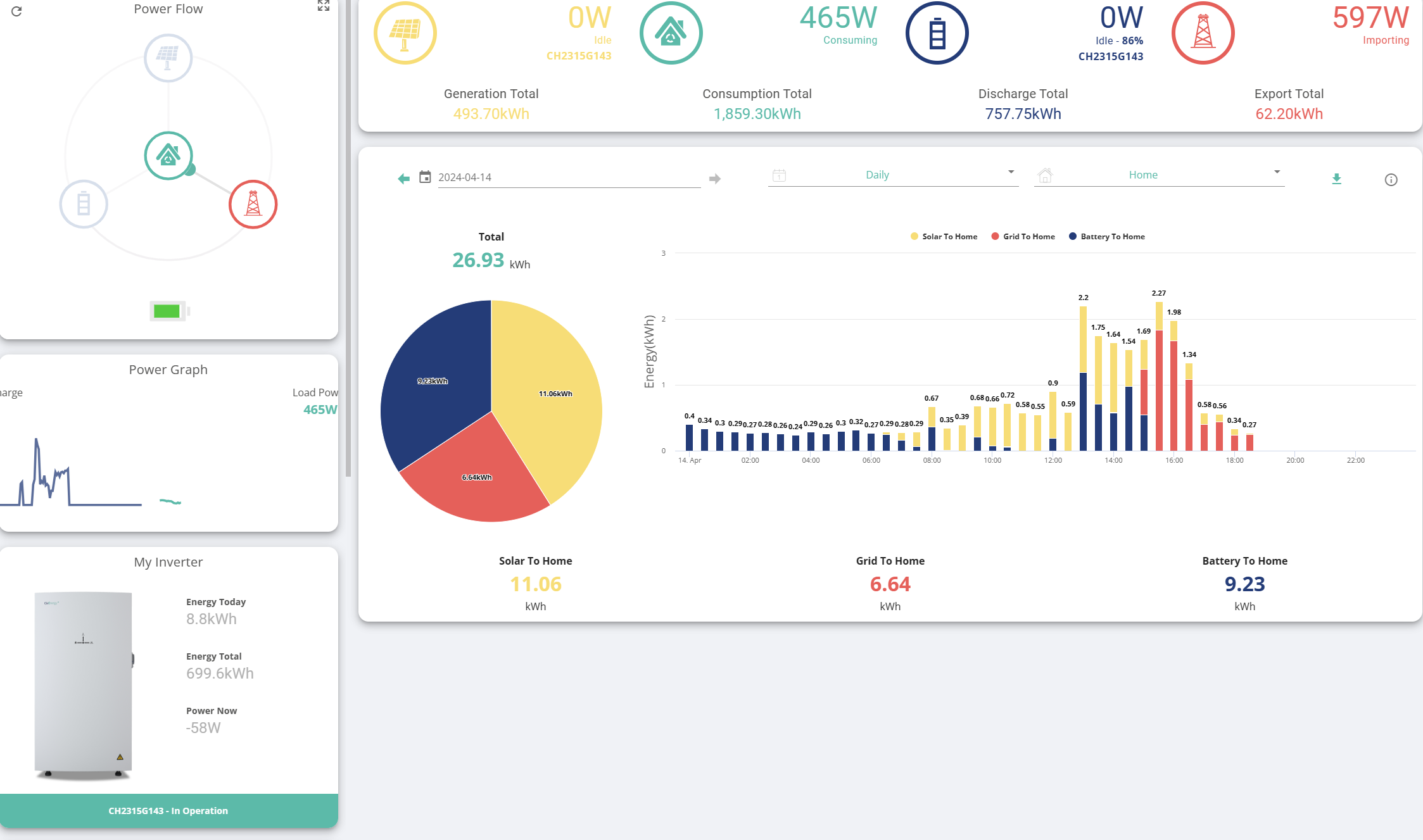
Any notifications in the "My inverter" view to suggest anything wrong, also what does main page say for your battery?

J
#6 Jellybaby

DD Indeed but I was just trying to get some info to see if I could spot anything amiss but needed a visual to show what they should be looking for to try and see what might be going on, everything seems to be fine and nothing out of the ordinary has been reported so I am quite at a loss as to what may be going on.

You could ask on the Facebook Givenergy Owners group to see if anybody else may be able to provide some insight (they are very good over there) until you can call the help desk to see what may be going on.

G
#7 Gervais

Thanks Jellybaby (and all) - yeah it is weird isn't it. Can't see anything that looks out of place on myinverter page.

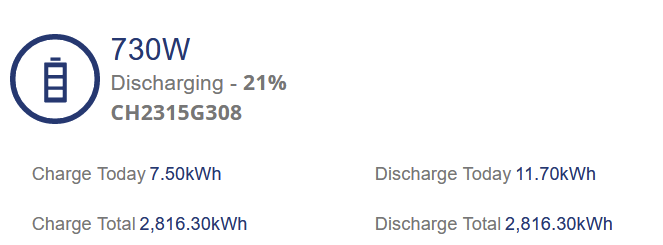
screen shot from dashbaord looks like this. You can see the battery behaved properly last night and released energy throughout of peak period (we are on eco7 and have some weird times for low and high peak) so it is set around those. Should have kicked into battery around 1730 this evening but can't seem to shift itself - thanks for the tip on FB group - am not on FB anymore so will try and find sometime to call GE helpdesk this week. Thank you for trying!!!

G
#8 Gervais

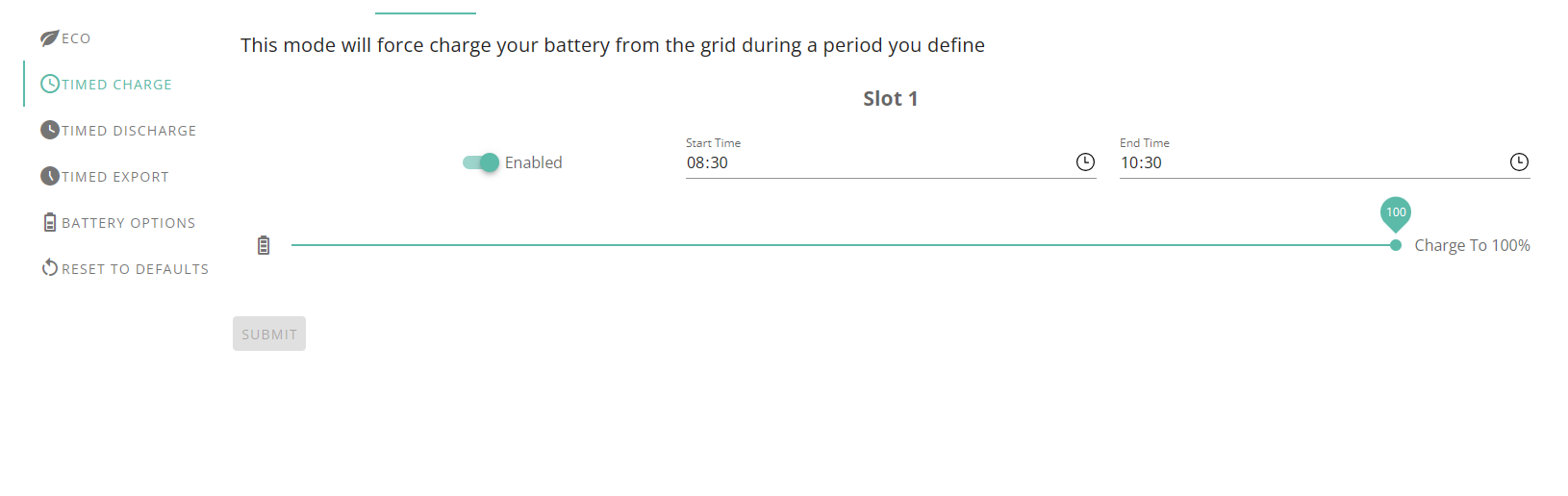
Jellybaby - weirdly I have just turned off Timedcharge (which has always worked fine since it was installed in Sep) and that has kicked the battery into life.
Odd but at least have managed to get the battery to supply the house rather than taking from grid.

Seems like a software bug ???

D
#9 DD

Gervais check to see if one of the extra charging slots is configured with a long time interval and a low target SoC. That would behave like this.

J
#10 Jellybaby

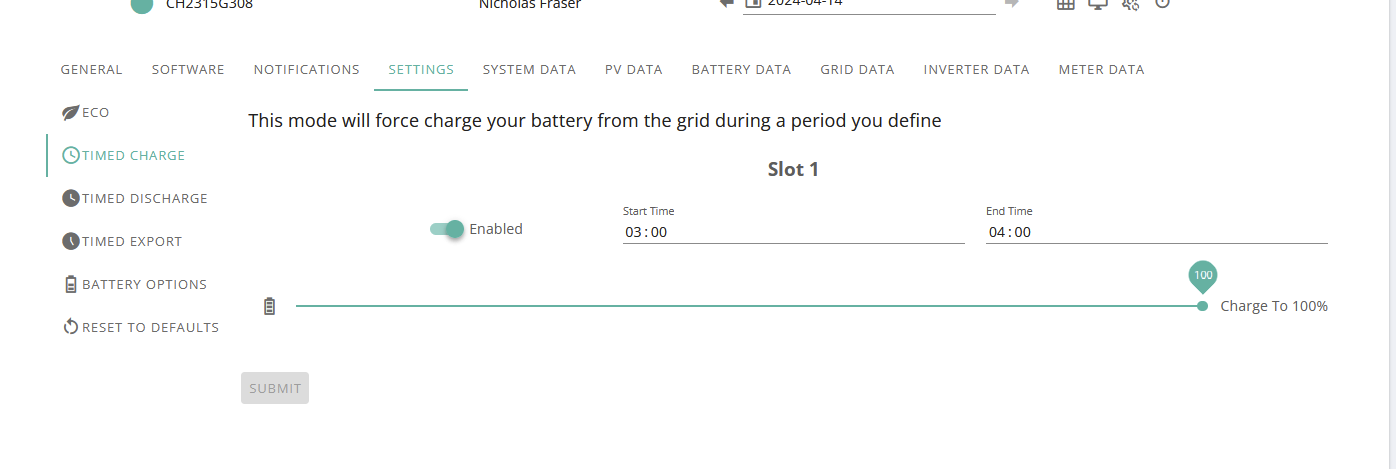
DD This @Gervais, what was your charge slot time set to?

Is this set to 100?

If it is then go to the remote control page and look for the charge slot #1 with the times you see above and click the refresh button as you see here

Could be a bugged setting.

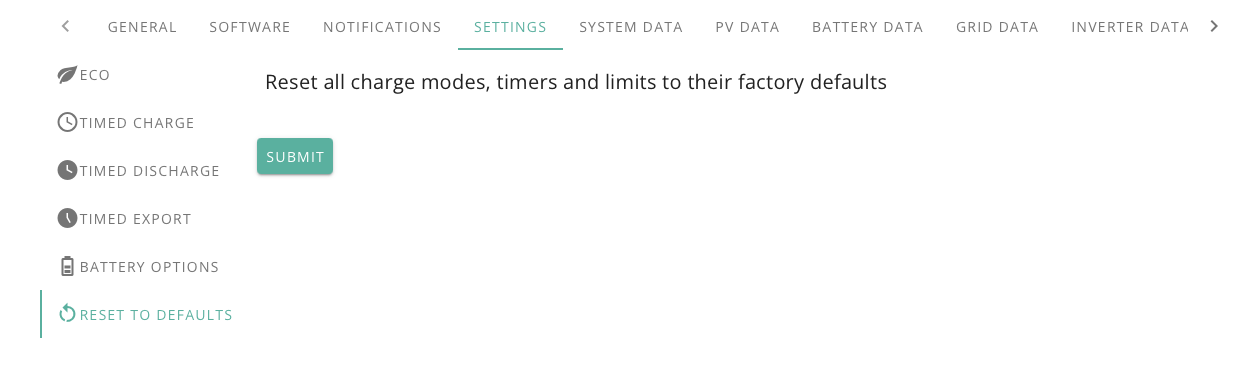
Also I don't see it mentioned but did you try this before?

Its also worth getting Facebook back just for the facebook groups for this stuff, invaluable.

D
#11 DreadorUK

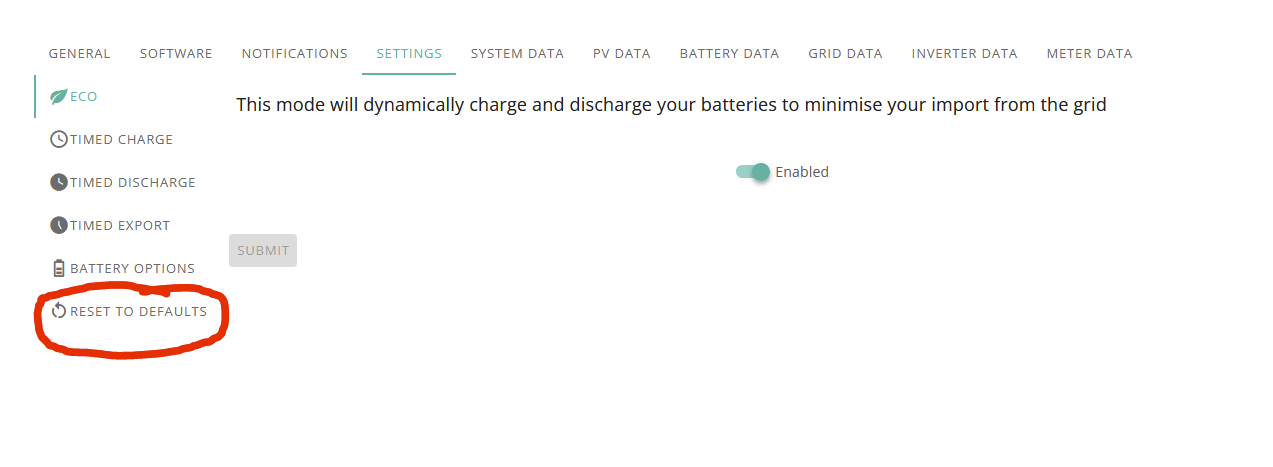
One other thing not covered here is its always worth resetting the battery to factory defaults and then making the changes - over amending - not sure why but it seems to clear cobwebs fixed many oddities.

G
#12 Gervais

Jellybaby
This was the setting

and in the portal it looks like this (inline with my weird eco 7 times) so that if solar doesn't fully charge the battery then it will top up from the grid for the last 2 hours of off peak each day.

Top 2 charge slots taken - every other charge/discharge slot is now empty.

Will keep an eye on it, and yes good shout, if it does turn out to need constant tweaking will absolutely consider joining FB again just for the support group.

Thanks again!

G
#13 Gervais

DreadorUK - Thanks that is a really good shout - will do that now and hopefully the cobwebs get blown away :-)

G
#14 Gervais

DD Thanks DD - think they are all empty and the 2 charging slots I have configured are only short. Have put a screen shot below in the response to JellyBean

J
#15 Jellybaby

DreadorUK I did mention that, hopefully that sorts their problems. upper charge should leave at 100 and just adjust the charge rate to cover entire period.

J
#16 Jellybaby

Gervais Good luck with things in the future, also think about that facebook group, several GE employees do frequent there that may offer insight or could look into things for you as well.

D
#17 DD

Gervais Hmm - what's that in charge slot 8 ? Not sure what '--:--' means, but I don't asymmetry like that. Can you force a read of the start time, or set it explicitly 00:00 to 00:00 ?

J
#18 Jellybaby

DD Used to get those as well, probably one previously unused or checked registers. I clicked the read all registers at top of page before and got red warning at bottom after about 5 seconds, most read but some didn't, not sure if the process timed out somehow with the batch reading but that happens every now and then.

J
#19 Jellybaby

@Gervais How did it go today?