C
My home dashboard has been working well thus far but the day before yesterday it suddenly stopped. No figures are showing and I appear to be offline. 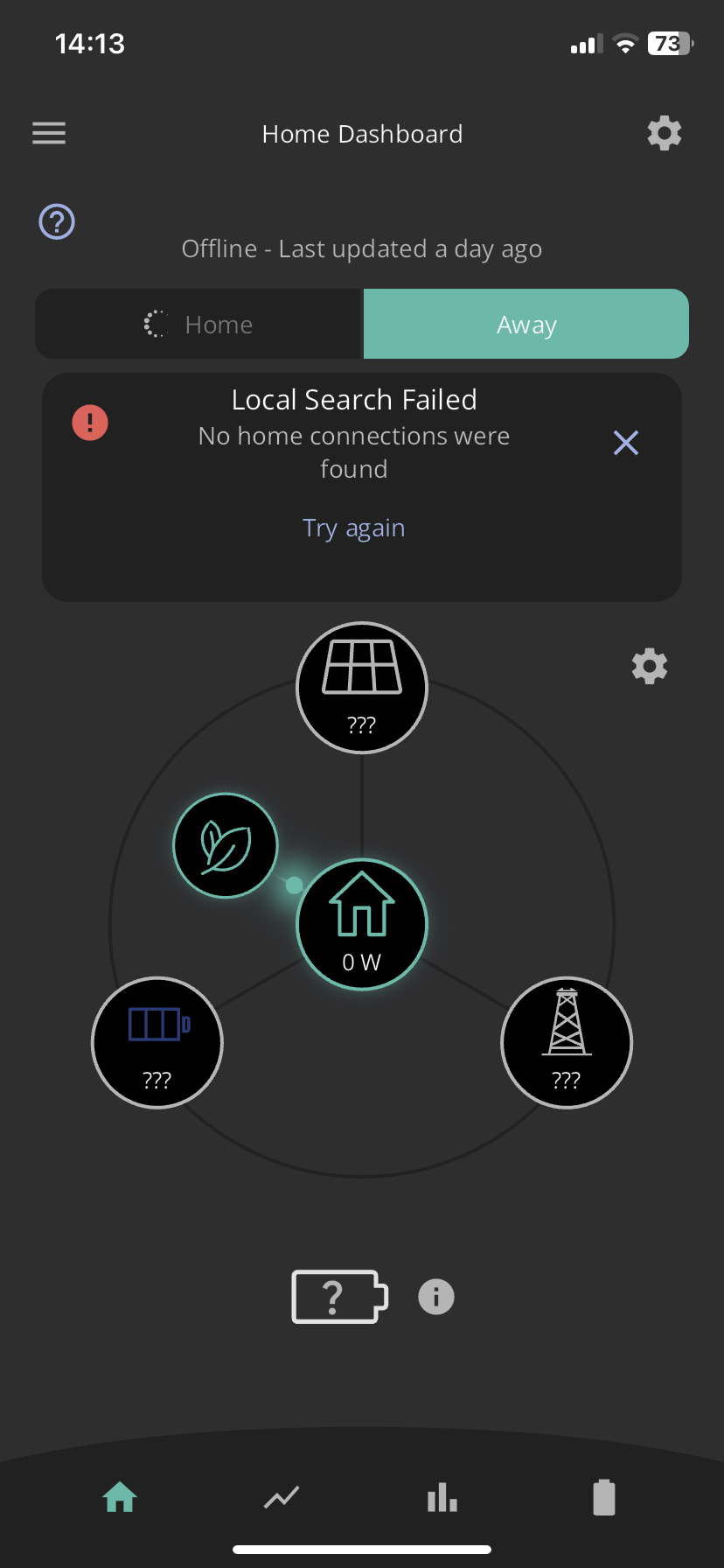
Does anybody have any suggestions?

My home dashboard has been working well thus far but the day before yesterday it suddenly stopped. No figures are showing and I appear to be offline.
Does anybody have any suggestions?
I get this every few weeks, for me it's my WiFi extender that I use to reach the dongle.
In my case I switch the extender off and on and after 10 mins or so it all comes back to normal.
Usually turn my phone on and off seems to work
It happens to me sometimes. It is the App rather than your system playing up. Occasionally for some reason, the App forgets the IP address of the inverter for some reason. It seems to be when I go out of the house somewhere with my phone and return and get the issue as it reconnects to the WiFi.
I have tried turning off the phone and back on again but no joy. I have also reinstalled the App and again no joy.

Have you put your router's IP address in the app settings and made it fixed in your router settings? That makes it 100% reliable for me.
Thank you for your response. The router’s IP address is in the App settings but I don’t know how to fix it in the router’s settings.
Cuthbep Google your router model number and try to find the manual online.
Somewhere in the settings, often advanced settings, there will be a list of all the devices that are connected to your router. You need to find the one for your inverter, it’ll probably be called something like “HF-A21”.
Click on it, and there should be an option to toggle between ‘dynamic’ and ‘fixed IP’ address. You want to set it to a fixed IP address so the router doesn’t ever change the address for the inverter.
Cuthbep Open the app, go to settings, Local Monitoring, then click Scan for you inverter. This should give you the current IP address of you inverter. Click the + sign next to IP Addresses and add the inverter IP, then switch on 'Search for inverters manually'. (This is the IOS app, I am not sure if it is the same on Android)
Then fix the IP of the inverter in your router settings as mentioned above.
I am having a problem seeing my data after a battery calibration. The only options under settings are account and preferences. I have emailed support, fingers crossed.
Now getting data, but it appears to be either cumualtive or annualised as the numbers are so large !