Help with Automations

13 comments started 2024-05-02 last 2024-05-04
Home Automation
M
#1 MarkH92

Hey,

So I’ve just got solar installed, so now have 17 panels, a 10kWh battery, a Tesla model 3 and a Tesla wall charger.

I’m not looking to do anything fancy or have tons of monitoring, but essentially I’d like to automate the following:

IF Home Battery is full
AND Home Use < Solar Generation
THEN Car Charge to Charge Limit
ELSE IF
Home Battery is full
AND Home use < Solar Gen
AND Car battery is = charge limit
Then Sell to grid till Home Battery <50%

I’ve seen some stuff about HomeAssistant, is this the best path forward?

D
#2 DD

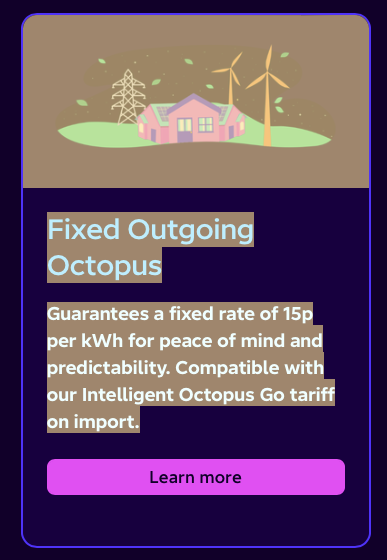
MarkH92 before answering questions about home automation, I'll point out that with a Tesla, you qualify for tariffs like octopus intelligent go, which gives overnight import for 7.5p, but pays export at 15p. So it's a financial loss to use solar to charge your car.
Similar tariff available from eon.

M
#3 MarkH92

DD I don’t think you can have octopus intelligent go and the 15p export at the same time.

If you’re on go they drop you to 8pm export, at least, that’s how I understood it. 🙂

D
#4 DreadorUK

MarkH92 Octopus Go is 8p Intelligent is 15p

#5 Hook

MarkH92

You need to be on intelligent octopus go. This will allow you 15p export. I have a model 3 and it is compatible and once paired will allow octopus to see the car and schedule charges. You will get 6 hours of cheap charging overnight usually around 7.5p.

If an Ev or it’s charger isn’t compatible then it’s standard Octopus Go. You only get 4 hours of cheap rate charging around 9p with an export of 8p.

D
#6 DD

MarkH92 to get back to automation... Home Assistant is popular, but IMHO it's overkill for this sort of simple scheduling. That said, because you want to be able to speak to both GE and Tesla kit, having pre-made devices integrations might save some effort. And maybe once you do get it, you'll discover all sorts of interesting things to do with it.

I mostly just use simple scripts using the cloud API. I do a very simple scheme where I check the battery charge level in the evening, and decide how much to export. Also minimal control over Zappi charger through its API.

If you do decide not to bother solar-charging the car, that opens up other options. I think wonderwatt.com can do simple cloud-based management. Also the octopus r&d labs. Or with an android device like a tablet, there's https://givenergymonitor.wixsite.com/tutorials which offers scheduling as a premium feature, for a tiny one-time payment. There's another cloud based agent - https://myenergyoptimiser.co.uk/ (I've not used any of these myself, though the basic version of the android app works very well.)

M
#7 MarkH92

DD thanks for the help!

Tbh it looks like I’m almost definitely already on Intelligent Go (I’m able to schedule car charging in the Octopus App), and so with the 15p export, it’s likely best to simply always allow for exporting where possible. I’m rarely going to use enough power to empty the home battery anyway.

In the winter, if needed, I can ensure the battery top’s itself up during the low-rate night window.

Am I missing something? This sounds too easy! 🙂

D
#8 DD

MarkH92 Am I missing something? This sounds too easy!

Have you got yourself an export MPAN ? Usually takes a little time after an install, and until you get that, you won't be paid for any export.

S
#9 SimonClarke

MarkH92 I’m on Intelligent Go, 5kw gen 1 inverter, 6.4kw east/west panels, 9.5kw and a model 3. We have charged the battery to 100% all winter and rather than stop doing that in the summer we have left it doing that and are also doing a timed discharge just after tea so we are hoping for better numbers than last year when we got paid a couple of hundred including about 8k miles in the car. And yes it is easy if everything behaves.

C
#10 CGoode

Intelligent Go here as well with a Zappi & Kona 64kW. Definitely cheaper to charge & run everything possible over night between 11.30pm & 5.30am @7.5p to avoid using any grid power during the daytime peak rate period (we are home most days). I'm still trying to educate my wife about not running too many appliances at the same time to avoid overloading our 3.6kW Gen 2 inverter.
I also pause my batteries from discharging during the cheap night rate period to prevent the car draining the batteries when it's plugged in (3-4 times a week). I haven't found another way of solving this particular issue so I'm all ears if someone has a better solution that does not involve any complicated automation.

R
#11 RE320

CGoode

Hi,

Ref pausing your battery while charging your car overnight.

My inverter (3.5kWh) is in Eco mode, and has one time charge slot between 00:05 and 05:30 (charge to 100%). Solar is set to Load first.

Car. I've set a scheduled charge start time of 00:30 via the Tesla app. Hypervolt 7.5kWh charger. The car usually needs 10kWh to reach 100% (LFP battery) daily.

My battery and car are at 100% at 05:30.

Hope this helps.

D
#12 DD

On IOG there's always the "threat" of bonus charging slots outside the core hours. Could ask for car to be ready by 0530 but seems against the spirit of the tariff.

My compromise (prior to rewiring) was to ask for car to be ready by 0700 (when we wake), and reduce max discharge power to 350W, which is enough to cover base load from 2230 to 2330 and 0530 to 0700, to limit battery discharge if there was any extra charging. (Battery charging during core hours inhibits discharge completely, of course.)

C
#13 CGoode

RE320 👍️ Our car gets plugged in most nights which sometimes means a short recharge from 50,60 or 70% up to 80% max. Ours is set to charge based on the car charging schedule when plugged in - not Octopus or Zappi schedules. Basically I have to make sure that the house batteries charge beyond the car or, prevent the batteries from discharging at all when the car is plugged in, which is the easier option. All a bit of faff really but I guess that's what you get with different makes of gear & different Apps. For now my strategy seems to work so I'm leaving it well alone until a better no cost option presents itself.
