
Battery not giving a reading

24 comments started 2024-06-09 last 2024-06-10
GivEnergy ProductsBattery
R
#1 RobinG

I have a problem that I am not getting a reading from my givenergy battery other than 100% the whole time. It looks as if it is working correctly (LEDS all look ok). On the app a small i appeared by the 100% battery sign at the bottom a few days ago - when I tap it it says "SG2237G264 100% Online Status 1/1"
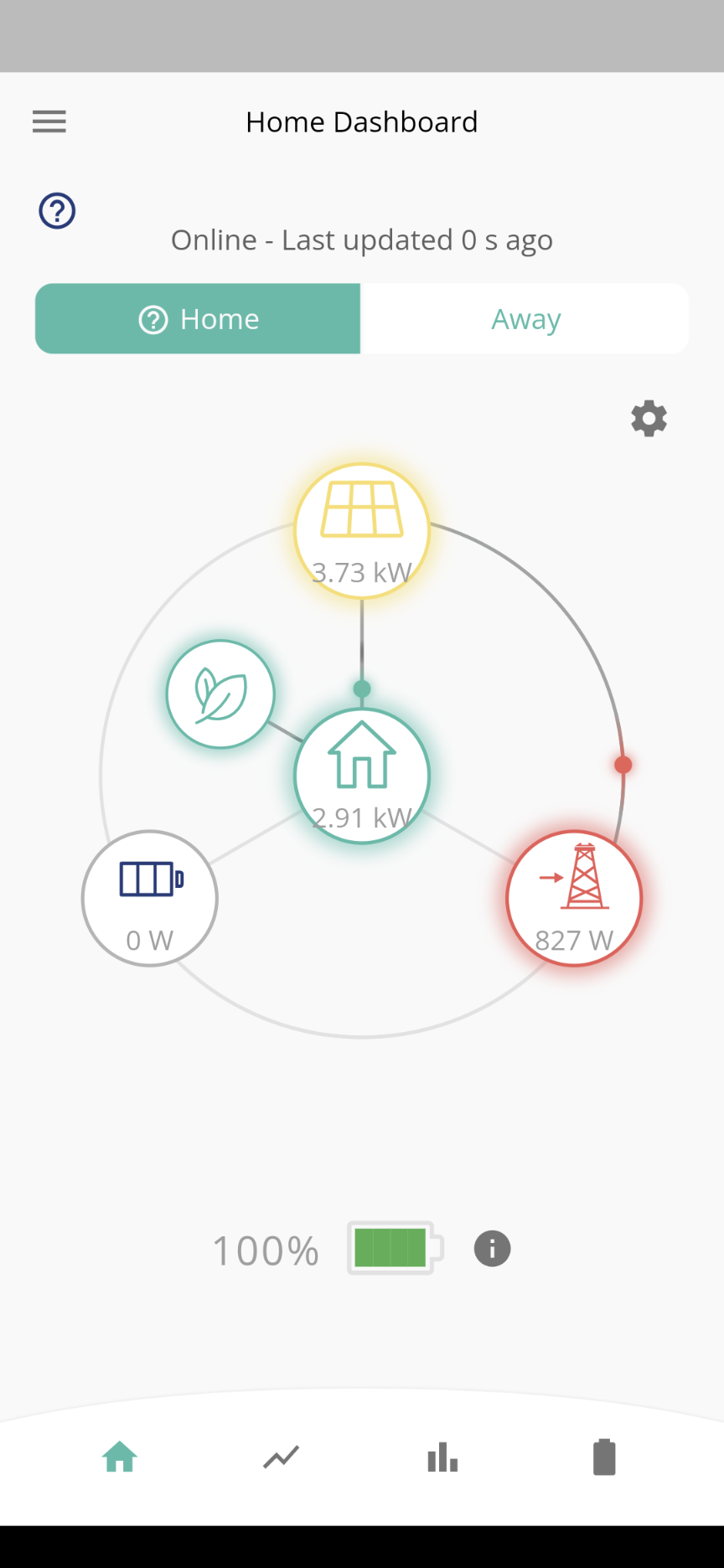
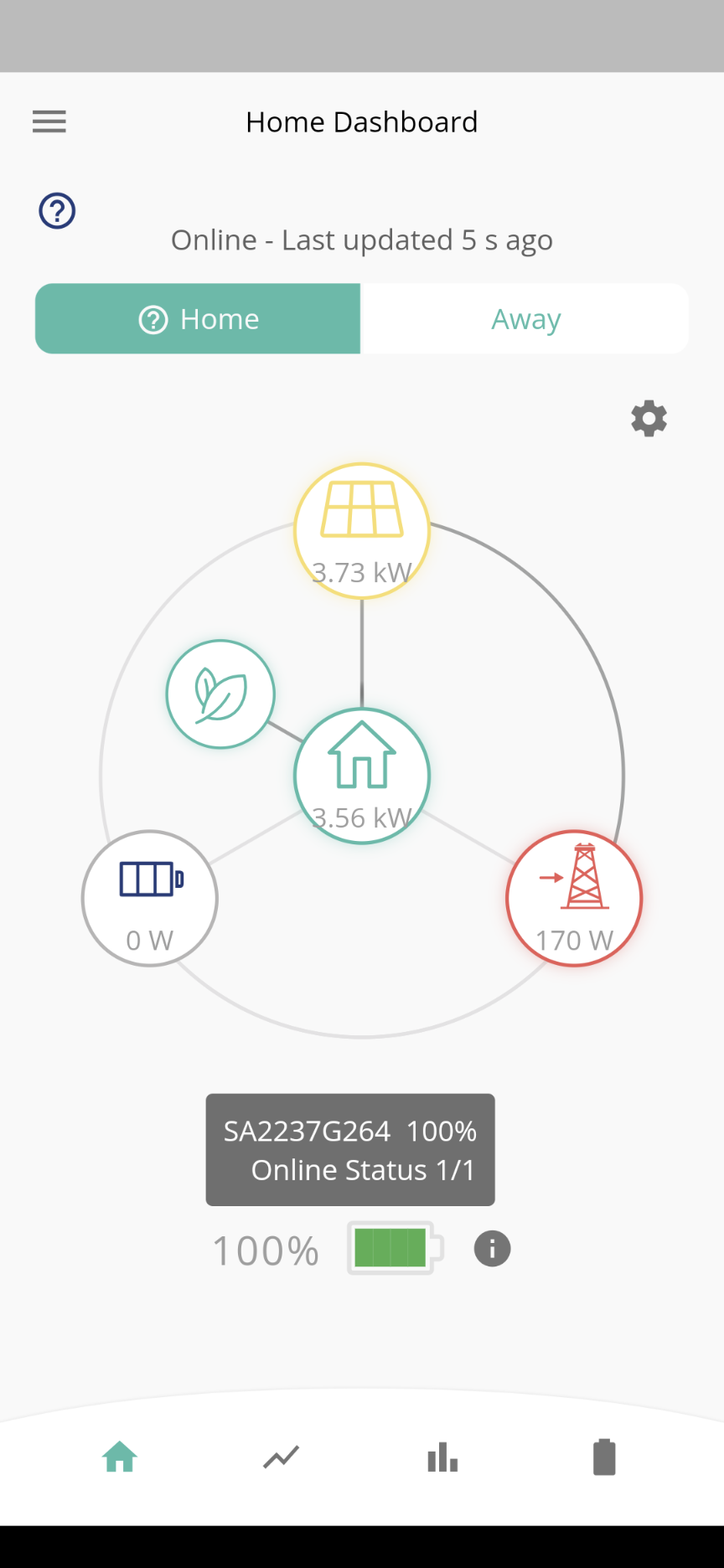
I went into the admin console and restarted the dongle - no impact - any ideas?
D
#2 DD

Is this a new installation? What sort of system do you have (hybrid, ac-coupled, AIO, ..?

As isolated snapshots, these looks fine - battery is full, and since solar exceeds consumption, the rest is exported. Do you have an example where consumption exceeds solar, and it shows it importing from the grid rather than discharging the battery?

However, it's interesting that in both snapshots, consumption almost matches solar generation. This might point to an issue with the CT clamp?

#3 Watcher

Click on the battery icon then ‘more information’, what’s there? Screenshot & show.
Click on the lightning icon. Screenshot & show.

R
#4 RobinG

Thanks for the response. Yes, given everything else looks ok a ct clamp issue could be the cause. I have never seen an 'i' icon beside the battery symbol on the app before, but perhaps triggered by the clamp. Any steers on how to investigate a ct clamp issue further?

R
#5 RobinG

Watcher thanks Watcher. The second screenshot shows what appears when the 'i' is tapped

R
#6 RobinG

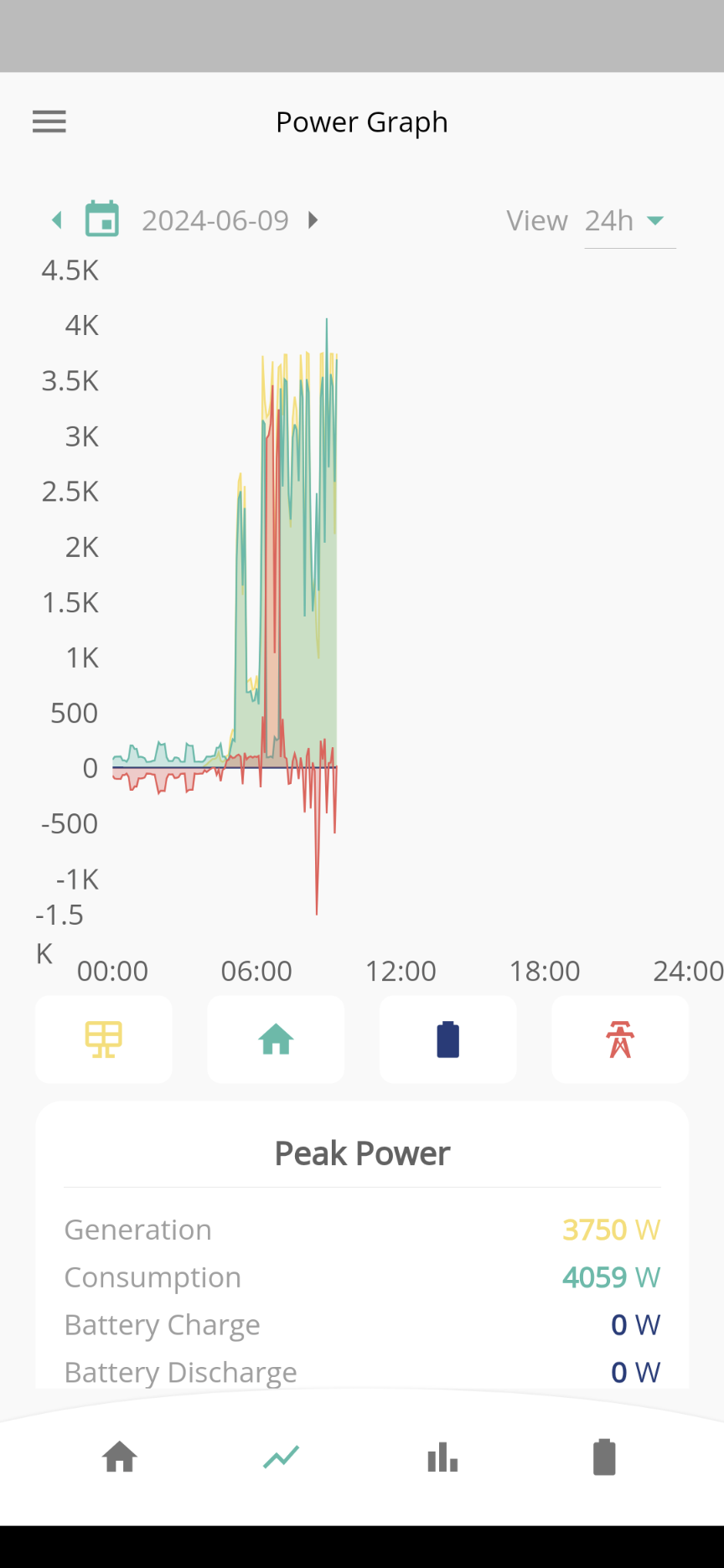
Here is the power graph

R
#7 RobinG

RobinG actually the power graph for the battery doesn't display!! So does point to ct issue?

#8 Watcher

RobinG
Mine is the same as yours, (with exclamation mark) running with no probs, click on the battery & lightning icons at the bottom of your two screenshots above.

D
#9 DD

RobinG I have never seen an 'i' icon beside the battery symbol on the app before

For me, the 'i' appeared with the latest app update, so I think it's just that. Not a symptom of any changes on your system.

D
#10 DD

RobinG the consumption is mirroring solar much too closely. It's calculated as diff between generation and measured grid activity. Since it sees no import, it has no reason to discharge battery.

If you force an export (eg using the play button on the app), what happens?

R
#11 RobinG

Sorry, how do I force an export?. I cant see any play button?

R
#12 RobinG

It is as if my system isn't detecting the battery as a source, it is taking power from the grid when there isn't enough solar

#13 Watcher

Settings
Preferences
Show Quick Settings Button

Then you will have a triangle on that bottom row, then self explanatory.

R
#14 RobinG

Perfect thanks, very useful. Yes the discharge seems to be working

R
#15 RobinG

RobinG but the car is charging from the grid and solar and not the battery and solar for some reason.

#16 Watcher

Is the battery showing up on the power graph now?

D
#18 DD

RobinG It is as if my system isn't detecting the battery as a source, it is taking power from the grid when there isn't enough solar

Or it isn't detecting the grid import, and so sees no need to discharge the battery.

R
#19 RobinG

Looked at my usage graphs. Since 4 June I've had zero consumption from the battery. All panels and the grid. Something has changed. Will need givenergy to take a look

D
#20 DD

RobinG Something has changed.

One thing that has changed is timed-discharge. For a long time, it used to discharge the battery at fixed power, resulting in export to the grid. Now, it matches the documentation and discharges only enough to power the house, only during the timed window. The rest of the time, battery charge is held.

T
#21 TImW

Hi, I'm new but had a similar issue to that being described (RobinG), namely my battery wouldn't discharge to my home. I could force a discharge to the grid and could import to fill it up, but it refused to provide the load to my home. I was drawing off the grid even with a 100% full battery. This started when I upgraded the new firmware (to D0.309-A0.309) a couple of days ago.

Having reset all settings, restarting the inverter via the app. several times in last 24 hours, I decided to restart (press switch on the side of the battery til i beeped) my main and secondary (5.2kWh) batteries and that seems to have done the trick. Right now the GE app shows 290W solar > home, 303W battery > home and 1W > grid. Prev. it was 0W from the battery and 143W from the grid.

Hope that's useful info.

R
#22 RobinG

That is useful, thanks. I have done the battery restart. Hasn't fixed the problem of no discharge to the house yet, but will see what happens tomorrow. I did do a firmware upgrade a few days ago so wondering if that has caused the problem. Also when I set Eco mode the battery doesn't seem to dynamically discharge to the house which is what it is meant to do. I have to set timed discharge to get it to discharge. Can't be right!

R
#23 RobinG

Still having the problem - the battery will not discharge to the house. I am in Eco mode so should discharge dynamically. I think all of the firmware is up to date. When I tried forcing a discharge, it did start to discharge but the battery percentage on the app remained at 100%. Does anyone know how to get help from a Givenergy technician? Could do with them having a look.

D
#24 DD

RobinG Does anyone know how to get help from a Givenergy technician? Could do with them having a look.

Call support - they can check your system remotely and see if any registers are misconfigured.

Or if it's a recent install, your installer may be able to help. (They may have remote access too? Not sure.)

R
#25 RobinG

ok - so - the givenergy guys had to reset the the inverter remotely - that seems to have fixed the problem whereby the battery wasn't discharging to the house. The problem I still have is that that battery percentage on the app dashboard seems stuck at 100%!