
Constant Discharge

7 comments started 2024-06-21 last 2024-06-21
GivEnergy ProductsBattery
W
#1 woodersonb

Afternoon All,

Hope you are well.

I’ve just had a new Giv AIO and Backup Gateway installed.

As I’m on Intelligent Octopus Go and Outgoing Octopus with Day and Night Rates, I’ve set my AIO up as follows…

ECO OFF
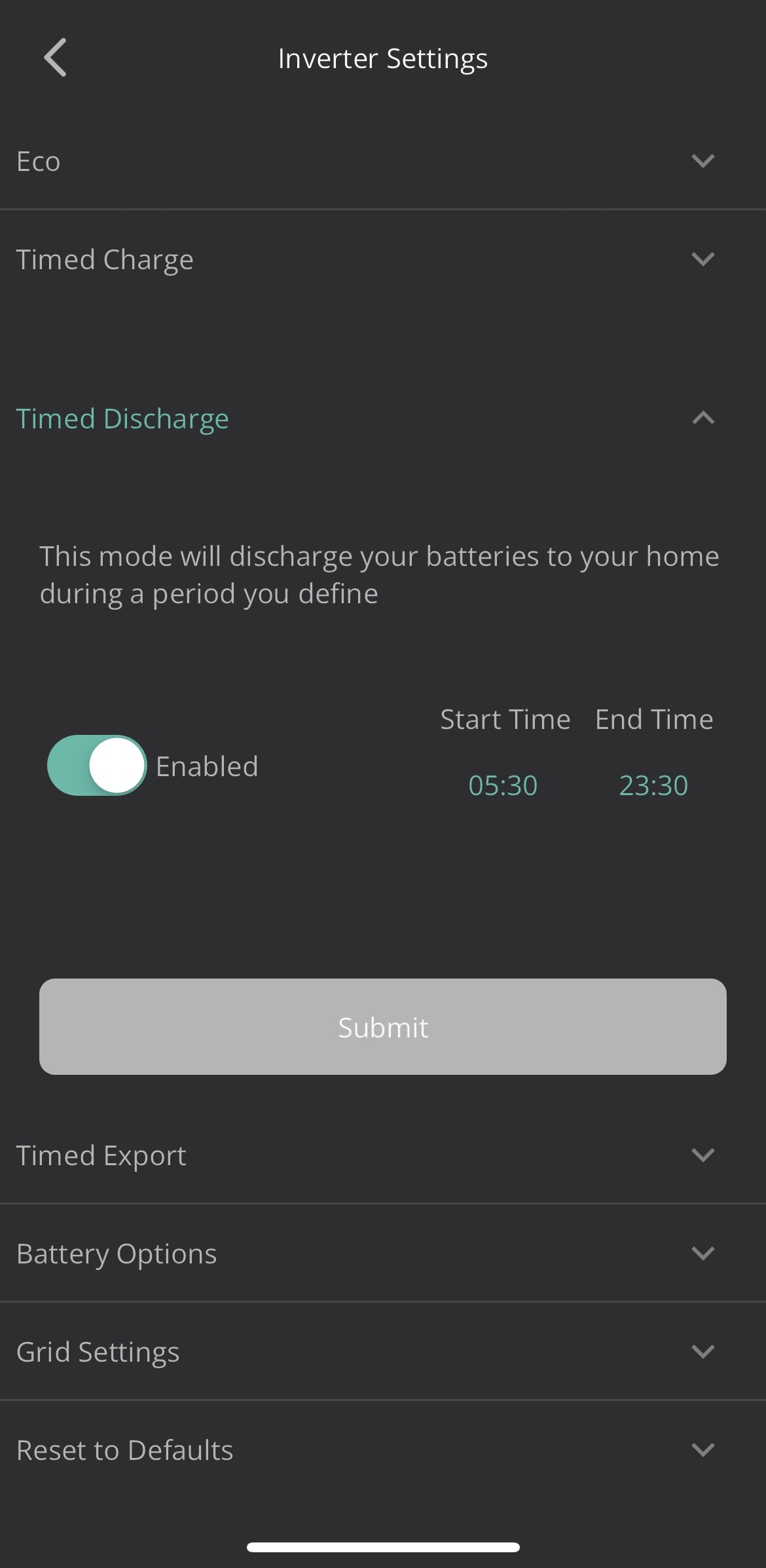
FORCE CHARGE ON 23:30 - 05:30
FORCE DISCHARGE ON 05:30 - 23:30
CHARGE/DISCHARGE POWER 3200W

Both AIO and B/U updated to the latest firmware.

Battery has successfully completed a third calibration last night.

However, looking at the Dashboard, the setup just seems to be sending circa 46W continuous back to the grid for some reason.

I’ve tried disabling the Discharge settings and reverting to ECO Mode but nothing seems to change. I’ve also tried toggling this in the Web Portal rather than the iOS App but nothing changes.

Have I not set this to the optimal settings for my tariffs or have either I or my installer missed a step somewhere?
D
#2 DD

woodersonb what settings did you use for FORCE DISCHARGE ?

W
#3 woodersonb

Hey,

Thanks for replying.

I’ve switched off Eco and Set Force Discharge (as I understand to run your house on battery alone) during peak times 05:30 to 23:30.

Have been experimenting today and if I leave it as is, it continues to trickle discharge to the grid and doesn’t chip in when the PV isn’t producIng enough, it starts to draw from the grid.

The minute I reinstate Eco it continues to trickle discharge but will help out.

Does that make any sense?

Screengrab below…

Thanks!

Barry.

D
#4 DD

woodersonb I’ve switched off Eco and Set Force Discharge (as I understand to run your house on battery alone) during peak times 05:30 to 23:30.

Not a good combination, unfortunately... the way it's implemented, it pauses discharge outside that time window. But because you have eco turned off, it basically pauses discharge inside that time window too.

If you want it to export to the grid, you want timed-export, not timed-discharge.

And if you want to export generated solar, you might want to also pause battery charging. Can't do this easily from the app (unless you just reduce max charging power during the day). But the remote control section on the portal gives you access to a pause mode in the battery section.

(I have a hybrid inverter - I'm making assumptions that AIO configuration is the same.)

G
#5 geoffreycoan

woodersonb However, looking at the Dashboard, the setup just seems to be sending circa 46W continuous back to the grid for some reason.

In addition to the other comments about the inverter modes, a small amount of discharge happens all the time with the AIO and newer firmware. If you use battery pause mode (which force discharge uses under the covers) then 46W is about what most people get. If you don’t use battery pause mode then it can be 300W or so.

W
#6 woodersonb

geoffreycoan Thank you for that, was thinking it had a mind of its own.

W
#7 woodersonb

DD Thank you so much for the detailed knowledge share, much appreciated! Spoken to GE this afternoon and along with your help, have made some changes and think am more comfortable with what it’s doing. Still not utopia for me but maybe that’s something for the future.